Apps

Promote iMessage to your Menu Bar with Unreplied for macOS

Find it hard at times to stay on top of your iMessage and SMS influx because you’re just too damn popular? Or are you simply a notoriously slow responder that likes to wait until that red badge on iMessage has swollen to inordinate proportions?

Either way, Unreplied, a low-key app bundling iMessage chats in your Mac’s Menu Bar, vows to make your iMessage game faster and perhaps less flaky.

Hypno Cam, Mix, Trips, and other apps to check out this weekend

This week's edition of our Apps of the Week roundup features a fun video editing app, an app for discovering new and interesting content, and an app for sharing your travel experiences. And as always, we've picked two great new games for you to check out.

Hypno Cam

So Hypno Cam is a new(ish) app that enables you to quickly and easily add cool effects to your videos. The app automatically scripts your clips with effects, music, and edits synced to the beat. You don't have to be an expert videographer to create awesome videos—Hype your Instagram and Snap stories with the push of a button. New "scripts" are added every week, and there is a beta developer program for folks who want to create their own. For what it's worth, the app has 4.5-star on early reviews. Hypno Cam is available for free.

Mix

Mix is a new way to discover and curate interesting content you find on the internet. I know, this sounds like the same pitch we've heard from dozens of other apps, but Mix is worth checking out. The app uses an algorithm to feed you interesting and relative content, and its beautiful, minimal interface will keep you swiping for more. Use the special 'Mix' button to save and share the things you like, watch videos in-app, and more. Mix is available for free.

Trips

Explore every day with Trips by Lonely Planet — a beautiful, simple and intuitive way to share travel experiences. Upload photos and videos to your timeline, then share your trip with your friends, family and fellow travellers. Discover new places, be inspired by stories from the Lonely Planet community and start planning your next adventure. I know there are a lot of these kinds of apps out there, but the early reviews say this is a great way to document your trips or view others' trips. I think it's worth checking out. Trips is available in the App Store for free.

Titanfall: Assault

Standby for Titanfall! Experience freedom on the Frontier battlefield in a new mobile RTS that redefines the genre with fast-paced action and intense PvP battles. Put your combat skills to the test by unleashing a powerful arsenal of Titans and Pilots, including units from Titanfall 2 plus brand new specialized units only for the mobile game. Deploy Sim Ninja, Boomer, Ion, Scorch and more onto the battlefield to fight for control of the Frontier. Unite and destroy. And lead your forces to victory in The Frontier War. Titanfall: Assault is available for free (with some IAPs).

Swim Out

Dive into the relaxing and refreshing atmosphere of Swim Out, a strategic, turn-based puzzle game, that will transport you into a sunny day by the swimming pool, the river or the sea. Plan each of your strokes wisely and be sure to never cross any other swimmer's path if you want to peacefully enjoy the sea view on a cosy chaise-longue. There are over 100 levels to play and 12 different types of swimmers. If you're a fan of puzzle games, this one is definitely worth checking out. Swim Out is available for free.

More apps to check out Apple’s free app of the week: Colorcube Instagram testing two-person live broadcasting

PicsArt Color Paint, Spire, Basic Weather, and other apps to check out this weekend

This week's edition of our Apps of the week roundup features a powerful, easy-to-use sketch app, a multitrack music recorder, and a new weather app that serves up both forecasts and GIFs. And as always, we've picked two great new games for you to check out.

PicsArt Color Paint

There are hundreds of sketch/drawing apps on the App Store, but I still think PicsArt Color paint is worth checking out. It offers a full drawing suite with an intuitive UI that makes it perfect for both beginners and professionals alike. Layers upon layers, a color mixer for any color combination you can imagine, fully customizable paint brushes, and an amazing texture brush are just some of the features available here. You can even doodle on that selfie you just took! PicsArt Color Paint is available for free.

Spire

Spire is a multitrack music recording app that automatically adds professional-quality polish to your recordings. Record your music anywhere, edit and mix it to perfection, then share it with the world. Features include working metronome, touch and drag mixing, song exportation, iZotope technology that autwmiatclaly removes unwanted song characteristics, and more. Spire is available for free.

Basic Weather

Weather is emotional. Basic Weather is the daily weather app for people who choose to celebrate the highs and weather the lows (zing!). Features include daily weather notifications with hand-matched GIFs to make you smile, simple and swipeable interface, 5-day weather forecasts, instant sharing, and the developers claim the app's forecasts are extremely accurate. Basic Weather is available for free.

Miracle Merchant

Miracle Merchant is a solitaire style potion brewing card game.In it, you become the apprentice of a master alchemist who creates potions for thirsty adventurers. By mixing and combining different ingredient cards you create powerful potions based on the needs of your customers. Each game has a unique, randomly generated set of cards that will test your skills. By successfully completing games you can collect a variety of masterfully crafted potions. Miracle Merchant is available for $1.99.

Flippy Knife

The title explains it all. In Flippy Knife, you work to become a master at knife flipping using the best knives from around the world. Features include realistic knife-flipping physics, over 35 different blades to choose from, various levels and locations, ranging from a campsite to tree tops, one finger control, and more. I know it sounds kind of ridiculous, but early reviews for the game are glowing. Flippy Knife is available for free (with some IAPs).

More apps to check out Apple’s free app of the week: Checkmate! Google Earth for iOS gains 3D imagery, guided tours, 64-bit support & more Apple’s ARKit replicates A-ha’s “Take on Me” music video in real time Plant a tree and get things done with Forest Here’s award-winning PCalc scientific calculator app in augmented reality, because why not? Spark for Mac gains advanced search features & other notable improvements

Google Earth for iOS gains 3D imagery, guided tours, 64-bit support & more

Google today announced a major update for its popular Earth app for iPhone and iPad, bringing many new features that debuted on the desktop and web app in April of this year.

Importantly, it's received much needed support for 64-bit iPhone, iPad and iPod touch devices to ensure that it will continue to run on iOS 11 which does not support 32-bit apps at all.

But first, check out the key highlights of this release:

Choose your own adventure with Voyager—Experience interactive stories from around the world. Discover new places with Knowledge Cards—Flip through cards and learn about local landmarks. Orbit the world in 3D—Use the new 3D button or tilt the map with two fingers. Snap and share a Postcard—Capture snapshots of locations and share them with your friends. Feeling Lucky?—Roll the dice and see where the world takes you.

If you like the Flyover feature on Apple Maps, you'll love 3D imagery in Google Earth for iPhone and iPad. To switch to the three-dimensional view, tap a new 3D button and use two fingers to rotate and tilt your vantage point (hint: use this mode to explore Apple Park in all its glory).

You can also capture snapshots of the various locations you find in Earth and share them with your friends. To snap a virtual postcard, tap a new camera icon in the app's toolbar section.

And to help you plan your trip, Google Earth for iOS allows you to experience interactive stories from around the world. Called Voyager, this feature is available Under the Travel category.

There, you’ll find detailed multi-day itineraries for seventeen major cities around the world, including tours like “Paris with Kids”, “Beyond the Beaches of Rio de Janeiro” and many more.

Here are a few other Voyager tours worth checking out:

Natural Treasures from BBC Earth—Journey to six habitats, from islands to mountains to jungles, and learn about the unique and thrilling wildlife in each. Gombe National Park in Tanzania—Hear from Jane Goodall about her team’s chimpanzee research and conservation efforts. Mexico with Lola—Check out the little monsters featured in Sesame Street’s Girl Muppets Around the World, and learn about modern Mayan cultures.

If you'd like to jump to someplace new, you should try Google's “I'm Feeling Lucky” feature by tapping a new dice icon in the toolbar. Lastly, Knowledge Cards, another new feature in Google Earth for iPhone and iPad, makes it easy to see related facts for a place.

Just pull up from the bottom of the screen to bring up a card with rich information about the thousands of places and landmarks around the world. As I mentioned before, the app now supports 64-bit hardware and comes with a brand new icon for your Home screen.

Grab Google Earth for iOS for free from App Store.
Plant a tree and get things done with Forest

Living in a time where mindless entertainment is only one touch (or app) away can make it incredibly hard to focus on the simplest tasks and really get your head down for uninterrupted, productive work. If you can relate to the struggle, Forest, an app best described as a good-natured trojan horse inside the world of apps, could be a service to tickle your fancy.

Teleport, Turf, Tasty, and other apps to check out this weekend

This week's edition of our Apps of the week roundup features a new AI-based photo editor, an app for quickly finding your group at a large event, and a new twist on the digital recipe book. And as always, we've selected two great new games for you to check out.

Teleport

Teleport is a new, interesting app that allows you to edit live photos using artificial intelligence. No, we're not talking about adding animal ears or swapping faces—this app lets you change your hair color, alter your backdrop, blur the background and more. The interface is intuitive and well-designed, and as far as I can tell, the AI-based effects are impressive. Teleport is available for free.

Turf

Turf is a simple, but smart app that acts as a compass towards where you want to go. Imagine you're meeting a friend at a ballgame, or a musical festival. Well instead of sending countless texts back and forth, or making hard-to-hear phone calls, the people can simply send a point-of-interest using Turf, and your app will take you straight to it. I know other, more robust maps apps allow you to share your location, but this is more straight-to-the-point (no pun intended). Plus no account is required. Turf is available for free.

Tasty

BuzzFeed's new Tasty app features all 1,700+ Tasty videos and a new Step-By-Step instruction mode that explains how to cook every recipe. The "My Recipes" page serves as your own personal cookbook and an innovative Search tool allows you to filter recipes by ingredient, cuisine, and social occasion. You can even filter out recipes with restrictions like vegan, gluten-free, low carb, healthy and comfort food. Easy is available for free.

NEO Scavenger

Play the acclaimed PC survival RPG on your iPhone or iPad. NEO Scavenger is a game where you must survive in the wasteland long enough to figure out who you are. Each turn, you must decide where to go, how to scavenge for supplies, and how to deal with anything and anyone you encounter. And with each passing minute, the pit in your stomach grows, your dehydration worsens, your muscles tire, and your body temperature drops in the cold autumn air. Choose your starting abilities carefully, because they and your wit are the only tools you have in the apocalypse! NEO Scavenger is available free (with a single IAP to unlock the full game).

Vista Golf

Vista Golf is a simple but elegant mini golf game, defined by crisp controls and the endless competition of new courses every week. We wanted to create the purest form of mini golf in your pocket, so if you seek both fun an frustration, this is the game for you. Features include Competitive Mode, Infinite (arcade) Mode, leaderboards, and weekly updates. I know there are a ton of golf games out there already, but this one seems worth checking out. Vista Golf is available for free.

More apps to check out Apple’s free app of the week: Domino Drop Google launches Trusted Contacts iOS app with Find My Friends-like features Image search and discovery coming to eBay’s iOS app this fall

Chrome 60 rolling out, brings handy navigation shortcut to your Touch Bar

Google yesterday announced that its freshly updated Chrome desktop browser has at long last brought out official support for handy navigation shortcuts on the MacBook Pro's Touch Bar.

Supported shortcuts include Chrome's unified search/URL box, bookmarks and a new tab shortcut. Like with other Touch Bar shortcuts, they're easily customizable by choosing Customize Touch Bar from the View menu, where you can also turn off typing suggestions.

In addition, Chrome 60 for macOS includes an updated Credential Management API (allowing websites to interact with Chrome's password manager) while packing in support for the Payment Request API for auto-filling checkout forms and other developer enhancements.

On a related note, Google said yesterday it would remove Flash completely from Chrome toward the end of 2020 following Adobe's announcement to end-of-life its Flash plug-in.

If you regularly visit a site that uses Flash today and it migrates to open web standards, you shouldn’t notice much difference except that you'll no longer see prompts in Chrome to run Flash on that site. “If the site continues to use Flash, and you give the site permission to run Flash, it will work through the end of 2020,” said Google.

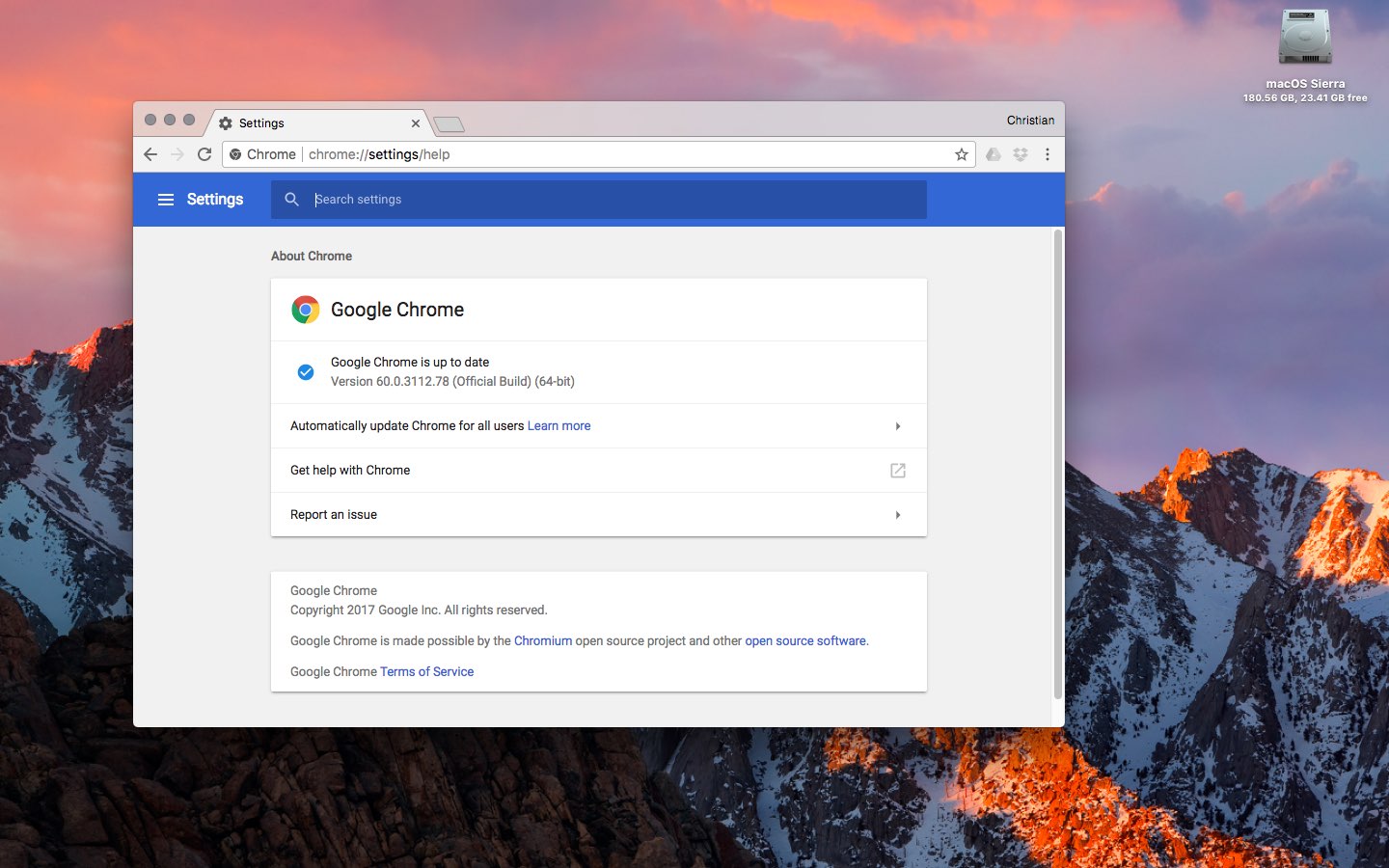
Chrome's silent updating mechanism ensures you're always running the most recent version of the app. To check for updates manually, choose About Google Chrome from the menu.

You can download Chrome from Google's website.