Sébastien Page

Sebastien is the Founder and Editor in Chief of iDB. Once a BlackBerry user, Sebastien instantly fell in love with the iPhone when it was first announced in 2007. Shortly after, he decided to start sharing his knowledge of the iPhone and its nascent ecosystem, which led to the creation of this blog. Sebastien currently owns 14 iPhones, 4 iPads, a MacBook Pro with Touch Bar, a MacBook Air, 2 Apple Watches, 3 Apple TVs, countless HomePods and AirTags as well as a few pairs of AirPods.

Microsoft Holds Funeral Parade for iPhone and Blackberry

Oh no they didn't dare. Tell me this is just a bad joke. This is a bad joke, right? No. Apprently not. Microsoft marketing department has so much money and so little creativity that they put up a funeral parade for Blackberry and iPhone in celebration of the launch of Windows Phone 7.

This is just the most pathetic attempt at generating buzz for a product. I seriously hope that someone got canned at MSFT for approving this desperate parade.

It can't be worse than that. Oh wait, yes it can! They also engaged in a Thriller dance.
App Store Has a “How to Jailbreak” App

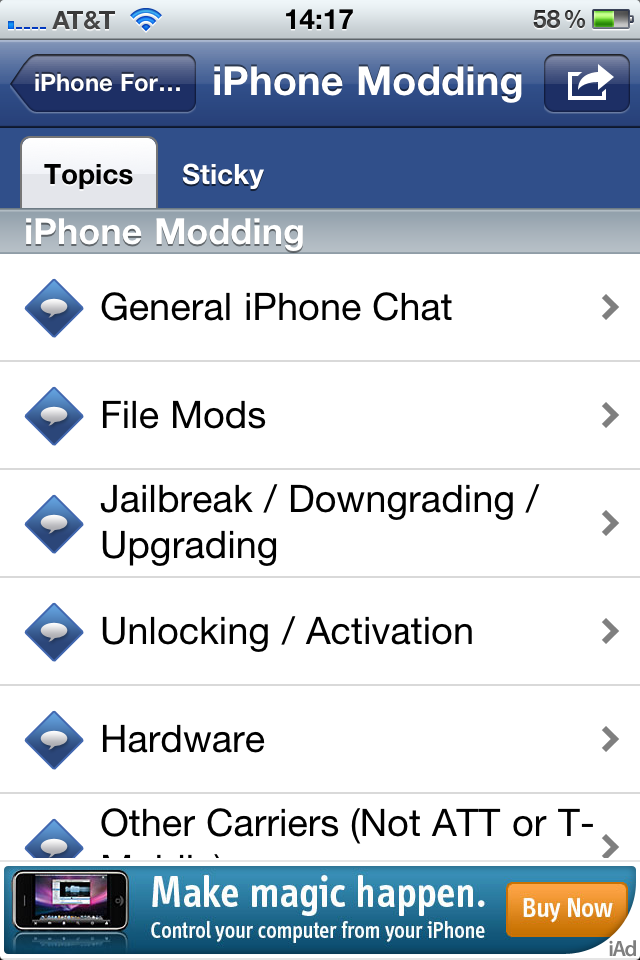
We knew that jailbreaking is now legal and that Apple seriously loosened their app approval process but we certainly didn't expect to find an application that explains how to jailbreak your iPhone in the App Store.

That's however what the ModMyI application does among many other things, as it brings the full forums to the palm of your hand with this new app.

Unofficial Version of PwnageTool Supposedly Jailbreaks iPhone 3GS iOS 4.1

An unofficial version of PwnageTool is going around the interwebs. This tool will supposedly jailbreak the iPhone 3GS running iOS 4.1. Needless to say that I do not recommend using this since it hasn't been approved by the Dev Team. However this method seems to work according to comments on iSpazio site (in Italian, mind you).

As usual with these crappy releases though, you have to fit in the crazy pre-requisites:

iMovie App Violates Apple’s Own Guidelines

In the wake of an FTC investigation, Apple decided yesterday to loosen its restrictions on iOS app development and published full guidelines about applications submitted for review in the App Store.

These guidelines aim at helping developers understand how Apple reviews applications. To quote Apple, "we hope it will make us more transparent and help our developers create even more successful apps for the App Store."

Well, speaking of transparency, can someone at Apple explain to me why Apple's iMovie application for iPhone violates their own guidelines?

Is the iPhone Getting Old?

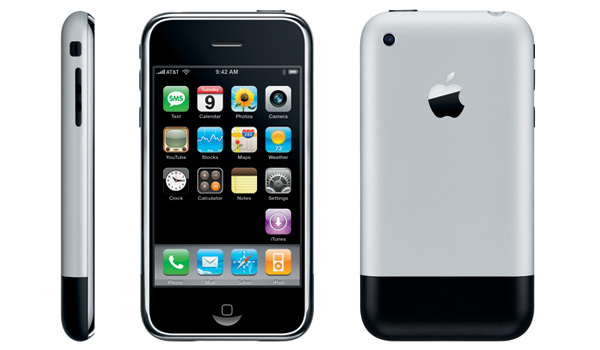
The other day I was having a conversation about the iPhone with my friend Kayle. Kayle still owns and uses the original iPhone, which really is what started the conversation. I told Kayle I was impressed he was still using this older phone, but in the same time I wasn't surprised because he's the kind of guy who likes vintage stuff, and likes to be different from others.

To him, it didn't make sense to buy a newer iPhone and he asked me if there was really a big difference between the original iPhone and the iPhone 4, besides the obvious new features. Really what Kayle was trying to say was that the iPhone hasn't changed enough to justify purchasing a newer model. Worse, he went as far as saying that the iPhone was getting old. He's right. But he's wrong too. Let me explain...

New Jailbreak App Lets You Set a Home Page in Safari

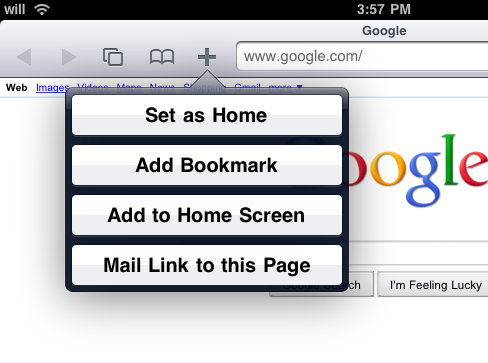
Home Page in Safari is a new jailbreak application that lets you set a home page in Mobile Safari, simply by tapping the " + " button while visiting the website of your choice, then tapping "set as home".

This is a very simple and convenient tweak that seems to be more useful on the iPad than it really is on the iPhone, as Mark from 9 to 5 Mac noted...

How to Update Your iPhone to iOS 4.1 Without Updating the Baseband

iOS 4.1 came out a couple days ago, and with it came a new baseband update, going from version 01.59.00 to 02.10.04. The baseband is a critical part of the iPhone unlock and UltraSn0w isn't currently compatible with baseband 02.10.04.

Many people are eager to update to iOS 4.1 and try the new features that come with it. Obviously if you rely on a jailbreak/unlock, you should hold on to it. If you don't care about unlocking options at the time but you think you might in the near future, then updating to iOS 4.1 while preserving your baseband is your best bet...

Future iOS 4.1 Jailbreak Will Work for iPhone 4, iPad, and New iTouch

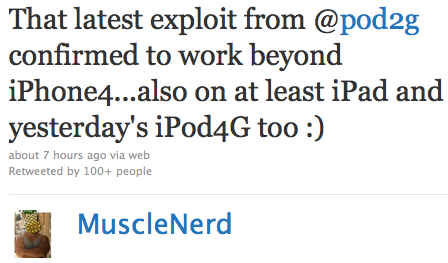
Yesterday we reported about the new exploit found by pod2g, and today, MuscleNerd confirmed that it will work with the iPhone 4, the iPad and the new iPod Touch.

This bootrom exploit will require a hardware fix for Apple to prevent future jailbreaks. If you have an iPhone 4 now, that means you'd potentially be able to jailbreak it, no matter what iOS you install on it in the future. Of course at this point it's just theories...

Bacon Case for iPad. Huh?

We had already seen the iPhone bacon case before. Now comes the iPad bacon case. Just as yummy looking, and still completely fat free.

You can get this delicious case on Etsy for about 60 bucks. That ain't cheap.

Hacker Finds New Exploit to Jailbreak iOS 4.1

Well well well. Here are some good news coming from MuscleNerd and co about a new exploit found by a hacker that goes by the name of pod2g. Apparently, pod2g found a bootrom exploit in iOS 4.0.1.

Why should we care about 4.0.1, I hear you saying? Since it's a bootrom exploit, it means Apple cannot patch the exploit with a software update. The only way to patch the hole would require a hardware modification. In other words, Apple won't be able to prevent us from jailbreaking until the iPhone 5 comes out.

How to Downgrade iPhone iOS 4.1

iOS 4.1 is now available for download, and I'm pretty sure some of you will "accidentally" update to 4.1 and will want to downgrade back to iOS 4.0.1, which is the latest jailbreakable and unlockable iOS (at least at the time I'm writing this).

This simple guide and tutorial will show you how to downgrade your iPhone iOS 4.1 to iOS 4.0.2, or 4.0.1, or iOS 4, or any earlier version. The steps are the same no matter what iOS you want to downgrade to.