Sébastien Page

Sebastien is the Founder and Editor in Chief of iDB. Once a BlackBerry user, Sebastien instantly fell in love with the iPhone when it was first announced in 2007. Shortly after, he decided to start sharing his knowledge of the iPhone and its nascent ecosystem, which led to the creation of this blog. Sebastien currently owns 14 iPhones, 4 iPads, a MacBook Pro with Touch Bar, a MacBook Air, 2 Apple Watches, 3 Apple TVs, countless HomePods and AirTags as well as a few pairs of AirPods.

How to Jailbreak iPhone 4.3.2 with RedSn0w

Just about 4 days after Apple released iOS 4.3.2 for iPhone, an updated version of the untethered jailbreak has been released earlier today by iPhone hacker i0n1c. This untethered jailbreak was used by the Dev Team who also updated their jailbreak tool RedSn0w.

In this post, we will show you how to use RedSn0w to jailbreak your iPhone on iOS 4.3.2. This jailbreak will work with any device on iOS 4.3.2, except for the iPad 2...

Apple Releases iTunes 10.2.2 [Jailbreak and Unlock Safe]

Minutes ago, Apple released iTunes 10.2.2 which doesn't bring anything new but a few bug fixes. I personally never encountered any of the issues mentioned in the changelog, but you might not be as lucky as I was.

I tried iTunes 10.2.2 with my jailbroken iPhones and was able to sync without any issue, so it appears to be jailbreak-safe...

Top 10 iPhone News You Might Have Missed This Week

This is a summary of the most popular articles published on iDB and our sister, ziPadBlog, this past week.

Please make sure to spread our iPhone wisdom by sharing our posts on Twitter and Facebook.

Troubleshooting Cydia: problems with broken repos Geohot and Sony settle in Playstation lawsuit CutYourSim offers a permanent iPhone unlock iOS virus hiding behind jailbreak and unlock ads? More evidence points to September launch of iPhone 5 Impressive iPhone 4 3D demo How a permanent iPhone unlock works Apple releases iOS 4.3.2 RedSn0w can jailbreak iOS 4.3.2 Jailbreak iPhone 4.3.2 with PwnageTool bundles Untethered jailbreak confirmed to work with iOS 4.3.2 Android vs iOS, Google always wins

From our sister iPad Blog, ziPadBlog.com:

3D on the iPad 2 No iPad 3 coming later this year? iPad 2 demand up 40% from its predecessor More iPad 2 jailbreak updates iPad rocking US PC market InvisibleShield for iPad 2 review

InvisibleShield for iPad 2 Review

Why use InvisibleShield

I'm not much of an accessories guy. I don't put my iPad into a case because I think it's too beautiful to be hidden under some rubber casing. Yet you have to protect your device. I purchased a Smart Cover with my iPad 2 but it's only good at protecting the front of my iPad. What about the back?

Yes, the back of my iPad 2 is what worries me most. I use this thing every single day, and unlike my iPhone that usually ends up in my pocket, my iPad travels around the house all the time. It goes from the couch to the coffee table, from the bathroom to the kitchen countertops, outside on our patio. How to you prevent the back of your iPad from being scratched, while not sticking it into a case?

Enters InvisibleShield by Zagg, a thin clear protective film that has been protecting iPhones and iPads for several years now. The guys over at Zagg were nice enough to send me a sample of their iPad 2 InvisibleShield to try out and review. Before going further, I want to make it clear that even though I received an Invisible Shield for free, it doesn't alter the outcome of this review in any way.

This is not my first Invisible Shield. Since 2007, I've used many of those for my iPhones and also for my previous iPad, and I've always been a big fan of the product. When Zagg said they were going to send me one of those InvisibleShields for iPad 2 to review, I didn't expect any surprise. After all, the product is the same, just the shape is different.

So no surprise on that side. The InvisibleShield came in a nice box with the front and back protective film. Also included is a little pouch with a lint free cloth, some spraying solution and a squeegee.

InvisibleShield installation

I know how to install the InvisibleShield but I still bothered reading the instructions and watched the demo video. After making sure I had everything ready, I cleaned the back of my iPad with the cleaning cloth, washed my hands, and sprayed my fingers with the application solution before handling the shield, as advised. I removed the paper backing of the shield, sprayed it with the solution and applied it to the back of my iPad.

http://www.youtube.com/watch?v=m3sO5fBD77Y

It took me a couple tries to get it perfectly aligned, then I used the squeegee to remove all excess spraying solution stuck between the film and the iPad. It took me about 2 minutes from start to finish.

Although I didn't want to use a shield for the front of the iPad, I still decided to put it on to see how easily I could apply it. Turns out that I kinda ran out of spraying solution. I guess I used way too much during the installation of the back shield. Nevertheless, I was able to properly install the InvisibleShield on the iPad screen in just a few seconds.

It is advised not to use your device after applying the InvisibleShield to give it some time to cure. Can you imagine not using your iPad for 24 hours? No, me neither, so I used it right away.

It takes about 2-3 days for the shield to completely cure and get rid of all the air bubbles that you might have accidentally left under. During that time, needless to say that your screen will not look good, but again, it's just a matter of time.

After a few days, I removed the front shield because I just don't like it on my screen. It's barely there, but it bugs me to have something on the screen.

Success!

It's been over 10 days now and the InvisibleShield on the back of my iPad 2 hasn't moved at all. It has done a great job at protecting my iPad, and I am no longer afraid to put my device on any surface because I know it is well protected.

On top of bringing great protection to your device, having an Invisible Shield on the back of the iPad makes it easier to hold the device as it doesn't slip as much while in your hand. It's a little detail that has great importance to me.

My biggest concern about having the Invisible Shield on the back of my iPad was to see how it would work with the magnets of the Smart Cover. When you snap the Smart Cover on the side of your iPad, it covers part of the Invisible Shield. After snapping and unsnapping the Smart Cover probably a couple hundred times since I got the shield, I haven't noticed any difference at all. It still snaps perfectly, and most importantly, it doesn't damage or peel off the shield.

I've heard people complain about an orange peel effect on the back of the iPad before. I personally never experienced that, and I suspect it has a lot to do with the way you install the Invisible Shield.

Conclusion

Do I recommend InvisibleShield for iPad 2? Absolutely, however, and depending on your iPad usage, it might be a better idea just to get the back coverage only. That's what I did and it works out great for me, especially because I have the Smart Cover for the front.

The InvisibleShield for iPad 2 starts at $29.99 for the front or back coverage. For $39.99, you get the full back and front coverage, so again, depending on your usage, you should make the decision that will best fit your needs.

You can get 20% off your InvisibleShield (or any Zagg accessories) by ordering from here and entering coupon code zagg20 at check out.


RedSn0w Can Jailbreak iOS 4.3.2

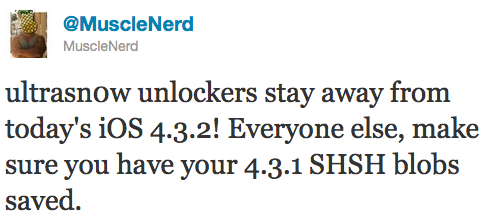
Earlier today Apple released iOS 4.3.2 for iPhone. Even though we gave a warning to jailbreakers and unlockers to stay away from iOS 4.3.2, it seems that there is good news on the jailbreak side.

By using the latest version of RedSn0w, I was able to jailbreak my iPhone 3GS on 4.3.2. All it took was just about 2 minutes of my day...

Warning: Jailbreakers and Unlockers Should Stay Away from iOS 4.3.2

We just informed you that Apple had released iOS 4.3.2, and as usual we want to make it clear that if you want to preserve your jailbreak or your unlock, you have to stay away from the latest firmware update.

Jailbreak veterans know this very well so this message is more for the casual jailbreakers than advanced users. If you update your jailbroken iPhone, it will patch the jailbreak and you will not be able to use any jailbreak apps or even unlock until a new jailbreak method is released...

Apple Releases iOS 4.3.2 (4.2.7 for Verizon iPhone)

Barely 3 weeks after releasing iOS 4.3.1, Apple just released iOS 4.3.2 for iPhone 4, iPhone 3GS, iPad, iPad 2, iPod Touch 3G and 4G.The Verizon CDMA iPhone also gets an update, but not 4.3.2. The Verizon iPhone gets iOS 4.2.7.

As expected, this new software update was released to fix a FaceTime bug we reported about last week. The changelog shows that iOS 4.3.2 also fixes an issue that prevented international users from connecting to 3G networks on iPad. As usual, this update also includes the "latest security updates"...

How A Permanent iPhone Unlock Works

Yesterday we told you about CutYourSIM, a website that offers permanent unlock for iPhone for the hefty price of $170. A lot of people have been speculating on how this service actually works. The most discussed potential way CutYourSIM works was that somehow, Apple's database of unlocked iPhones had been hacked into, allowing hackers to add any iPhone to the list.

This is not how services like CutYourSIM work. We actually wrote about the way an official iPhone unlock works last year, but I guess it's time to refresh everybody's memory...

Top 10 iPhone News You Might Have Missed This Week

This is a summary of the most popular articles published on iDB and our sister, ziPadBlog, this past week.

Please make sure to spread our iPhone wisdom by sharing our posts on Twitter and Facebook.

Dev Team releases jailbreak for iOS 4.3.1 Jailbreak iPhone 4.3.1 How to update to 4.3.1 while preserving baseband 01.59.00 Certain jailbreak apps not compatible with 4.3.1 Man makes $50,000 jailbreaking iPhones Easily add multitouch gestures to iPhone 4.3.1 Tutorial: jailbreak iPhone 4.3.1 with RedSn0w Tutorial: jailbreak iPhone 4.3.1 with PwnageTool

From our sister iPad Blog, ziPadBlog.com:

First iPad 2 commercial Dev Team releases jailbreak for iPad 4.3.1 Guide: jailbreak iPad 4.3.1 with redsn0w Guide: jailbreak iPad 4.3.1 with PwnageTool Top 5 reasons to jailbreak your iPad Apple admits problem with Verizon iPad iPad 2 jailbreak to be released soon

How to Unlock iPhone 4.3.1

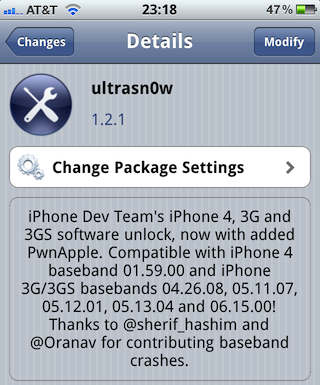
The Dev Team just released their unlock for iPhone 4.3.1. This updated version of ultrasn0w brings support for the iPhone 3Gs and the iPhone 4 that are exclusively using these basebands: 01.59.00, 04.26.08, 05.11.07, 05.12.01, 05.13.04, and 06.15.00.

In this post, we'll guide you into unlocking your iPhone 3GS or iPhone 4 on any of the above basebands, and running the latest iOS 4.3.1...

Dev Team Releases UltraSn0w iPhone Unlock for iOS 4.3.1

As expected the Dev Team released tonight an updated version of their UltraSn0w unlock for iPhone 4.3.1. As we noted before, this version of UltraSn0w will not unlock any new baseband. UltraSn0w 1.2.1 will unlock the iPhone 3GS or iPhone 4 on baseband 01.59.00, 04.26.08, 05.11.07, 05.12.01, 05.13.04, and 06.15.00.

If you are on any of these basebands, you can update to iOS 4.3.1 while preserving your baseband using PwnageTool. If your baseband is different from the one listed above, I'm afraid there is no unlock for you at this time...

RedSn0w Jailbreak Gets a Minor Update

The Dev Team has recently updated their RedSn0w jailbreak to version 0.9.6rc12. According to MuscleNerd, RedSn0w 0.9.6rc12 should fix any lingering issues with the boot logo animations, which some of you had issues with.

So, what to do if you already jailbroke with RedSn0w and want to fix this boot logo issue? Simply download RedSn0w 0.9.6rc12 from here and run it over your current jailbreak, but make sure you do not select to install Cydia...