Anthony Bouchard

Anthony Bouchard joined the iDownloadBlog.com team in 2016 after originally covering Apple and iPhone jailbreak news at ModMyi.com. As an experienced editor, he brings more than 15 years’ worth of jailbreaking knowledge to our in-depth guides, opinion pieces, and news articles. His passion for device customization and user choice sparks his strong push to empower readers with the tools they need to explore and enjoy the freedom that comes with jailbreaking. Anthony blogs about not only jailbreaking, but also Apple software & accessories, drones & photography, and Nintendo gaming systems. Anthony honed his advanced technical knowledge over the years with hands-on projects ranging from gaming PC builds to engine repair mechanics. His never-ending hunger for knowledge is why you’ll always find him tinkering – tearing things apart and putting them back together to understand what makes them tick.

DarkAppleStore gives the Apple Store app’s tab bar a darkened makeover

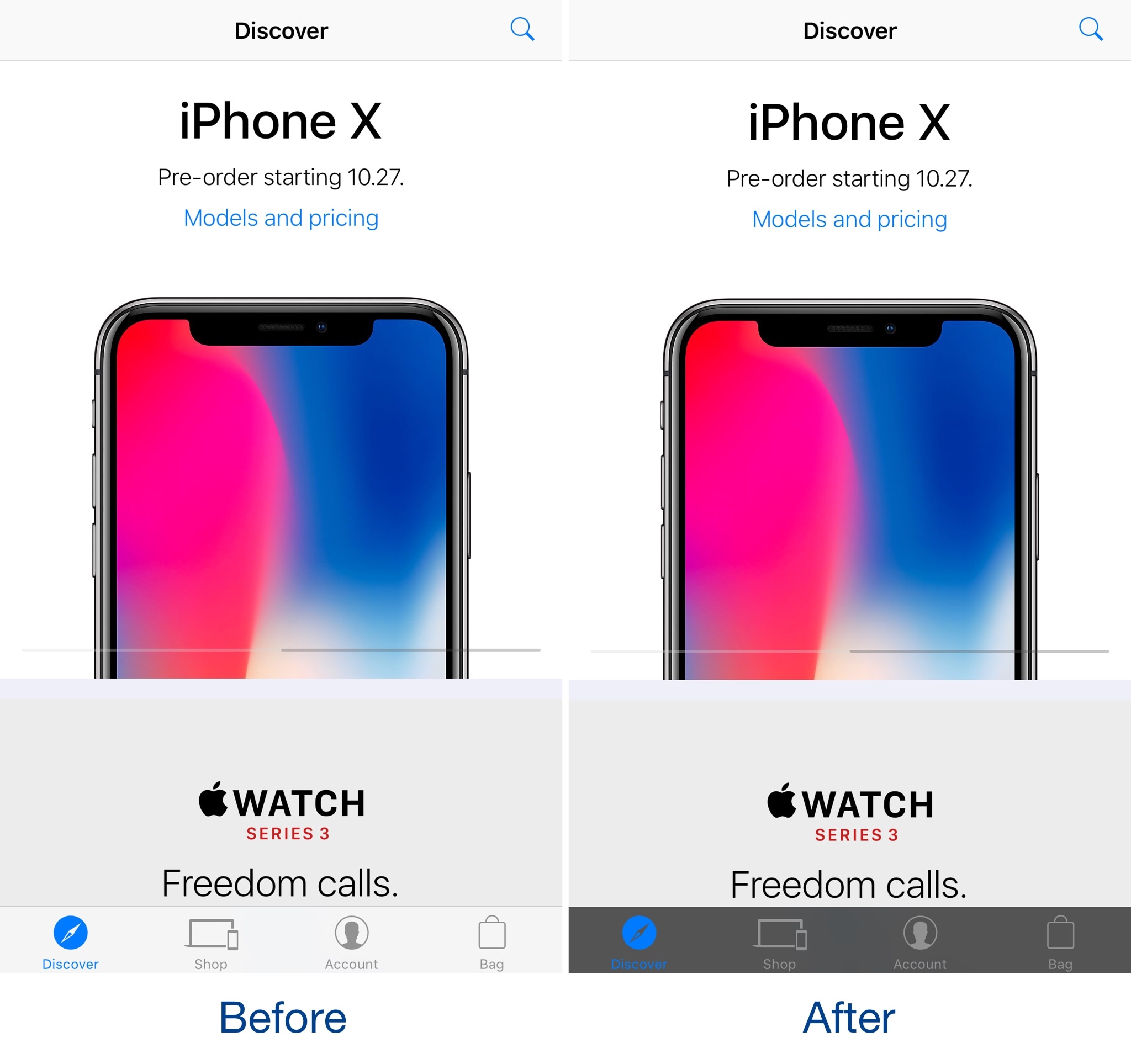
Jailbreakers that use the Apple Store app to browse Apple’s product offerings can take advantage of a new free jailbreak tweak called DarkAppleStore by iOS developer CydiaGeek to spice up its user interface.

Post-installation, DarkAppleStore applies a darkened blur to the translucent tab bar at the bottom of the app, causing it to resemble the before and after images you see above and below.

This tweak bypasses jailbreak detection in the Citrix Receiver app

It’s a common sight for App Store developers to bar jailbreakers from using their apps. As frustrating as this can be, jailbreak developers regularly find ways around these jailbreak detection methods and publish them in the form of jailbreak tweaks.

One of the latest of such tweaks to hit Cydia is Citrix Receiver Unblock by iOS developer Christoph Kolbicz, which permits the Citrix Receiver app to work as anticipated on jailbroken devices.

Here’s what you need to know about the KRACK Wi-Fi vulnerability

If you’ve been reading the news this week, then you’ve probably caught wind of the KRACK (Key Reinstallation AttaCK) vulnerability, which implies some serious security concerns for almost anyone utilizing Wi-Fi networks at home or work.

KRACK impacts both the WPA2 and WPA1 Wi-Fi standards. The former is the most popular Wi-Fi standard in use today, and it’s also supposed to be one of the most secure. On that note, this vulnerability can be a bit concerning.

Simplify your Compass app’s user interface with sleekCompassView

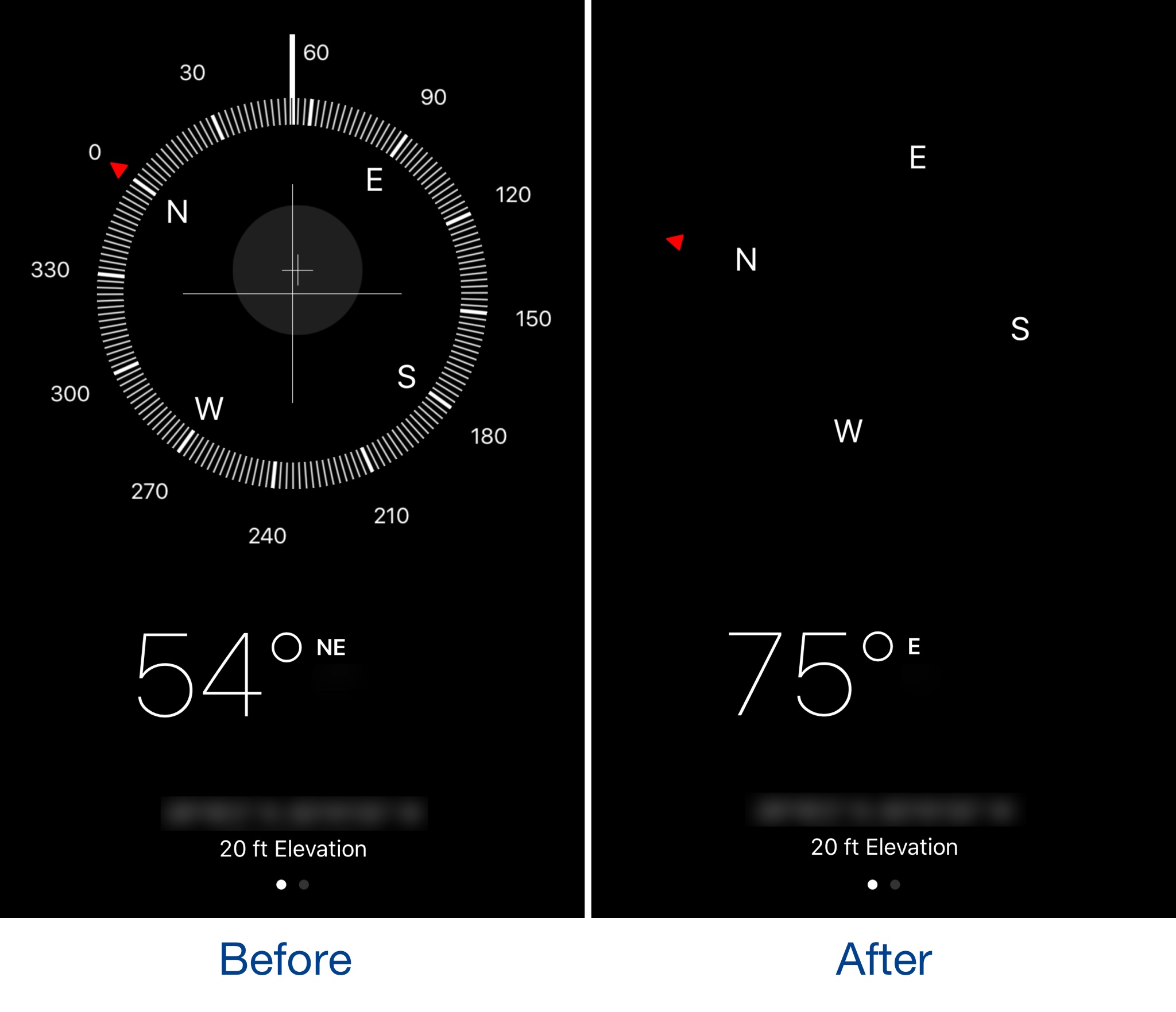
The Compass app might be one of the most under-appreciated stock apps on an iPhone, but it can be exciting to use if you’re hiking and don’t want a map to spoil all the fun. Nevertheless, the app has a somewhat over-developed user interface.

A new free jailbreak tweak called sleekCompassView by iOS developer CydiaGeek simplifies the Compass app’s user interface by removing some of the unnecessary interface elements.

This app adds haptic feedback to your MacBook Pro Touch Bar keys

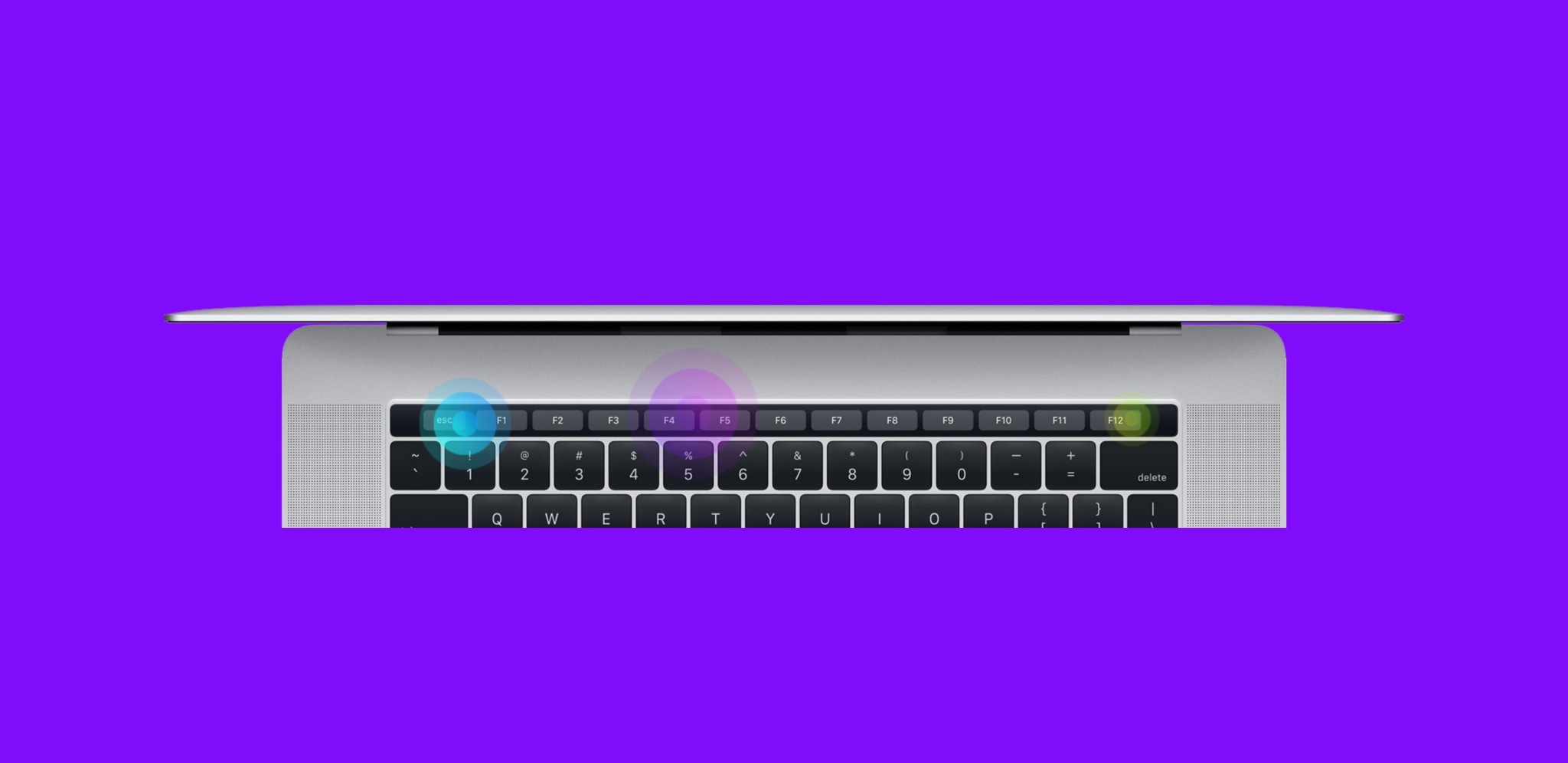
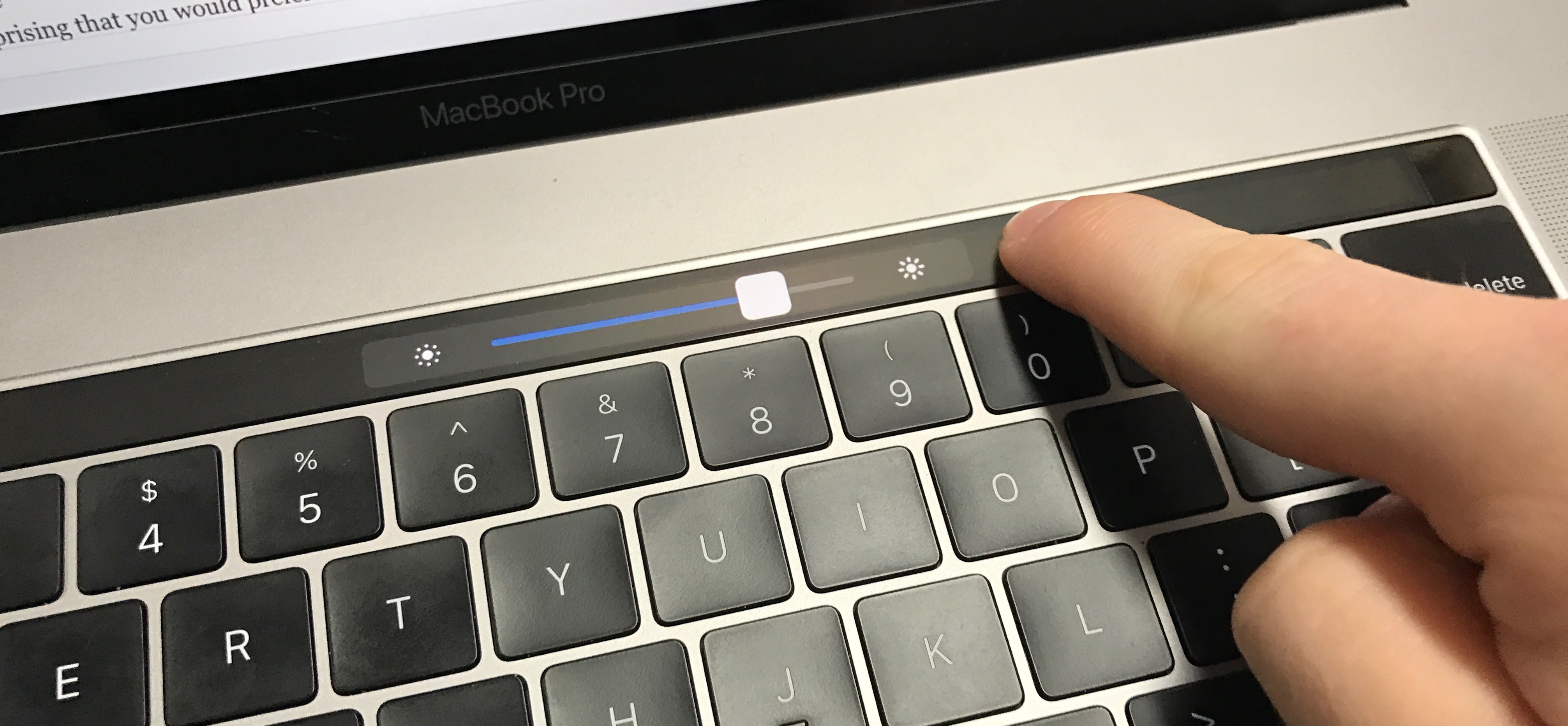
Haptic Feedback on MacBook Pro Touch Bar

Apple’s latest line of MacBook Pros sports an OLED Touch Bar just above the physical keyboard. The point of the Touch Bar is to offer a dynamic, programmable strip that acts as both an extension of your keyboard and an auxiliary input device for select apps on your Mac.

As incredible as the Touch Bar is, one feature that Apple seemed to skim across when designing it was haptic feedback.

Will the iPhone X’s notch be a problem for day-to-day landscape mode use?

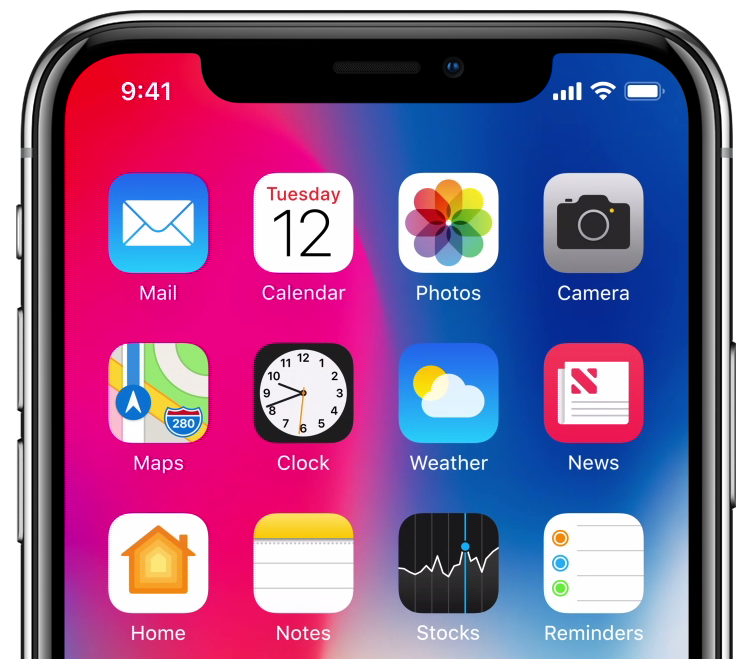
I’m avidly waiting for Apple’s new iPhone X, just like many others, but one of the controversial qualities about the upcoming handset is the ‘notch’ at the top of the display; this is where Apple keeps its TrueDepth camera system and many of the iPhone’s other vital sensors.

Because the iPhone X has a gorgeous edge-to-edge OLED display, I’m thrilled to see how developers will adapt apps to work with the notch. Apple will unquestionably govern for how developers will be allowed to interact with or 'hide' the notch, so it should be fascinating to see how creativity will manifest itself.

SwitcherXI brings an iOS 11-esque App Switcher experience to iOS 10

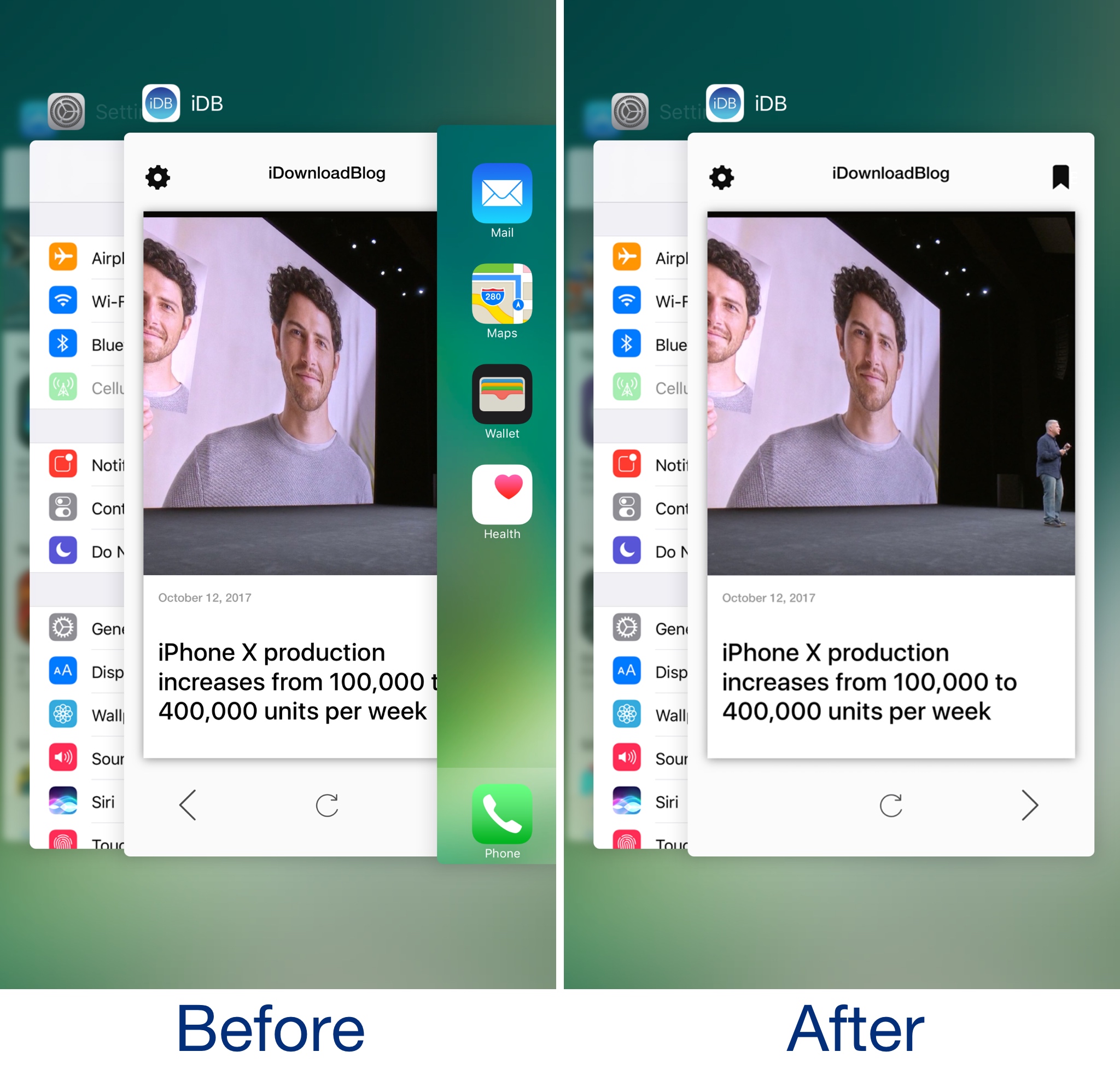
There are some subtle differences in the App Switcher between iOS 10 and iOS 11, and although they aren't significant, iOS developer ArtikusHG created a new jailbreak tweak called SwitcherXI that ports the iOS 11 App Switcher experience to jailbroken iOS 10 devices.

Post-installation, your App Switcher begins to look how it does in the before and after illustration above.

Mimic the iOS 11 experience on your jailbroken device with these tweaks

Although there isn't a jailbreak for iOS 11 yet, that doesn't mean you can't have your cake and eat it too. Even if you're using a jailbroken iOS 10 device right now, you can enjoy several of iOS 11's new aesthetics and features by installing a few tweaks on it.

While a bevy of tweaks released over the last several months specifically port iOS 11-esque features to jailbroken iOS 10 devices, even some older tweaks provide functionality comparable to what Apple included in iOS 11 and are worthy of recognition. In this piece, we showcase all the tweaks that came make your iOS 10 jailbroken device look more like it's running iOS 11.

This tweak hides the search bar from the Reminders app

Frequent users of Apple’s Reminders app know how useful it can be for organizing a busy thought process, but some people don’t like that they can’t customize it.

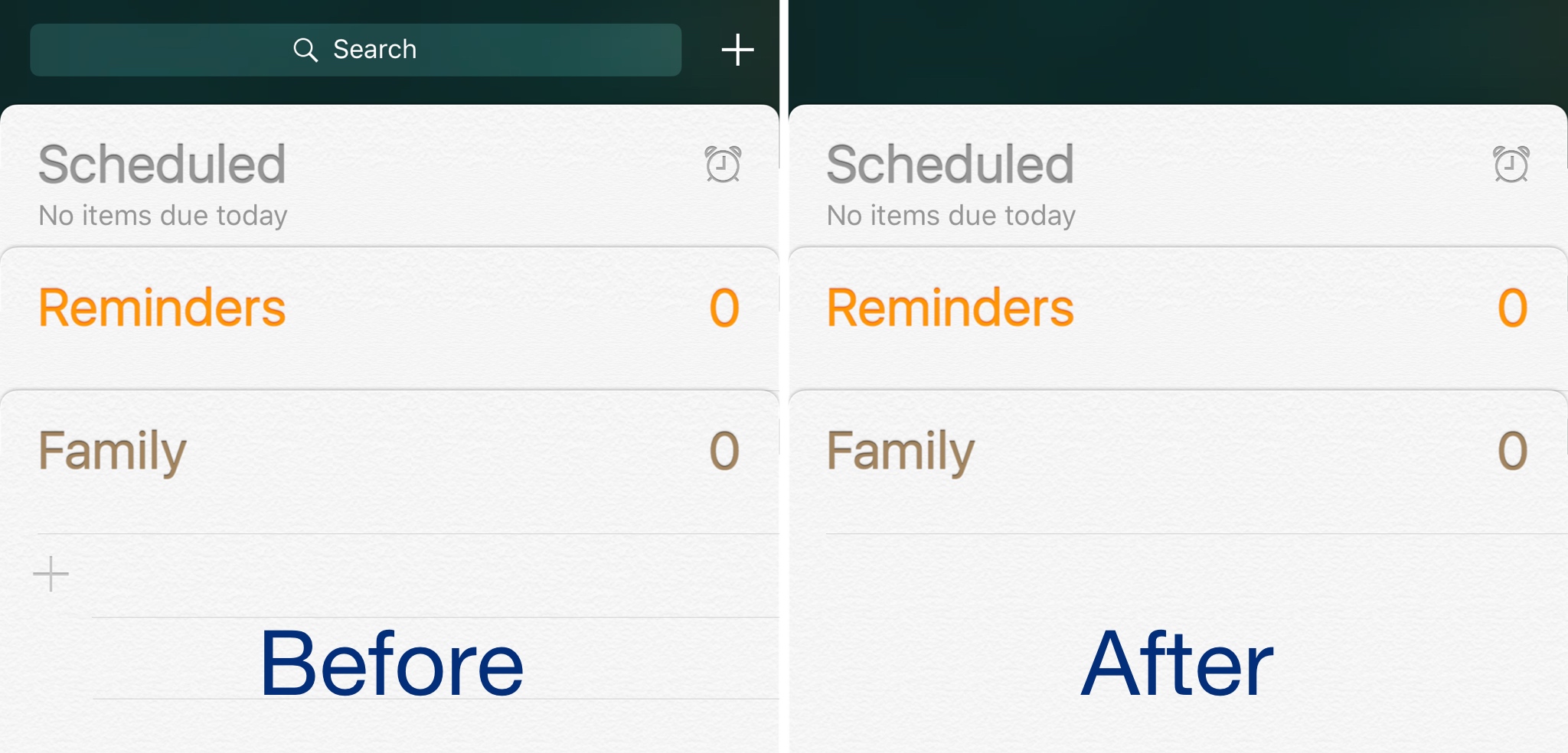
Those with jailbroken devices have a little more customization leeway, and new free jailbreak tweak called HideReminderSearchView by iOS developer CydiaGeek lets jailbreakers flex those muscles.