UI

LockDroid gives jailbroken iPhones a classic Android-style matrix passcode screen

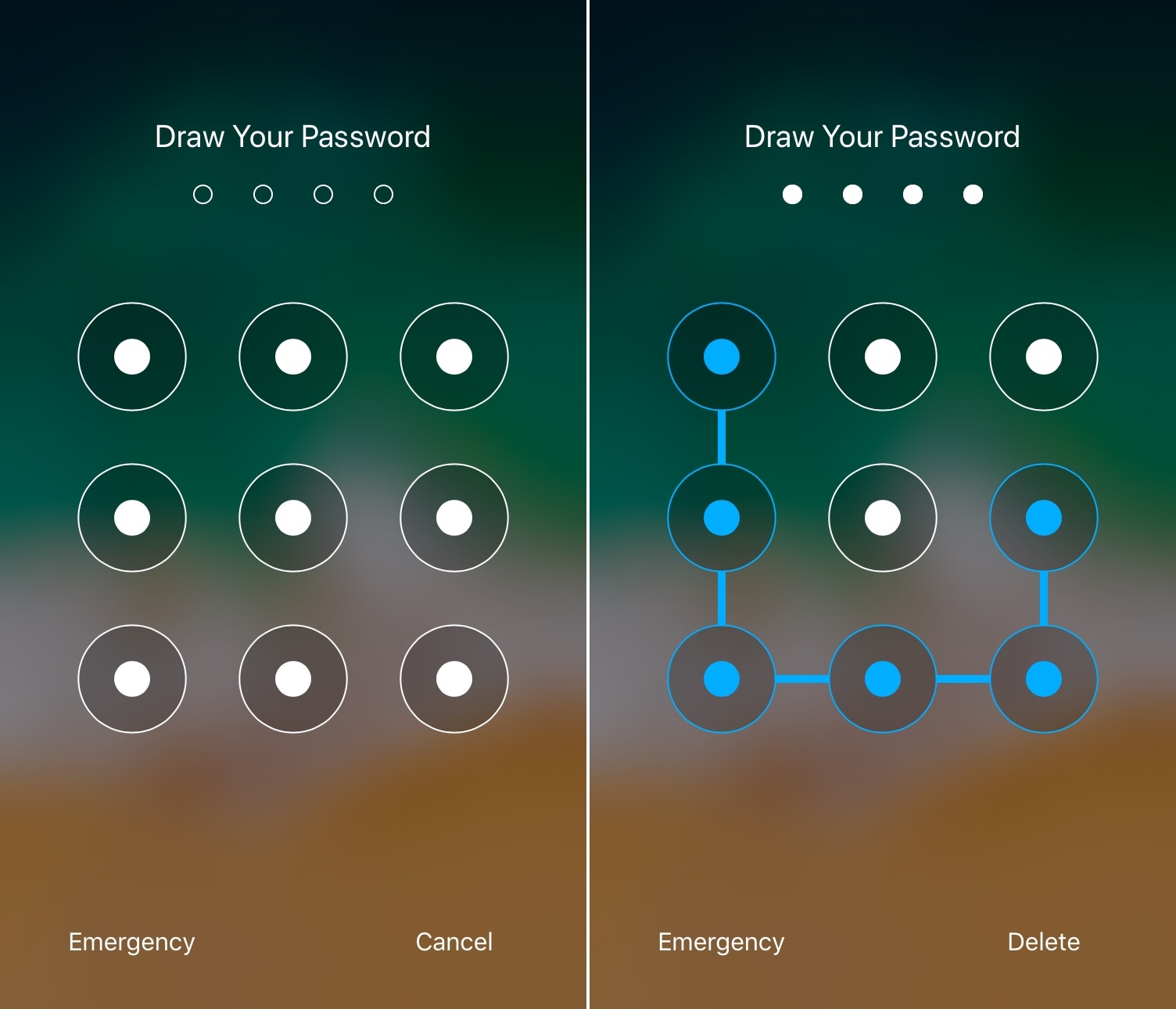
I’ve used a lot of jailbreak tweaks in my day, but some of my all-time favorites were those that brought the classic Android-style matrix/pattern Lock screen interface to the iOS platform.

It’s been a while since we’ve seen one of these classic tweaks optimized for each of Apple’s latest handsets and mobile operating systems, but one that does is a release called LockDroid by iOS developer Julio Verne.
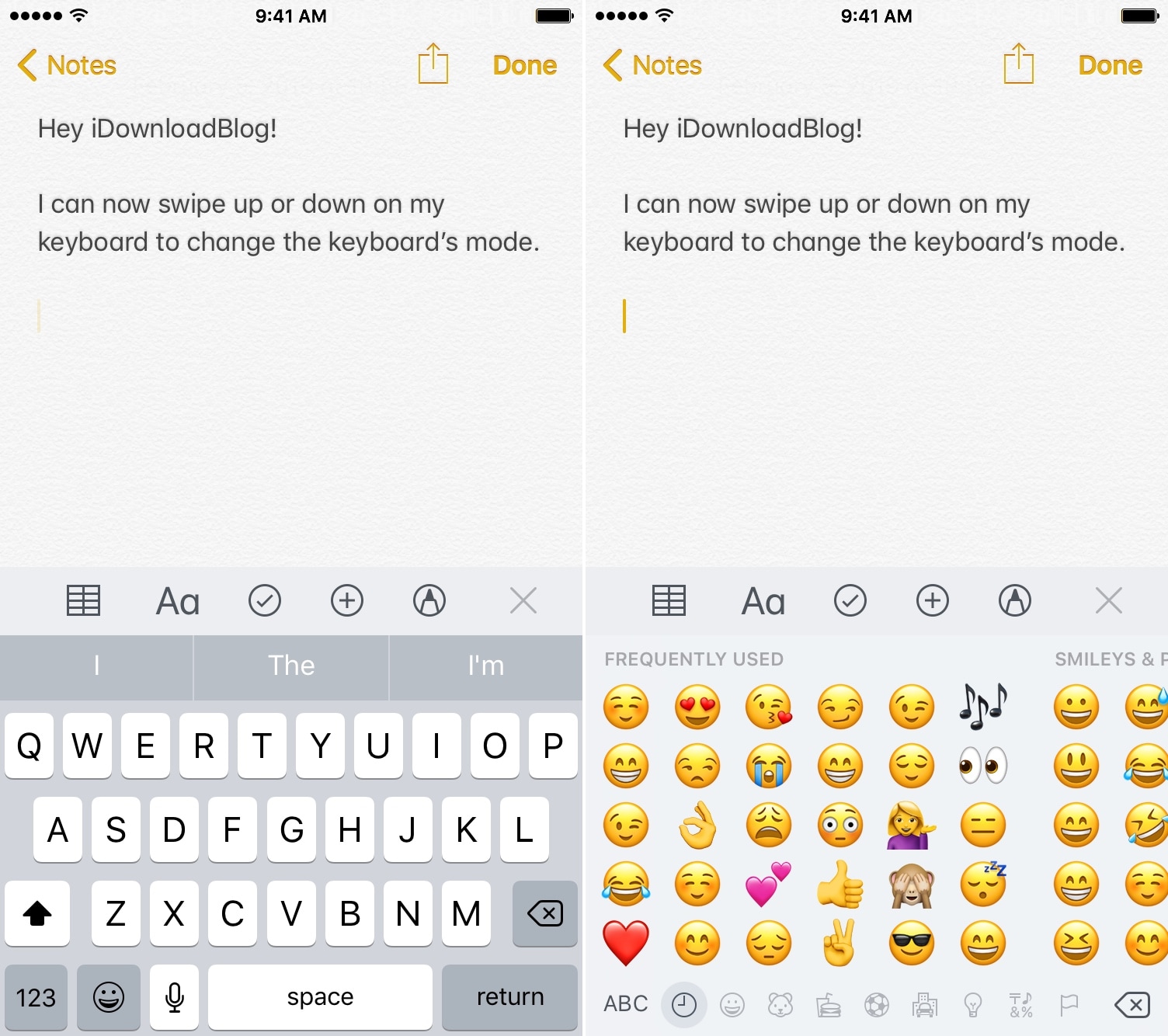
This tweak lets you change between iOS keyboards with just a swipe

The method of switching between keyboards on the iOS platform has always left a lot to be desired. Tapping on the tiny Emoji/language button at the bottom-left-hand side of the keyboard is nothing short of tedious, especially if you have larger fingers, but it doesn’t need to be.

KeySwipe (iOS 11) is a free jailbreak tweak by iOS developers Delewhopper and Julio Verne that lets you switch between keyboards on demand with a swipe (up or down) on the keyboard interface. As you might come to expect, this also means you don’t need to fiddle with the tiny Emoji/language button on the keyboard anymore.

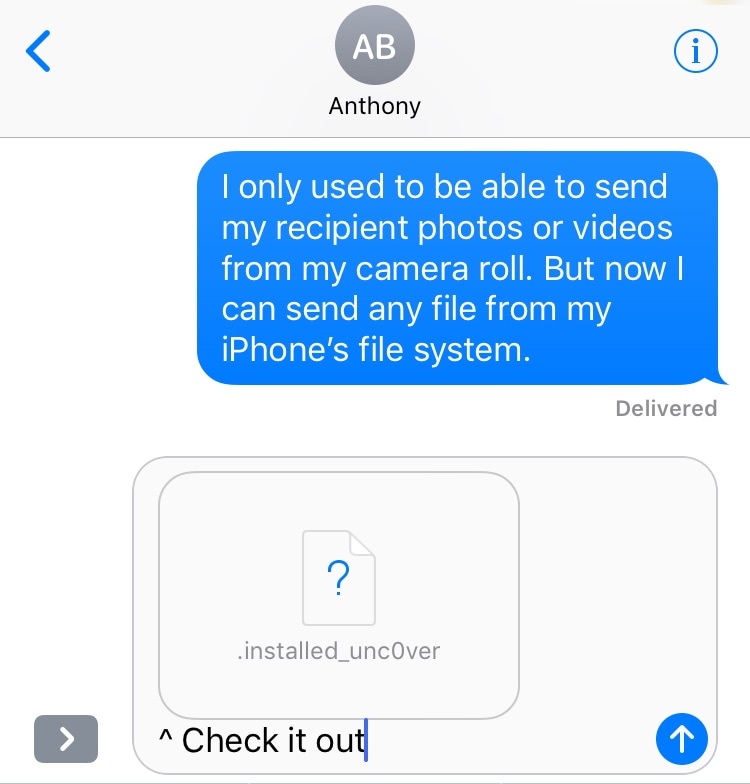
Attach root filesystem files to any iMessage or SMS on a jailbroken device with MessageFile

Your iPhone’s native Messages app incorporates a button for attaching photos and videos from your Photo Library, but wouldn’t it be nice if you could also attach general filetypes from your jailbroken handset’s filesystem much like you already can on macOS?

If you answered yes to the aforementioned question, then you’ll be ecstatic to learn about a free jailbreak tweak called MessageFile by iOS developer Julio Verne. Just as the name implies, MesseageFile lets you choose and send any file from your iPhone or iPad’s root filesystem over iMessage or SMS directly from the native Messages app.
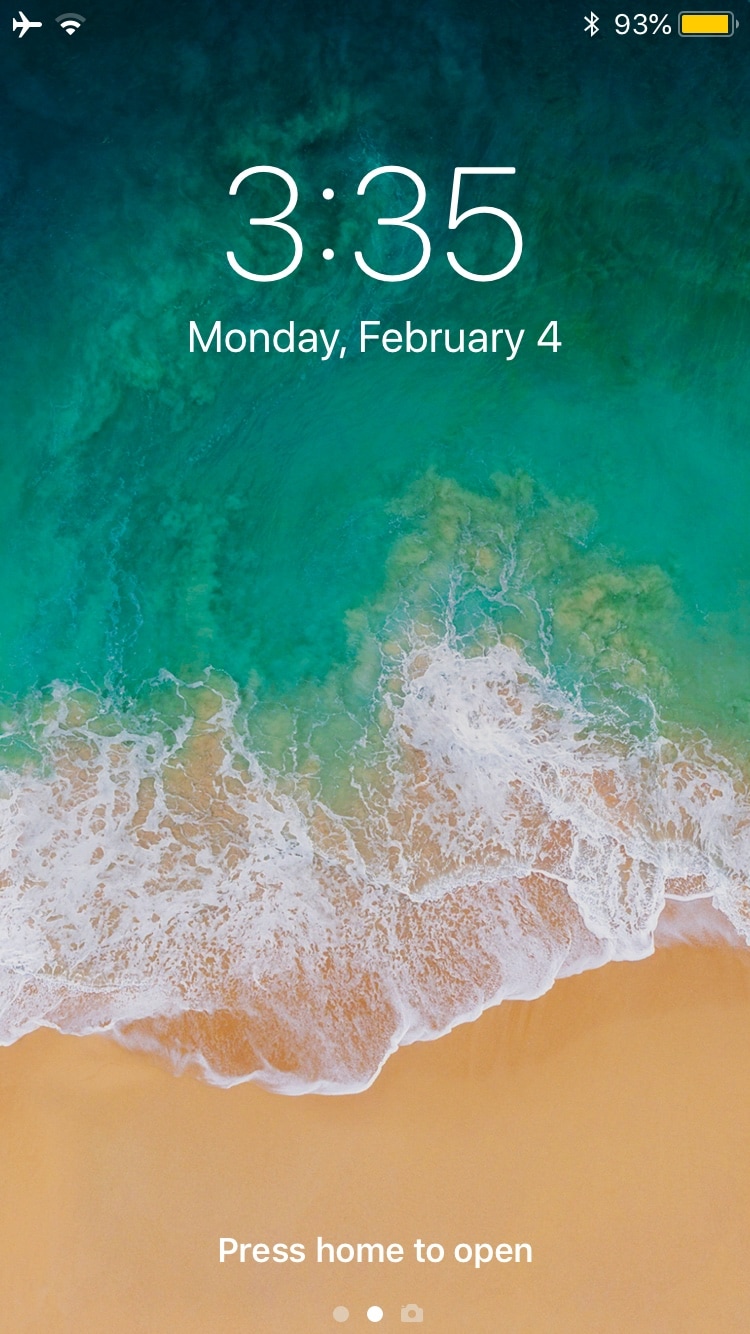
Customize your iPhone’s locking animation with LockAnim

Upon unlocking your iPhone or iPad, an aesthetically-pleasing animation brings all your Home screen's icons into view. On the other hand, pressing the side button to lock your device results in an instantly-black display, as if Apple never intended to incorporate a locking animation into iOS.

If you wish your handset’s locking animation had a bit more spunk than it does out of the box, then you’ll come to appreciate a free jailbreak tweak dubbed LockAnim by iOS developer Julio Verne. Just as the name implies, this tweak brings a bevy of new locking animations to the table, giving you a lot more choice in what you see when you press that side button on your handset.
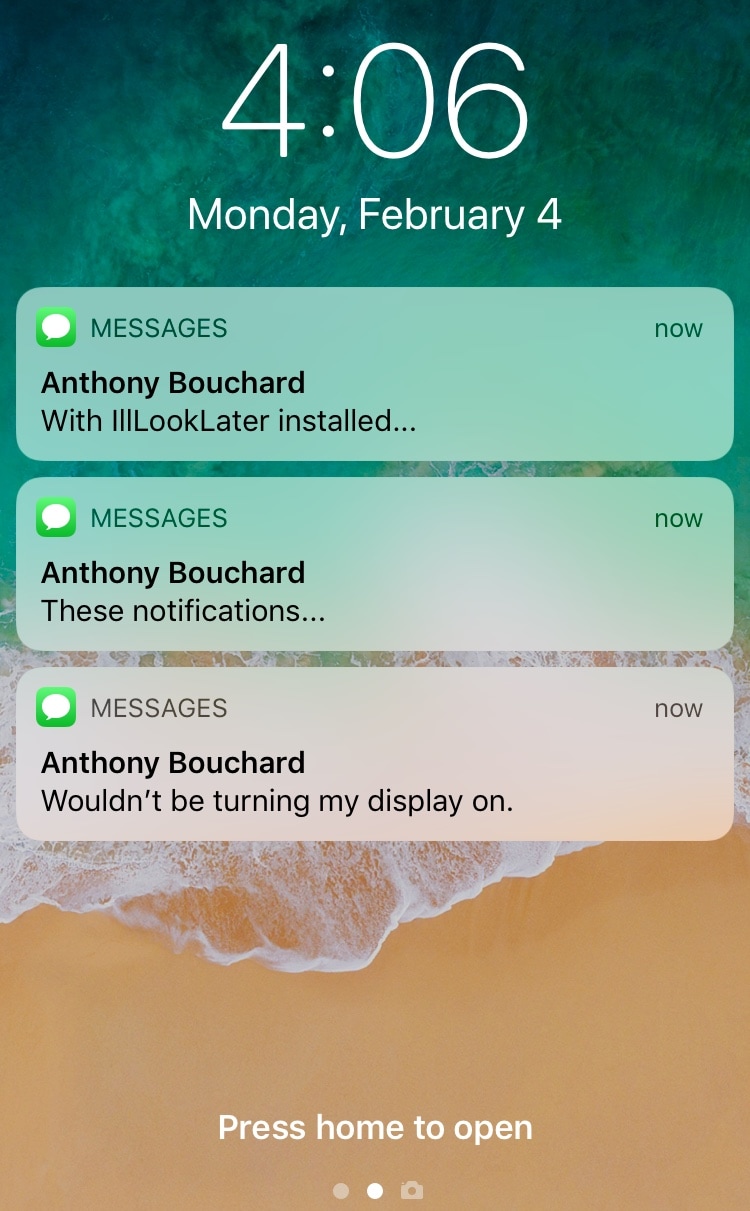
This jailbreak tweak prevents incoming notifications from waking the display

Apple designed iOS to wake your locked handset’s display in the wake of incoming notifications, and while this helps to grab your attention, it also tends to grab the attention of others. You can easily prevent this by turning notifications off, but then you run the risk of missing important notifications altogether.

Love it or hate it, Apple’s notification-oriented display-waking feature is probably here to stay; but with a free jailbreak tweak called IllLookLater (iOS 11) by iOS developers N104 and Julio Verne, you can better control what wakes your display and what doesn’t.

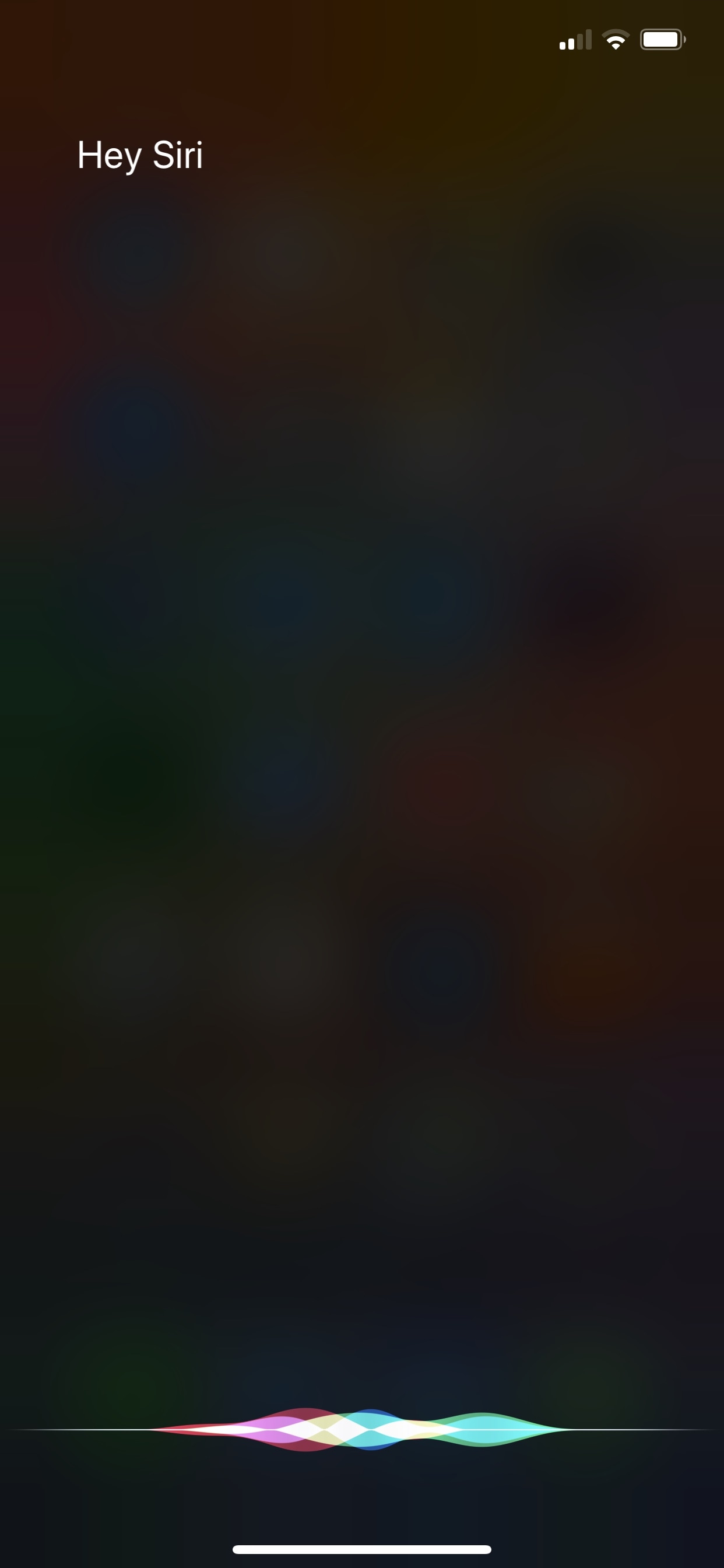
HeySiri brings untethered ‘Hey Siri’ support to older devices

The latest iPhones and iPads are now so power efficient that you can effectively say “Hey Siri” whenever you want and have instant hands-free access to your virtual assistant; but that’s not the case with some of Apple’s older devices. Those such as the iPhone 5, iPhone 5s, iPhone 6, and iPhone 6 Plus require that you be tethered to a power source for Hey Siri to work.

Albeit inconvenient, the chips in the aforementioned devices aren’t as power-efficient as those found inside of devices today; consequently, always-on Hey Siri would have an adverse impact on your battery performance. But if battery life is no object to you, then you can forcefully-enable Hey Siri on these handsets with a free jailbreak tweak dubbed HeySiri by iOS developer Julio Verene.

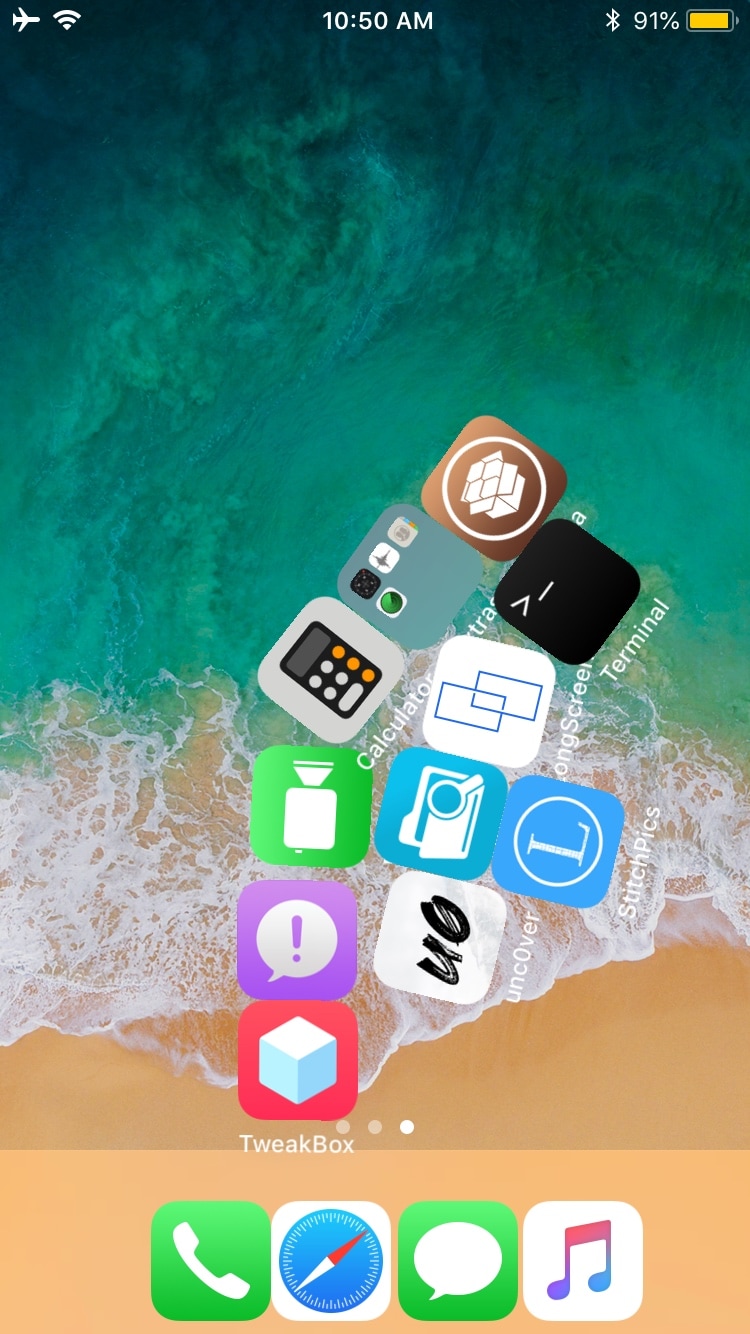
Gravity brings realistic gravitational physics to your jailbroken handset’s Home screen

In all the years I’ve been jailbreaking iPhones and testing jailbreak tweaks, one classic has always stood out to me in particular, and that was Conrad Kramer’s famous Graviboard. Just as the name suggests, this tweak brought real gravitational physics to your handset’s Home screen, causing all your app icons to fall in the direction of gravity.

Albeit released almost nine years ago, Graviboard was one of the coolest reasons to jailbreak an iPhone back in the day. Given the magnitude of the original tweak’s popularity, it’s unsurprising that there have been a few reincarnations since then. One of the most recent remakes to pay a viit to Cydia is Gravity by iOS developer Julio Verne.

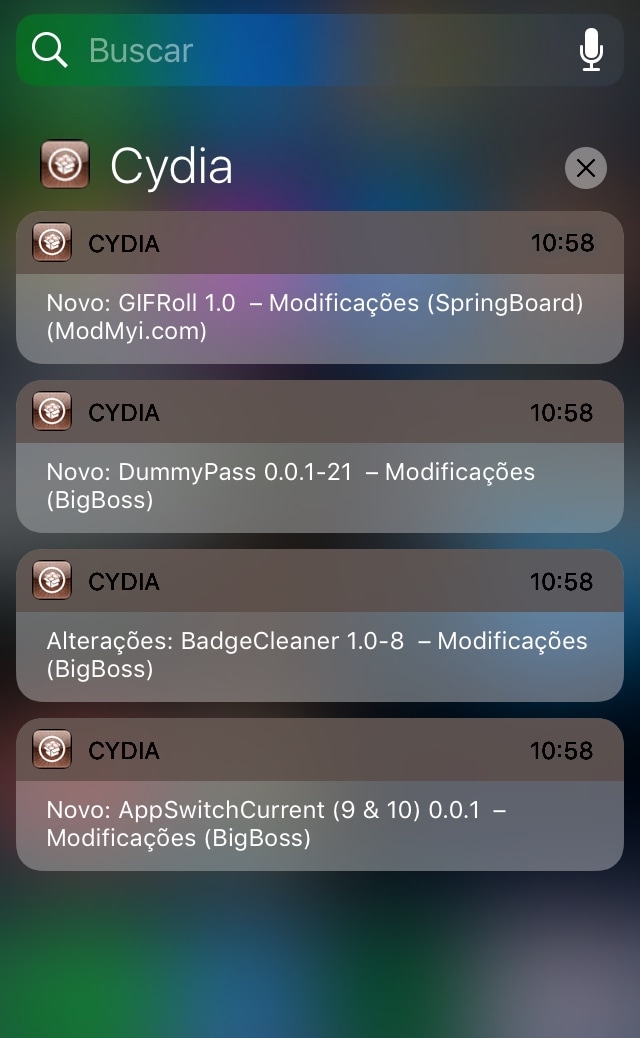
CyPush2 brings push notification support to Cydia

If you’ve ever jailbroken an iPhone or iPad before, then you should be familiar with Cydia as it’s the flagship package manager on the jailbroken iOS platform. Despite its rock-solid stability, Cydia has always been utilitarian by nature and isn’t known for fostering creeper-comfort features. Luckily, Saurik (Jay Freeman) empowered developers to tweak the Cydia app via Cydia Substrate a few years back.

There have only been a handful of Cydia-centric jailbreak tweaks released since Saurik first opened the gates to tweaking Cydia, some of them have been godsends. One great example is CyPush2, a tweak made by iOS developer Julio Verne to bring push notification support to the Cydia app.

GoodWiFi forces iOS to show more information about nearby Wi-Fi networks

iOS makes it easy to connect to a nearby Wi-Fi network, but there’s a lot more going on behind the scenes that Apple doesn’t show you in the stock Wi-Fi Settings interface.

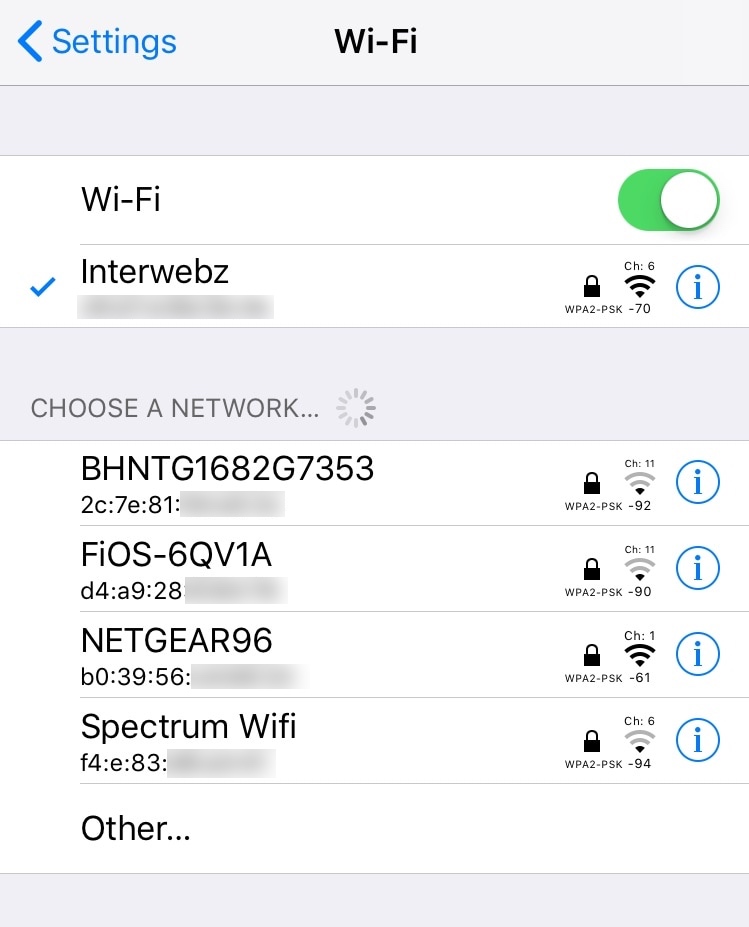
Enter GoodWiFi, a free jailbreak tweak by iOS developer Julio Verne that extends the basic functionality of Apple’s stock Wi-Fi Settings page by adding detailed information about your (and surrounding) Wi-Fi networks.

Turkey brings a pitch-black Dark Mode theme to Cydia

It seems likely that Apple could implement an official Dark Mode feature for iOS 13, so wouldn’t it be nice if you could get the same aesthetic in your Cydia app?

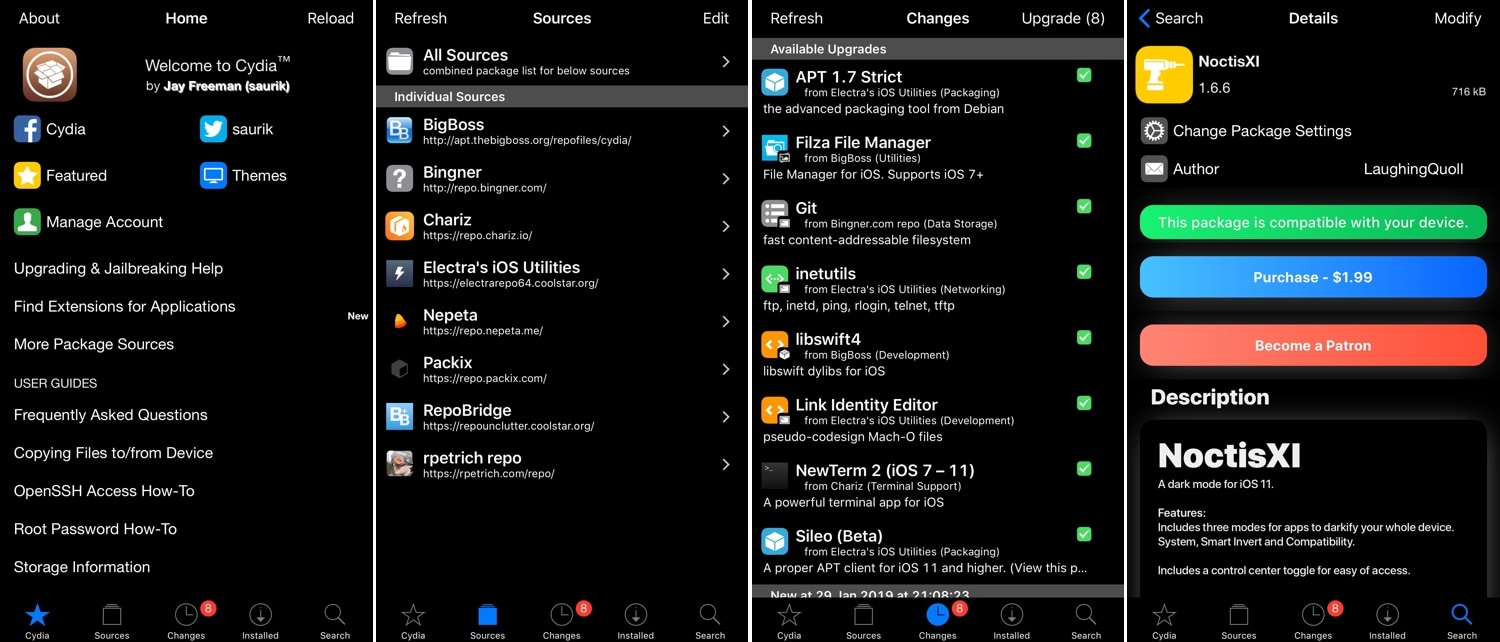
If you’re on board with the aforementioned thought process, then you might appreciate a new jailbreak tweak called Turkey by iOS developer LaughingQuoll. As depicted in the screenshot examples above, Turkey brings a sleek Dark Mode experience to the Cydia package manager.

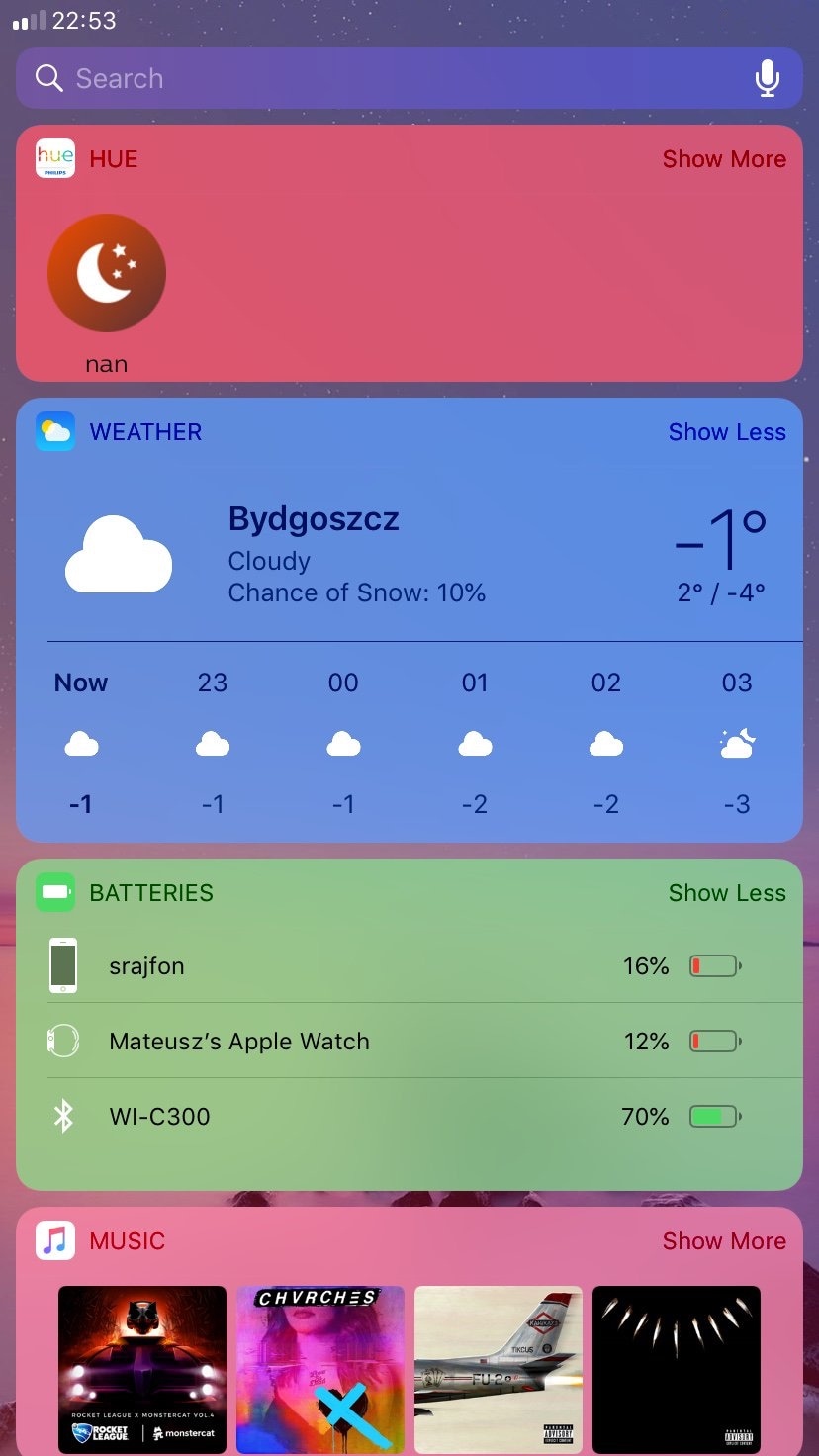
This tweak lets you colorize iOS’ multitude of Today View widgets

If there’s one thing about jailbreaking my iOS devices that stands out to me most, it’s being able to customize the look and feel of iOS outside of Apple’s stock parameters. Fortunately, there’s no shortage of jailbreak tweaks that can do this, and new ones are seemingly being released every day.

In this piece, we’ll take a closer look at Colorful Widgets, a new free release by iOS developer Mateusz Morawski that colorizes your iPhone or iPad’s widgets with a whole host of different options.

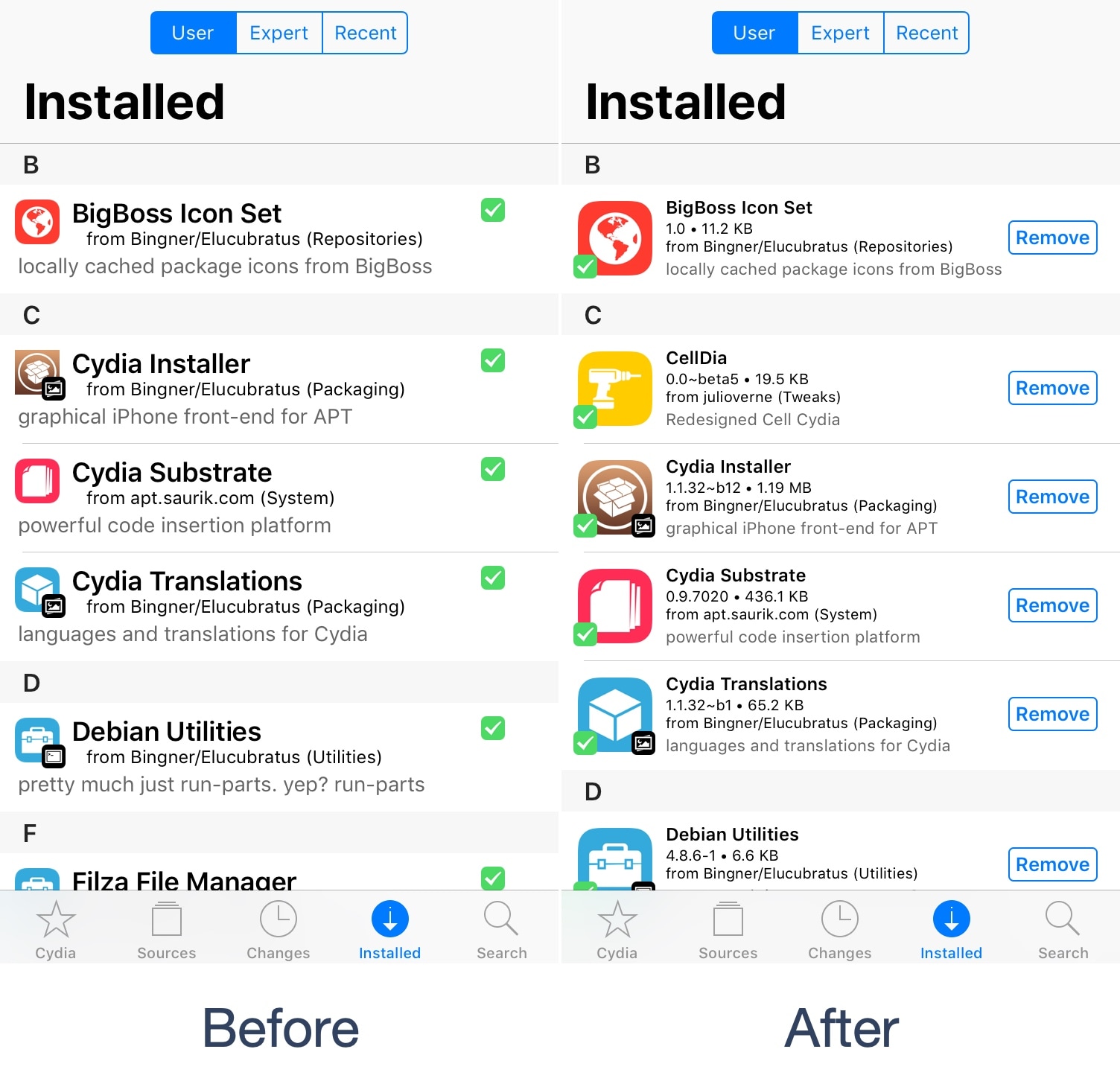
Looking to give Cydia a modernized facelift? Try CellDia

Despite the relatively small number of redecorations the Cydia app has received over the last several years, it continues to be a reliable package manager today. Fortunately, Saurik (Jay Freeman) empowered developers to tweak and modify the Cydia app under Cydia Substrate starting in 2015.

Given the circumstances, the ball is very much in the jailbreak community’s court to make Cydia look and behave differently than it does out of the box, and that’s exactly what a free jailbreak tweak called CellDia by iOS developer Julio Verne attempts to accomplish as you’re about to witness.