Software

How to customize the look of Terminal on Mac
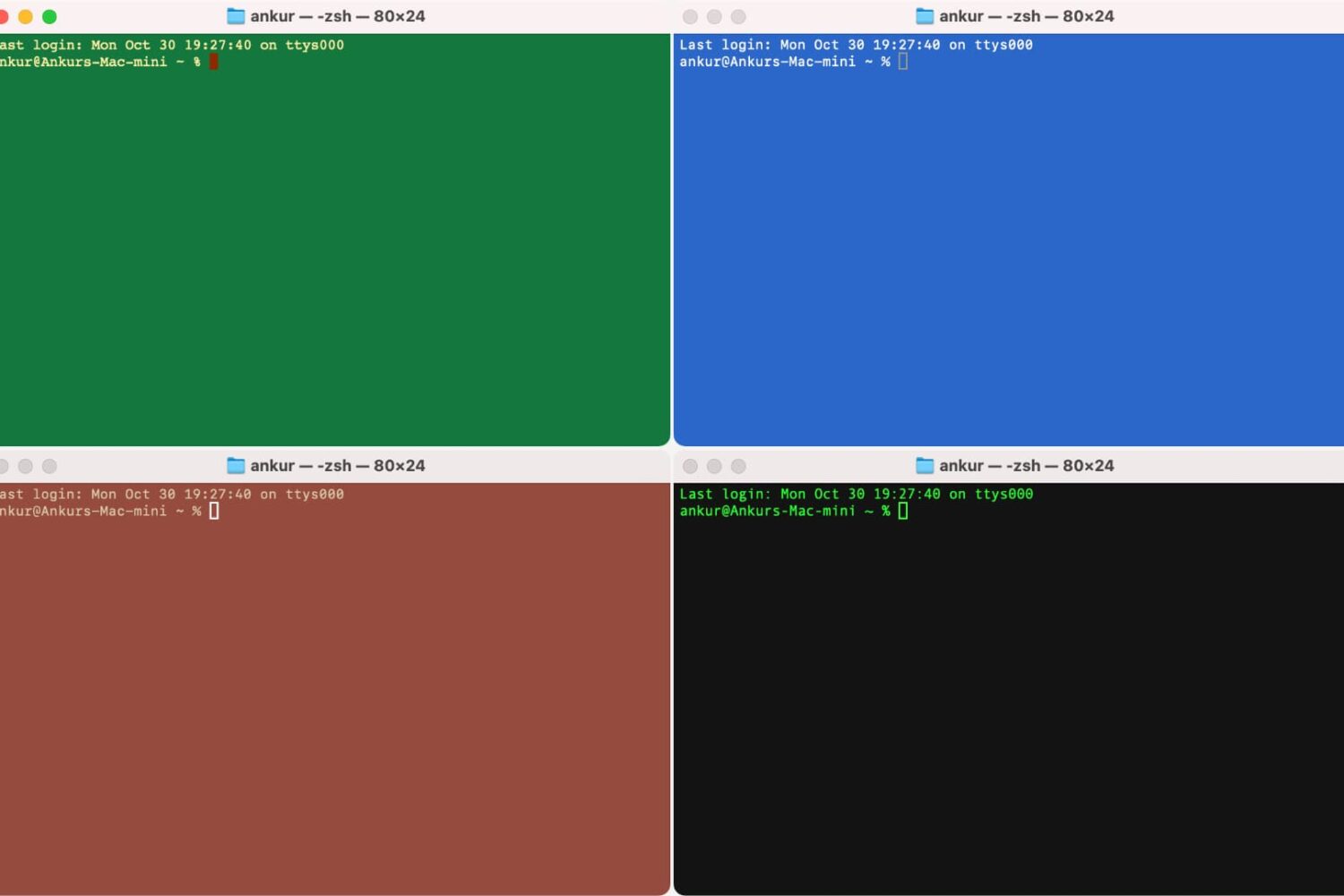
Terminal window in four different colors

Many people use Terminal on their Mac to carry out the commands they want to use to make changes on their system, and by default, it’s a plain white interface with black text. Because this is simply boring, we’re going to show you in this tutorial how you can colorize the Terminal window to look exactly how you want it to.

Reclaim your productivity from distractions with Focus for Mac

If you're like me, then you probably have a hard time focusing on what needs to be done and you often multitask with fun activities when you should be focusing on homework or work. For example, instead of writing those essays due for your next class or finishing work, you might be playing around on Facebook with your friends or watching YouTube videos.

If you're the unproductive or procrastinating type, then a useful OS X app called Focus could be just what you need to stop getting distracted by social media and other fun websites.

Focus will help ensure that you only stick to the task at hand when you need to work or complete homework, and in this piece, we'll show you how it works.

Troubleshooting common software issues on Mac

It happens to the best of us – one day you're using an app that you really enjoy on your Mac, and the next, you start experiencing all kinds of problems with the same app. What's going on? Will it ever end?

Before you go calling support to resolve a problem for you, there are some easy troubleshooting steps you can take in macOS to quickly determine if the problem is going to require help or not.

We'll go through some of those troubleshooting steps with you right here in this tutorial.

Major MacID software update now available for iOS and OS X

Popular for letting users unlock their Mac with the Touch ID sensor on their iPhones and/or iPads, MacID comes with a slew of other useful features as well that take advantage of a Bluetooth connection between these devices.

A massive update to the $3.99 MacID app for iOS devices and the free software for Macs is now available that provides a slew of improvements and new features for users. 

How to install emulators on your iPhone or iPad, no jailbreak required

Emulators are a way to play your favorite childhood games on your iPhone, iPod touch, or iPad without carrying the game disks or cartridges and game consoles around with you. Instead, they sideload the games on your device as a piece of software, and they're given controls that are adapted for the touch screen.

In this tutorial, we'll be showing you a method that still works to this day for getting emulators on your iOS device, and the best part is, you don't even have to be jailbroken to do any of it.

Some of the Mac apps known to be affected by the Sparkle vulnerability

A vulnerability discovered in an outdated version of the Sparkle updater framework that many third-party OS X apps depend on for serving the user with regular updates has been getting a lot of attention recently.

As we reported on Tuesday, the security problem affects a number of third-party Mac apps downloaded from the internet, and not apps downloaded from the Mac App Store. The vulnerability roots from the lack of an encrypted connection and gives a malicious hacker the ability to perform a man-in-the-middle attack.

But what OS X apps are affected? This is the information you need to know as soon as possible to keep your Mac safe from potential malware threats.

PDF to Word: convert PDF files to Word files on iOS

If you deal regularly with PDF files, and often use word processors such as Microsoft Word to edit your text documents, then an app called PDF to Word from the App Store could easily become your new best friend.

This app lets you easily convert PDF files to Word files (DOCX) so that you can edit them in Microsoft Word for iOS or on Microsoft Word on your computer. In this tutorial, we'll go through the process of using the app and show you just how easy this process can be.