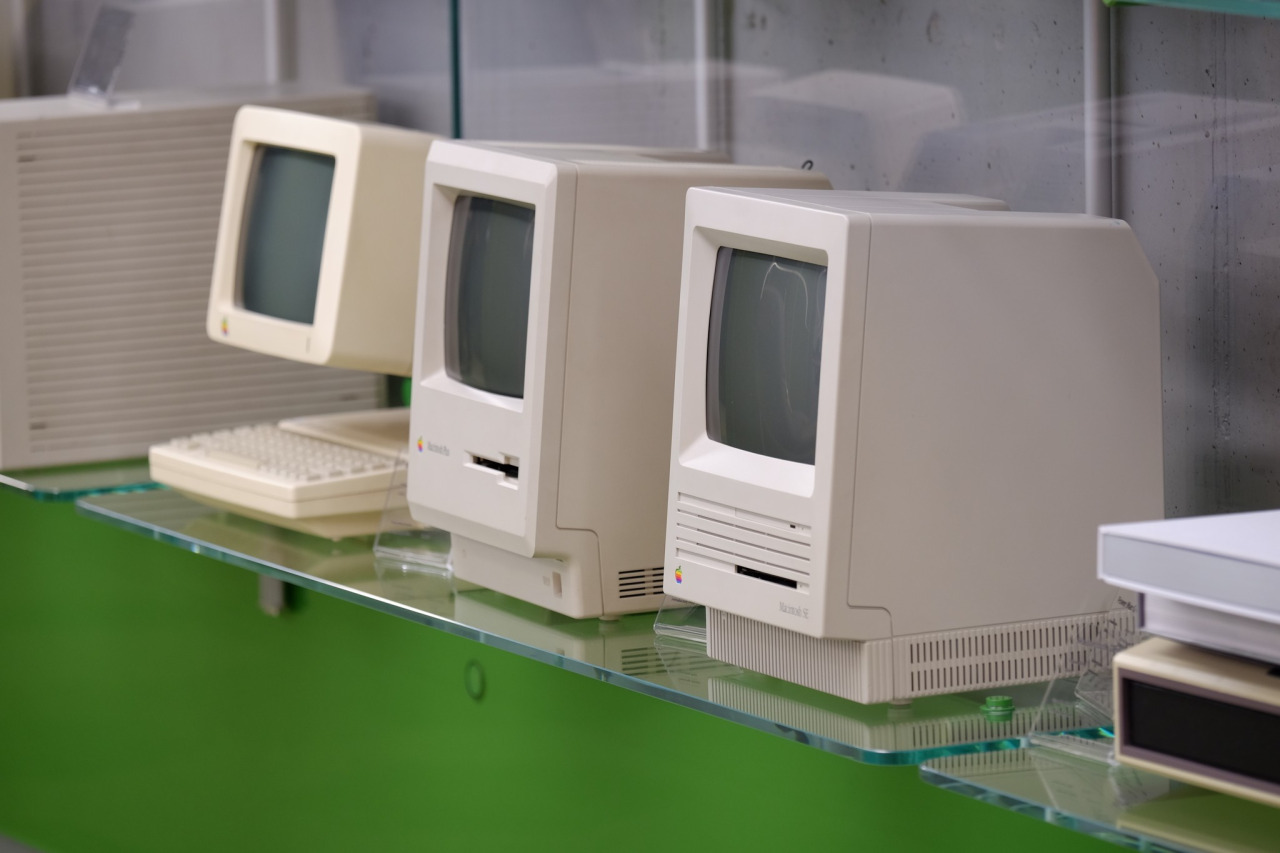
Ukrainian developer MacPaw has put vintage Apple hardware on display at the company's office in Kyiv “to inspire techies and kids.” The 40-piece Apple hardware museum was formerly hosted in the very heart of New York City by Tekserve, a long-running Apple service shop.
In June 2016, Tekserve announced it was closing its Manhattan store after 29 years of service. “We love our customers, and we love what we do,” Tekserve CEO Jerry Gepner said when the closure was announced. “But there comes a point where that doesn't make sense anymore, as much as we love it.”
Their wonderful collection of vintage Mac hardware was auctioned off in August 2016. Developer MacPaw purchased the entire collection of 39 Mac computers for a cool $47,000 and gave it a permanent new home at its Ukrainian headquarters.
“We think there’s hardly a better place for historical Apple computers than our futuristic Apple-inspired office,” said MacPaw.
Check out the video tour of the museum, embedded below.
https://www.youtube.com/watch?v=W7BNPZdt1qU
The collection includes original Mac models dated from 1981 to 2017.
Here are some of the items on display:
128K Macintosh signed by Steve Wozniak NeXT Cube 20th Anniversary Mac Original iMac 1994 iBook PowerMac G4 Powerbook G4 Aluminum iBook Twelve-inch Powerbook eMac iMac G5 Powerbook G3 All iPhone modelsThere are a few non-Mac items, too, such as the “Iconic” book (an illustrated edition of Apple Design History), Apple's “Think different” poster collection, the official book “Designed by Apple in California”, plus a couple of WWDC relics.
According to MacPaw:
As the Tekserve shop grew and became a landmark Apple dealer, the team found themselves surrounded by beautiful Macs of all kinds. In twenty years they decided to turn the best of them, groundbreaking models, as they put it, into a museum-like exhibition. And later, when the shop was shutting down, an Apple Lisa, an alien Nextstation Turbo machine, and the rest of the grand collection had to find a new home on an auction.
The prospects looked pretty grim, because a collection like that had a high chance of ending up in some millionaire’s basement. Luckily, MacPaw’s CEO Olexandr Kosovan heard about the auction and made an instant decision. He secretly bought all of the iconic Macintosh computers before the collection was taken apart and sold piece by piece.
The museum currently has 70 items, including the 40 items from the Tekserve collection and the first Apple Keeynoard with the help of which the code of CleanMyMac Classic was written by Kosovan himself when he was starting MacPaw back in 2008.
Oleksandr Kosovan, MacPaw CEO and Founder said:
Apple changed my life in many ways. Driven by Steve’s vision for better and simpler products I was able to implement these ideas in our products development. I cannot say thank Apple enough other than paying this great tribute to the history of iconic Apple products.
Developers are planning on adding the few missing models to complete the collection (they welcome classic computer and hardware donations).
As an in-office exhibit, this museum is not open to the general public.
MacPaw are the developers of proven and successful macOS apps, including CleanMyMac, Gemini and the Setapp service billed as “the Netflix of Mac apps.”
Additional photos are available at the MacPaw website.