Jailbreak Apps & Tweaks

These are the latest jailbreak apps and tweaks available for your iPhone or iPad. We save you time by highlighting only the best tweaks.

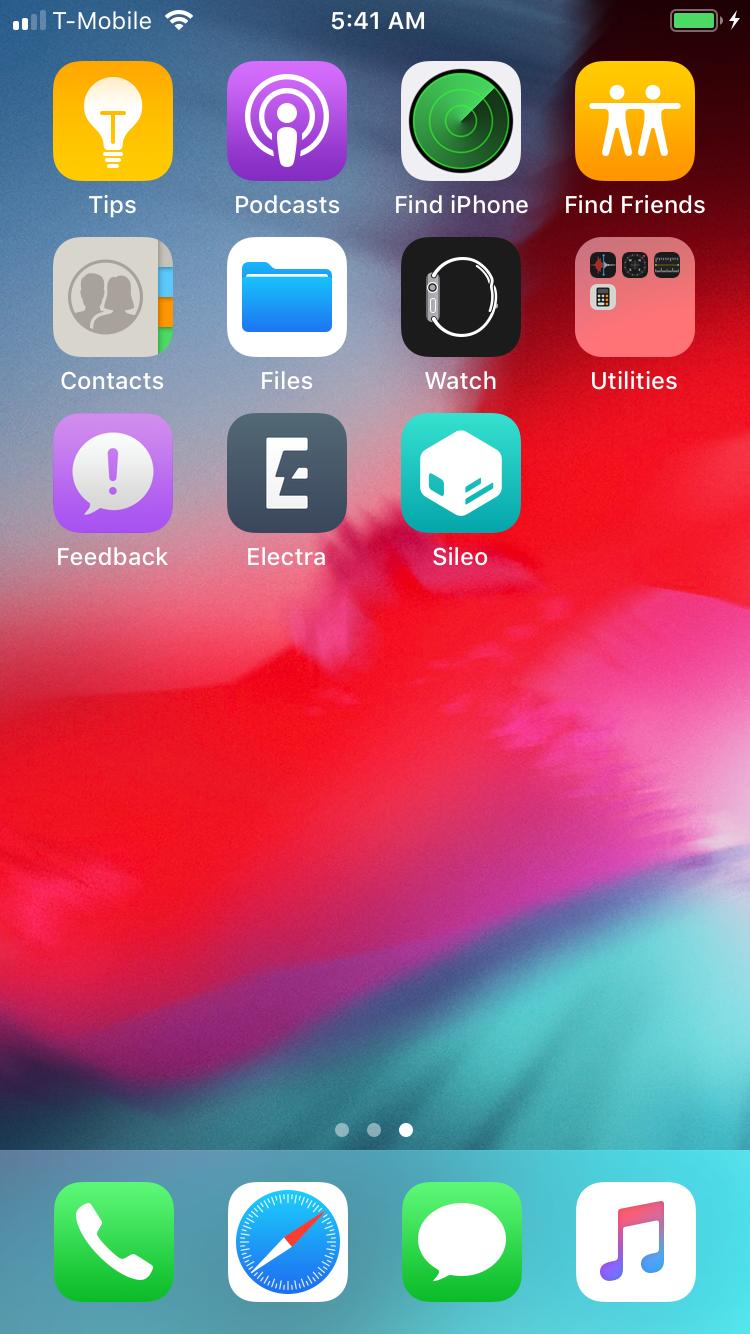
CoolStar teases Electra for iOS 12 in screenshot shared via Twitter

The jailbreak community has been teeming with electrifying announcements these past few weeks, and it now seems that the Electra Team is getting ready to join in on the fun.

Just this morning, Electra Team lead developer CoolStar teased a screenshot of what appears to be a jailbroken iPhone 6s (iPhone 8,1) running iOS 12.1.1. Both the Electra and Sileo app icons are discernable on the handset’s Home screen:

Jailbreak tweaks of the week: Aperturize, Eclipse 12, Noctis12, and more

With a full-fledged iOS 12 jailbreak now available to the public, many are wondering what jailbreak tweaks they should install to trick out their handset(s). Fortunately, there have been a myriad of new releases, and we’ve got you covered.

This roundup encompasses all the jailbreak tweaks released in Cydia from Monday, February 25th to Sunday, March 3rd. As usual, we’ll kick things off by discussing our favorites and then wrap things up with an outline of the rest afterward.

AlarmGroups brings a popular grouped alarm concept for iOS to life

Many people use the alarm feature in their iPhone’s Clock app to wake up on time for school or work every morning, but sometimes users will hit the stop button and inadvertently fall back asleep, defeating the purpose of setting the alarm in the first place.

You could create a cascade of alarms to prevent this from being a problem, or you could use a new free jailbreak tweak called AlarmGroups by iOS developer Fouad Raheb, which streamlines the process of generating and grouping multiple alarms to ensure you wake up every morning.

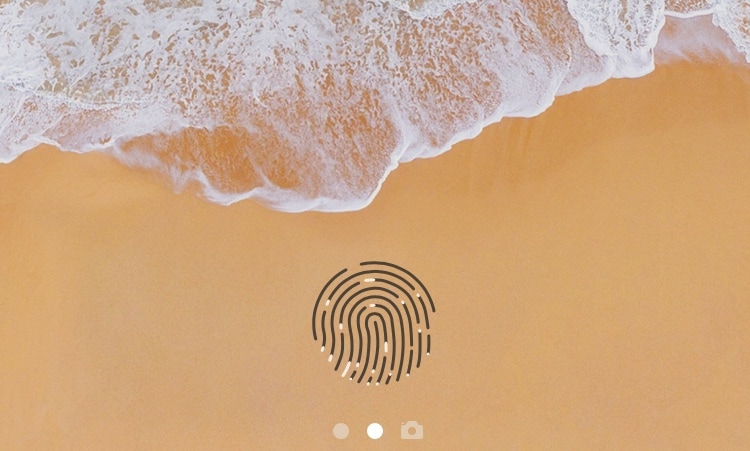
ExtendedGlyph gives your Touch ID-enabled handset a new unlocking animation

All of Apple’s latest flagship handsets come standard with Face ID instead of Touch ID, but a significant percentage of active iPhones and iPads still use the latter. If you’re using a jailbroken handset with Touch ID, then you might appreciate a new jailbreak tweak named ExtendedGlyph by iOS developers Luke Muris and Geometric Software.

From what we can gather, ExtendedGlyph is essentially a modernized take on the popular LockGlyphX tweak. But perhaps more importantly, it has been carefully crafted with support for jailbroken iOS 11 and iOS 12 handsets.

HuddyX is a new notch-centric volume HUD for iPhones

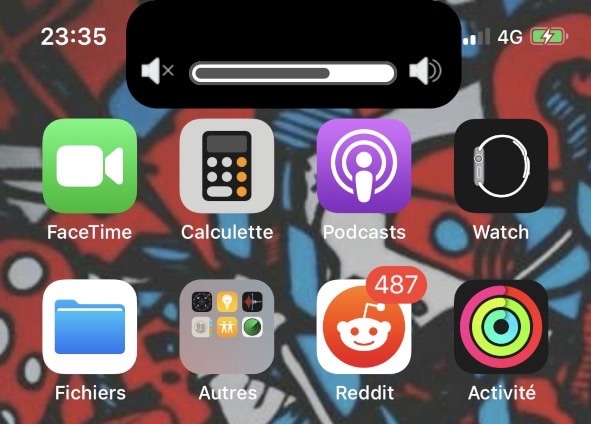
Jailbreakers rejoice; iOS developer maximehip has released a new free jailbreak tweak dubbed HuddyX that revamps the volume HUD on notched handsets such as the iPhone X, XR, XS, and XS Max to make it much less intrusive.

In the screenshot example above, you can discern how HuddyX materializes as a black extension from the notch itself, appearing at the top of the display with a live volume indicator inside of it.

Popular Eclipse dark mode jailbreak tweak now available for iOS 12

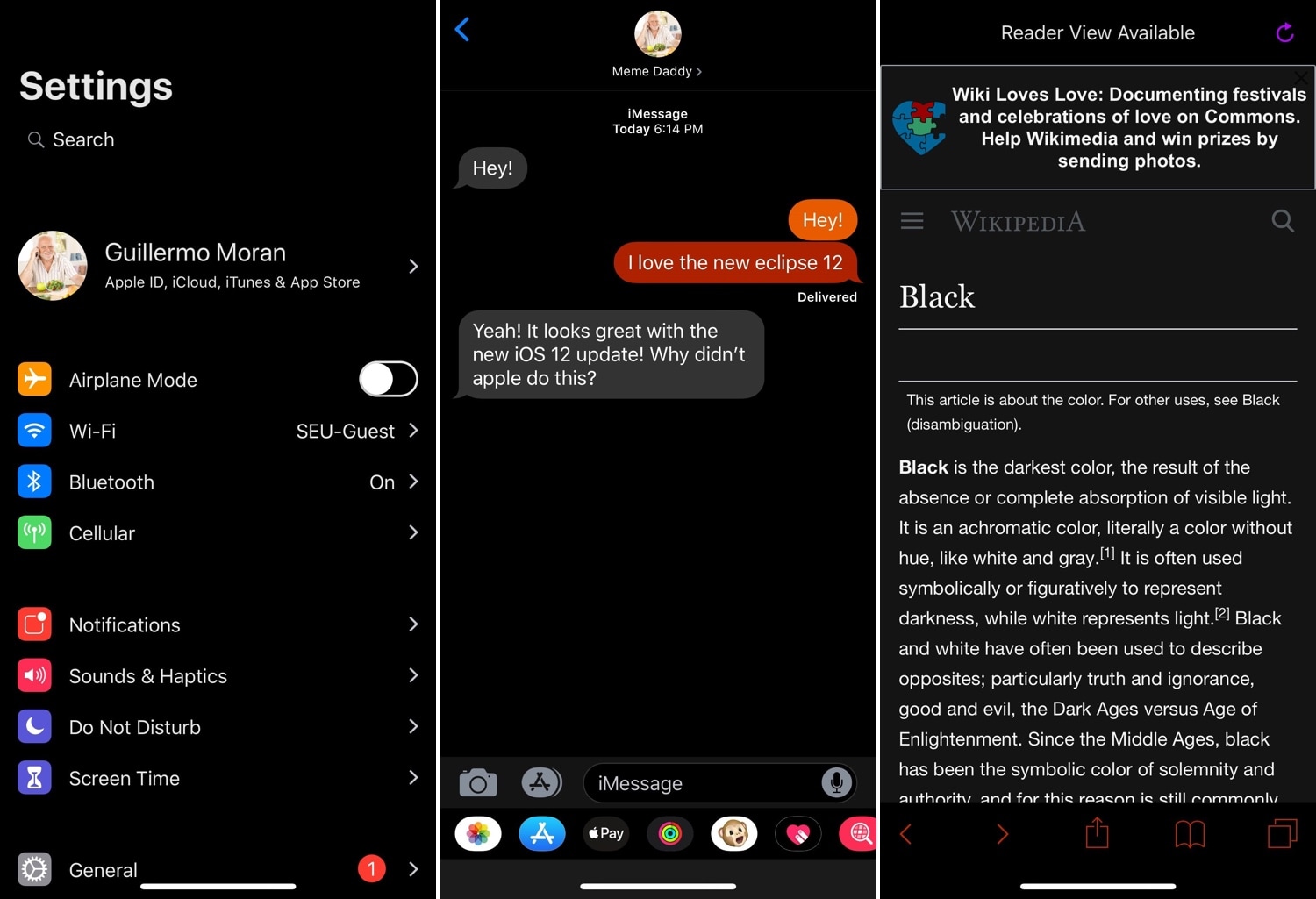
Eclipse by iOS developer Guillermo Morán (fr0st) was perhaps the most conspicuous dark mode jailbreak tweak ever conceived for the iOS platform, and those who’ve just jailbroken iOS 12 with Pwn20wnd’s unc0ver tool should be pleased to hear that Eclipse Dark Mode (iOS 12) is now available for download.

Just like its predecessor, Eclipse Dark Mode (iOS 12) continues its longstanding legacy by bringing a full-fledged dark mode experience to pwned iPhones and iPads alike. Users can ultimately choose between an OLED-friendly pitch-black UI experience, or they can toggle custom theme presets, which offer a variety of other color schemes.

Give the Twitter app a fresh coat of paint with Crayola X

If you’re an avid Twitter user and also happen to have a jailbroken iPhone or iPad, then you just might take a liking to a newly-released free jailbreak tweak called Crayola X by iOS developer aesthyrica.

Just as the name implies, Crayola X empowers you with the ability to give the official Twitter app a fresh coat of paint. The tweak adds an extensive preference pane to the Settings app where you can customize almost any element found in the app.

Prevent specific apps from accessing the internet over Wi-Fi with ConditionalWiFi4

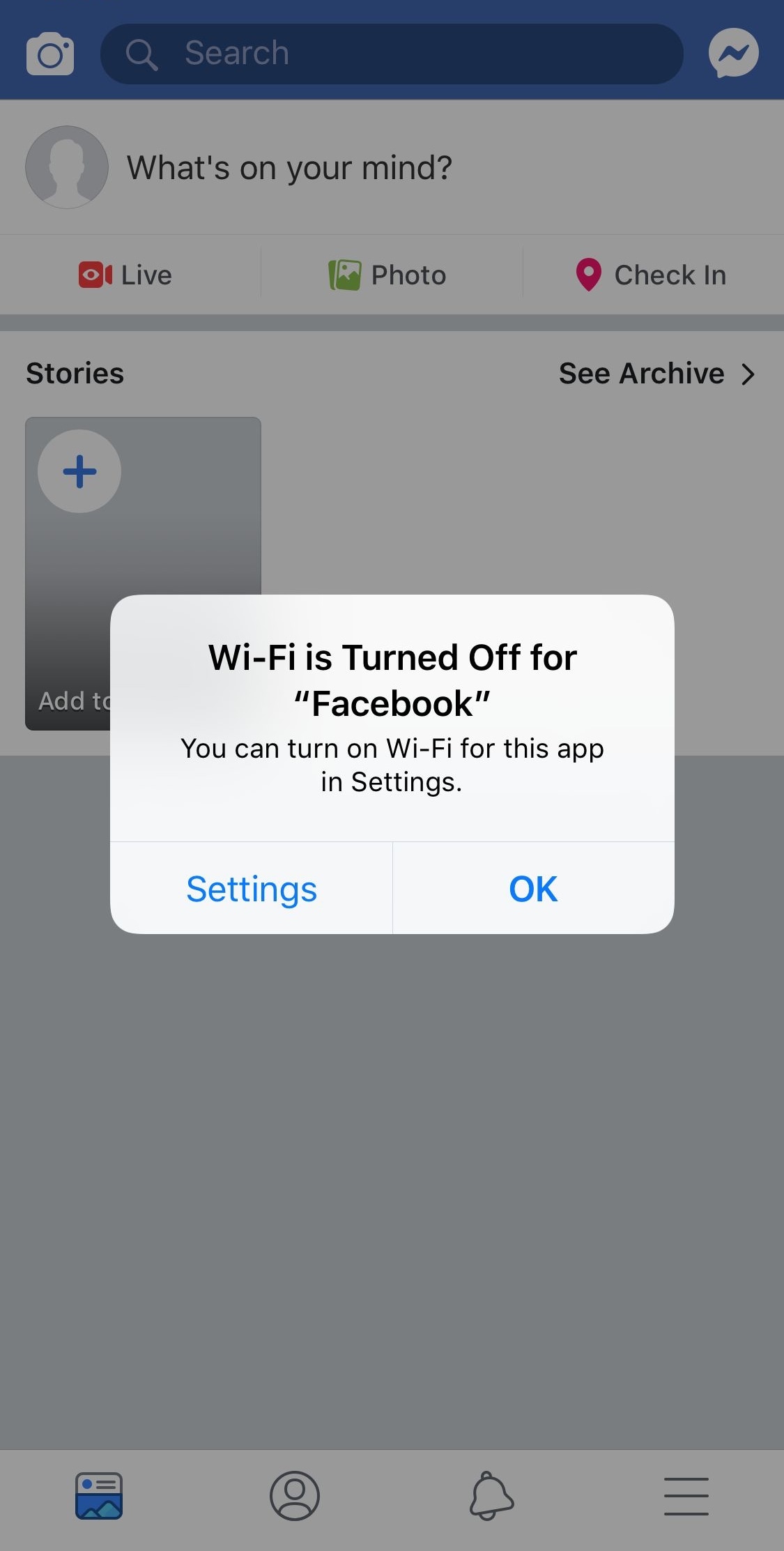
Your iPhone lets you prevent apps from accessing the internet over a cellular connection right out of the box, but the same can’t be said about Wi-Fi. On the other hand, those with jailbroken iOS 12 handsets can finally do something about that with the help of a jailbreak tweak called ConditionalWiFi4 by Andrew Wiik.

As you might’ve discerned already from the tweak’s name, ConditionalWiFi4 lets you choose which apps can access the internet over your iOS device’s Wi-Fi connection. Some examples where this might come in handy include:

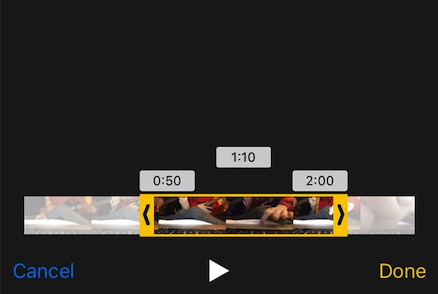
This tweak makes iOS display the times when trimming video clips in the Photos app

After recording a video with your iPhone or iPad, you can then visit the Photos app to view your freshly-recorded footage. But perhaps more importantly, you can edit that footage with a handful of native tools.

One of my favorite video-editing features in iOS is the ability to trim your footage to a custom length; on the other hand, iOS doesn’t show the times at the start and end of your trim like macOS does. The circumstances are frustrating to amateur video editors, and that’s why iOS developer Kane Buckthorpe has created a new jailbreak tweak dubbed Trim Times.

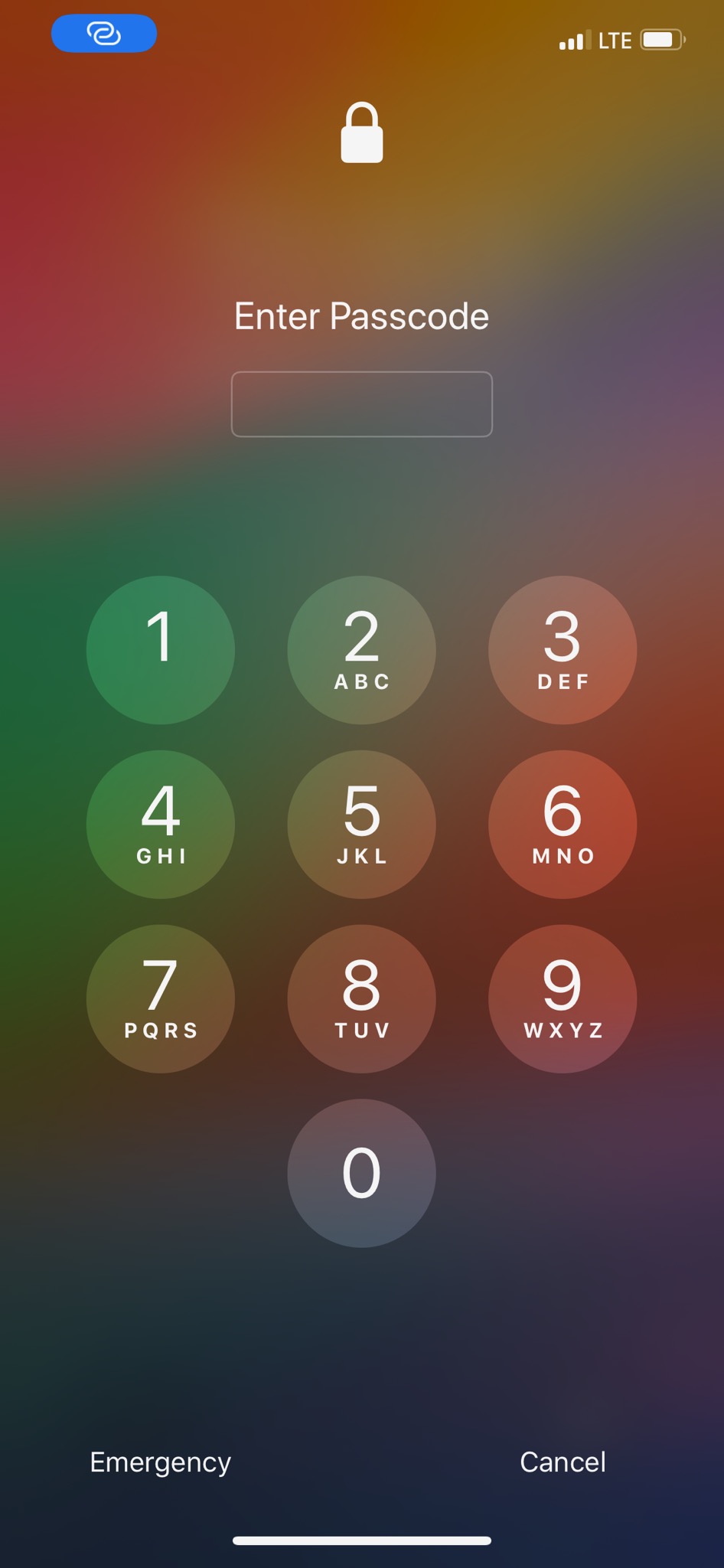
IntelligentPass 2 lets you use your iPhone without a passcode in ‘low-risk’ areas

Most people use passcodes to protect their handsets from unwanted users for privacy reasons. Although modern handsets incorporate some form of biometric authentication in place of the passcode, whether that’s Face ID or Touch ID, your device still uses a passcode as a backup for when either of those stops working.

But while your passcode can keep your handset’s data safe in high-risk areas, it’s also true that some places (such as your home) pose little or no risk. That’s why iOS developers Luke Muris and Geometric Software released a new jailbreak tweak dubbed IntelligentPass 2.

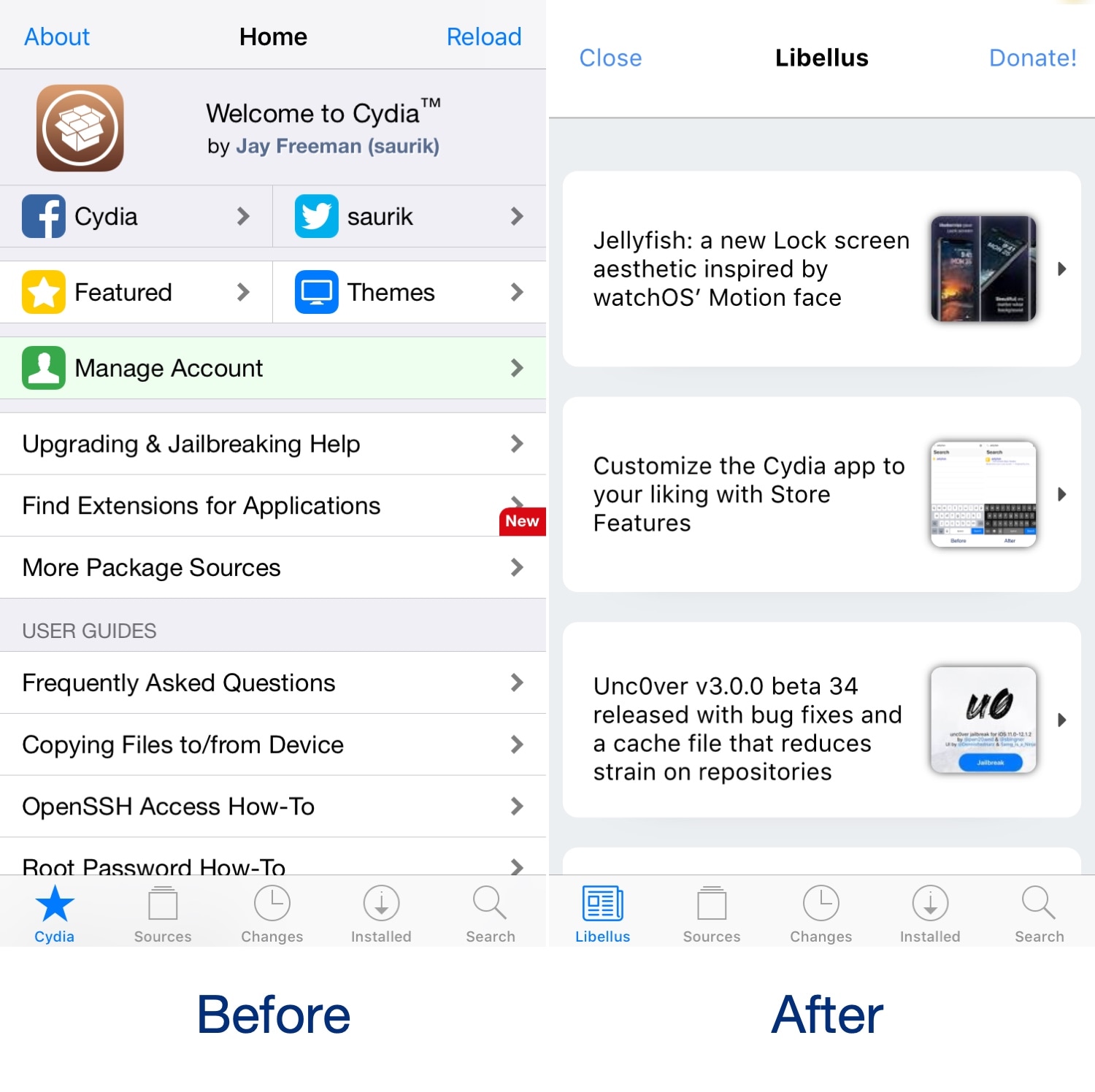
Libellus replaces Cydia’s homepage with a tab dedicated to jailbreak-centric news

The Cydia app’s homepage might be a familiar sight for most jailbreakers, but many would agree that it’s largely outdated. Furthermore, most of the time you spend in Cydia takes place in other tabs, such as Sources, Changes, Installed, and Search.

iOS developer KushyDaBush wanted to make the Cydia homepage useful again, and so a new free jailbreak tweak called Libellus was conceived. As demonstrated in the screenshot examples above, Libellus replaces the stock Cydia homepage with an overview of jailbreak-centric news.