Jailbreak Apps & Tweaks

These are the latest jailbreak apps and tweaks available for your iPhone or iPad. We save you time by highlighting only the best tweaks.

LendMyPhone 3 brings a full-fledged guest mode to your jailbroken iOS 13 device

Unlike Apple’s Mac lineup, the company’s iOS devices don’t offer a native ‘guest mode.’ This is a crying shame for anyone who wants to share their device with someone else while keeping the peace of mind that the other person won’t be peering through any personal data.

Fortunately, jailbreakers have long had the option of installing guest mode-centric jailbreak tweaks, and LendMyPhone 3 by iOS developers Luke Muris and Geometric Software offers one of the slickest guest mode interfaces we’ve seen yet.
Colorize your iPhone’s keyboard however you want with KeyboardColorXII

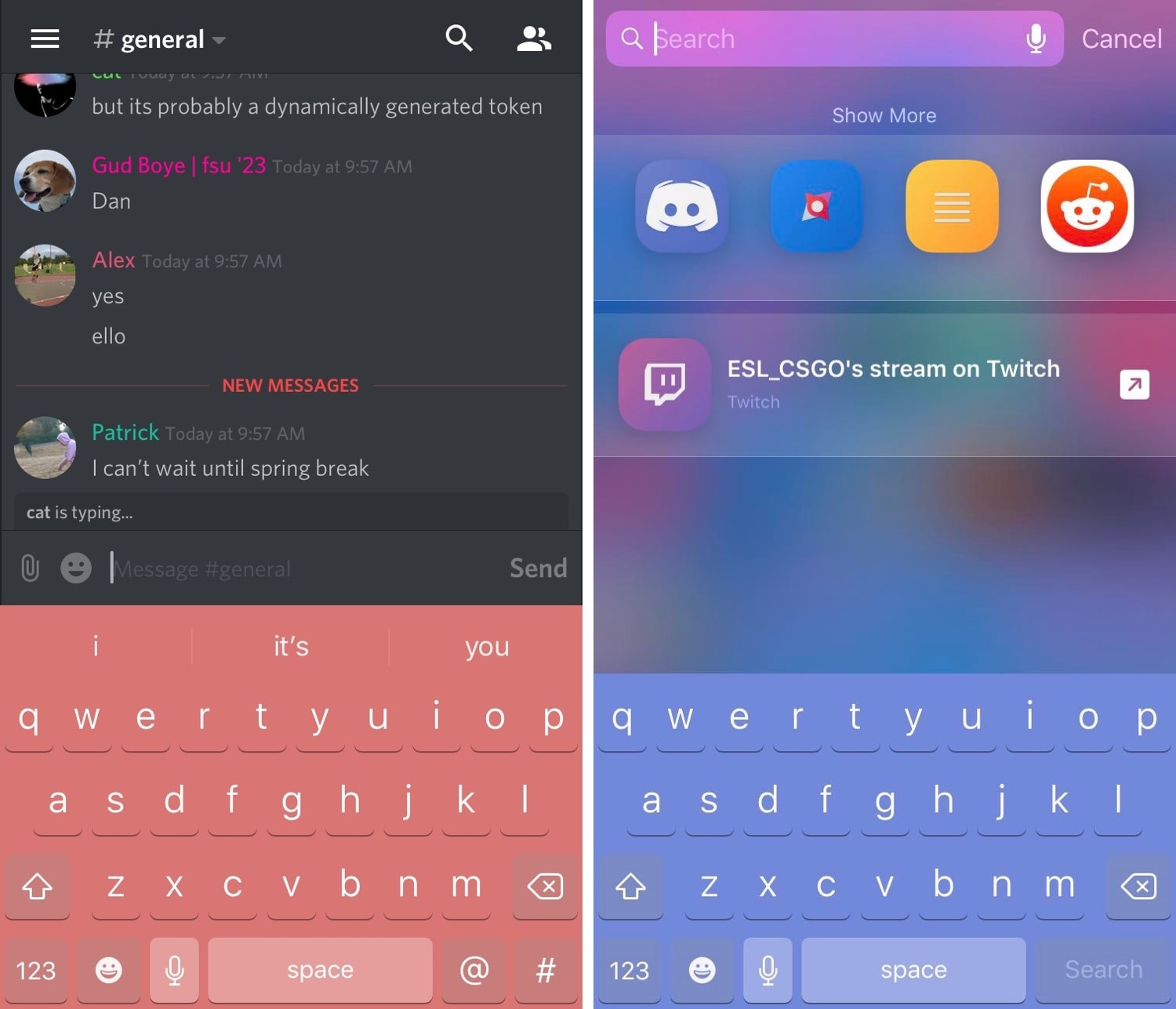
It was only yesterday that we showed you a free jailbreak tweak called DarkKeysXII that could give your iPhone’s keyboard a dark makeover, but what should you do if you wanted something more colorful? If you fall into this category, then you’re in luck!

A new free release called KeyboardColorXII by iOS developer asphyxia is now available in Cydia that lets you colorize your handset’s keyboard however you’d like, whether you prefer things dark, light, or even colorful.

CallBar XS brings everyone’s favorite phone call-centric jailbreak tweak to iOS 14

If you have a jailbroken iPhone, then you should probably add Elias Limneos’ new CallBar XS jailbreak tweak to your wish list.

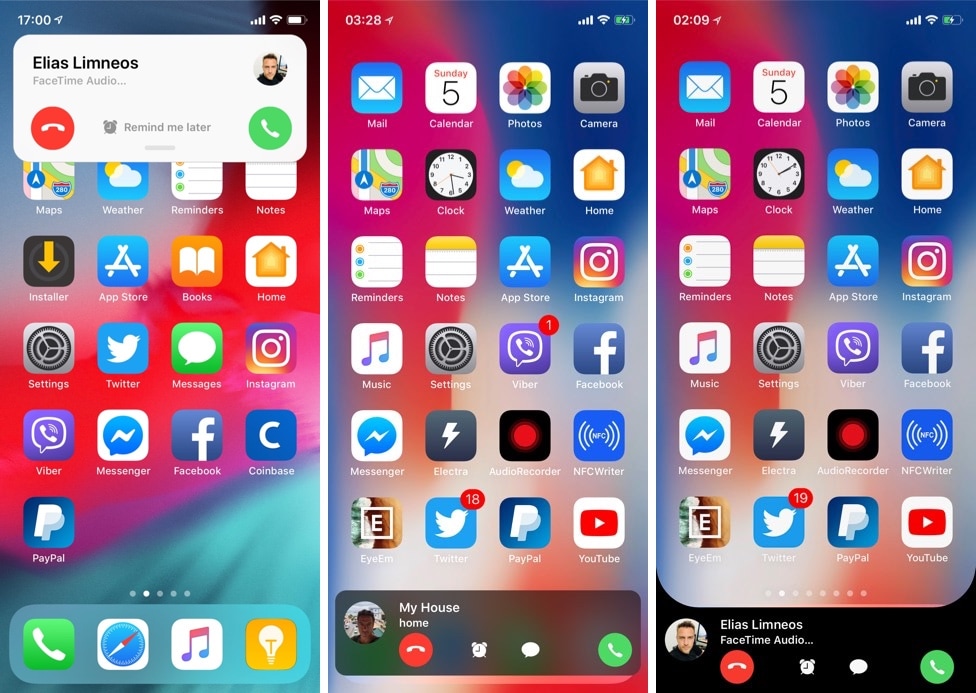
Just like its predecessor, CallBar XS streamlines the phone-centric functionality of your iPhone by incorporating a less intrusive incoming and outgoing phone call interface. In short, it replaces iOS’ full-screen call interface with one that’s hardly any larger than a standard notification banner, and it does so without sacrificing any functionality.

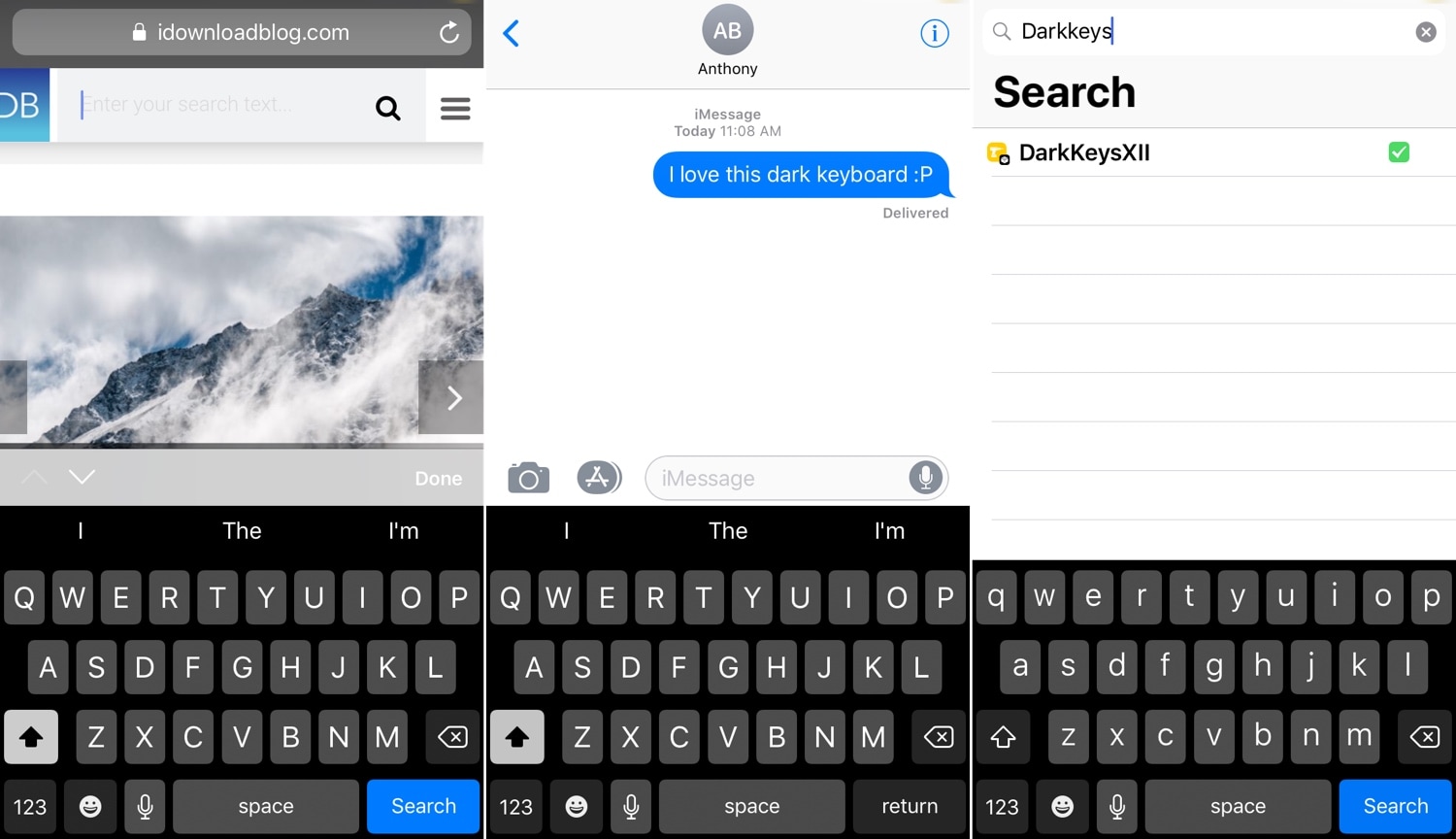
DarkKeysXII gives your iPhone’s keyboard a dark makeover

DarkKeysXII is a new free jailbreak tweak by iOS developers Patrick Simpson and Ultra that implements a darker keyboard interface for jailbroken iPhones and iPads.

The tweak takes effect immediately after installation without the need to configure any complex options, giving you the slick darkened typing experience that you see in the screenshot examples above.

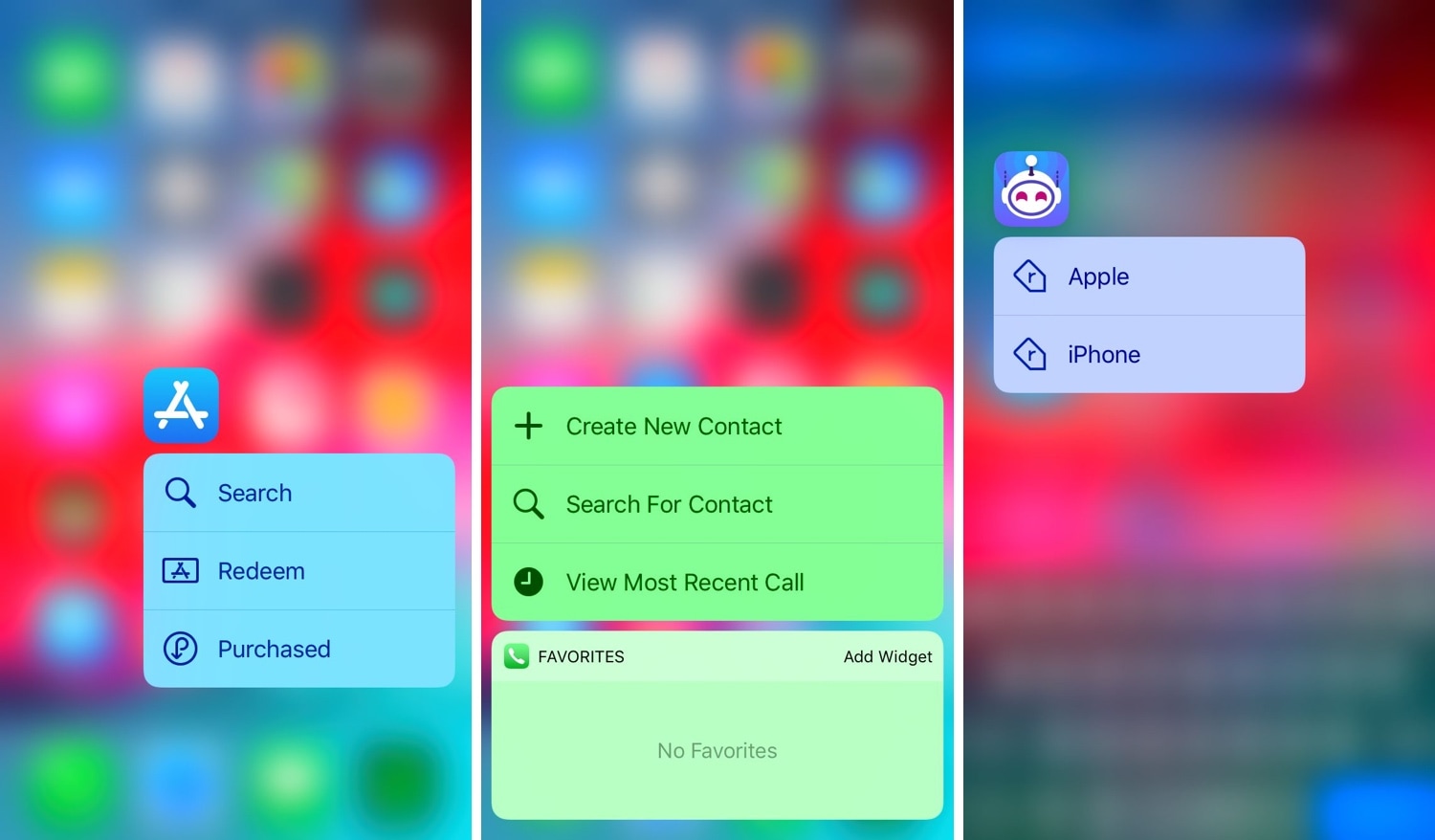
Add a splash of color to your Home screen’s 3D Touch shortcuts with ColorShortcuts

I often take advantage of the 3D Touch-based shortcuts on my Home screen to access vital features in my favorite apps, but I’ll be the first to admit that Apple’s native implementation of these menus looks somewhat bland out of the box.

Fortunately, a jailbreak tweak called ColorShortcuts by iOS developer Cole Cabral can fix that. Just as you might have inferred from the tweak’s name, ColorShortcuts will permit jailbreakers to colorize their 3D Touch menu shortcuts however they’d like.

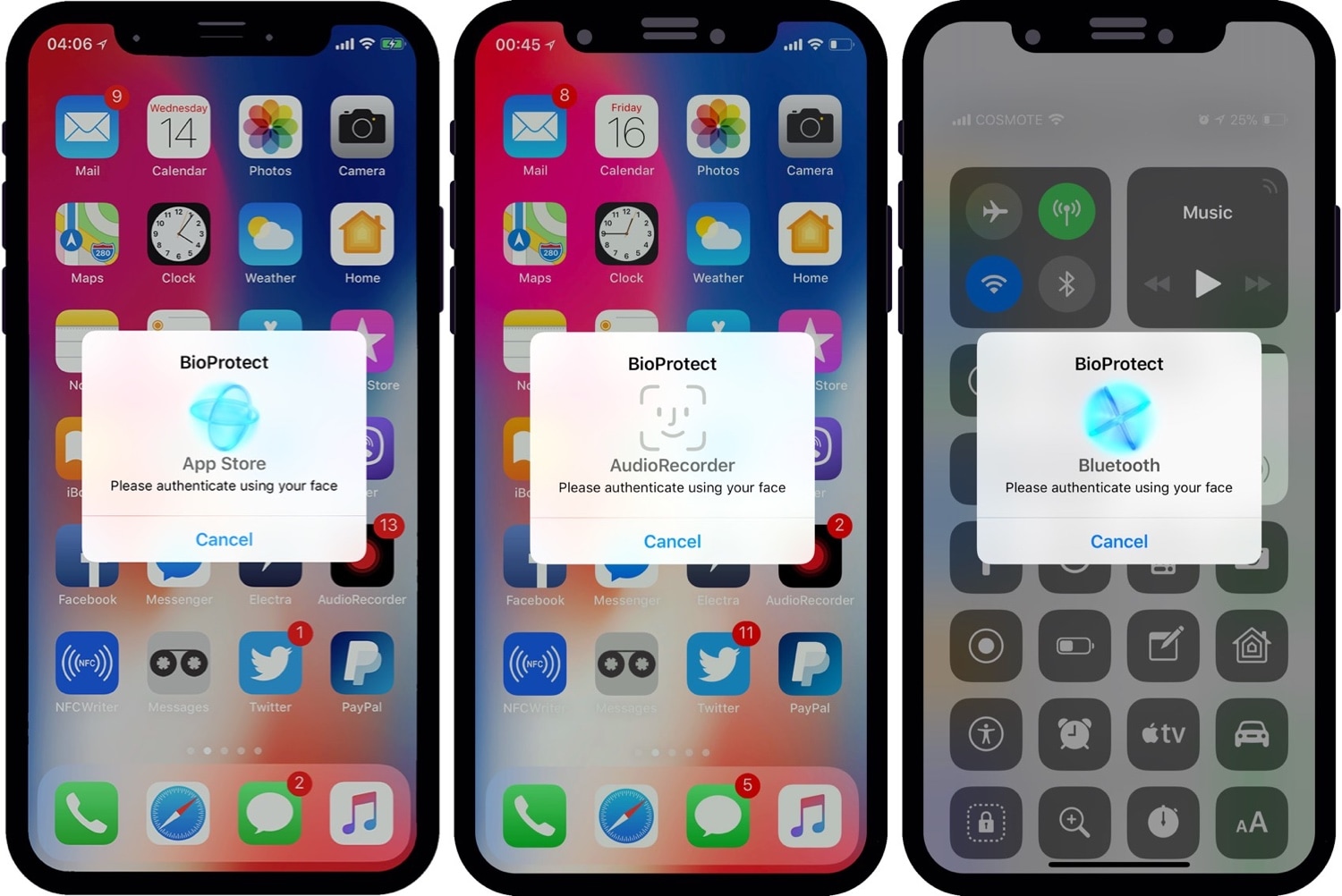
Add an extra layer of security to your jailbroken iOS 12-16 device with BioProtect XS

BioProtect XS

Some people worry about their privacy more than others, and if you’re one to implement defenses on your smartphone that would be equivalent to that of a virtual Fort Knox, then you’ll probably take a liking to a jailbreak tweak called BioProtect XS by iOS developer Elias Limneos.

BioProtect was perhaps one of the most popular security tweaks ever devised for the jailbroken platform. BioProtect XS is fundamentally an iOS 12-16-compatible version of the ever-so-popular security tweak that most know and love, and it has been fully-optimized to work with both Touch ID and Face ID.

Unc0ver v3.0.0 beta 41 released with support for the new machswap exploit

Just yesterday, hacker and unc0ver lead developer Pwn20wnd dropped a significant update for the unc0ver v3.0.0 pre-release, one that added support for 4K devices and made the iOS 12-centric jailbreak tool fully-compatible with all pre-A12 devices for the first time.

But one must wonder when Pwn20wnd finds time to sleep, as the hacker seemingly released another update for the unc0ver v3.0.0 pre-release in the middle of the night, bringing the tool up to beta version 41.

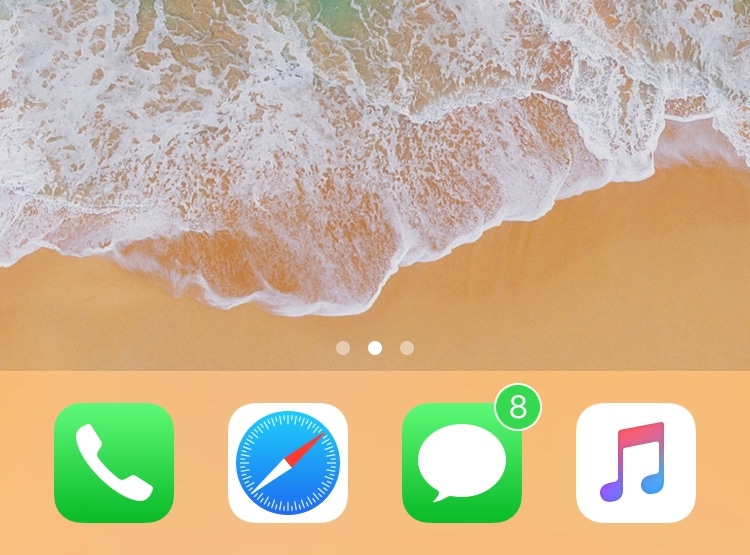
ColorBadges gives your notification badges a fresh coat of paint

Jailbreakers are always looking for ways to make their handsets stand out from the rest of the crowd, and one great way to do that is with a jailbreak tweak called ColorBadges by iOS developer David Goldman.

Just as the name implies, ColorBadges gives your Home screen’s app icon notification badges a fresh coat of paint. More specifically, it colorizes those badges based on the dominant color of the app icon itself.

PowerModules supercharges Control Center with useful new toggles

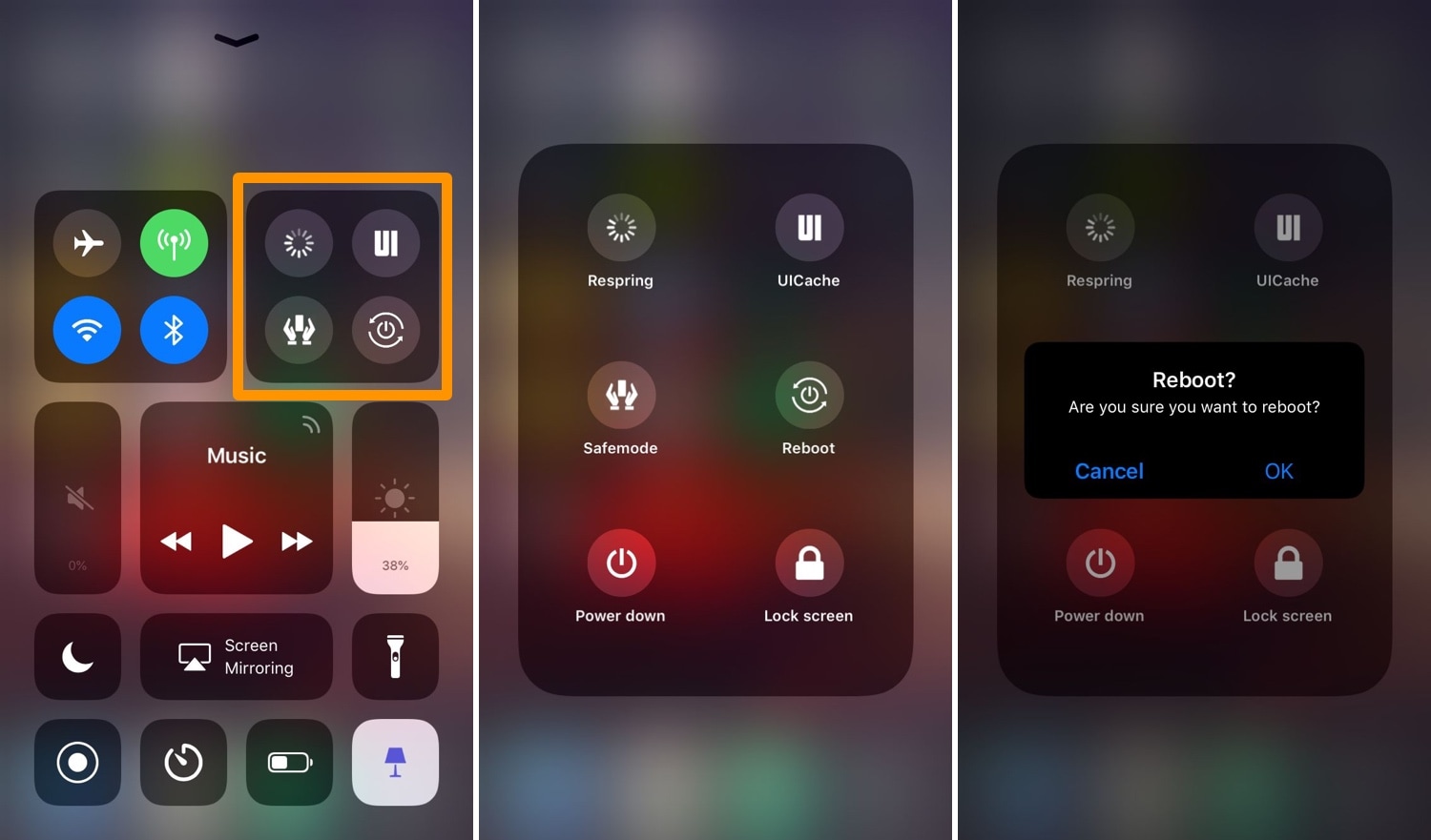
Those with jailbroken handsets probably understand the importance of respringing and using safe mode for troubleshooting, among other things. Unfortunately, many of these features can be too far out of reach for comfort, and that’s why iOS developer Muirey03 has created a new free add-on jailbreak tweak for CCModules called PowerModule.

Just as the name implies, PowerModule adds a new module to the Control Center interface that encompasses a bevy of different power options, among other things. Some of the toggles it supports include:

Switchy: a webOS-inspired App Switcher for jailbroken iOS devices

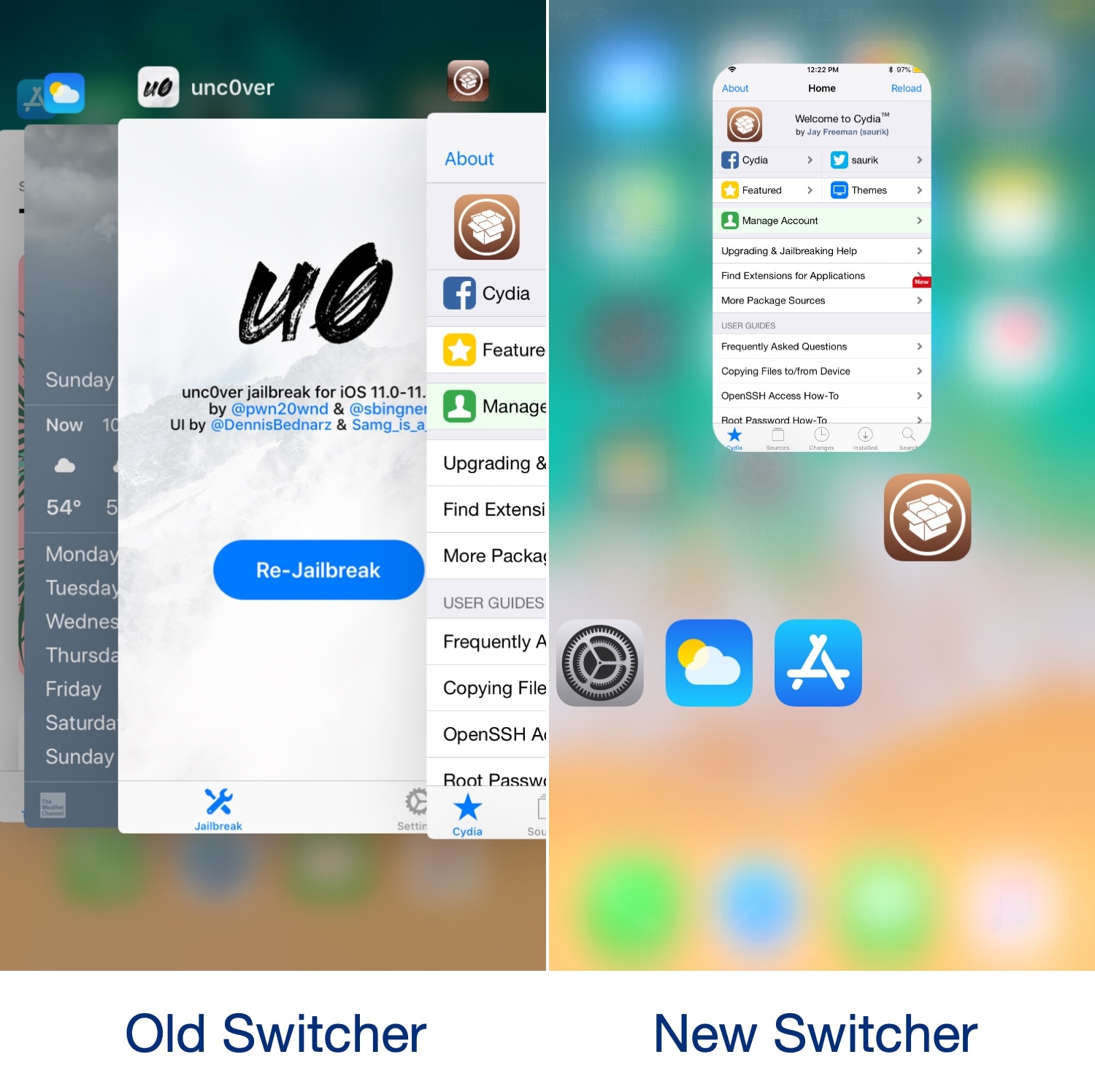
Most iPhone and iPad users are accustomed to using Apple’s native App Switcher when they want to access recently-used apps, but jailbreakers have access to a wide variety of jailbreak tweaks that can replace the native App Switcher experience with something much cooler.

With that in mind, we’re proud to show you Switchy, a jailbreak tweak made by iOS developer William Vabrinskas that brings a webOS-style App Switcher to jailbroken iPhones and iPads.

Colorize your jailbroken handset’s notifications with ColorBanners 2

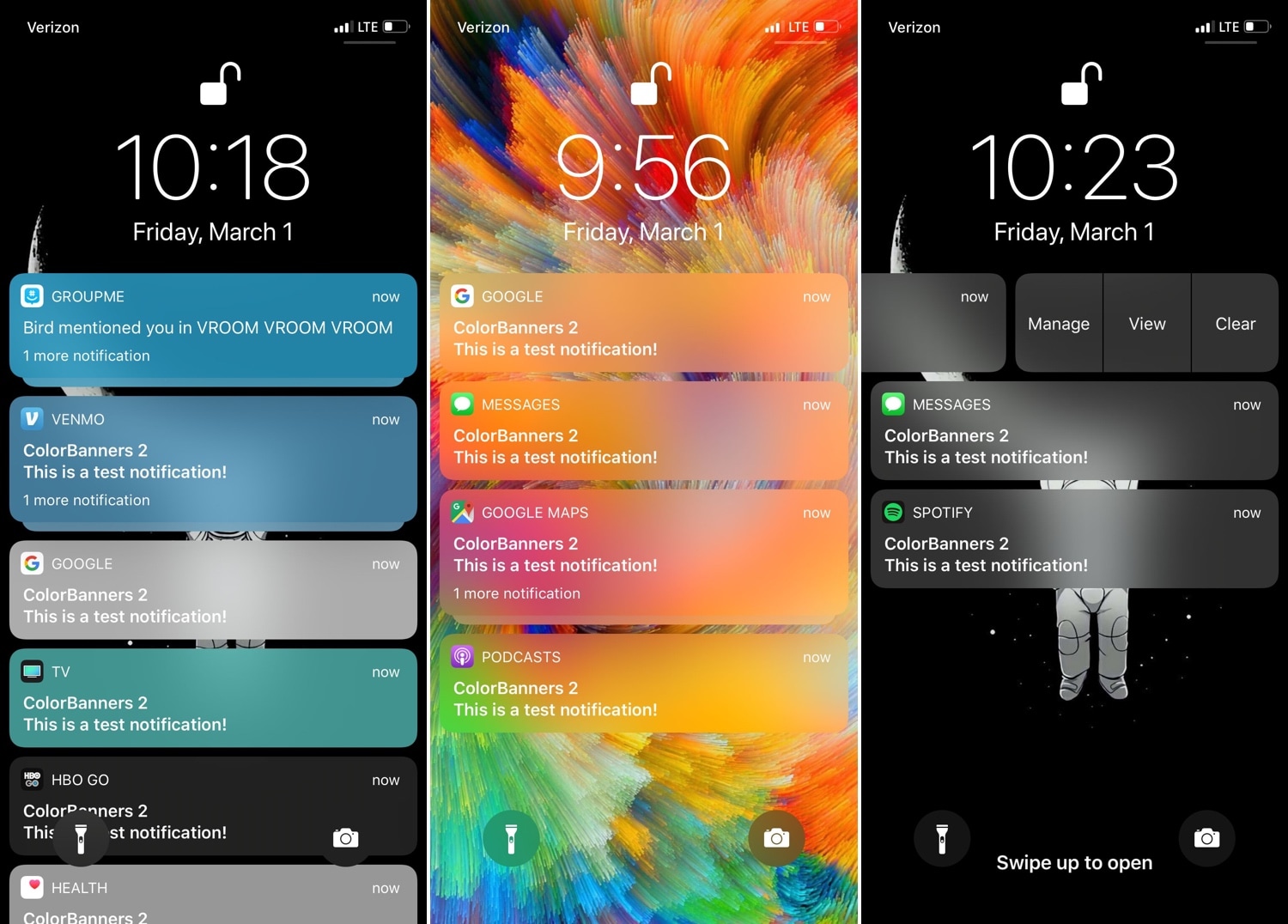
If you’re looking for a way to make your jailbroken iPhone or iPad stand out from the rest, then you might enjoy a jailbreak tweak called ColorBanners 2 by iOS developer David Goldman.

Just as the name implies, ColorBanners 2 adds a splash of colors to your handset’s notification banners. In the screenshot examples above, you’ll see that the tweak’s behavior impacts your notification banners on a system-wide basis, including on the Lock screen, on the Home screen, and in Notification Center.