iPhone

Stay up-to-date on the latest iPhone news and learn new tips and tricks with our comprehensive tutorials. From software updates to new features, we’ve got you covered.

Improve the multitasking experience on the iPhone with FloatingDockPlus

Every iOS device sports a Dock at the bottom of its Home screen, but not every Dock is created equally. Case in point, anyone who has used an iPad before has likely taken notice of unique behavior that isn’t necessarily present on iPhones and iPod touches; more specifically, the iPad’s Dock shows recently-used apps in a separate section just right of the usually docked icons.

This is just one of several ways that the iPad makes multitasking easier, and with that in mind, iOS developer Kiran Patil set out to port many of these features to other iOS devices. The end result? – a jailbreak tweak dubbed FloatingDockPlus is now available to download from Cydia.

ModernAlerts gives your iPhone tvOS-inspired notifications and alerts

While I enjoy the seamless software experience that the iPhone brings to the table, I still must admit that the mobile platform’s notification system leaves a lot to be desired. As it would seem, iOS developers Luke Muris and Geometric Software felt the same way, and so a new jailbreak tweak called ModernAlerts was born.

As it would seem, ModernAlerts draws most of its inspiration from the tvOS platform; as such, it themes your incoming notifications to look more like what you’d expect to see on your Apple TV. But the tweak doesn’t stop there… it takes things a step further by providing users with a full range of theming options.

Customize the YouTube app’s native dark mode color scheme with GrooveTube

The official YouTube app incorporates a native dark mode that can help ease the stress on your eyes when using the app in a dark environment, and while it’s great, it’s also far from customizable. With that shortcoming in mind, iOS developer Revulate has just released a new free jailbreak tweak called GrooveTube.

After installing GrooveTube, you can manually configure the color scheme of the YouTube app’s dark mode to your liking. In the before and after screenshot examples above, you’ll observe how we’ve re-colored the YouTube app background to be darker and altered the tab bar tint color to be red.

The best food delivery apps for iPhone to satisfy any craving

Best Food Delivery apps - GrubHub iPhone

Food delivery has come a long way since the days of only being able to get pizza or Chinese brought to your door. Now, there are services that will head to fast food, fancy, or deli-style restaurants to bring once undeliverable goodies to your door step.

When you can’t go out but are having a Big Mac attack or a hankering for your local eatery’s soup of the day, you can still get those foods you crave.

Here are the best food delivery apps for iPhone that help you eat the treats you seek.

XB-WakeDevice lets you customize how you wake your handset

Just yesterday we showed you a jailbreak tweak called DownLocker that permitted users to lock their handset by placing it face-down on a desk or tabletop; but today, we’re excited to show you a new free jailbreak tweak called XB-WakeDevice by iOS developer Oliver Crespo that lets users customize how they wake their handset back up again, among other things.

While the Raise to Wake feature reigns supreme on many of Apple’s latest handsets, the same can’t be said about all iPhones and iPads. Furthermore, not everyone uses Raise to Wake, and XB-WakeDevice appeals to both of these somewhat ‘niche’ audiences.

This tweak lets you reassign the native Spotlight/Today page gesture to something more useful

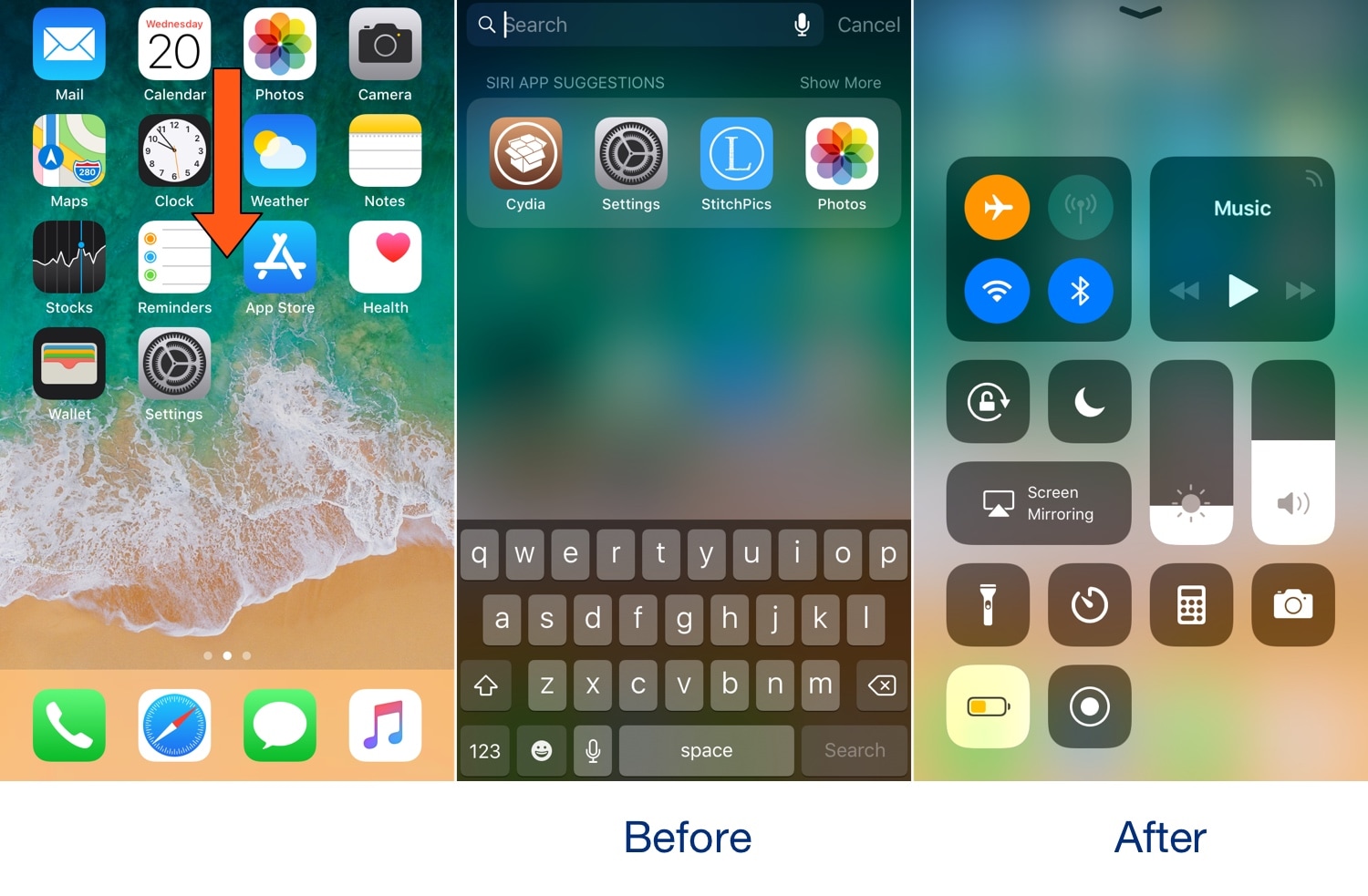
The Spotlight/Today page can be a wonderful thing, but not everybody uses it. With that in mind, iOS developer Oliver Crespo has created a new free jailbreak tweak called XB-SpotlightScroll that aims to increase the number of things you can do when invoking the gesture that’s typically used to access the Spotlight/Today page.

As it would seem, XB-SpotlightScroll can replace the native Spotlight/Today interface with any one of the following options:

This tweak gives your iPhone a Nintendo Switch-like volume HUD

We’ve seen so many different types of volume HUD replacements for the iOS platform that it’s not even funny, but if you’re familiar with the Nintendo Switch, then you might be excited to learn that it’s now possible to achieve a similar volume HUD experience on the iPhone and iPad.

The newfangled volume HUD for iOS comes by way of a new free jailbreak tweak called NintendoSwitchHUD by iOS developer iKilledAppl3, and once you’ve installed it, you’ll see witness akin to the before and after screenshots illustrated above.

Lock your iPhone by placing it face-down on a desk with DownLocker

There are typically two ways to lock your iPhone when you’re finished using it: 1) press the sleep button; or 2) wait for the lockout timer time out. But with a new free jailbreak tweak called DownLocker by iOS developer Soh Satoh, you can add a third and practical method to that list.

DownLocker utilizes your iPhone’s accelerometer system to discern the handset’s orientation in space, and when it senses that your handset is lying face-down, it locks the device. This works with virtually any flat surface, whether that object is opaque or transparent, which is an apparent advantage over similar tweaks that would use the handset’s proximity sensor instead.