iPad

From the latest news to the most comprehensive tutorials, learn how to get the most out of your iPad with our step-by-step guides and expert tips.

Jailbreak tweaks of the week: Meteoroid, Modulus, SmartRotate, and more

There has been no shortage of new jailbreak tweak releases since the unc0ver jailbreak picked up support for iOS 12, and with that in mind, we're excited to go over all the new releases with you.

This roundup encompasses all the new jailbreak tweaks released in Cydia from Monday, March 18th to Sunday, March 24th. As usual, we'll begin by discussing our favorites and then outline the rest afterward.

Modulus brings a slew of useful new modules to Control Center

Making the Control Center interface modular was perhaps one of the greatest things Apple ever did to improve the iOS experience. On the other hand, Apple left a few things out of the interface from the start and hasn’t yet opened the platform to third-party developers for custom toggles and shortcuts. With that in mind, it certainly pays off to have a jailbreak.

A new jailbreak tweak called Modulus by iOS developer LaughingQuoll brings a slew of new third-party modules to the Control Center interface, and at first glance, each of the new modules seem to be rather impressive.

SnoozeX provides a more intuitive firing alarm interface for iOS

Whenever one of your iPhone’s alarm fires, you’re presented with an interface where you can either snooze or stop the alarm indefinitely. Many have expressed their dissatisfaction with iOS’ native alarm firing interface, and with that in mind, iOS developer VincentMDIM came out with a jailbreak tweak called SnoozeX to address that.

SnoozeX makes the iOS’ alarm firing interface more intuitive, especially for those who have trouble waking up early in the morning after their alarm goes off. As depicted by the screenshot examples above, SnoozeX makes the alarm firing interface easier to interact with, which will be appreciated by folks who are still half asleep when the alarm sounds.

LockDock lets you access your Dock from the Lock screen

When I first started jailbreaking many years ago, you were the cool kid on the block if you had access to application shortcuts on your iPhone’s Lock screen. For whatever reason, application shortcut add-ons have all but disappeared in recent memory, but a new jailbreak tweak called LockDock by iOS developer Blake Boxberger appears to revive this once popular concept.

LockDock takes advantage of an application launcher that already exists on the iOS platform – the Home screen’s application Dock – and makes it accessible from the Lock screen in addition to the Home screen, as shown above.

NCGrabberInfo: An actually useful Notification Center grabber for jailbroken devices

A lot of times when playing full-screen games on my iPhone, I wonder what time it is or how much battery life I have left. It’s inconvenient to pause my game to peek at Control Center or swipe out of the app to glance at the Status Bar, and so I was particularly excited when I saw a new free jailbreak tweak called NCGrabberInfo by iOS developer Antique.

With this tweak, you can grab a peek at both the time and your handset’s remaining battery life even when you’re enjoying a full-screen game; and the best part is, you don’t need to stop playing or leave the app to do it.

MessageColors lets you add color gradients to the Messages app

If you have an iPhone, then chances are you spend a lot of time in the Messages app text messaging other people. With that in mind, wouldn’t it be great if you could colorize the Messages app to match your individual personality?

If you like what you’re hearing so far, then you’ll probably enjoy a new free jailbreak tweak called MessageColors by iOS developer RestiveConch. This tweak lets you apply custom color gradients to your Messages app, making it possible to achieve the result you see in the screenshot example above.

This tweak lets you add a splash of color to your iPhone’s passcode entry interface

One of the most exciting parts of owning a jailbroken iPhone or iPad is having the freedom to customize the handset’s look and feel outside the realm of Apple’s stock parameters and disturb the monotony exhibited by most iOS devices. If you agree, then you might take a liking to a new free jailbreak tweak called NudePassScreen by iOS developer Kiran Patil.

As you might have discerned from the screenshot examples above, NudePassScreen empowers the user to colorize their handset’s passcode entry interface with virtually any color scheme they want, helping them to stand out from the rest of the crowd.

No2Theft2 protects your iPhone from thieves and pranksters

Whether you’re always paranoid about someone stealing your iPhone when you set it down on a table somewhere in public or you’ve just got lousy friends that like to play pranks on you, a jailbreak tweak called No2Theft2 by iOS developer Elias Sfeir promises to let you know whenever someone tries to be nefarious with your handset.

After you’ve installed and configured No2Theft2, you can rest assured that if someone’s doing something fishy with your iPhone behind your back, you’ll know about it. The tweak uses several methods to notify you whenever someone picks up your handset and enters the passcode incorrectly.

SpotCC launches Control Center instead of Spotlight when swiping down on the Home screen

Swiping down while on the Home screen of your iPhone usually presents you with the Spotlight search interface, but if you don’t use the Spotlight search feature that often, then you might take a liking to a new free jailbreak tweak called SpotCC by iOS developer Kiran Patil.

There isn’t much to say here concerning what the tweak does, but just as the name implies, SpotCC makes it so that swiping down on the Home screen summons Control Center rather than Spotlight search.

TinyBanners provides less intrusive notification banners for iOS 12

Apple originally introduced the humble notification banner to replace the intrusive notification alert pop-up in iOS, but Apple has since made those notification banners much taller, making them more intrusive than they were initially designed to be.

Here to solve that problem is a new jailbreak tweak called TinyBanners by iOS developer donbytyqi, which just as the name implies, makes iOS’ notification banners smaller such that they aren’t as intrusive.

The original AirPods vs. AirPods 2 – what’s different?

Apple’s new second-generation AirPods can now be ordered from the company’s website, and many are wondering if they’re a worthwhile upgrade from the originals.

If you’re in the same boat, then you’ve come to the right place, because this piece will discuss the most significant differences between the original and second-generation AirPods.

Quickly search or translate any selected text with Selector

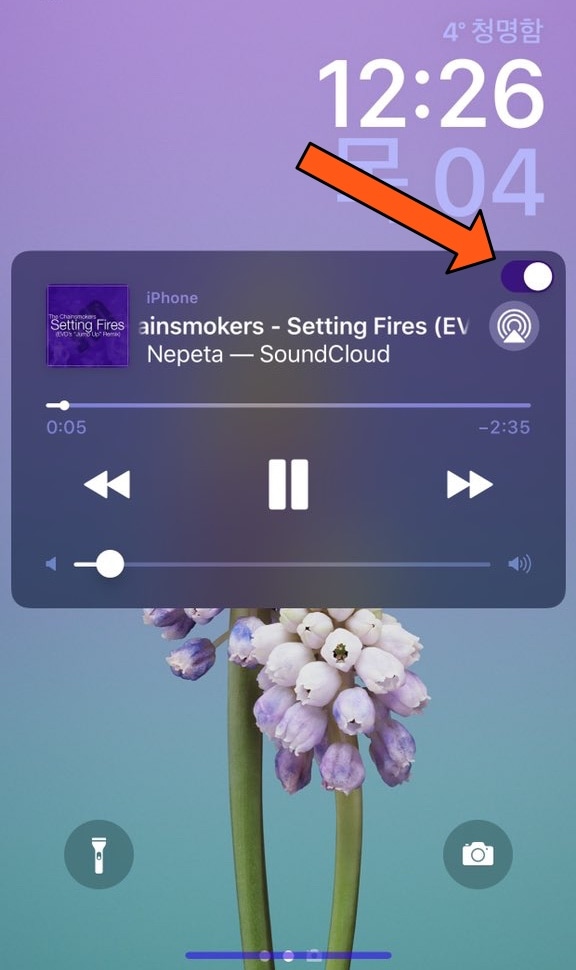
Selector is a new free jailbreak tweak by iOS developer Nepeta that makes it easier to interact with strings of selectable text from almost anywhere on your iPhone or iPad.

Upon installing Selector on your device, you can select a word or a string of words and you should notice two new options in the ensuing action menu: Translate and Search.