Apps

Google could launch Assistant for iOS soon as a standalone app

After unveiling Assistant at Google I/O a year ago, the search giant is now expected to bring its AI conversational helper to iPhone and iPad in the form of a standalone app, AndroidPolice reported Monday. The app should be announced at Google's annual developers conference, which kicks off on Wednesday, May 17, at Shoreline Amphitheatre Mountain View in California.

Assistant for iOS will only be available in the US at launch, said a trusted source cited in the report. Assistant's SDK  was just made available to developers so bringing the app to Apple's mobile platform could encourage more developers to integrate with its functionality.

Here's an excerpt from the article:

The app would likely feature a blend of the "chat" style functionality in the Google Allo version of Assistant and the voice-controlled version found on Android, but again, details are scant.

Rather than roll out Assistant as a standalone app, Google could fold its functionality into the existing search app for iOS, which supports Google Now cards but not Assistant.

https://www.youtube.com/watch?v=Wsic12MXlsc

A company executive hinted two months ago that Google's general philosophy is that “we would like to have the Assistant available to as many people as possible.”

After debuting exclusively on Google's Pixel line of smartphones in October of last year, Google Assistant soon after made its way into into Google’s voice-activated speaker, called Home, the latest version of Android Wear and a few devices from third-party vendors.

It powers AI features in Google's messaging app Allo and will be at the heart of the new Android operating system for touchscreen car consoles and in-car infotainment systems.

You can expect the feature to become integrated over time into virtually every major device Google makes, as well as into its most important consumer-facing services and mobile apps.

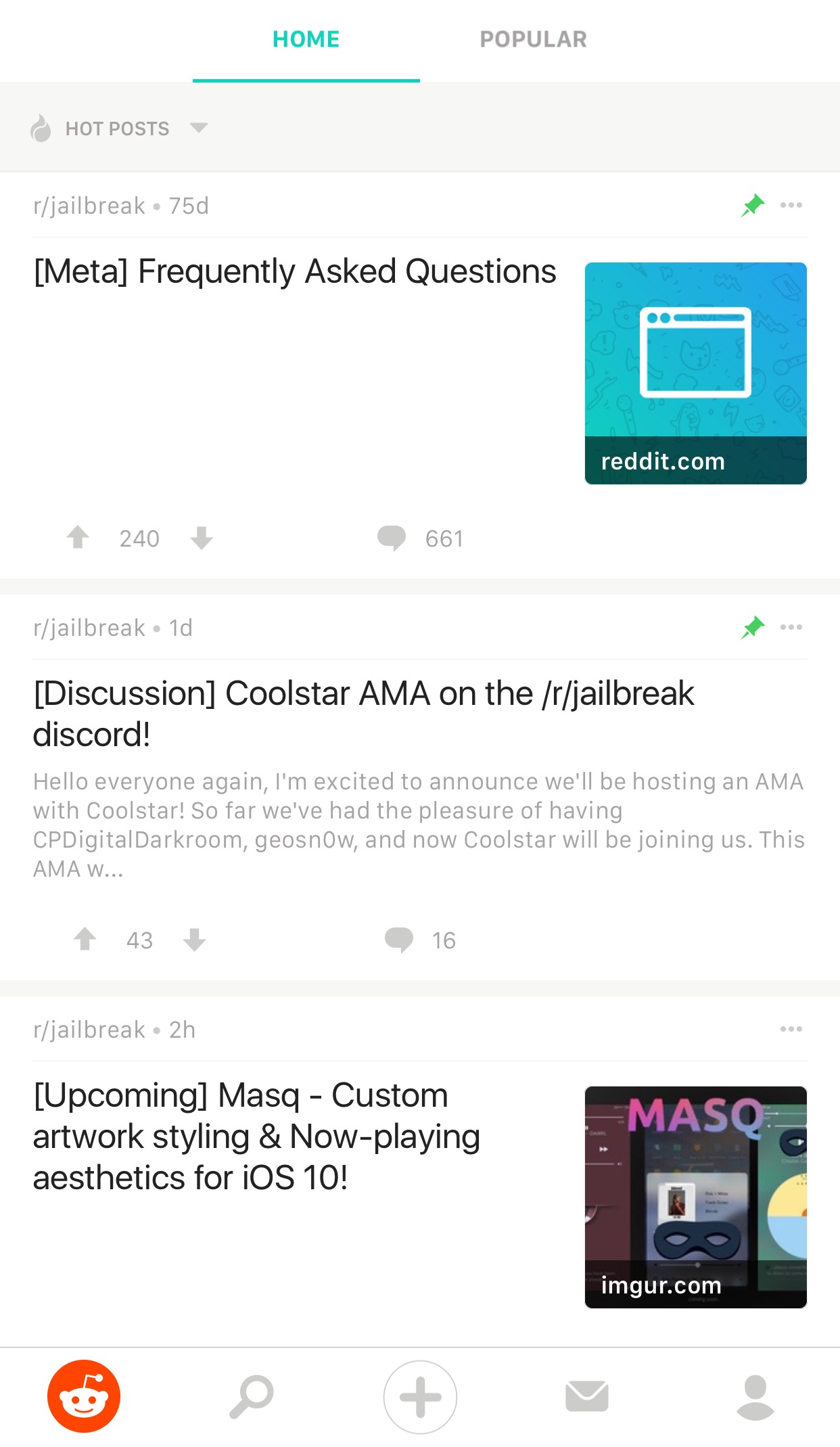
Reddit Enhanced is a tweak that lets you customize the official Reddit app

If you frequently use Reddit, then chances are you have the Reddit app on your iPhone or iPad for ease of access. While it’s useful for perusing the boards, it does have its shortcomings.

To get around many of the shortcomings, a new free jailbreak tweak called Reddit Enhanced by iOS developer Tom Effects offers a bevy of new options that let you fine-tune the Reddit app to better fit your personal needs.

Big Keys, Subtotal, Dazzle Browser, and other apps to check out this weekend

This week's edition of our Apps of the Week roundup includes a third-party keyboard with extra large keys, a new app for saving money, and a mobile-friendly web browser. And as always, we have two great new games for you to check out this weekend.

Big Keys

Big Keys is exactly what it sounds like: a third-party iOS keyboard with extra large keys. I'm sure this isn't a brand new concept and the third-party keyboard implementation in iOS is pretty rough, but with Mother's Day this weekend, I figured this was worth a mention. Anyone who has trouble typing on (or seeing) the tiny keys on the iOS keyboard will love this. Now it only works in landscape mode, but you get large keys and large emojis. Plus it has a numeric keypad, supports gestures, and it's customizable. Big Keys is available for $2.99.

Subtotal

Get up to 10% cash back when eating out with the app Subtotal. It's simple: at the end of your meal, select your restaurant. Follow the on-screen instructions to enter and pay your bill (supports Apple Pay). Present the on-screen barcode to your waiter—it works just like a gift card. You get your cash back in a few days. Now it's a new thing, so only a handful of restaurants are supported so far (Applebee's, Chili's, Red Robin, etc.), but this seems like an app worth checking out for folks who want to save money with little effort. Subtotal is available for free.

Dazzle Browser

The third-party iOS web browser space is a tough one to get into. Apple's Safari, of course, has a huge head start with prominent placement and performance enhancements. Google's Chrome has solidified itself as the official runner-up. Then there are a bunch of smaller browsers fighting for a distant third. Dazzle throws its hat into the ring with a simple, mobile-first interface. It was built for one-handed usage with a unified search bar located towards the bottom of the app, and the ability to quickly swipe between pages. Dazzle Browser is available for free.

Sky Gamblers Races

Your favorite fighter plane franchise is back with the ultimate air racing game. Featuring more than 90 highly detailed WWII planes, Sky Gamblers Races tasks players with building their reputation on the air racing circuit. Unique visuals, sound effects, and gyroscope controls make for an immersive gaming experience. There are over 100 races in different environments and 5 game modes: normal, slow down, elimination, timed races and death races. You of course can customize your plane and even race opponents in real time. Sky Gamblers Races is available for $2.99.

Crash Club

If you're looking for something a little different this weekend, Crash City is the anti-racing game. Drive anywhere you want in this big coastal city, break everything and take down other drivers for points to rule the leaderboard! Massively multiplayer action with over 30 players live and real time in every game. Everything can be crashed, with weapons and abilities available in the middle of the action. There are over 25 unique cars that can be customized in both looks and performance. Crash City is available for free (with some IAPs).

More apps to check out Drop everything (except your bags) – this app is all you need for grocery shopping Apple’s free app of the week: Little Kitten Meet Breaker, a young podcast app with a social twist Infuse media player gains supercharged subtitles, 10-bit video playback & more PDF Expert 6 for iOS is out with revamped look, enhanced search, new editing tools & more Apple’s Workflow app gains new Apple Music actions, brings back Chrome and Pocket integrations

Google’s Allo messaging app will soon let you create personalized stickers from your selfies

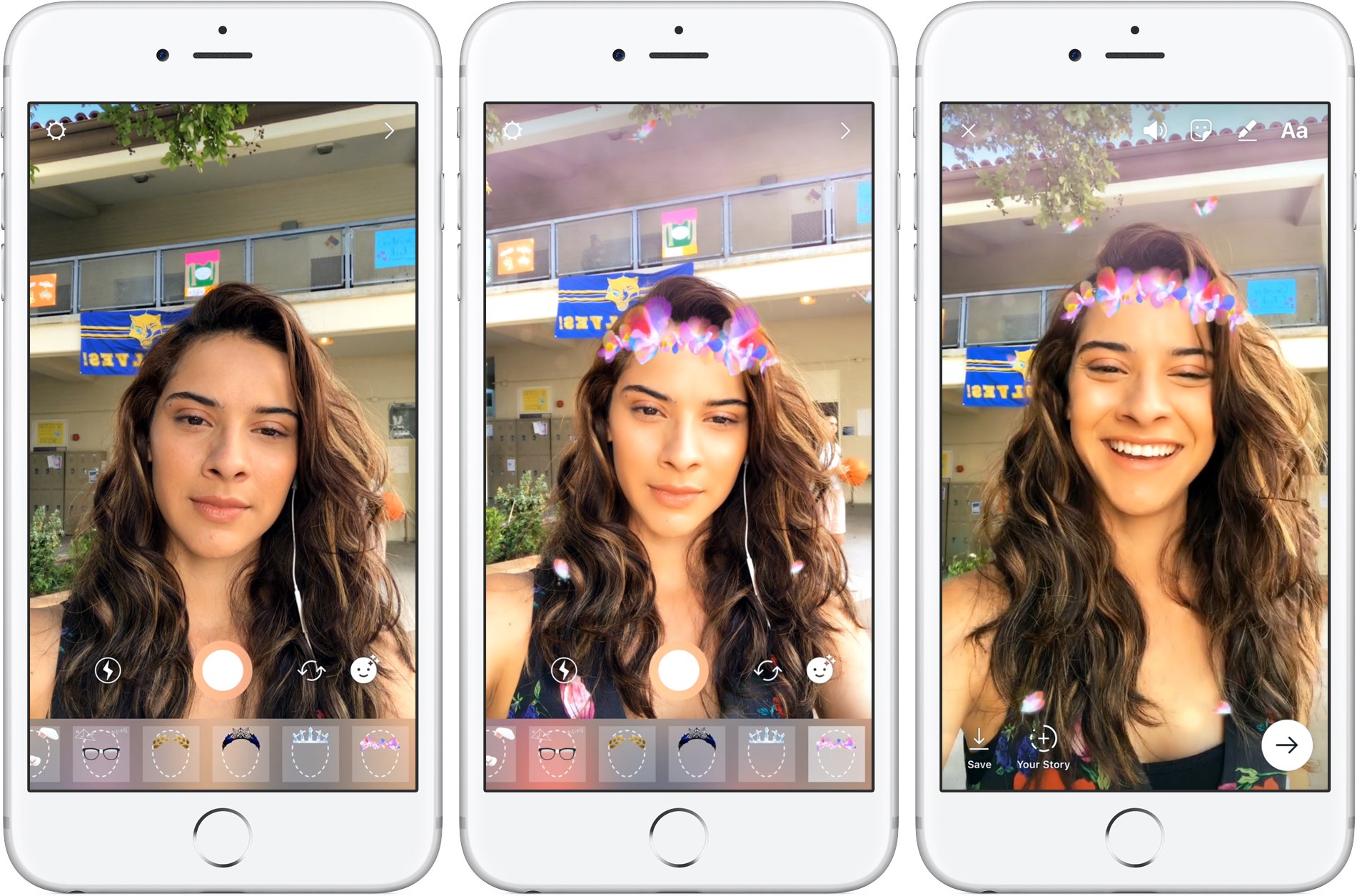
Google is working on a new feature for its mobile messaging app Allo that will permit iPhone users to create stickers based on their selfies. Taking advantage of neural networks, machine learning and the work of artists, the app will create virtual avatars personalized to match the user's own distinct look, said the company.

“Photography in the form of a selfie is a very direct form of expression. It comes with a set of rules bounded by reality,” wrote Google. “Illustration, on the other hand, empowers people to define themselves—it’s warmer and less fraught than reality.”

The feature is pretty straightforward: you just snap a selfie and the app returns an automatically generated illustrated version of you. You can also customize your new sticker manually with various facial features and other options.

What makes you, you?

Rather than algorithmically determine the colors, shapes and textures in selfies, Google's system takes advantage of an advanced algorithm that picks out qualitative features of one's face in a manner similar to the way people do.

“While we could have trained a large convolutional neural network from scratch to attempt to accomplish this, we wondered if there was a more efficient way to get results, since we expected that learning to interpret a face into an illustration would be a very iterative process.”

Toying with its existing more general-purpose computer vision neural networks, Google found out that a few neurons in these networks were good at focusing on things they weren’t explicitly trained to look at.

The company explains:

By virtue of being large general-purpose neural networks, they had already figured out how to abstract away things they didn’t need.

All that was left to do was to provide a much smaller number of human labeled examples to teach the classifiers to isolate out the qualities that the neural network already knew about the image.

They fed the neural network illustrations created by an artistic team which captured a wide variety of facial features, such as different hairstyles, skin tones and nose shapes. Human curators then trained the network to match the right illustration to the right selfie.

Google's research team has taken special care to ensure that the illustrations cover a range of race, age, masculinity, femininity and androgyny. Furthermore, they're working with a range of artistic voices because “it’s not enough to make an avatar that is a literal representation of yourself when there are many versions of you.”

The feature began rolling out today in Allo for Android, and will come soon to Allo on iOS.

The most recent update to Allo for iOS included Incognito chats for group conversations and new notification settings for selectively enabling and disabling individual notifications.

Google Allo is a free download from App Store.

Pagico 8.7 helps you make better plans and actually stick to them [sponsored]

If you haven't heard about Pagico before, it's a productivity app that allows individuals and team members to easily manage all their tasks, files and notes across iPhone, iPad, Mac, Windows, Ubuntu and Android devices.

With Pagico, you can organize everything related to your projects in one place, stay informed with handy flowcharts, access data anywhere, manage your day, visualize workloads, cross-link everything, organize stuff into collections, collaborate and much more.

Now bumped to version 8.7, the app sports some interesting new features designed to help you be more productive and stay on track with support for sub-containers, enhanced container duplication features, smart filters, teammate filters, improved email handling and printing, plus a lot more.

Change the shape of your app icons with SpringToolz

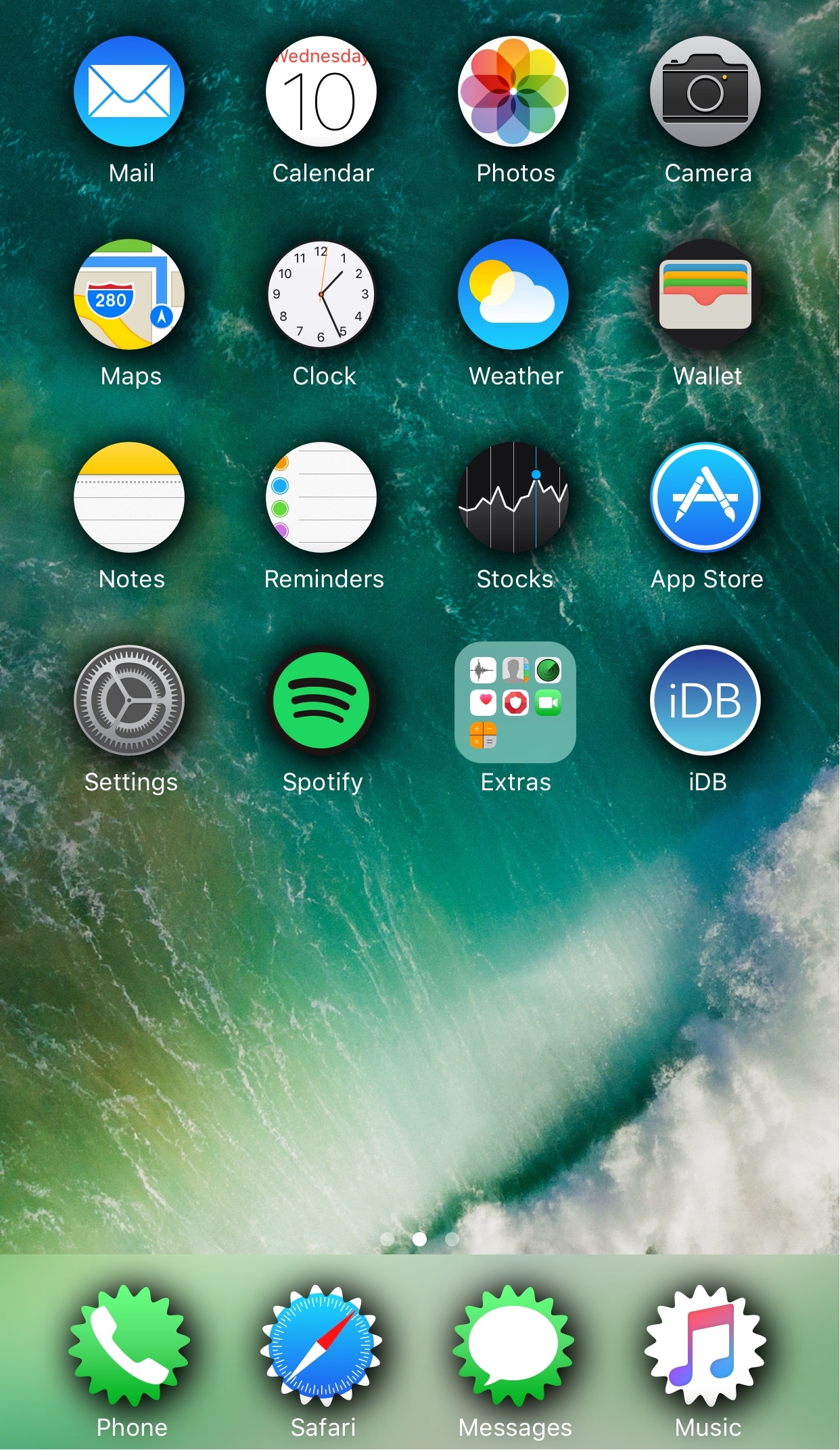
Looking to spice up your Home screen a little bit more? A new free jailbreak tweak called SpringToolz by iOS developer Stoyan Stoyanov lets you change the shape of your Home screen icons, add drop shadows, and much more.

The tweak comes loaded with a vast number of shape options to choose from and can give your device that distinct appearance you’re looking for to make it stand out from the rest.

How to disable in-app ratings and review requests on iPhone and iPad

Apple included a handy new feature in iOS 10.3 beta to give people the power to disable in-app prompts seeking feedback in one fell swoop. Apps that use the new SKStoreReviewController API can invoke a new standardized prompt offering users to provide a rating or write a review without taking them to the actual App Store. This feature has been available on and off for beta testers and should be available to the public in an upcoming update to iOS 10.

These in-app prompts for ratings and reviews can be disabled at once for all apps installed on your iPhone, iPad or iPod touch which support the feature. This tutorial provides step-by-step instructions for how to disable in-app ratings and review requests in iOS.

How to disable in-app ratings and review requests on iPhone and iPad

To opt out of receiving these feedback prompts, do the following:

1) Launch Settings on your iOS device.

2) Tap iTunes & App Stores.

3) To disable all in-app prompts for App Store reviews and ratings, flip the switch In-App Ratings & Reviews switch to the OFF position.

This will prevent all apps that are installed on your iPhone, iPad or iPod touch from asking for product feedback in the form of App Store ratings and reviews. Again, this toggle has no bearing on apps on your device that do not use iOS 10.3's new SKStoreReviewController API.

Please think twice before disabling in-app ratings and reviews.

As I explained before, the new API streamlines the product feedback experience with standardized prompts limited to three per year per app. As Apple itself suggests, you should help developers and other users know what you think by letting apps ask for product feedback.

Like before, your submitted ratings are valid for the App Store territory where you originally purchased the app. You can also leave ratings and write reviews for iPhone, iPad and iPod touch apps directly in App Store, and for macOS apps in Mac App Store.

You can also leave ratings for Apple TV apps, but not submit reviews.

About in-app ratings and review requests

iOS 10.3 beta gives users the power to silence in-app prompts seeking App Store feedback.

In the past, developers were free to interrupt the experience and inundate users with pesky prompts asking them to provide a rating or write a review on App Store.

With the new SKStoreReviewController API, developers simply choose when they’d like to prompt the user and identify places in their apps where it makes sense to ask for feedback, and the system takes care of the rest.

The system allows users to submit a rating through the standardized prompt and authenticate with Touch ID to write and submit a review, all without leaving the app.

The API limits these requests to three prompts per app in a 365-day period. The counter is not reset when the app is updated. The hope here is that the new API will encourage developers to strategically ask for feedback for major updates only.

Previously, many apps would aggressively ask for feedback after each and every update because App Store erases an app's average rating with each submitted update. Apps that don't use the aforesaid API can still put up a bespoke prompt seeking feedback “at appropriate times throughout the user experience,” according to Apple.

App makers that use iOS 10.3's new SKStoreReviewController API save time because the system decides when to pull up these in-app prompts and how they're rendered.

Users benefit from having the standardized prompt and the ability to write a review or submit a rating without leaving the app they're in.

When the user sees an in-app prompt seeking App Store feedback, he or she can authenticate with Touch ID to write and submit a review, right there and then.

“The system’s rating prompt offers a familiar, efficient experience that’s designed to engage the user with minimal impact,” explains Apple.

As a bonus, developers can at long last respond publicly to App Store reviews.

Any questions?

If you have any questions regarding the topic of this tutorial, please post a comment below and our knowledgable writers will try to answer them.

Be sure to pass this article along to the friends and family you support.

Submit your ideas regarding future coverage via tips@iDownloadBlog.com.

Infuse media player gains supercharged subtitles, 10-bit video playback & more

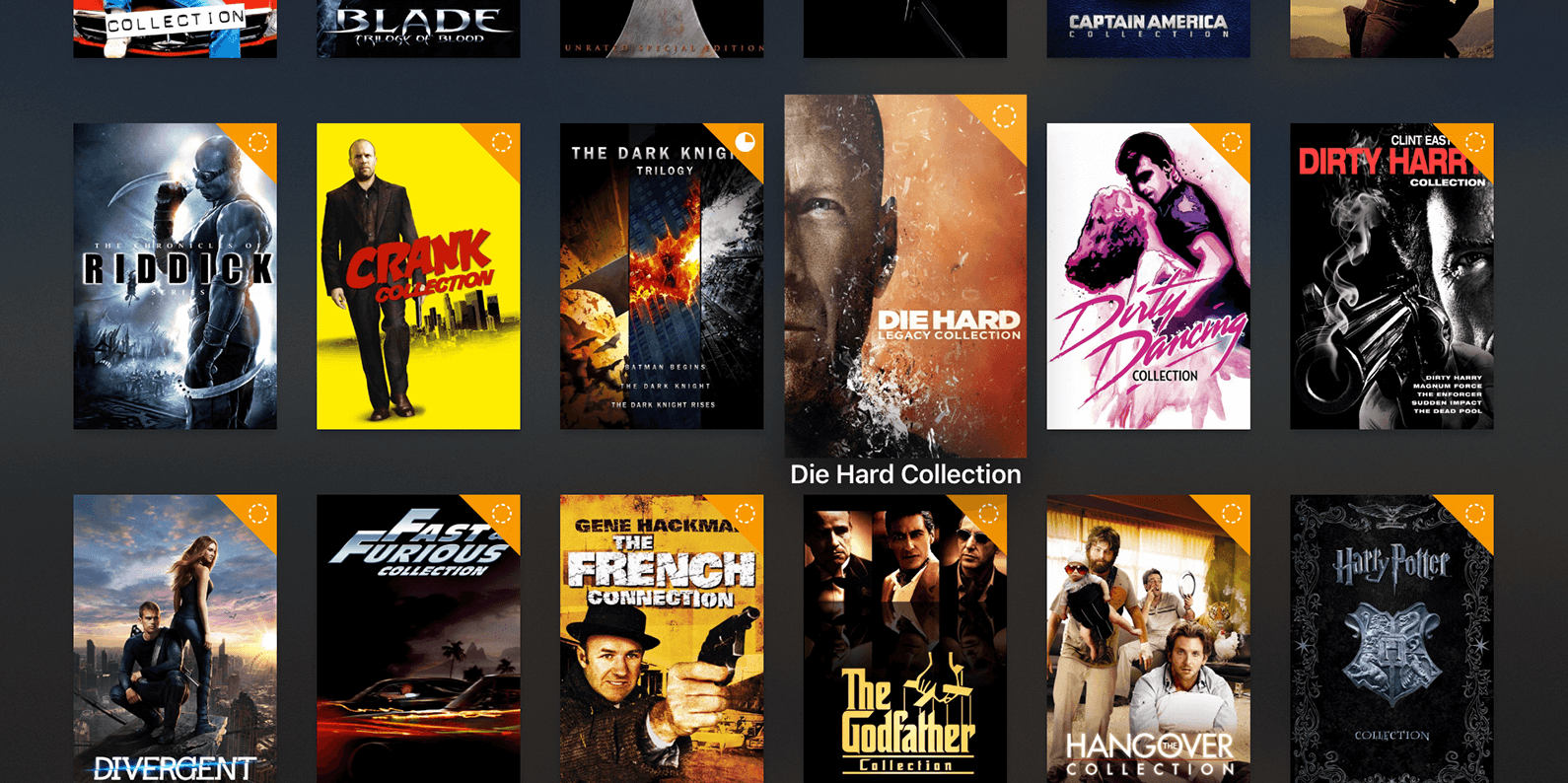
aTV Flash Black developer FireCore recently pushed a new version of Infuse, implementing vastly improved subtitle support, gorgeous 10-bit video playback and a host of other improvements.

Infuse 5.4 for iOS and tvOS, a free download for existing users, recently celebrated its fourth anniversary. Since making its App Store debut back in 2013 [review], this versatile media-player app for iPhone, iPad and Apple TV has been gaining new features on a regular basis.

10-bit video playback

10-bit videos now look great thanks to some slick new hardware decoding options available in Infuse 5.4. Not only does hardware-assisted decoding on newer iOS devices provide great playback performance, it unlocks hours of extra battery life as well.

Hardware-assisted decoding of the Hi10P video format (H264-encoded 10-bit video) requires Apple's A9 chip or later, meaning this feature is supported on iPhone 6s or later models, all iPad Pro models and the new 2017 iPad model.

Supercharged subtitles

Subtitles have been “entirely revamped” in Infuse 5.4.

The new subtitle rendering engine includes support for subtitles on 3D videos (SBS and TAB), plus subtitle position (AN) tags. The app now accepts many more subtitle formats, including .TXT files (MicroDVD, MPL2, SRT and TMP). As a bonus, the update introduces new options for adjusting text color to your liking and fancy styling and animation effects.

Infuse now uses the secure HTTPS protocol to download subtitles from OpenSubtitles, increasing your privacy. Lastly, Traditional Chinese is now supported for metadata and artwork.

Infuse availability

For a complete list of what's new in Infuse 5.4, visit the official Infuse website.

Infuse 5.4 for iPhone, iPad and Apple TV is a free download from App Store.

Advanced features are available without limitations as a $6.49 per year Pro subscription via the In-App Purchase mechanism. A free one-month trial of Infuse Pro is available within the app.

Alternatively, buy Infuse for iOS and tvOS outright for $12.99.

Schedule repairs and make Genius Bar reservations with Apple Support app

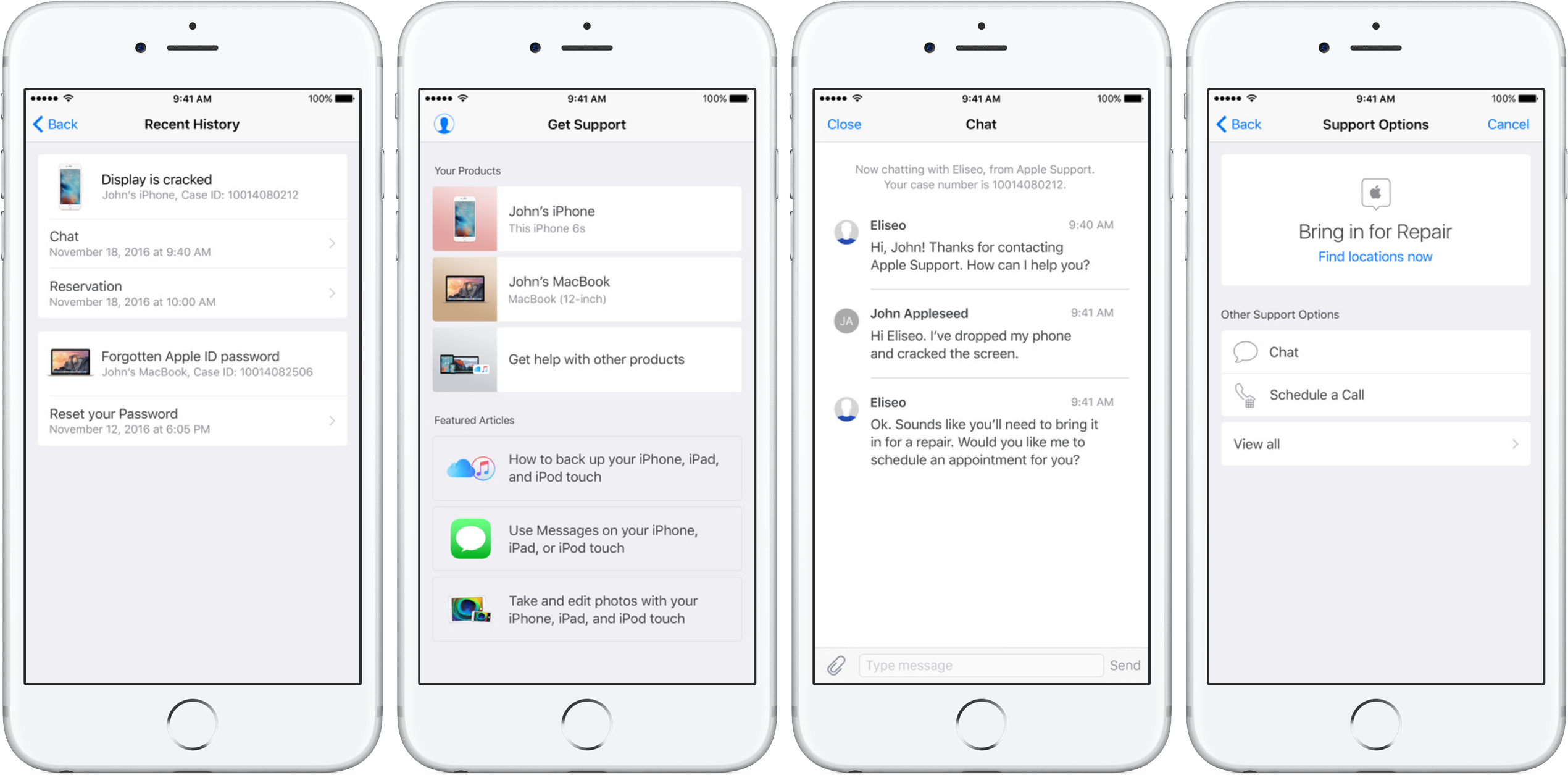
Apple's dedicated Support app was refreshed on App Store today with the ability to schedule repairs and make Genius Bar reservations. Bumped to version 1.1, the app packs in other improvements as well, including simplified authentication process, support for iOS 10's rich notifications for chat and the ability to filter locations by mobile carrier.

As mentioned, the refreshed app now permits iPhone, iPad and iPod touch owners to schedule repairs at participating Apple Authorized Service Providers. The ability to make Genius Bar reservations from within the app is currently limited to Apple Stores in China, Hong Kong, Macao, Turkey and United Arab Emirates.

Apple Support is a free download from App Store.

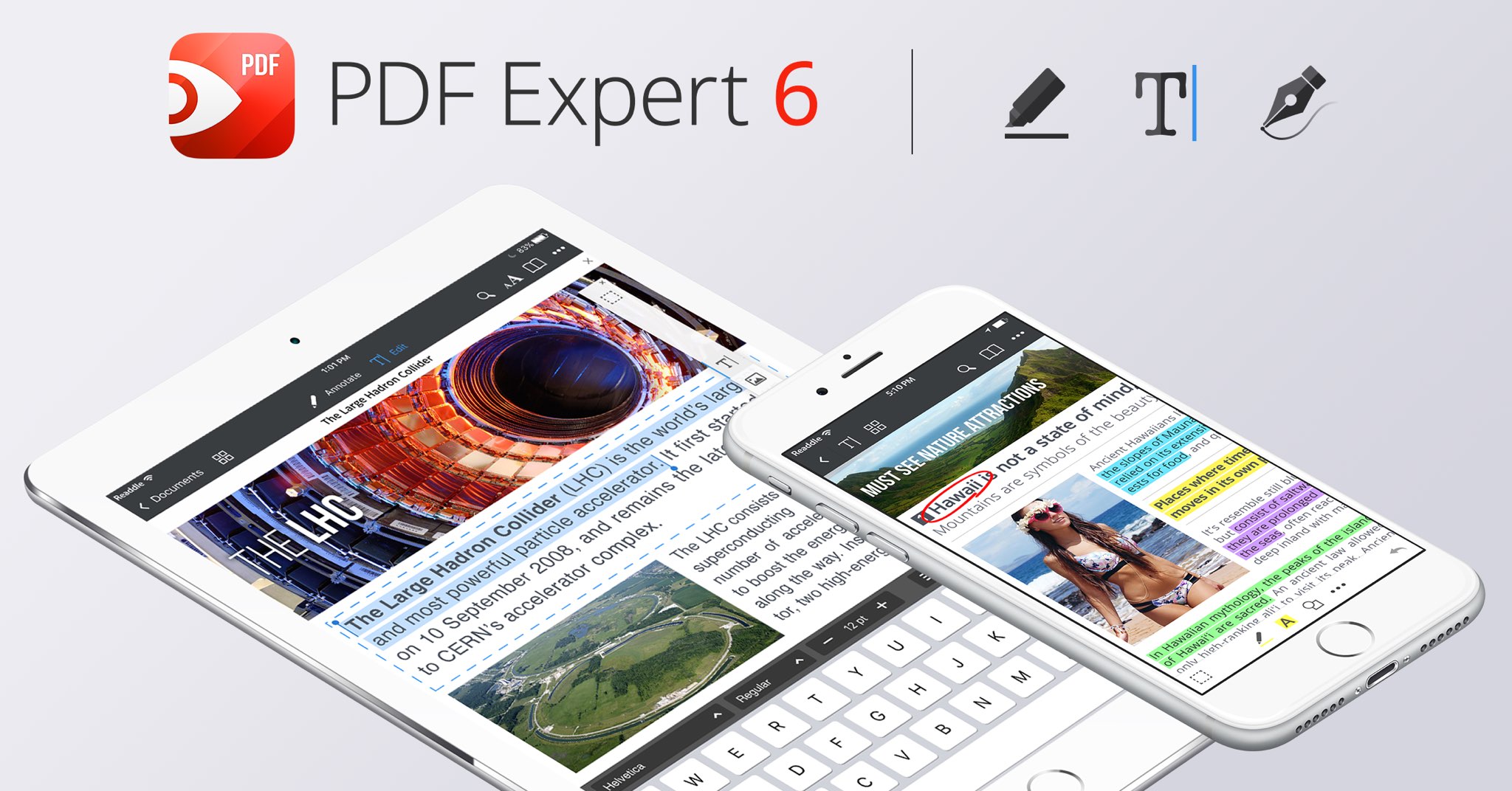
PDF Expert 6 for iOS is out with revamped look, enhanced search, new editing tools & more

Readdle, a prolific Ukrainian developer of fine productivity software for iOS and macOS, today pushed a major new version of its fast, robust and beautiful PDF editor, called PDF Expert.

Aside from an overhauled interface which allows you to navigate your documents in a most effective way, PDF Expert 6.0 for iPhone and iPad includes a brand new experience when adding and managing files and built-in editing tools for those times when you're required to edit that contract, update presentation slides or change the invoice logo while on the go.

PDF Expert for iPhone and iPad

“You make fewer taps in order to edit, zip, tag, move or sync files,” developers noted, adding that “bigger file preview thumbnails give you a better idea of the content of that Excel spreadsheet or PowerPoint presentation.”

Aside from the usual features, PDF Expert 6.0 now allows users to edit and modify text and images in their PDFs, as well as add links, redact information and more.

But first, watch the promotional video below.

https://www.youtube.com/watch?v=_Jrg8txgDVo

The new editing tools in the iOS app let you:

Edit and modify PDF text Add and replace images Add links to text and pictures Hide sensitive information using Redact feature

For those who work in the cloud, the app now allows you to edit, annotate or sign documents in your Dropbox or any other supported cloud storage service without needing to download the document locally—all your edits are now saved directly in the cloud version of the document.

With PDF Expert 6.0, PDF documents that contains sensitive data can be finally protected with a password. Lastly, the iOS app now lets you edit outlines to help structure data in huge documents and provides an enhanced search feature with the ability to search for a word or a document across multiple documents and file types.

PDF Expert for Mac

The Mac app was refreshed with enhanced navigation, faster search and other updates back in March 2017, here are your key highlights. To make the editing process even easier, the Mac app automatically detects the font, size and opacity of the original text.

This is very useful because no longer do you have to adjust the formatting after every single edit. “Now, you can edit PDF text and images, add links, work directly from the cloud without downloading files and much more,” Readdle noted.

The improved search is smarter and quicker than before. Perhaps more important than that, you can save all relevant discoveries into your search history to easily find them in the future.

Lastly, you'll notice the all-new toolbar layout with several page layout templates and the ability to customize your reading experience in macOS's Split View multitasking mode. Whether you’re comparing contracts or reading an article, you can now bring up the new rendering options to choose the most convenient layout to quickly accomplish your task.

The new editing tools in PDF Expert 6.0 for iOS require a one-time $9.99 In-App Purchase. All the other new features are free for existing users of the iPhone and iPad app.

New users can grab PDF Expert for iOS on App Store in exchange for $9.99.

PDF Expert for macOS is available for $60 via Mac App Store.

A free trial is available via the official PDF Expert website.

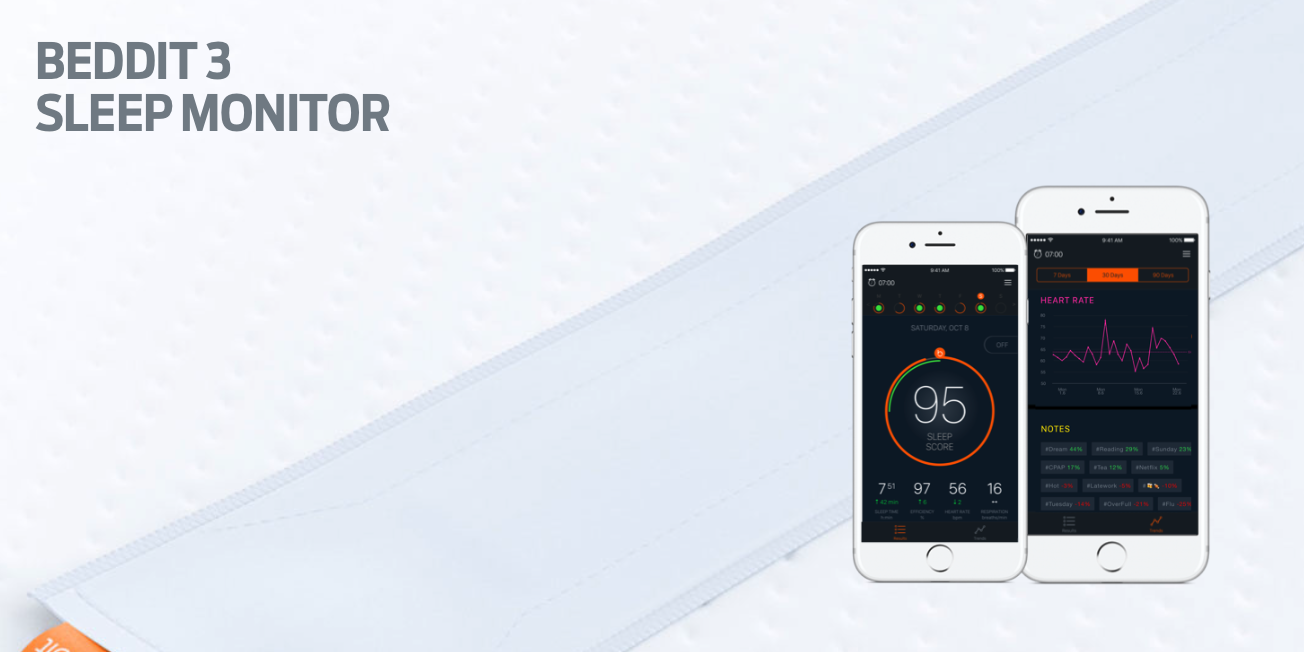
Apple acquires sleep tracking app Beddit

Apple has acquired sleep tracking startup Beddit. The company updated its privacy policy on its website Tuesday to announce the acquisition, saying "your personal data will be collected, used and disclosed in accordance with the Apple Privacy Policy."

WhatsApp quietly added encryption to iCloud backups in late 2016

WhatsApp last year closed an important security loophole by adding encryption to users' chat backups stored in iCloud. Before the change, hackers could theoretically gain access to WhatsApp chat archives in iCloud using third-party forensic tools to access underlying messages in a readable form.

Rather than rely on iCloud Drive to protect customer data, the Facebook-owned company has added a unique encryption key created by the WhatsApp app.

A spokesperson confirmed iCloud backups are now being encrypted, telling Forbes: “When a user backs up their chats through WhatsApp to iCloud, the backup files are sent encrypted.”

Although Apple holds the encryption keys for iCloud, it's up to app makers to use encryption when sending user data to iCloud. According to TechCrunch, a Russian company called Oxygen Forensics, which supplies mobile and cloud hacking tools, was able to generate encryption keys for WhatsApp's iCloud backups.

The workaround requires that an attacker have access to a SIM card with the same mobile number that the app uses to send a verification code to generate the encryption key for the iCloud backup. Of course, Oxygen still needs a user's Apple ID and password to gain access to their iCloud user space in the first place.

“Then, using the associated SIM, Oxygen said it can generate the encryption key for decrypting the data by passing the verification process again,” explains TechCrunch. Forbes suggests the method could be used by police in possession of a device where the WhatsApp account has been deleted but iCloud backups have not been wiped.

https://twitter.com/FiloSottile/status/861569977681412096

In other words, after realizing that forensic tools could be used to download encrypted WhatsApp data from iCloud backups in a readable form, WhatsApp has beefed up security and quietly rolled out encryption for iCloud backups last year.

You can backup your entire WhatsApp chat archive to iCloud by tapping the Settings tab in the lower-right corner of the app. Now tap Chats, then Chat Backup and finally hit Back Up Now.

By the way, WhatsApp should update the wording of the Chat Backup screen because it states, somewhat confusingly, that “media and message you back up are not protected by WhatsApp end-to-end encryption while in iCloud.”