iOS

Predictions for Tomorrow’s Apple Event

Unless you've been underneath a rock for a few weeks you're aware that Apple will be holding their annual September event this Wednesday. With such an event so close, you can pretty much find a rumor for any wild idea you could think of. We figured here at iDB we'd toss around some ideas and let you add your own.

I'll start with the casualties:

Try These Sites If You’re Having Issues With JailbreakMe

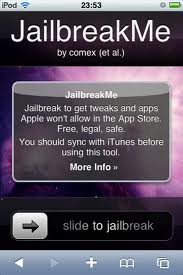
I usually leave it up to Sebastien to provide our loyal readers with the jailbreak information but I'll take the reigns this time. PMP Today has posted a couple of alternative sites for those wishing to jailbreak their iPhone after individuals claimed they were having difficulties performing the hack with JailbreakMe.

If you're among those experiencing troubles with the self titled URL, it is recommended that you try using jailbreakme.com/index.html or accessing the Canadian site of jailbreakme.ca to perform the process. If none of those work for you, you can always try what iDB reader Joe suggested by visiting jailbreakme.com/blob.html from your iPhone.

The iPhone Hosts 55% of All Smartphone Ads

Millennial Media reports that Apple's iOS is the platform of choice when it comes to advertisers. What is even more profitable is the fact that the iPhone leads all smartphones with 55% of the market on its screens.

Who says ads aren't exciting? Including all devices, Apple products sport 35% of the pie while Samsung comes in 2nd with 17%, RIM with 10% and Motorola in 4th with 9%. Let's get back to smartphones which are defined by the study as products running a recognizable operating system.

iPhone Proximity Sensor & Other Features in iOS 4.1 Update?

Earlier this Month the 3rd round of Beta was handed out to developers and the list of fixes doesn't technically include some of the biggest issues people have had with the iPhone's operating system. The proximity sensor or Bluetooth Connectivity don't make the list, but I have beliefs that Apple is working on them secretly to keep the issues asleep.

Neil Hughes from Apple Insider mentions increased performance in both of these important areas and points out a few obscure fixes as well. Steve Jobs said in July that the proximity sensor issue would be dealt with in an update but hasn't said a word about the topic since. Again I say to keep the issue quiet.

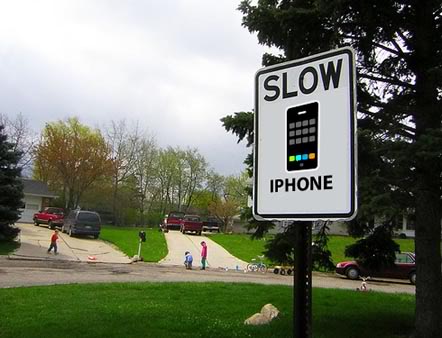
Slow iPhone 3G? Apple Will Release a Software Update Soon

Some of you with iPhone 3G who updated to iOS 4 and up have noticed how performances have been degraded. The most common symptom is how slow you iPhone 3G becomes. Apple recently said they are looking into it, and in the meanwhile, we provided you with a quick fix that works for many of you.

A frustrated iPhone 3G user asked Steve Jobs about it:

USB Spy Stick Allows Access to Deleted Content From Your iPhone

Well this sucks. Yesterday iDB reported on comments from the Chicago Police about the usefulness of recovering data from seized iPhones. Now Gizmodo says that a product eerily called the iPhone Spy Stick can access deleted data from your iPhone via USB.

For those asking how on earth a USB device could plug itself into your device, the stick comes with the necessary adapter. Nice eh?

Directly from the Spy Stick's website is the indicated abilities attached to the $199 priced accessory:

Features:

Get access to deleted information Download text messages and view calls made Recover deleted contacts and calendar items View pictures and other multimedia Get access to map history to see locations searched on the iPhone’s map with exact GPS coordinates Get access to notes, voice memos, multimedia files, and dynamic text data Downloading data is as simple as attaching the iPhone and iPhone Data Recovery Stick to a computer and pressing start iPhone information is saved on any computer and can be moved to other drives as a regular file Looks like an ordinary USB flash drive

Popular Uses:

Catch a cheating spouse Monitor your kids iPhone text messaging and Internet use Check on employees using company issues iPhones Restore deleted files

Before you freak out about your iPhone's security, it is worth mentioning that the not-so-friendly USB stick is currently only usable on iPhone iOS 3.2.1 and earlier. I'd venture to say this mostly targets those still using the original iPhone and the iPhone 3G. However the October version is said be coming for iOS 4 devices.

Will this stop users from selling their old iPhone when it comes time to upgrade? Please tell us your thoughts in our totally secure comment section.

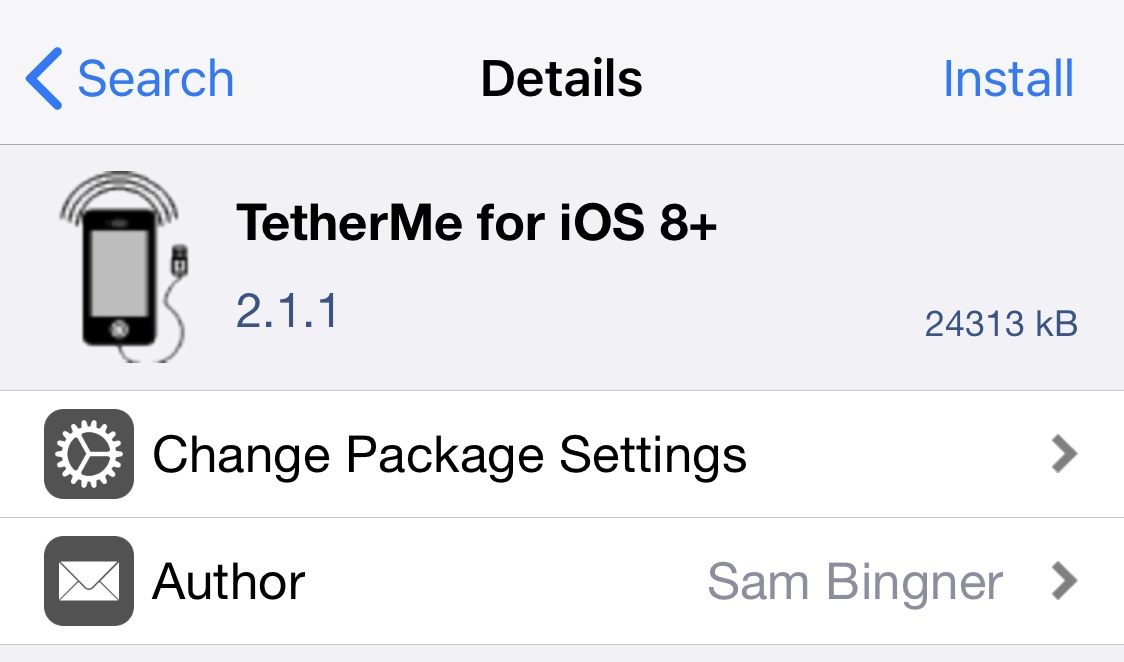
TetherMe Brings Native Tethering to the iPhone

TetherMe is a jailbreak tweak that brings native tethering to the iPhone, even when your carrier normally bars you for. Such activities. According to the app description, it should work for any carrier without the need for customized bundles or preferences.

TetherMe has been tested to work on all iOS versions from 8-14 and works by telling the iPhone to allow tethering on any APN that is used for iPhone data. As a result, you should not be charged extra from your phone company as all tethering data appears to come from the phone itself.

TetherMe also bypasses signature checking and allows you to edit your carrier bundle manually if you so desire. This is required to enable MMS functionality on T-Mobile. TetherMe does NOT enable the loading of APN configurations from .mobileconfig profiles at this time.

This app is different from my favorite jailbreak app MyWi, which allows to turn your iPhone into a wifi hotspot. Instead, TetherMe allows for native tethering as Apple intended it to be, using Bluetooth or USB.

There is no icon for this item. After installation and reboot, you'll be able to turn tethering ON in Settings > General > Network, or install the Tethering Toggle for SBSettings.

Available for $4.99 in Cydia, TetherMe is a great alternative to the more expensive MyWi if you don't want to share your Internet connection with other devices. If however you want to use your iPhone as a hotspot, then MyWy will still be your best bet.

Please let us know what you think of this application by leaving a comment below.

PDF Patch Fixes the PDF Exploit in iOS

In my previous post today I was telling you the Dev Team was working on a patch for the PDF exploit found in iOS and not fixed by Apple on older iPhones and iTouch. The PDF Patch has been released in Cydia for free and you can install it now.

PDF Patch will fix the security hole that was used by JailbreakMe and could potentially be used to inject malicious softwares on your device.

If you have updated your iDevice to 4.0.2, there is no point using this patch. However, if you're still on an older iPhone 2G or iPod Touch 1G, or if you don't want to update to 4.0.2, then this patch will be for you.

Apple Has Already Developed A Fix for the PDF Exploit

An Apple spokeperson told CNET they are well aware of the security exploit found in iOS and they are apparently already working on it:

We're aware of this reported issue, we have already developed a fix and it will be available to customers in an upcoming software update.

This security glitch found in the way iOS handles PDF documents allowed the Dev Team to create JailbreakMe, which uses this exploit to inject the jailbreak code in your iPhone. Some security experts were quick to realize that this exploit could be used to inject malicious softwares in your iDevices and brought up this issue to the general public. The jailbreak community quickly developed a fix for it which can be downloaded directly from Cydia.

This morning I highlighted the irony of the situation. Apple has always claimed jailbreaking can put your iPhone at risk but it proved to be the other way around as so far, your iPhone is more secured once it is jailbroken and the exploit has been patched.

We don't know when Apple will release this software update, which will most likely come with 4.1. Apple usually isn't quick to fix things up so if I had a guess I'd say we won't see this update until the end of the month.

[9 to 5 Mac]

iPhone 4 Jailbreak: What, Why, and When?

What

The act of "jailbreaking" your iOS device simply means enabling otherwise disabled features and gives you the ability to add applications that aren't in Apple's notorious App Store.  For example jailbreaking your device prior to iOS 4 was the only way to run multiple applications, like Pandora, at a time.

The jailbreaking community is the largest phone/hacking network on the net with 100s of blogs receiving millions of hits from users looking for the latest news in customizing their iPhone iPod Touch, and now iPad. Saurik, author of Cydia, the most popular alternative to Apple's App Store, reports that Cydia receives over 2 million unique hits per month.

Why

So now that you know what jailbreaking is, let me tell you why the heck you'd want to do it! I know what you're thinking. "Cody I just got the new iPhone 4, it already comes with multitasking, and I have access to 250,000 sweet apps in the App Store, why would I wanna jailbreak my iPhone?" Easy.

Those of us who are still hungry to free our iDevices have many reasons. I myself, as written before, am crazy about SBSettings. It's an application that gives you an unobtrusive, drop down widget menu that enables you to turn airplane/bluetooth/wifi on and off with 1 touch. And because it's only available in Cydia, your device must be jailbroken in order to obtain it.

Other popular applications include Winterboard, an app that enables you to completely customize the look of your iDevice, emulator to play NES games, and MyWi that turns your iPhone into a wireless hotspot.

Unlocking is also a common reason people jailbreak their devices. Unlocking means removing the carrier lock on the phone to enable it to work with a different network. For example, unlocking your iPhone and activating it on T-mobile's network due to coverage or cost reasons.

Of course an iPhone can only be unlocked to a network with the same chip technology, in the States it's GSM. Anyways if you haven't picked up on the theme of the article, your iPhone has to be jailbroken to be unlocked.

There are some cool reasons to jailbreak, but it sounds really complicated. Wrong again! What started off as a complicated, combination of software/hardware hacks, has become almost as easy as plugging your iDevice into your computer, and running a simple application.

Thanks to hackers like The Dev Team and GeoHot, the jailbreaking process has become extremely easy. Although you always run the risk of causing damage to your device, and possibly voiding your warranty, most people jailbreak without problems.

When

Ok, so your sold on jailbreaking your shiny new iPhone 4 like a drunk man on another drink, what do you do now? Well, nothing for the moment. If you are looking to really customize your new iPhone 4 icons and lock screen, and get access to all of the above-mentioned apps, stay tuned.

There is a jailbreak for the iPhone 4 but it hasn't been released to the public yet because it contains some of Apple's proprietary code. But we should not have to wait too long, The Dev Team is usually pretty quick to respond to Apple updates.

If that doesn't satisfy you, George Hotz aka GeoHot was heard talking about an exploitable bootrom that will enable an iPhone 4 jailbreak at a French underground hackers conference. So check back here frequently as we will obviously have full coverage including tutorials and how to guides.

Who out there has an iPhone 4 and can't wait to jailbreak that sucka?

iOS 4.01 to Come on Monday to Fix the iPhone 4 Antenna Issue

By now you probably have heard of the death grip of the iPhone 4 antenna that causes reception issues on the new device. Apparently, the problem is more of a software issue that might be fixed this monday with a software update to iOS 4.01.

It took me a day to realize I had the same issue as thousands of new iPhone owners had reported. When I hold my iPhone a certain way, I lose a few bars of reception. Sometimes, it goes as far as completely dropping the signal.

Apple issued a somewhat official and idiotic statement via an email sent by Steve Jobs himself to an unhappy customer. Steve Jobs recommended we hold the iPhone in a different way or that we should buy a Bumper case, which avoids the issue. Krapps wrote a funny article about it should you want to learn more.

iPhone 3GS owners who have upgraded to iOS 4 have a similar issue, which might prove that the problem comes from the software and not from the hardware.

According to Apple Insider, a fix is in the works and should ship on Monday:

Readers report that Apple's tech support forums originally confirmed that a iOS 4.0.1 software fix addressing the issue would ship early next week (as early as Monday), before the comments were subsequently taken down along with all the other related discussion about the matter.

The fix is expected to address a issue in iOS 4 related to radio frequency calibration of the baseband. Readers who saw the original forum discussions say that the issue is believed to occur when switching frequencies; because the lag is allegedly not calibrated correctly, it results in the device reporting "no service" rather than switching to the frequency with the best signal to noise ratio.

I just hope Apple will not "hide" this issue with a software update but will actually fix it. Thoughts?