Google

Chrome 60 rolling out, brings handy navigation shortcut to your Touch Bar

Google yesterday announced that its freshly updated Chrome desktop browser has at long last brought out official support for handy navigation shortcuts on the MacBook Pro's Touch Bar.

Supported shortcuts include Chrome's unified search/URL box, bookmarks and a new tab shortcut. Like with other Touch Bar shortcuts, they're easily customizable by choosing Customize Touch Bar from the View menu, where you can also turn off typing suggestions.

In addition, Chrome 60 for macOS includes an updated Credential Management API (allowing websites to interact with Chrome's password manager) while packing in support for the Payment Request API for auto-filling checkout forms and other developer enhancements.

On a related note, Google said yesterday it would remove Flash completely from Chrome toward the end of 2020 following Adobe's announcement to end-of-life its Flash plug-in.

If you regularly visit a site that uses Flash today and it migrates to open web standards, you shouldn’t notice much difference except that you'll no longer see prompts in Chrome to run Flash on that site. “If the site continues to use Flash, and you give the site permission to run Flash, it will work through the end of 2020,” said Google.

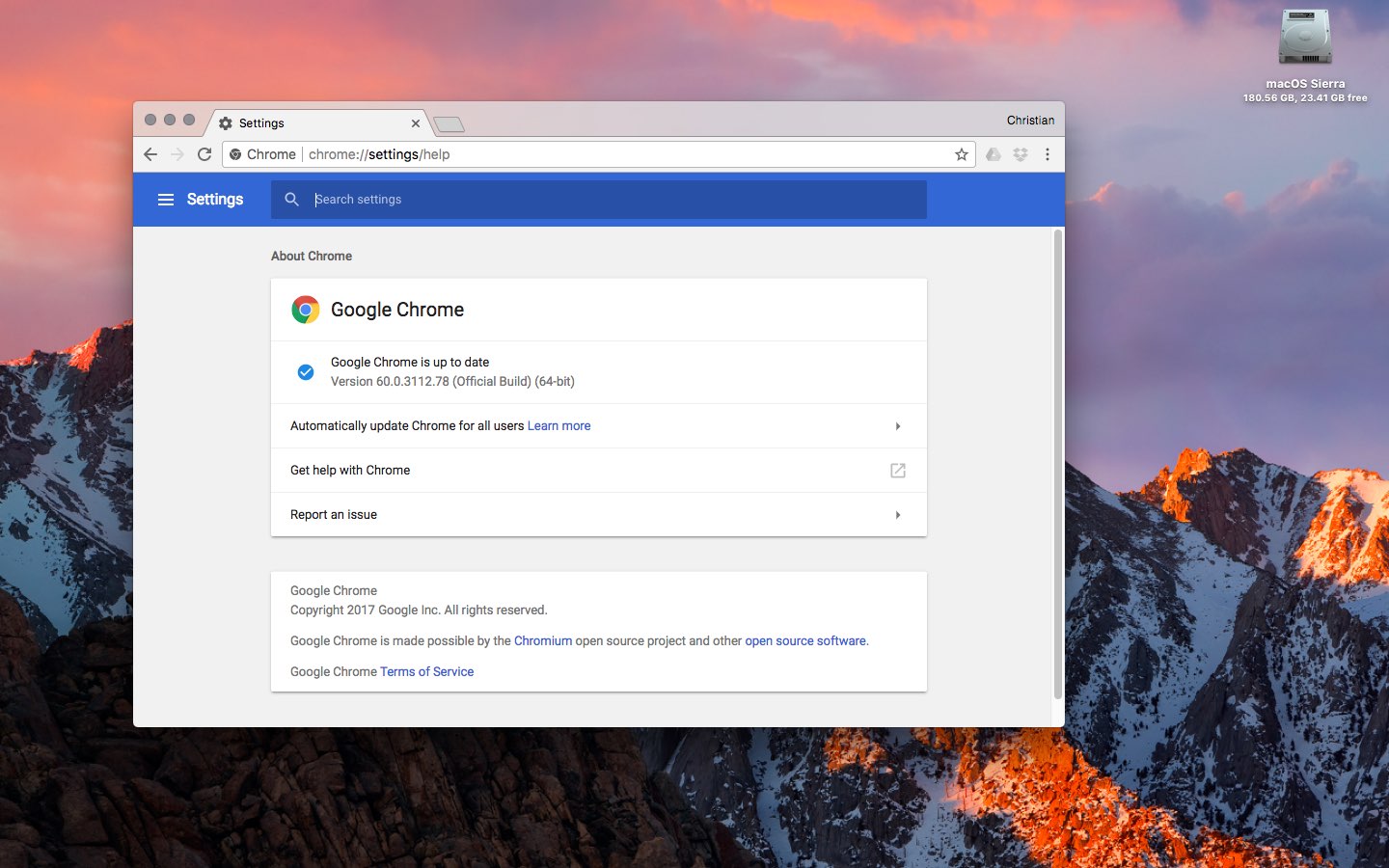
Chrome's silent updating mechanism ensures you're always running the most recent version of the app. To check for updates manually, choose About Google Chrome from the menu.

You can download Chrome from Google's website.

Check out Google News redesign

Rolling out globally in the coming days, the desktop version of Google News has been thoroughly redesigned for easier navigation and readability while adding new features like a dedicated Fact Check section, additional controls for users to specify their favorite news sources and interests, an Apple Music-like For You section and more.

Check out the new-look Google News by visiting news.google.com on your desktop.

As evidenced by the before vs. after screenshot comparison top of post, the uncluttered look is based on Google's Material Design and makes heavy used of a card format to make it easier to browse, scan and identify related articles about a story.

The overhauled layout focuses on publisher names and article labels, and maintains your view and place on the page as you click in and out of stories and explore topics. The lefthand navigation column is customizable and lets you jump quickly to news that interests you.

In addition to the built-in sections like Sports or Entertainment, the lefthand navigation column provides one-click access to your saved search queries like, say, “FIFA World Cup” or “Bollywood.” You can sort your news by relevance or date, see top videos, and browse top news topics in the Related block.

Story cards are designed to you a quick glance into a story.

They can be expanded to show additional articles with different points of view and are labeled with helpful tags, like Local Source, Most Referenced, Opinion, Fact Check and more. Also important, to give you additional context Google News now shows a second labeled article in addition to the top headline for each story.

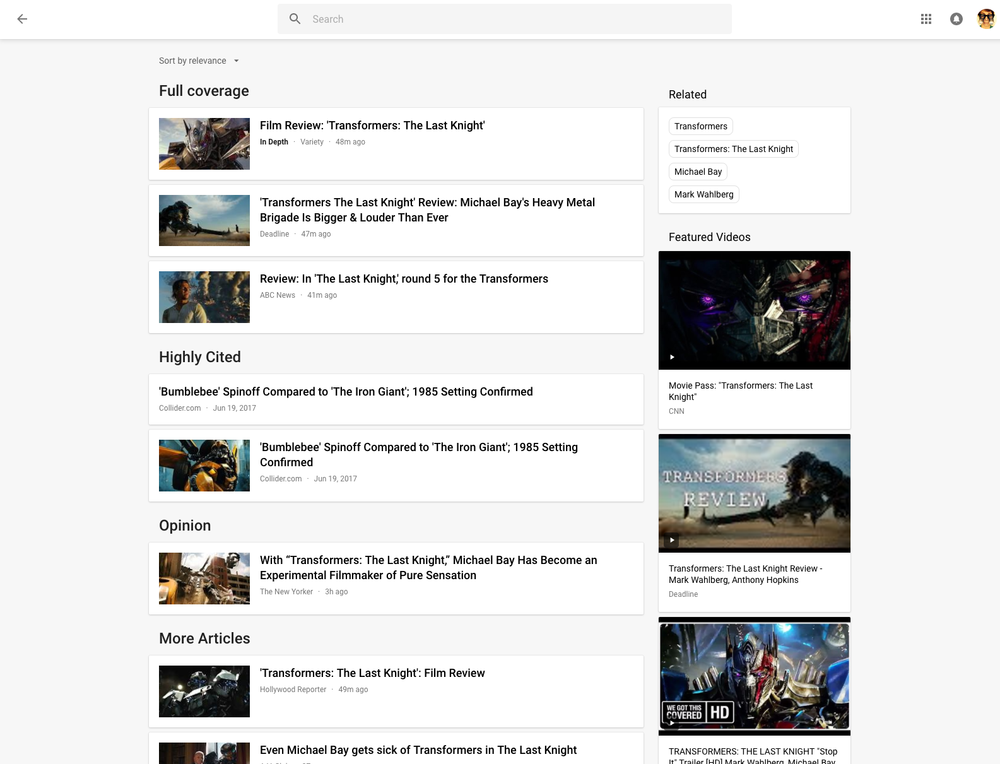
Clicking the Full Coverage link from the story card brings up a bunch of news stories about a given topic. Another navigation bar at the top of the page provides shortcuts to the following sections: Headlines, Local and For You.

The Local section is your home to local news stories from any part of the world. The For You section is your personal news feed based on your interests. After signing in with your Google Account, you can customize what appears in the Local and For You tabs.

With all settings in one place, Google News now lets you quickly edit existing sections, name custom ones, select what you'd like to see in the For You section, cherry-pick your favorite news sources that you want to see more or less of, and much more.

Videos have seen some much-needed improvements, too.

“Videos have become central to news storytelling, so we improved the algorithmic selection for top videos, highlighted the top video in a story card, and built a better player,” says Google.

“While playing a video, more related videos will be available in the player.”

The Fact Check label introduced last year is now prominently used across Google News.

As a bonus, you now have a new Fact Check section on the right column of the Headlines section, filled with links to the top recently published fact-checked articles.

This section is currently available in the US only.

As I mentioned before, the new Google News is a staggered release rolling out globally in the coming days so you may not get the new look immediately.

How do you like Google's News redesign?

Tell us in comments!
EU hits Google with $2.7B fine for abusing search dominance

Having concluded its seven-year antitrust investigation against Google, dating back to 2010, the European Commission today announced it has imposed a record €2.4 billion fine on the company (about $2.7 billion) over search engine results.

The Commission took issue with the fact that Google has been promoting its own comparison shopping service in its search results while demoting those of its competitors. The Commission said in July of last year that Google had “abused its dominant position by systematically favouring its comparison shopping service in its search result pages.”

The company now has 60 days to tell the Commission how it will accomplish the order.

If it doesn't comply with the ruling within 90 days and stop its illegal search practices in the European Union markets, the Commission can slap the company with additional fines.

According to The Guardian newspaper, European regulators have the power to fine Google up to five percent of the average daily worldwide turnover of its parent company, Alphabet.

European Commission Commissioner Margrethe Vestager said in a statement:

Google has come up with many innovative products and services that have made a difference to our lives. That's a good thing. But Google's strategy for its comparison shopping service wasn't just about attracting customers by making its product better than those of its rivals.

Google is going to appeal the decision.

The company said in a statement on its official blog that it believes the decision is in error:

We believe the European Commission's online shopping decision underestimates the value of those kinds of fast and easy connections. While some comparison shopping sites naturally want Google to show them more prominently, our data show that people usually prefer links that take them directly to the products they want, not to websites where they have to repeat their searches.

We think our current shopping results are useful and are a much-improved version of the text-only ads we showed a decade ago. Showing ads that include pictures, ratings, and prices benefits us, our advertisers, and most of all, our users. And we show them only when your feedback tells us they are relevant. Thousands of European merchants use these ads to compete with larger companies like Amazon and eBay.

Google is basically saying that it's not demoting competing comparison shopping products in search results, claiming it's simply packaging search results in a way that makes it easier for consumers to find what they want.

The European Commission has been conducting antitrust investigations into Google's Android software and its AdSense advertising products and services, too.

Gmail will stop scanning your emails for ads personalization

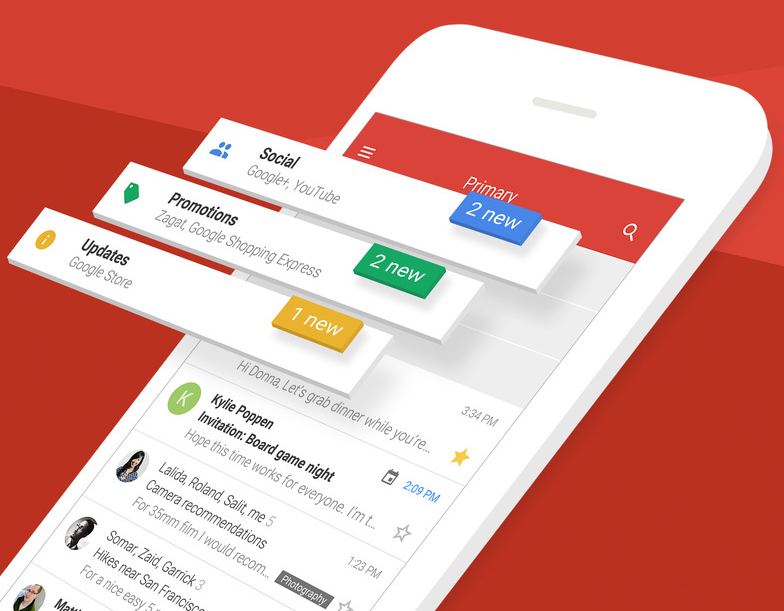
Google's pledged to stop scanning users' emails in Gmail for personalized ads. The important change, coming later this year, will bring personal Gmail accounts in line with Google's business-focused G Suite Gmail service which does not scan emails for ads personalization.

“Consumer Gmail content will not be used or scanned for any ads personalization after this change,” Diane Green, Senior Vice President of Google Cloud, announced Friday in a post on the search giant's official blog.

Ads you see across Google properties and on websites that use Google ads are still going to be personalized based on other factors, including users' settings at myaccount.google.com.

“Users can change those settings at any time and disable ads personalization,” Green said.

Gmail is the world’s preeminent email provider with more than a whopping 1.2 billion users.

“G Suite customers and free consumer Gmail users can remain confident that Google will keep privacy and security paramount as we continue to innovate,” reads Green's post.

Google's ad-driven business model is notoriously reliant upon the company's ability to personalize ads to your interests. The company uses many signals and various tracking techniques to collect anonymized data, which is then fed to its machine learning and artificial intelligence systems to derive useful intelligence for ads personalization.

On the flip side, Gmail scanning has been a common point of contention among privacy-minded users who dislike having their Gmail scanned for advertising purposes. Given that more than three million paying companies currently use the paid G Suite service, Google can certainly afford to stop scanning personal Gmail inboxes for ads personalization.

Apple's iCloud Mail service has never scanned the contents of users' inboxes because the entire iCloud suite of apps and services is 100 percent free of advertising, in line with Apple's commitment to protecting the privacy of its users.

Google prepping new app for backing up your Mac to Drive

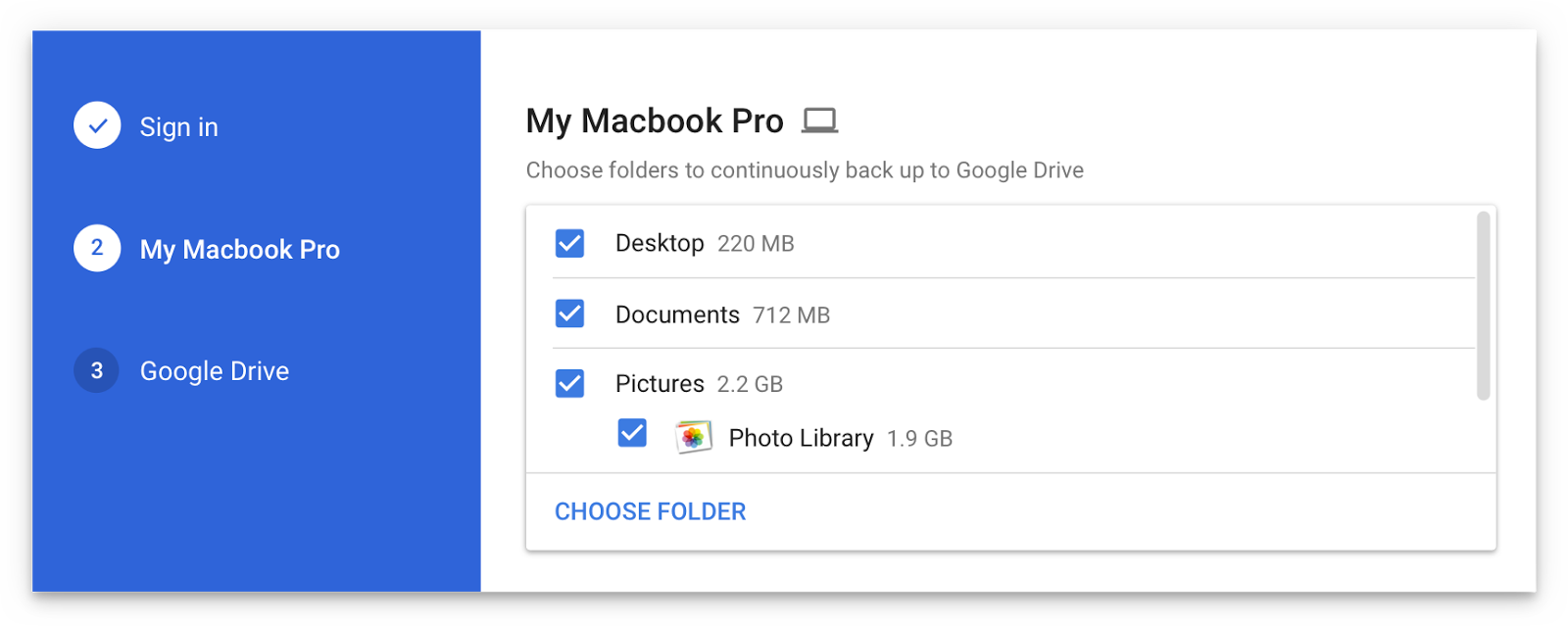
Are you a fan of Drive, the search giant's cloud-storage service? If so, a new app from Google will soon let you back up any folder(s) on your computer to Drive and keep them in sync.

This is welcome news because Drive's current desktop client does not allow for selective sync of any folders that don't live inside of the Google Drive folder on your Mac or Windows PC.

The forthcoming Backup and Sync app is better integrated with your computer than the existing client and will replace it on Wednesday, June 28.

According to the search firm, Backup and Sync is intended to “help everyday users back up files and photos from their computers, so they’re safe and accessible from anywhere”.

As mentioned, you'll be able to continually back up any items found in custom folders on your computer, like the Desktop, Photos, Documents and so forth.

Backup and Sync will replace Google's existing desktop uploader for Photos, too.

Basically, you could use the new app to back up and sync your entire Mac account's home folder to Drive and use Google's powerful search engine via Drive's web interface to quickly identify that needle in the haystack you were looking for.

However, you'll probably need to upgrade your cloud storage to keep your Mac safely backed up to Drive. Each Google account gets 15GB of free Drive storage versus Apple's 5GB free tier.

If you need more storage, you can upgrade to one of the paid Drive tiers:

100GB for $1.99 per month 1TB for $9.99 per month 10TB for $99.99 per month

And here are Apple's recently refreshed iCloud storage upgrades:

50GB for $0.99 per month 200GB for $2.99 per month 2TB for $9.99 per month

Google Drive for Mac and Windows is available via google.com/drive/download.

Google Drive for iPhone and iPad is a free download from App Store.

Do you use Google Drive? If so, are you looking forward to backing up your Mac to the Google cloud? If not, what's your preferred online service for storing files, documents and other data?

Tell us in comments!

Google hires veteran Apple chip architect to work on Pixel phones

Veteran Apple chip architect Manu Gulati is now a Lead SoC Architect at Google, reveals his LinkedIn profile which states that he started in his new Google role in May.

According to Variety, Gulati has been tasked with leading the effort to build highly optimized chips for Google's Pixel smartphones in-house.

He had been spearheading Apple’s own chip developments for close to eight years.

By hiring an industry expert, Google is hoping to distance itself from the rest of the pack. Like other flagship Android devices, Pixel smartphones use Qualcomm's Snapdragon 821 processor.

This makes it harder for Google to differentiate Pixel devices from other Android phones.

“In addition to Gulati’s hire, Google is now looking to hire additional chip experts to tightly control future Pixel hardware,” Variety learned from sources familiar with the hire.

A custom chip would allow Google to develop a more secure smartphone with better camera features, advanced biometric authentication, optimized power consumption and so forth.

iPhone 7, for example, is six times faster at image recognition than Google’s Pixel phone because its 64-bit A10 Fusion chip has a highly-optimized Image Signal Processor.

And with iOS 11, Apple is integrating features like Metal 2, machine learning and augmented reality directly into a phone’s main chip, which would have been impossible if the company hadn't closely controlled chip design.

For those wondering, Apple's Senior Vice President of Hardware Technologies, Johny Srouji, oversees the company's semiconductor and wireless teams, reporting directly to CEO Tim Cook.

“Johny has built one of the world’s strongest and most innovative teams of silicon and technology engineers, overseeing breakthrough custom silicon and hardware technologies including batteries, application processors, storage controllers, sensors silicon, display silicon and other chipsets across Apple’s entire product line,” according to his bio page on the Apple Leadership website.

Johny joined Apple in 2008 to lead development of the A4, the first Apple-designed system on a chip powering iPhone 4 and the original iPad.

Apple's semiconductor team is comprised of engineers who worked at startups like P.A. Semi that Apple acquired after releasing the original iPhone. Apple's logic was simple: it wanted to take its chip destiny into its own hands to tightly integrate the hardware and software, optimize device performance and power consumption and enable hardware features simply not possible on devices that use off-the-shel parts that are readily available to all vendors.

Incredibly, the strategy paid off big time.

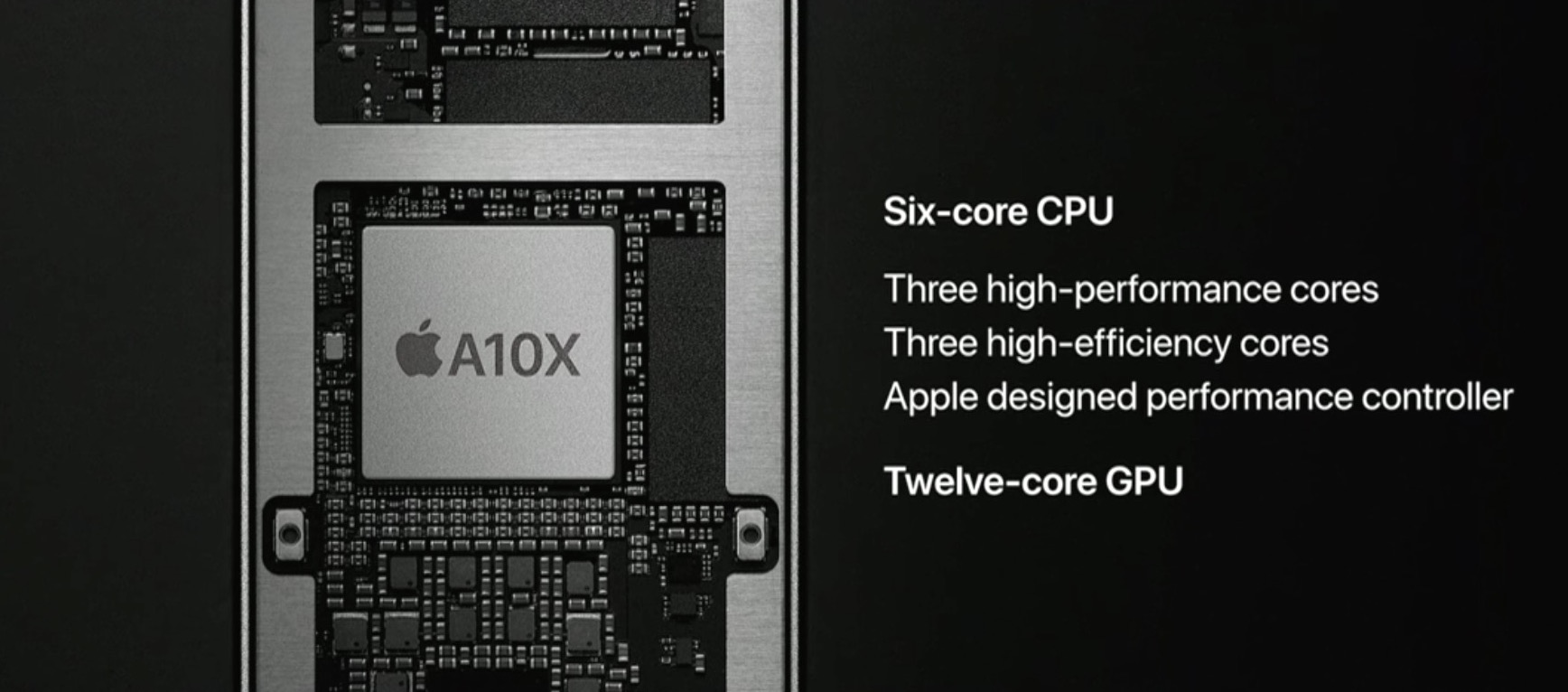
Even the last-generation A9 processor inside iPhone 6s smokes competition in single-core performance, for instance. The A10 Fusion chip in the iPhone 7 family is even faster and Apple's latest chip, the A10X Fusion inside the new iPad Pros, features 30 percent faster CPU performance and forty percent faster graphics than the previous generation.

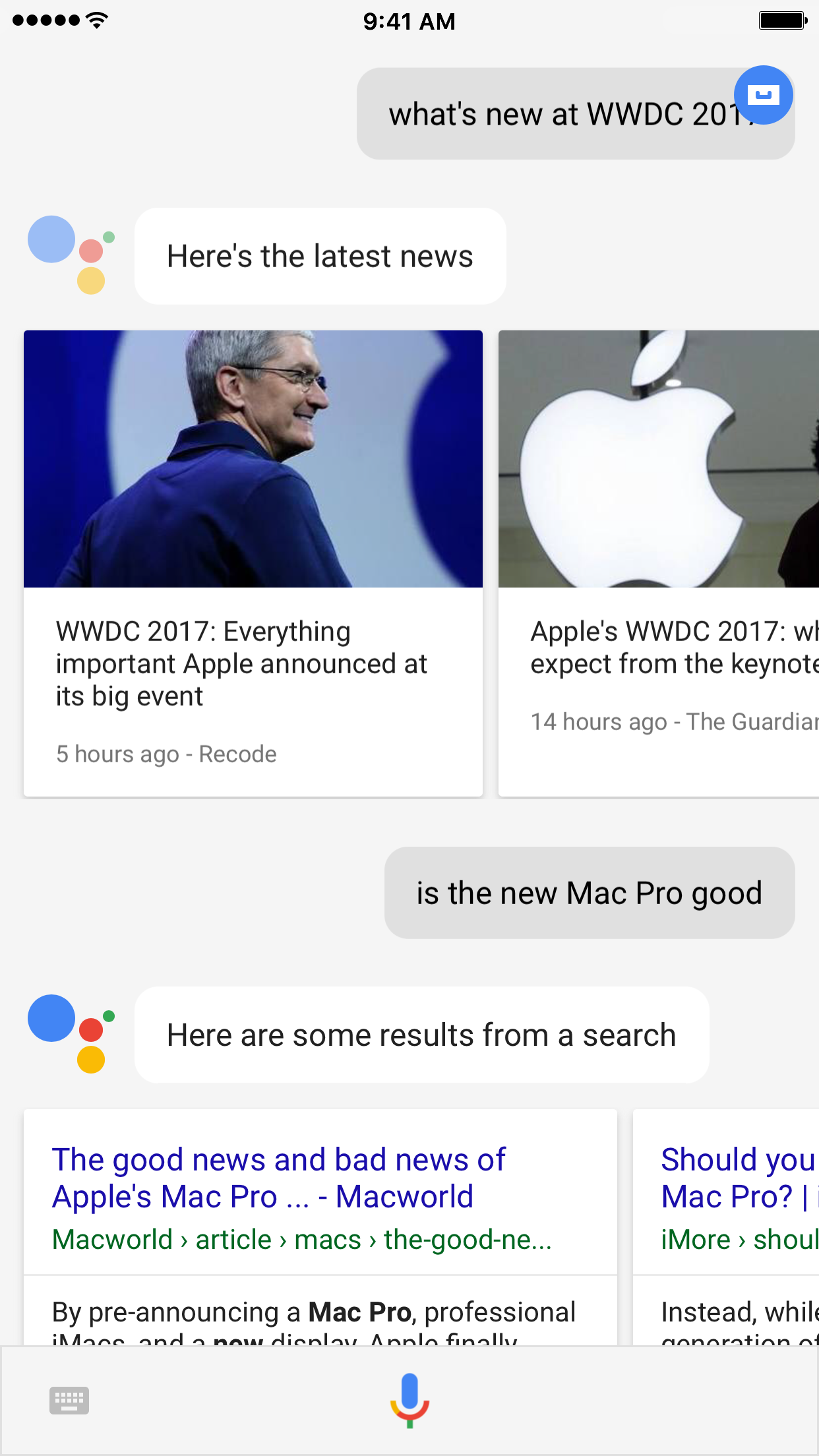
Force Google Assistant to listen immediately after app launch with InstantAssistant

Siri is the default voice-based assistant on iOS devices, and while some people like using her, others prefer to use different voice assistants because of the features they offer or their superior fluidity.

Unfortunately, Apple doesn’t let you choose the default voice assistant, but a new free jailbreak tweak called InstantAssistant by gilshahar7 can help quell the pain.

Here’s what people are mainly using their smart speakers for

Smart speakers such as Amazon's Echo, Google's Home (and, soon, Apple's alleged standalone Siri device) allow users to get answers in the more comfortable settings of their homes.

As these things are always listening, there's no need to press a button or pull a phone out of your pocket. But what exactly are people using Amazon Echo and other smart speakers for?

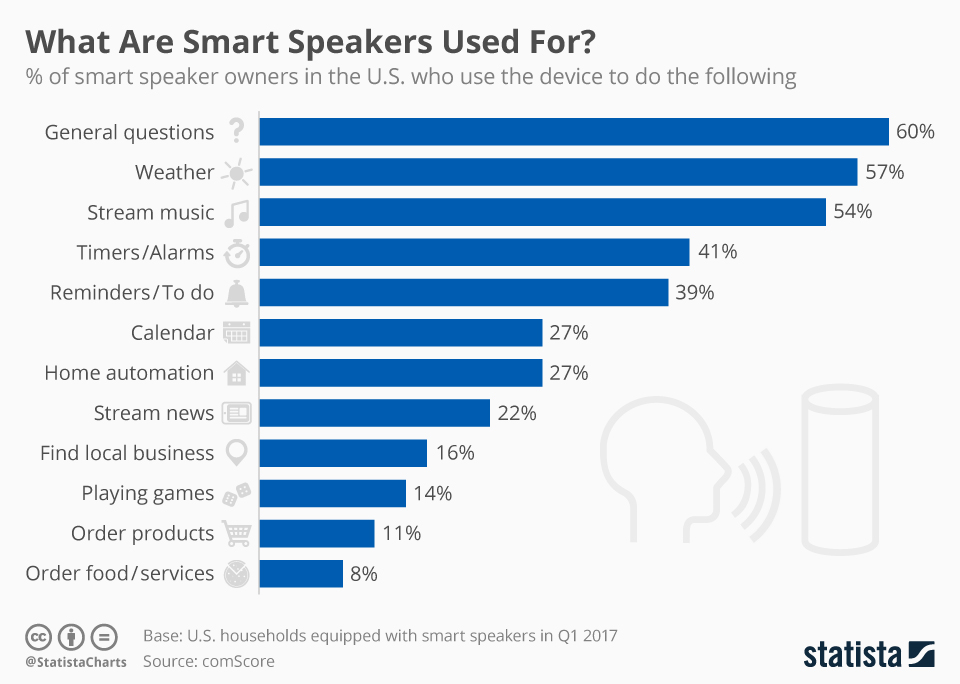
A ComScore study, charted by Statista, says the most common use case is asking basic questions with 60 percent of US smart speaker owners using their device for simple requests, followed by weather queries (57 percent), playing music (54 percent), setting timers/alarms (41 percent), creating reminders/to-dos (39 percent) and more.

In what's bound to be disappointing to Amazon, the study found that very few users of smart speakers use them to order goods or services online, with just 8 percent of US smart speaker owners using their device to order food/services and 11 percent ordering products online.

According to a May research conducted by digital agency Stone Temple, providing answers to basic questions actually is not Alexa’s strong suit.

Amazon's digital assistant powering the Echo family of devices was able to answer just 20.7 percent of the 5,000 questions asked as part of the experiment.

Siri performed similar to Alexa.

Amazon said today that Echo owners and iOS customers who use the mobile Alexa app or the Amazon shopping app can now enable integration with iCloud Calendar.

Speaking of which, the comScore study found that less than one-third of smart speaker owners in the US (27 percent) use their device to find what's on their calendar for the day or add new appointments to the calendar hands-free.