Cydia

Cydia news and information: read the latest development about Cydia, including jailbreak tweaks.

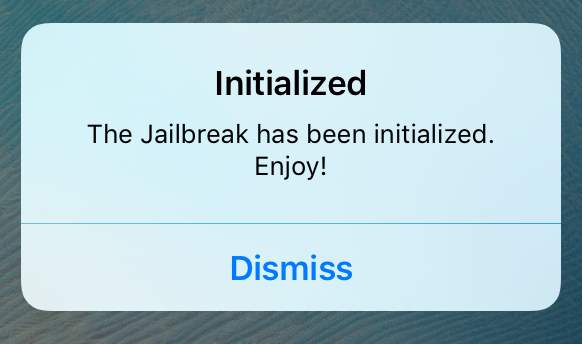
Initialized lets you know if your semi-untethered jailbreak was correctly intialized

The new iOS 9.2-9.3.3 jailbreak from Pangu has been all the rage over the weekend and into this week, and one of the things that stands out most about it is how it's a semi-untethered jailbreak.

For those who want to make sure their jailbreak is being initialized correctly after each reboot, Initialized is a new jailbreak tweak that notifies you every time your jailbreak is re-initialized.

Everything you need to know about the iOS 9.3.3 jailbreak

Pangu certainly took the jailbreak community by storm over the weekend, working with 25PP to launch a working jailbreak for iOS 9.2-9.3.3.

In this piece, we'll talk about all the caveats to the jailbreak, and everything you need to know about it before you consider jailbreaking your own device(s) and what the future may hold for the current jailbreak.

How to jailbreak iOS 9.3.3 without a computer

For those who are unaware, Pangu launched a new jailbreak for iOS 9.2-9.3.3 over the weekend. Now, an iOS developer from the jailbreak scene has made it possible to jailbreak your iOS 9.3.3 device directly from your iOS device itself without the need for a computer.

It's officially JailbreakMe-style, and in this tutorial, we'll show you how to do it!

Problems jailbreaking iOS 9.3.3? Check these common mistakes

Unless you've been living under a rock, you've probably heard the great news about Pangu releasing an official jailbreak for iOS 9.2-9.3.3 over the weekend. Despite the fact that it's what we call a semi-untethered jailbreak around here, it's still a fully-functional jailbreak.

On the other hand, lots of people seem to be having some issues jailbreaking their devices, so we'll be talking about some of the common errors you might be making so you can try again and get your device jailbroken; finally!

Properly rebooting your device after jailbreaking with Pangu or Yalu

Those of you who have jailbroken your iOS 9.2-10.2 devices with the Pangu jailbreak tool or the Yalu jailbreak tool should know by now that it's a semi-untethered jailbreak. This means you have to re-run the jailbreak app from your Home screen every time you reboot your device.

In this piece, we'll talk about how to reboot your semi-untethered jailbroken iOS 9.2-10.2 device properly so that Cydia works as expected after your device turns back on.

How to jailbreak iOS 9.3.3 with Pangu [tutorial]

Over the weekend, Pangu announced the release of a new jailbreak tool for iOS 9.2-9.3.3. The tool is not yet available in English as of this writing, but a Chinese version of the tool is available. In this tutorial, we'll show you how to jailbreak iOS 9.2 to iOS 9.3.3 with the new Pangu jailbreak tool for Windows.

Jailbreak tweaks of the week: ConditionalWiFi, Protonix, & more…

The jailbreak community has been very quiet for several months but this is about to change with today's release of a jailbreak for iOS 9.2 - 9.3.3. Despite what has been another slow week, there are still some developers rocking jailbroken devices, and as a result, tweak development continues.

In this roundup, we'll show you the jailbreak tweaks that were released this week, starting with our favorites and then moving on to the rest.

Protonix lets you create dynamic keyword shortcuts on jailbroken devices

Keyboard shortcuts are something we all have on our personal computers, whether it's a Mac or a PC, but it's not something that we get to enjoy on our iPhones or iPads.

A new jailbreak tweak dubbed Protonix is now available in Cydia that lets you set up dynamic keywords on your device so that when you type them, special things will happen.

We'll show you more in this review.

ConditionalWiFi lets you block certain apps from having Wi-Fi access

Many of you are probably familiar with the stock function of iOS that lets you restrict apps from having access to your cellular network, but iOS doesn't have a similar feature for restricting apps from utilizing Wi-Fi.

With a new jailbreak tweak dubbed ConditionalWiFi, you can now restrict any of your iOS apps from having access to the internet when you're connected to a Wi-Fi network, rather than a cellular one.