Beta

Sn0wBreeze Jailbreak Updated With the Ability to Install iOS 5 Beta 5 Without a Developer Account

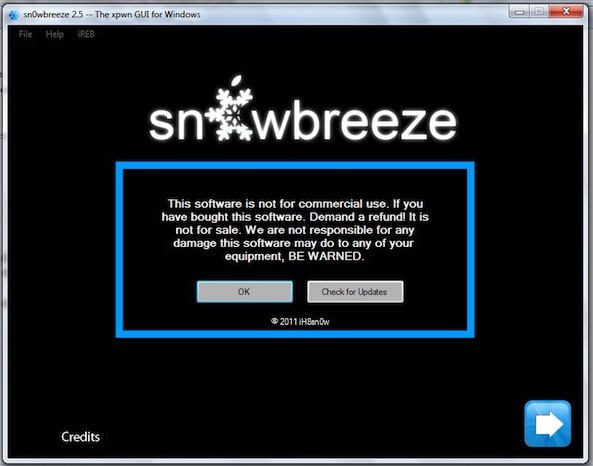
Sn0wBreeze 2.8 Beta 5 has been released by iH8snow for Windows users. This version jailbreaks iOS 5 Beta 5, and also includes a few handy features along the way.

This is a tethered jailbreak. A notable feature in this release is the abiltiity to install iOS 5 and skip the UDID developer check, meaning you don't have to be a developer to install the iOS 5 beta (providing you have the firmware downloaded)...

In-Depth Look at iCloud for Windows Beta 4

iCloud for Windows Beta 4 was released alongside iOS 5 Beta 5 and iTunes 10.5 Beta 5 last week. Here’s a quick look at some of the features.

The installation process is pretty straight forward and standard for Apple. I installed iCloud on two of my PCs running Windows 7. One thing I found awkward about this process was that one of my computers needed restarting before using iCloud, while the other was set to go right away...

Developers Get Green Light to Start Migrating MobileMe Accounts to iCloud

This Fall season is going to be huge for a certain Cupertino company. With several product refreshes expected along with a new mobile OS and cloud storage system launch, it's safe to say that Apple has a big couple of months ahead of them.

Apple hit a couple of semi-major milestones yesterday in their march for September. They released version 5 of their iOS 5 Beta, and they also gave the green light for developers to start migrating their MobileMe accounts over to iCloud...

Here’s What is New in iOS 5 Beta 5

Wondering what's new in iOS 5 Beta 5? Well, really not that much. At least nothing worth making a note of.

BGR published the change log of iOS 5 Beta 5, listing everything that is new or that has been fixed in this latest release...

Apple Releases iTunes 10.5 Beta 5

Along with the release of iOS 5 Beta 5 earlier today, Apple released the latest beta version of iTunes, iTunes 10.5 Beta 5.

If you're not going to update your device to iOS 5 Beta 5 over-the-air, Apple recommends you first update via iTunes 10.5 Beta 4, and then update to iTunes 10.5 Beta 5.

Confused? Then read the following release notes:

Apple Releases iOS 5 Beta 5

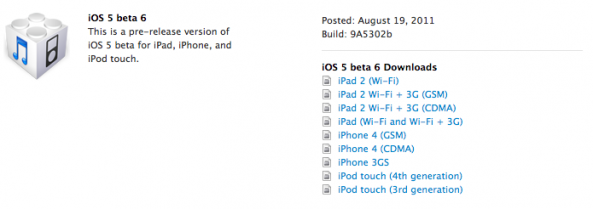
Roughly two weeks after releasing iOS 5 Beta 4, Apple just unleashed iOS 5 Beta 5 minutes ago.

According to Apple, in order to install iOS 5 beta 5 over-the-air, you will first have to backup your device through iCloud. Then delete everything on your device by going to Settings > General > Reset > Erase All Content and then Settings. Finally, start the over-the-air update by going to Settings > General > Software Update.

Apple Already Approving Apps for iOS 5

iOS 5 is just around the corner for those of us without developer accounts, and Apple has already begun to approve apps with iOS 5 compatibility in the App Store.

Camera+ was the first app in the App Store to be updated with iOS 5 compatibility, followed by Mashable and several others. While apps are being updated for compatibility with iOS 5, no apps have been approved that are actually built on iOS 5 code.

iCloud.com Now Syncing With iOS 5 and iWork Apps

Apple's new iCloud service has taken another step towards its publish launch, with the combination of a new iCloud website and beta versions of the iOS iWork apps meaning cross-device syncing is almost here.

The new iCloud.com website offers users the chance to download saved documents for offline use, such as printing. And it also gives them the chance to upload your own iWork-compatible content, and then iCloud can push it out to iDevices using the same account.

Oh, and those iDevices? Syncing works from them too...

iCloud-Enabled iWork Apps Now Available in Beta

Apple has released new beta versions of all its iOS iWork apps, with Pages, Keynote and Numbers all receiving the iCloud treatment.

The new releases, available for download now via the iOS Developer Portal, all now include Apple's new iCloud syncing features, giving developers a chance to test drive the apps before they see an official release.

All three apps are universal, meaning iPad, iPhone and iPod touch owners will be able to download and install them...

iCloud.com Goes Live Featuring Mail, Contacts, Calendar and More in the Cloud

While we still don't know Apple's entire plan for the iCloud service, we have learned several things over the last few months. We know that iOS backups, documents, and media content can all be stored in the cloud.

We also know that each user is allotted 5 GB of free space and that the cloud is accessible from a browser. But outside of that we haven't heard too many other details, until now. Apple just made iCloud.com available and shined some light on the mysterious project...

iOS 5 Beta 4 Will Expire on August 31

Apple released iOS 5 Beta 4 this past Friday, and there have already been numerous findings uncovered in Apple's lasest build. With an iOS 5 announcement set to happen in September, we're getting closer and closer to a final GM release of iOS 5 before it hits the public.

According to jailbreak hacker iH8sn0w, iOS 5 Beta 4 is set to expire on August 31. That gives Apple a little over a month to release the next iOS 5 beta.