Jailbreak

Check out the most comprehensive jailbreaking coverage on the internet, including the latest news, apps, tweaks, and detailed tutorials about everything jailbreak.

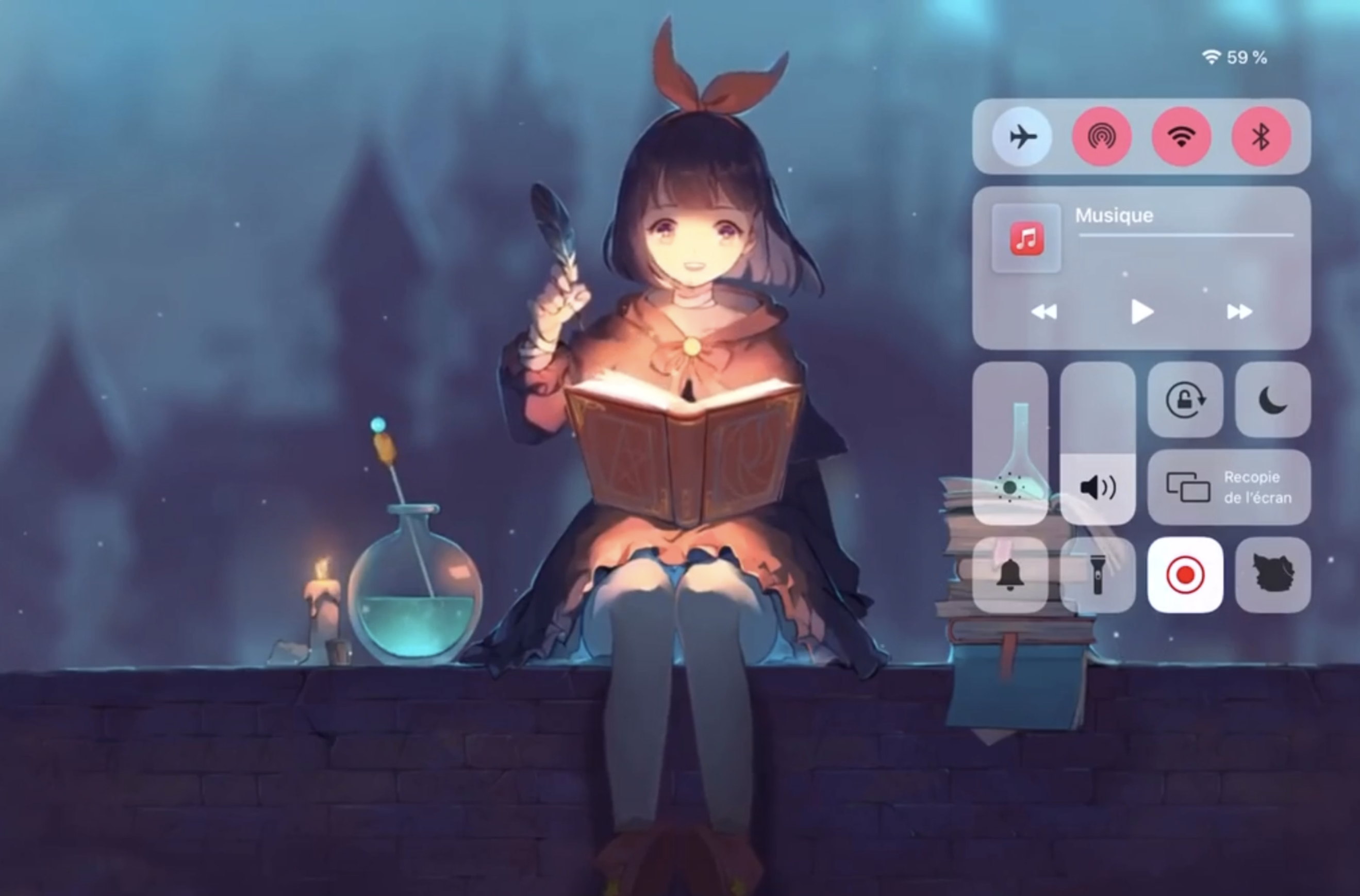
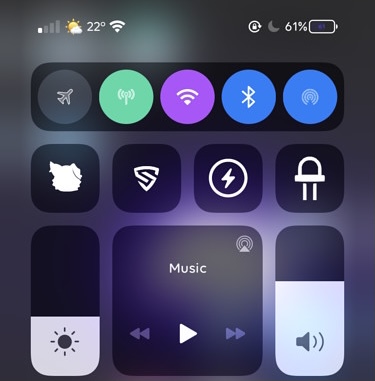
Colorize Control Center’s connectivity module toggles with Aestea Revived

One of my favorite elements of Control Center is the connectivity module, which resides on the top shelf of the interface and provides nearly all of the toggle buttons for my handset’s wireless radios, including Bluetooth, Cellular, Wi-Fi, and a handy button for immediate access to Airplane Mode, among other things.

As much as I like the connectivity module in terms of its functionality, I’ve always thought that it would be more exciting if Apple provided a way for users to colorize the user experience to suit their tastes. While it doesn’t seem that Apple shares the same interests that I do, a free jailbreak tweak dubbed Aestea Revived by iOS developers Litten and Luki120 certainly hits close to home on the subject.

ReachSpring lets jailbreakers respring with the native Reachability gesture

Respring screen.

Jailbreakers know just how valuable the ability to respring their device can be, as it’s often used for saving settings that have been applied to third-party jailbreak tweaks, or for installing or uninstalling those very same extensions. With that in mind, it can be incredibly useful to be able to respring on a whim.

While most jailbreak tweaks offer some type of respring shortcut in their preference pane, not all of them do, and a newly released and free jailbreak tweak called ReachSpring by iOS developer Luki120 ensures that an honest respring is never more than a simple gesture away.

Checkra1n jailbreak user gets Ubuntu running on an iPhone 7

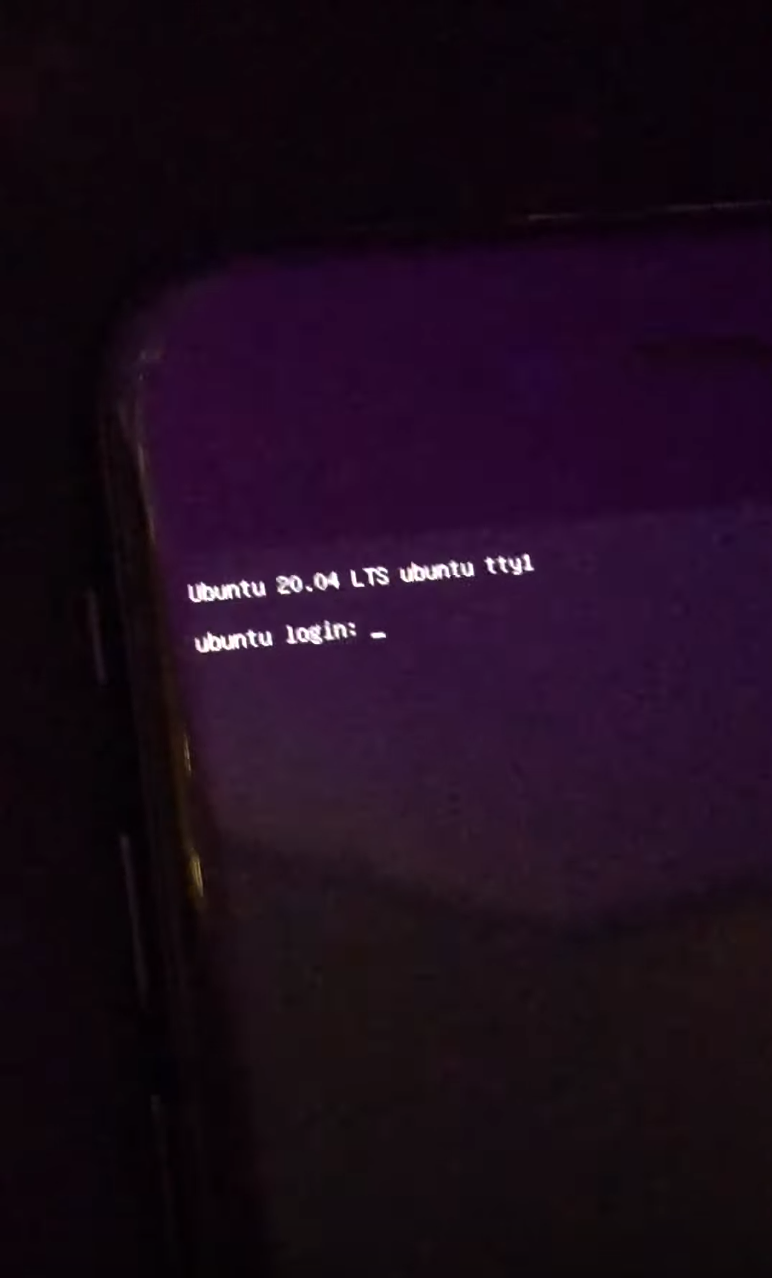
The checkra1n jailbreak utilizes such a powerful exploit that it offers a whole lot more than just a package manager and instant access to your favorite jailbreak tweaks. In fact, the hardware-based checkm8 bootrom exploit has proven more than capable of enabling a whole host of interesting hacks on compatible devices.

The latest of such hacks comes by way of Twitter user @RowRocka, who on Monday afternoon Tweeted a YouTube video of Ubuntu version 20.04 running on an iPhone 7 that had been pwned with the checkra1n jailbreak tool.

Jailbreak tweaks of the week: Eneko, Little12, TimerIcon, & more…

The jailbreak tweak release trickle effect continues as the community awaits a modern iOS & iPadOS 14-centric jailbreak for Apple’s latest devices, but theater hasn’t stopped some developers from launching notable releases for those already jailbroken.

In this roundup, we’ll go over all the latest jailbreak tweak releases and jailbreak news from this past week, spanning Monday, December 4th to Sunday, December 10th.

Substitute v2.0 officially released, v2.0.1 also now available

At the end of November, hacker and unc0ver lead developer Pwn20wnd shared a Tweet indicating that Substitute — the primary tweak injection method for this particular jailbreak — would soon be updated to version 2.0 with a trove of improvements.

Without any sort of ETA provided at the time, no one could have guessed when Substitute v2.0 would launch. With that in mind, many unc0ver users were taken by surprise late last night when the update officially became available by way of Sam Bingner’s repository.

AutoLockX prevents apps from overriding Apple’s Auto Lock feature

As many iPhone owners already know, the iOS operating system provides users with a feature called Auto Lock that, when configured by the end user, can automatically lock the handset after a pre-defined amount of idle time. In other words, when your handset isn’t being actively used, it goes to sleep to save power and to secure your important data.

Auto Lock takes effect in most circumstances, however there are a few exemptions in which the feature gets overridden, such as during media (video) playback and while playing certain games. Some users like this because of its convenience, while others find it to be a concern both in terms of battery life and data security.

Apple unsigns iOS 14.2, 14.2.1, and 12.4.9, thwarting downgrades

After officially launching iOS 14.3 to the public last month with new features and improvements, Apple has closed the signing window for iOS & iPadOS 14.2 & 14.2.1, a move that prevents affected iPhone and iPad owners from restoring their handset’s firmware version to anything but the current iOS & iPadOS 14.3 release.

In addition to iOS & iPadOS 14.2 & 14.2.1, the company has officially started unsigning iOS 12.4.9, which prevents older handsets that are incapable of being upgraded to iOS or iPadOS 13 from downgrading from the newer iOS 12.5 release.

How to get the new iOS 14.2 emojis on your jailbroken device

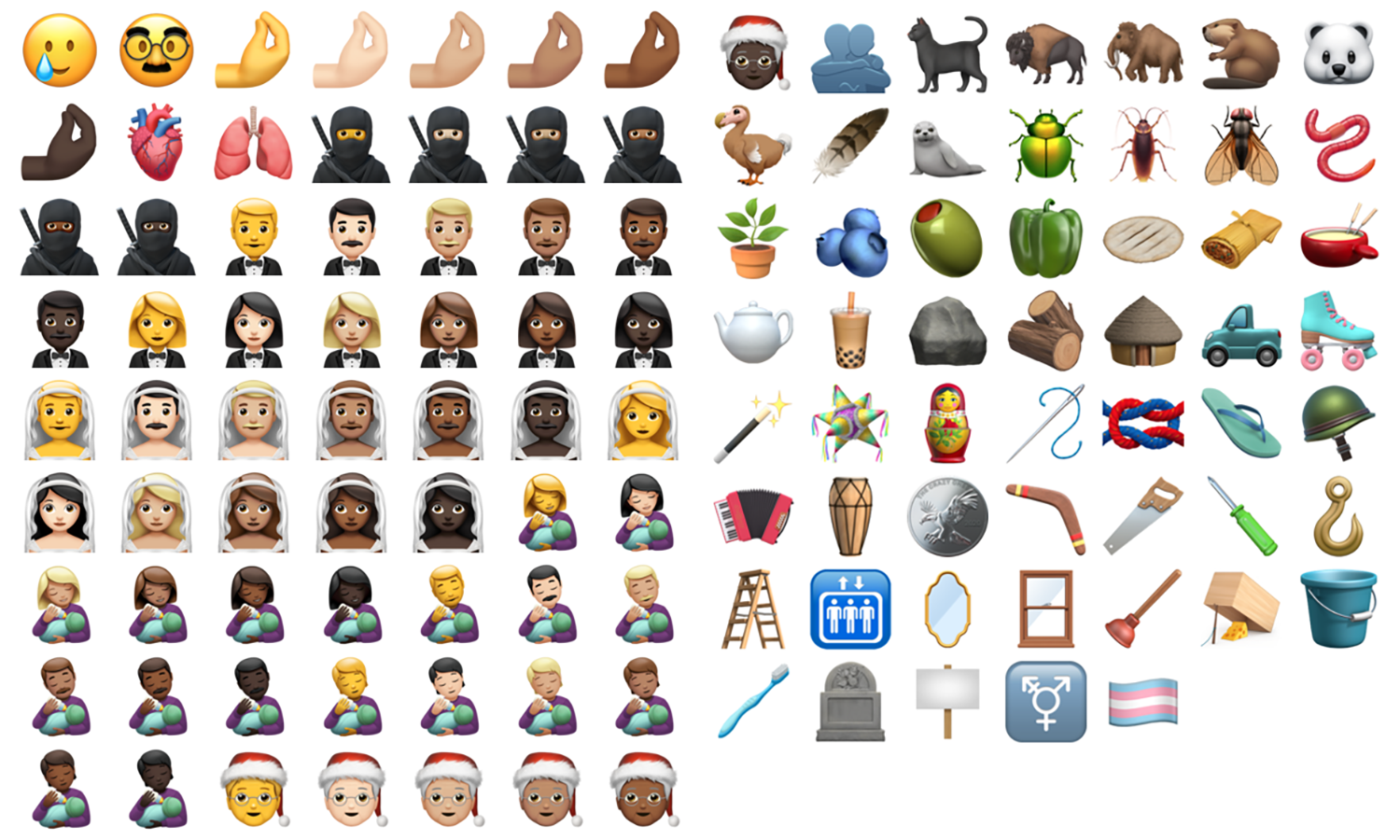
The last few iOS point releases had been all quiet on the emoji front, but iOS and iPadOS 14.2 brought over 100 novelties to users, including such ragers as "Pinched Fingers" (that emphatic gesture which often accompanies a hackneyed impression of an Italian), "Bubble Tea", "Ninja", and "Tamale" (at last!). Whilst stock users will have to update to iOS 14.2 to make use of these little beauties, jailbroken users don't have to, thanks to developer Poomsmart.

Choosing between losing your jailbreak by updating to iOS 14.2, or being unable to spam your friends with the Dodo emoji, is thankfully not necessary. We'll show you how to get the best of both worlds.

LottieStatusBar brings Lottie-inspired animations to the Status Bar

It was only a couple of days ago that we showed you a jailbreak tweak dubbed LottieLockscreen by iOS developer MiRO. In a nutshell, it brought fun and quirky Lottie-style animations to the Lock Screen on jailbroken iPhones. The tweak’s popularity rapidly gained momentum following its release, and as such, we knew it would only be a matter of time before the developer expanded the concept to other interfaces of iOS.

LottieStatusBar is the latest of such expansions, and just as the tweak’s rather conspicuous name implies, it ports these Lottie-style animations to the handset’s Status Bar.

Give your older iPhone a bevy of modern handset features with Little12

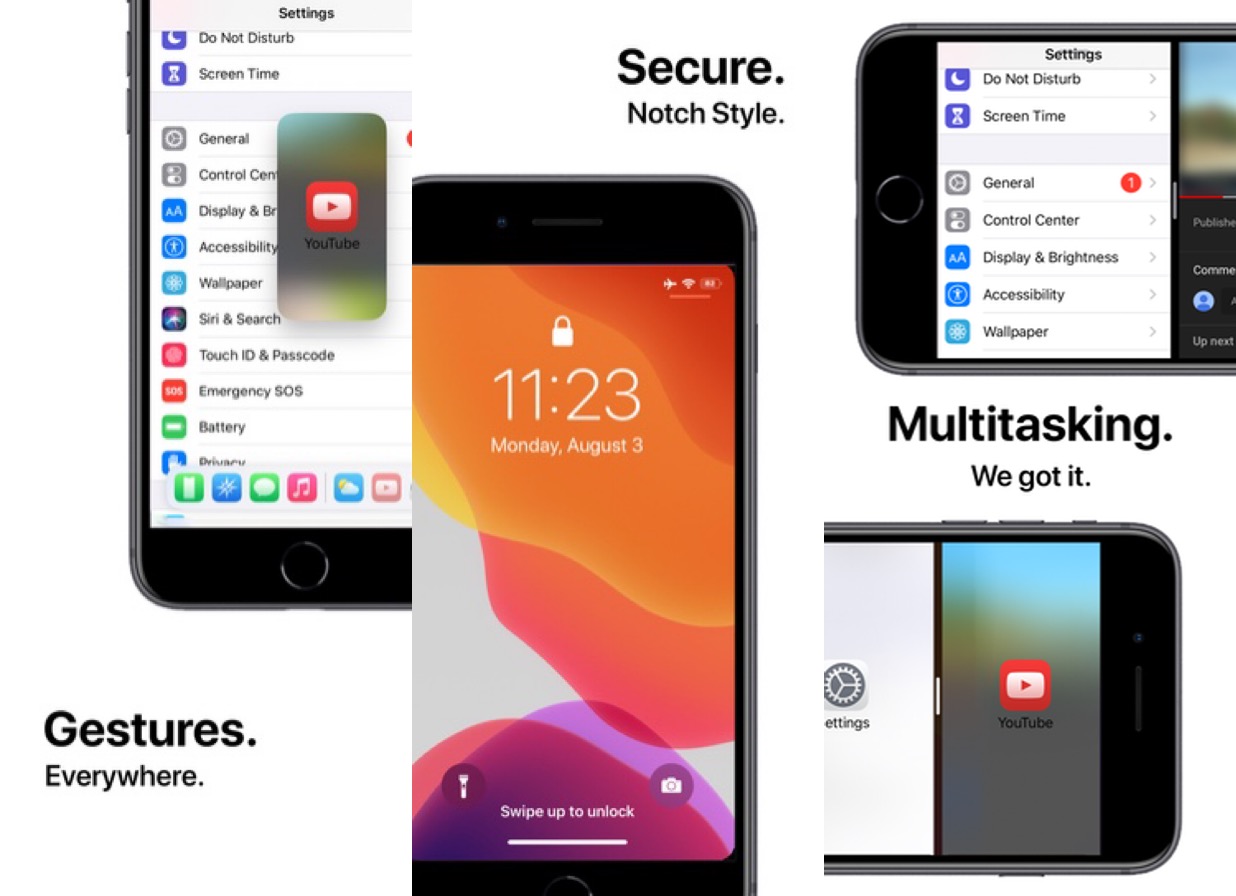
When Apple launched the iPhone X back in 2018, we knew the company was transitioning into a new hardware era. It wasn’t long before Apple ditched Home Button-equipped handsets altogether, paving the way for a more advanced gesture-driven user experience that could be enjoyed on a larger edge-to-edge display.

For those who still have an older Home Button-equipped iPhone, the user experience isn’t quite as robust as it would be on a notched handset by comparison. For that reason, iOS developer Ryan Nair launched Little12, a free jailbreak tweak that back-ports several of the gestures and features from notched devices (and then some) to non-notched devices.

ButterflyEffect adds animated butterflies to the Home & Lock Screens

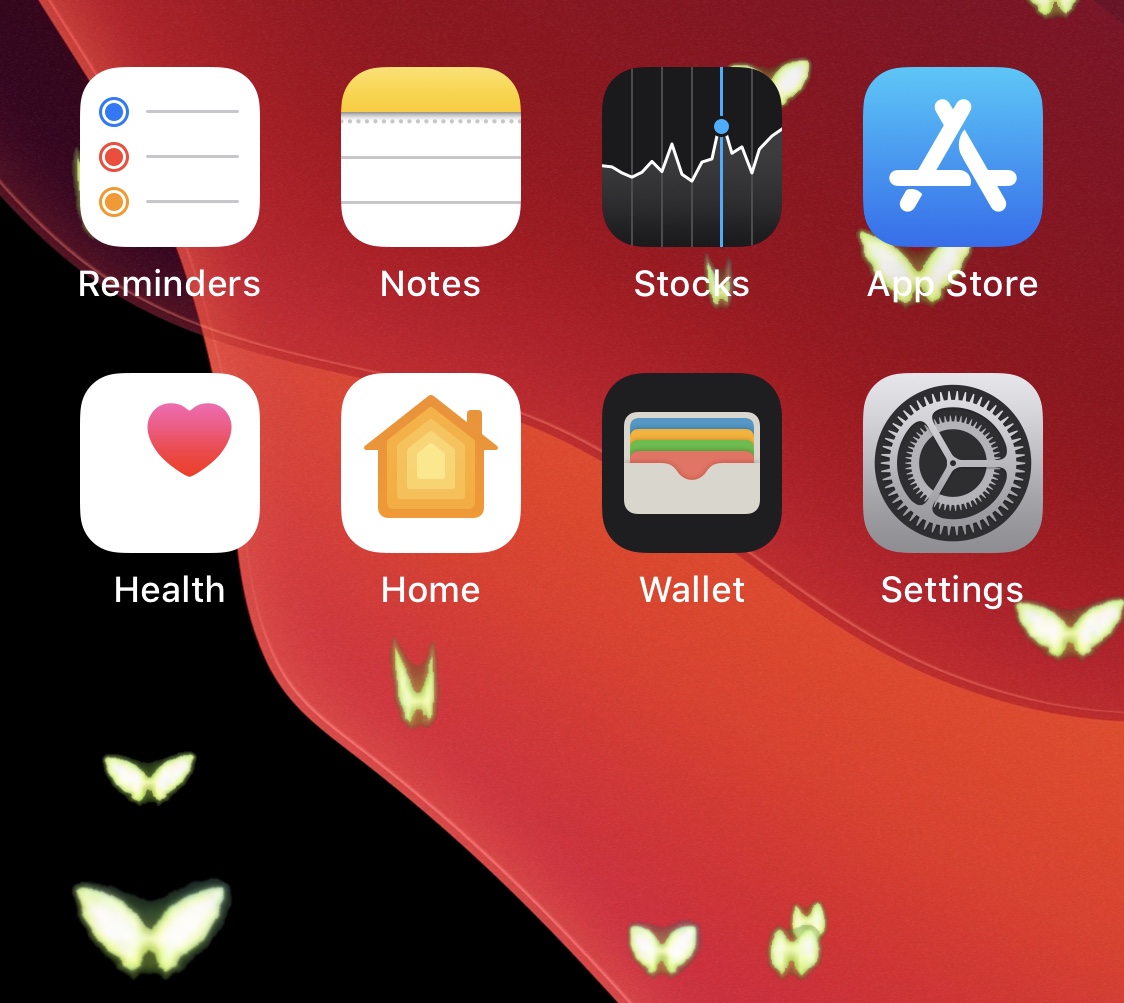
Do you enjoy butterflies? If you answered ‘yes’ to that question, then you might find yourself intrigued by a new, free, and rather conspicuously-named jailbreak tweak dubbed ButterflyEffect by iOS developer Pixelomer.

At first glance, ButterflyEffect causes animated butterfly-themed sprites to flutter over the top of your Home Screen and Lock Screen wallpapers. These animations traverse your screen from the bottom to the top and move slowly enough to be noticed, yet fast enough not to get in the way of your wallpaper viewing pleasure.