Apple

The Sims Mobile soft-launches, brings all the features of the original Sims game to iPhone and iPad

Publisher Electronic Arts said today that it's soft-launched a new Sims game for mobile devices via App Store in Brazil. Called The Sims Mobile, it includes all of the features of the original PC game which released 17 years ago back in 2000 and files as an official mobile game by Maxis Studios and Electronic Arts.

In The Sims Mobile, players can shape their Sims' legacy as they create their unique personalities, homes and relationships—all on their iPhone, iPad or iPod touch.

Key highlights include:

Shape your Sims' legacy—Shape your Sims’ families over multiple generations. When your Sims accomplish their career goals and retire, you’ll be rewarded with Heirlooms that unlock hobbies and careers for future generations, allowing new Sims to tell deeper stories. Create unique Sims—Customize your Sims with distinct appearances, hairstyles, outfits, and accessories. Choose different personality traits and life goals. Build a home—Personalize your Sims home layouts and designs, and decorate with a variety of furniture, appliances, decorations and more. Play together—Host and attend parties with other Sims to socialize, show off your amazing house, earn rewards, and develop new relationships.

Here's the promotional trailer for the free-to-play title.

https://www.youtube.com/watch?v=VwFMyHGtIXs

As mentioned, The Sims Mobile is a free-to-play download. If other EA games are an indication, the game may include a bunch of optional In-App Purchases.

You can sign up for email updates at the thesims.com/mobile.

Six years ago, EA released The Sims Freeplay for iOS and Android, a simplified version of the original PC game. The publisher has other Sims-branded titles on App Store, including The Sims 3, The Sims 3 World Adventures, The Sims 3 Ambitions for iPad and more.

The Sims Mobile soft-launched today on App Store in Brazil.

We'll keep you posted when the game expands to other markets.

Are you a fan of The Sims franchise?

LG Innotek to supply facial recognition camera for iPhone 8

LG Innotek has been commissioned to build facial recognition camera modules for iPhone 8, Korea Economic Daily reported on Thursday. The Korean company has invested 269.7 billion won, or about $238.50 million, in a new manufacturing plant that will be dedicated to Apple’s orders, The Investor reported Thursday.

An all-new plant is required for the production of the camera component because, according to The Investor, iPhone 8's facial recognition module will be really small and capable of advanced 3D facial recognition in order to achieve better accuracy that the front-facing camera on Samsung's Galaxy S8, which uses 2D images for the facial recognition function.

LG Innotek is the parts unit of LG Group and the supplier of dual-lens iPhone 7 Plus cameras.

“Apple and LG Innotek, the market leader in the smartphone camera module market, teamed up last year to develop the world’s first 3D facial recognition camera system that can be used for a variety of applications from biometric authentication to games,” reads the article.

The initial deal size is estimated at about 200 billion won, or about $177 million.

KGI Securities was first to predict that iPhone 8 would come outfitted with a 3D sensor allowing users to capture 3D selfies, map their surroundings in 3D, scan objects in 3D, use augmented reality features  and more.

Barclays thinks that both front and back cameras on iPhone 8 will support these 3D and augmented reality features. Barron's said in March that Apple had contracted a company called Himax Technologies to build 3D sensors for the OLED iPhone.

New Apple patent highlights potential Siri integration with Messages

The United States Patent and Trademark Office (USPTO) today published an interesting patent application filed for by Apple, which indicates that the Cupertino company might be exploring much deep integration between the Siri personal assistant and its iMessage message platform.

Titled “Intelligent automated assistant in a messaging environment”, the company's patent application proposes chatbot-style Siri functionality within the context of the Messages app for those times when using voice-based interactions would be impractical, like in noisy environments such as libraries, movie theaters and so forth.

The patent application appears to be an enhanced version of Apple's prior invention, titled “Virtual assistant in a communication session,” filed for last year and outlining basic Siri-Messages integration via bot-style commands.

Today's patent application includes deep Siri integration with audio, video and image files, as well as with deep links to websites/apps and more. The system could potentially permit users to use image and video recognition with Siri, asking the personal assistant to, say, send an image of a Volkswagen Beetle to a contact or return a text-based web answer.

Siri cannot process images in its current form.

Other image-related queries could include “Where is this?”, “What insect is this?”, “Which company uses this logo?” and more. Siri would be able to remember user preferences and data, too. In one embodiment, a user sends a picture of a bottle of wine and says, “I like this wine” to have Siri remember this preference.

She would also be able to store custom text for later retrieval.

Lastly, Apple proposes chatbot-like functionality where the AI-driven assistant would offer its services to chat participants in a manner not unlike the AI assistant in Facebook's Messenger app. The system could intelligently provide relevant information in the text form about stuff like a nearby restaurant while being able to suggest transportation options and even create an entry in each chat participant's calendar about an upcoming meeting.

Here's an excerpt from the patent abstract:

User input can be received and in response to receiving the user input, the user input can be displayed as a first message in the GUI. A contextual state of the electronic device corresponding to the displayed user input can be stored. The process can cause an action to be performed in accordance with a user intent derived from the user input. A response based on the action can be displayed as a second message in the GUI.

Siri currently includes a feature that allows you to edit your queries by typing, but it's not very practical as it's only available after the user has initially issued a voice-based command to the personal assistant.

Apple's technology, assuming it sees the light of day, would permit users to review previous Siri interactions in a chronological format. Today's patent application was first filed for in May 2016 and credits Apple engineers Petr Karashchuk, Tomas A. Vega Galvez and Thomas R. Gruber as its inventors.

TSMC resolves manufacturing woes, kicks off production of A11 chips for upcoming iPhones and iPads

Taiwan Semiconductor Manufacturing Company (TSMC) has commenced production of Apple-designed A11 chips for upcoming iPhones and iPads.

According to a report Thursday from Taiwanese trade publication DigiTimes, the semiconductor foundry has successfully resolved initial manufacturing issues in the company's ten-nanometer FinFET process technology.

“TSMC has begun 10nm chip production for Apple's next-generation iPhone 8 series,” sources told the publication. “Production was once affected by issues involving stacking components in the backend integrated fan-out packaging process, but they have already been solved.”

TSMC is Apple's exclusive manufacturer of the in-house designed 16-nanometer A10 Fusion chip for the iPhone 7 series. TSMC's new ten-nanometer process should yield smaller chips that run faster and consume less energy.

TSMC has also secured 12-nanometer chip orders (a smaller version of its 16nm technology) from Nvidia, MediaTek, Silicon Motion Technology and HiSilicon. As for TSMC's 10nm process, the node technology has obtained orders from Apple, MediaTek and HiSilicon, as per sources.

How to disable in-app ratings and review requests on iPhone and iPad

Apple included a handy new feature in iOS 10.3 beta to give people the power to disable in-app prompts seeking feedback in one fell swoop. Apps that use the new SKStoreReviewController API can invoke a new standardized prompt offering users to provide a rating or write a review without taking them to the actual App Store. This feature has been available on and off for beta testers and should be available to the public in an upcoming update to iOS 10.

These in-app prompts for ratings and reviews can be disabled at once for all apps installed on your iPhone, iPad or iPod touch which support the feature. This tutorial provides step-by-step instructions for how to disable in-app ratings and review requests in iOS.

How to disable in-app ratings and review requests on iPhone and iPad

To opt out of receiving these feedback prompts, do the following:

1) Launch Settings on your iOS device.

2) Tap iTunes & App Stores.

3) To disable all in-app prompts for App Store reviews and ratings, flip the switch In-App Ratings & Reviews switch to the OFF position.

This will prevent all apps that are installed on your iPhone, iPad or iPod touch from asking for product feedback in the form of App Store ratings and reviews. Again, this toggle has no bearing on apps on your device that do not use iOS 10.3's new SKStoreReviewController API.

Please think twice before disabling in-app ratings and reviews.

As I explained before, the new API streamlines the product feedback experience with standardized prompts limited to three per year per app. As Apple itself suggests, you should help developers and other users know what you think by letting apps ask for product feedback.

Like before, your submitted ratings are valid for the App Store territory where you originally purchased the app. You can also leave ratings and write reviews for iPhone, iPad and iPod touch apps directly in App Store, and for macOS apps in Mac App Store.

You can also leave ratings for Apple TV apps, but not submit reviews.

About in-app ratings and review requests

iOS 10.3 beta gives users the power to silence in-app prompts seeking App Store feedback.

In the past, developers were free to interrupt the experience and inundate users with pesky prompts asking them to provide a rating or write a review on App Store.

With the new SKStoreReviewController API, developers simply choose when they’d like to prompt the user and identify places in their apps where it makes sense to ask for feedback, and the system takes care of the rest.

The system allows users to submit a rating through the standardized prompt and authenticate with Touch ID to write and submit a review, all without leaving the app.

The API limits these requests to three prompts per app in a 365-day period. The counter is not reset when the app is updated. The hope here is that the new API will encourage developers to strategically ask for feedback for major updates only.

Previously, many apps would aggressively ask for feedback after each and every update because App Store erases an app's average rating with each submitted update. Apps that don't use the aforesaid API can still put up a bespoke prompt seeking feedback “at appropriate times throughout the user experience,” according to Apple.

App makers that use iOS 10.3's new SKStoreReviewController API save time because the system decides when to pull up these in-app prompts and how they're rendered.

Users benefit from having the standardized prompt and the ability to write a review or submit a rating without leaving the app they're in.

When the user sees an in-app prompt seeking App Store feedback, he or she can authenticate with Touch ID to write and submit a review, right there and then.

“The system’s rating prompt offers a familiar, efficient experience that’s designed to engage the user with minimal impact,” explains Apple.

As a bonus, developers can at long last respond publicly to App Store reviews.

Any questions?

If you have any questions regarding the topic of this tutorial, please post a comment below and our knowledgable writers will try to answer them.

Be sure to pass this article along to the friends and family you support.

Submit your ideas regarding future coverage via tips@iDownloadBlog.com.

How to stop your iPhone from automatically switching lenses when shooting video

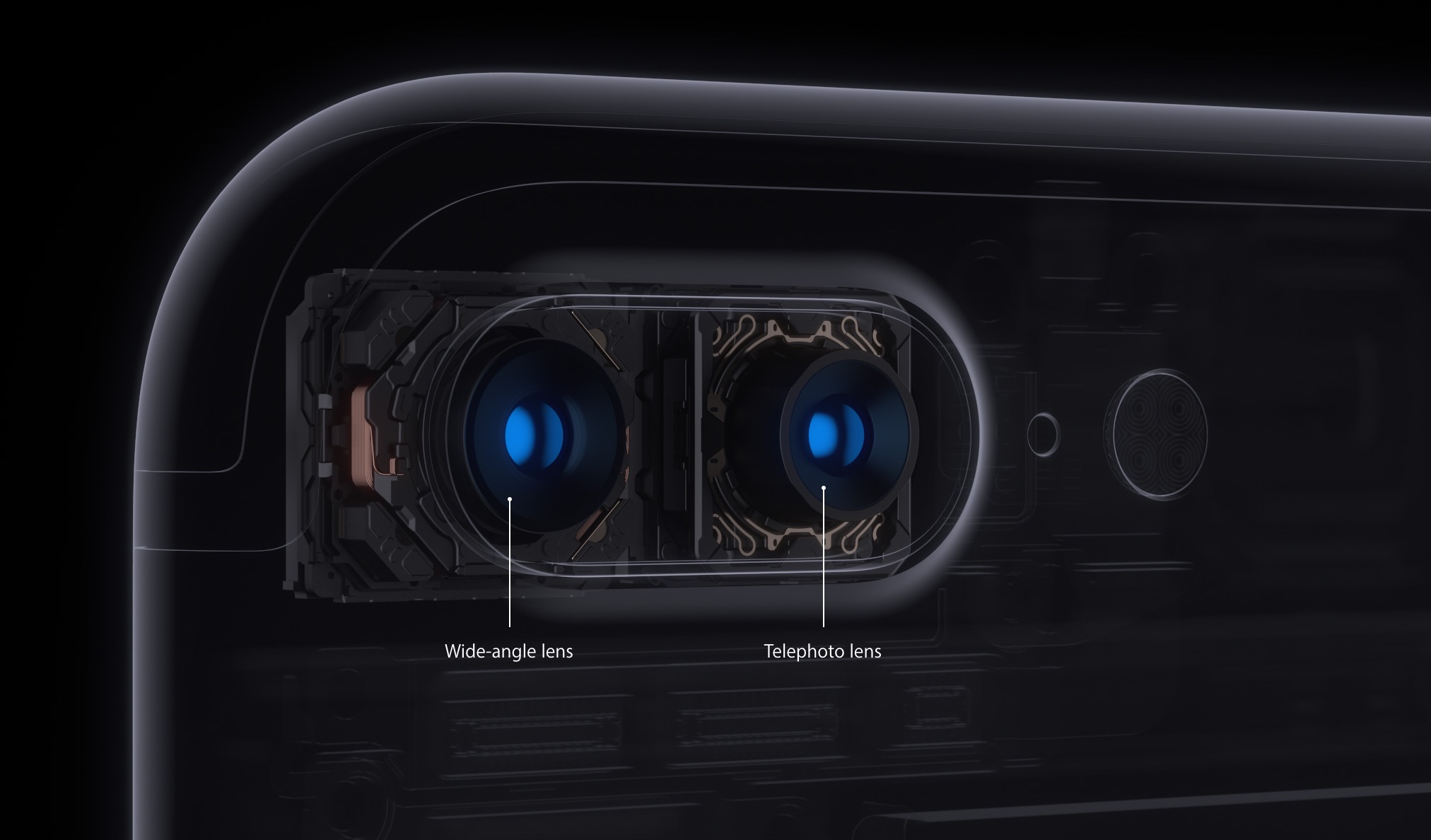
iOS decides on your behalf when it's appropriate to use iPhone 7 Plus's telephoto camera and when to switch to the wide angle shooter. This default behavior can be altered, which helps you avoid potentially unexpected results when shooting video.

If the phone switches to or from the second lens while you’re zooming in or out, glitches will probably appear in the recorded video. Thankfully, Apple, in all its wisdom, has provided a toggle in Settings to easily override this behavior at any time.

With its dual-lens system, iPhone 7 Plus is an awesome portable camera for both pro and wannabe iPhone photographers. In addition to powering depth-of-field photography, the dual twelve-megapixel cameras give you the benefits of an 2X optical zoom.

The problem with lens switching

Due to an ƒ/1.8 aperture and optical image stabilization, the wide angle camera captures images that are sharper and stabler than those taken with its telephoto counterpart. The two lenses have a different aperture and physical position, which also affects image quality.

Jarring transitions in your recorded videos are caused by automatic lens switching, which occurs if your iPhone switches to or from the second lens as you’re zooming in or out.

To avoid accidentally running into jarring transitions while recording video on your iPhone 7 Plus, you should disable the automatic lens switching feature.

Here's how.

How to stop your iPhone from automatically switching lenses

1) Launch the Settings app.

2) Tap Photos & Camera.

3) Tap Record Video underneath the Camera heading.

4) Slide the Lock Camera Lens switch at the bottom to the ON position.

Your iPhone will no longer automatically switch between camera lenses while shooting video.

This setting only takes effect when you’re actually shooting video. If you toggle the Lock Camera Lens to the ON position, your iPhone will keep on using whichever lens you started recording with. You'll want to keep that in mind when fiddling with this setting.

By the way, I learned about this feature via the always informative iLounge.

Speaking of which, iLounge explains how this setting affects your video recordings:

In most cases, you’ll simply be relying on digital zoom rather than optical. However, if you begin recording a video while zoomed in to beyond 2X, you may not be able to zoom back out, as you’ll already be using the 2X lens.

iOS uses a number of factors to determine whether it should use the optical 2X lens or simply rely on digital zoom, such as in lower light conditions where the faster primary lens has an advantage, so you won’t always see the impact of the Lock Camera Lens setting.

And that's it, boys and girls.

Any questions?

If you have any questions regarding automatic lens switching on iPhone 7 Plus, please post them in the comment section below and our knowledgable writers will try to answer them.

Be sure to pass this article along to th friends and family you support.

You can shoot us your ideas regarding future coverage to tips@iDownloadBlog.com.

Infuse media player gains supercharged subtitles, 10-bit video playback & more

aTV Flash Black developer FireCore recently pushed a new version of Infuse, implementing vastly improved subtitle support, gorgeous 10-bit video playback and a host of other improvements.

Infuse 5.4 for iOS and tvOS, a free download for existing users, recently celebrated its fourth anniversary. Since making its App Store debut back in 2013 [review], this versatile media-player app for iPhone, iPad and Apple TV has been gaining new features on a regular basis.

10-bit video playback

10-bit videos now look great thanks to some slick new hardware decoding options available in Infuse 5.4. Not only does hardware-assisted decoding on newer iOS devices provide great playback performance, it unlocks hours of extra battery life as well.

Hardware-assisted decoding of the Hi10P video format (H264-encoded 10-bit video) requires Apple's A9 chip or later, meaning this feature is supported on iPhone 6s or later models, all iPad Pro models and the new 2017 iPad model.

Supercharged subtitles

Subtitles have been “entirely revamped” in Infuse 5.4.

The new subtitle rendering engine includes support for subtitles on 3D videos (SBS and TAB), plus subtitle position (AN) tags. The app now accepts many more subtitle formats, including .TXT files (MicroDVD, MPL2, SRT and TMP). As a bonus, the update introduces new options for adjusting text color to your liking and fancy styling and animation effects.

Infuse now uses the secure HTTPS protocol to download subtitles from OpenSubtitles, increasing your privacy. Lastly, Traditional Chinese is now supported for metadata and artwork.

Infuse availability

For a complete list of what's new in Infuse 5.4, visit the official Infuse website.

Infuse 5.4 for iPhone, iPad and Apple TV is a free download from App Store.

Advanced features are available without limitations as a $6.49 per year Pro subscription via the In-App Purchase mechanism. A free one-month trial of Infuse Pro is available within the app.

Alternatively, buy Infuse for iOS and tvOS outright for $12.99.

Snapchat launches limitless snaps, new Magic Eraser & Loop tools

Snap Inc. announced yesterday that it'd added new features to its mobile Snapchat app, including limitless snaps as well as a pair of all-new creative tools in the form of the Magic Eraser and Loop features.

For starters, you can now draw with emojis. Simply tap the doodle tool to get started. If you'd like to access Snapchat's new Magic Eraser tool, tap the Scissors tool, then the Stars icon.

To let your friends view your snaps for as long as they want, use the new Loop tool for videos. With this Instagram Boomerang-like feature, you can easily decide whether your snap plays once or loops until your friend is ready to tap to the next one (the infinity option for the timer).

According to the company:

We’ve all felt the frustration of not being able to fully enjoy a snap—even after replaying it—and we wanted to give you the option of allowing the recipient to enjoy your snap as long as they’d like. After your friend finishes viewing the snap and taps to close it, it will delete as usual.

The new creative tools require Snapchat version 10.8 or later.

Snapchat for iOS available at no charge on App Store.

Microsoft launches Visual Studio for Mac

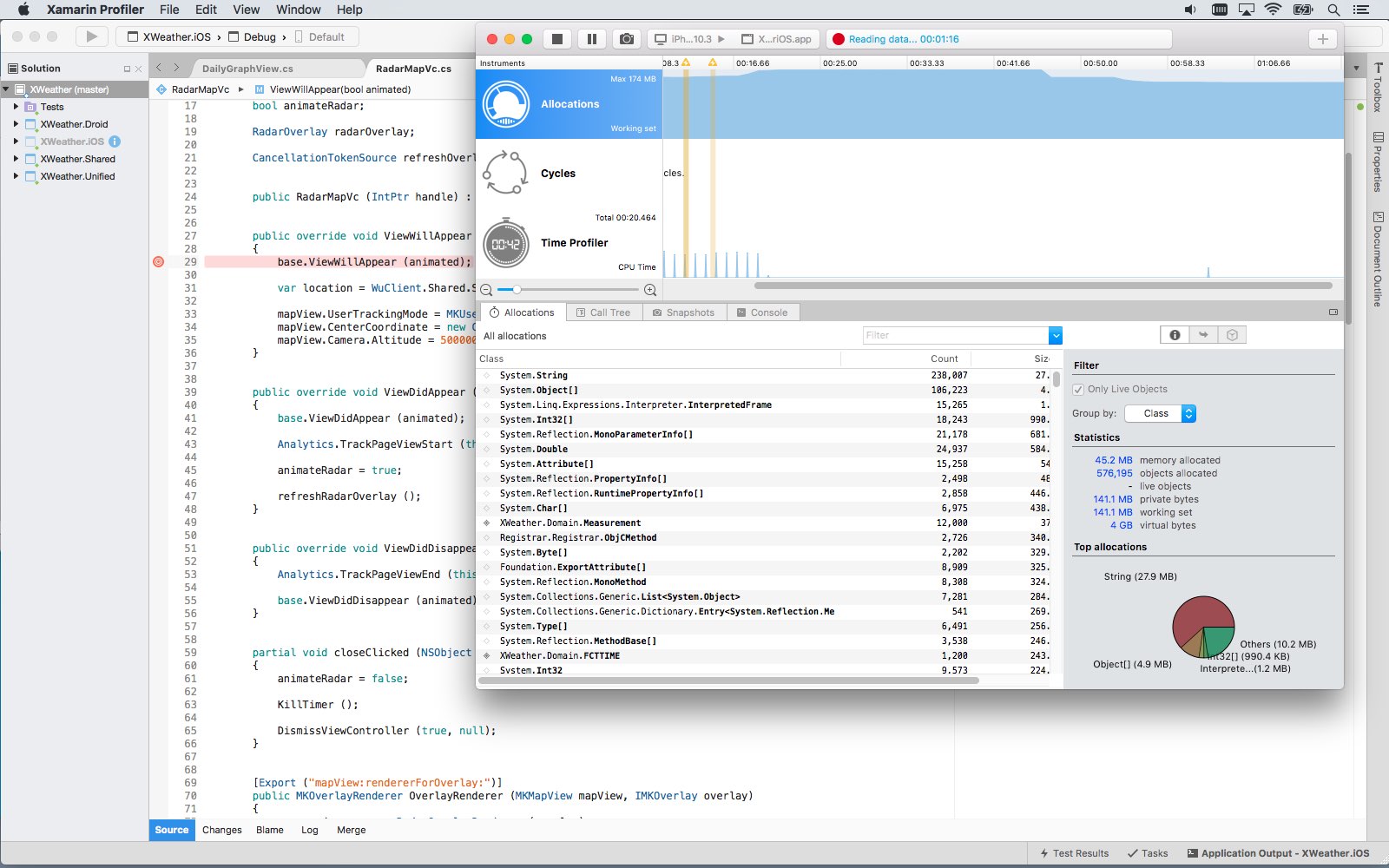
Software giant Microsoft today released Visual Studio for Mac, its integrated development environment that contains all the tools you need to develop apps and games for the macOS, iOS, tvOS, watchOS, web, cloud and Android platforms. Previously, Mac owners who wanted to use Microsoft's development tools needed a Windows computer or a virtual machine.

Available at no charge via visualstudio.com, Visual Studio for Mac lets you code, debug and diagnose your apps, use version control, collaborate efficiently with other programmers and much more. The Windows maker released a preview of Visual Studio for Mac last November.

“Developers get a great IDE and a single environment to not only work on end-to-end solutions—from mobile and web apps to games—but also to integrate with and deploy to Azure,” said Scott Guthrie, executive vice president of the Microsoft Cloud and Enterprise group.

“Whether you use C#, F#, .NET Core, ASP.NET Core, Xamarin or Unity, you’ll get a best-in-class development environment, natively designed for the Mac.”

As a new member of the Visual Studio family, the integrated development environment allows developers on macOS to build apps for mobile, web, and cloud with Xamarin and .NET Core, as well as games with Unity.

Key highlights include:

Designed natively for Mac—Visual Studio for Mac brings the developer productivity you love to macOS. The experience has been meticulously crafted to optimize the developer workflow for Mac. Collaborate efficiently—Manage your code in Git repos, hosted by any provider, including GitHub and Visual Studio Team Services. Share projects seamlessly with developers using Visual Studio across Windows and Mac. Deliver quality mobile apps—With Xamarin’s advanced debugging, profiling tools, unit tests, and UI test generation features, it’s faster and easier than ever for you to build, connect, and tune native mobile apps for Android, iOS, and macOS. Launch modern web apps—With support for ASP.NET Core in Visual Studio for Mac, you are empowered to create beautiful, modern web applications. Craft the front-end with the same web editor experience you know and love from Visual Studio and Windows and publish to the cloud directly from the IDE. Create intelligent services—Visual Studio for Mac enables the creation of .NET Core solutions, providing the back-end services to your client solutions. Code, debug, and test these cloud services simultaneously with your client solutions for increased productivity. Build cross-platform games—Using Unity and Visual Studio for Mac, you can create awesome games that run on any platform. Use the powerful coding, refactoring, and debugging features in Visual Studio for Mac to enhance your productivity.

System requirements are available in a support document on the Visual Studio website.

Microsoft says the software contains support for Voice Over. Many parts of the user interface, including the editor and solution explorer, have been made accessible through Apple's assistive technologies.

The software released ahead of Microsoft’s Build 2017 developer conference, which kicks off later this week. In 2105, the company launched Visual Studio Code, its free of charge cross-platform code editor for developers.

Schedule repairs and make Genius Bar reservations with Apple Support app

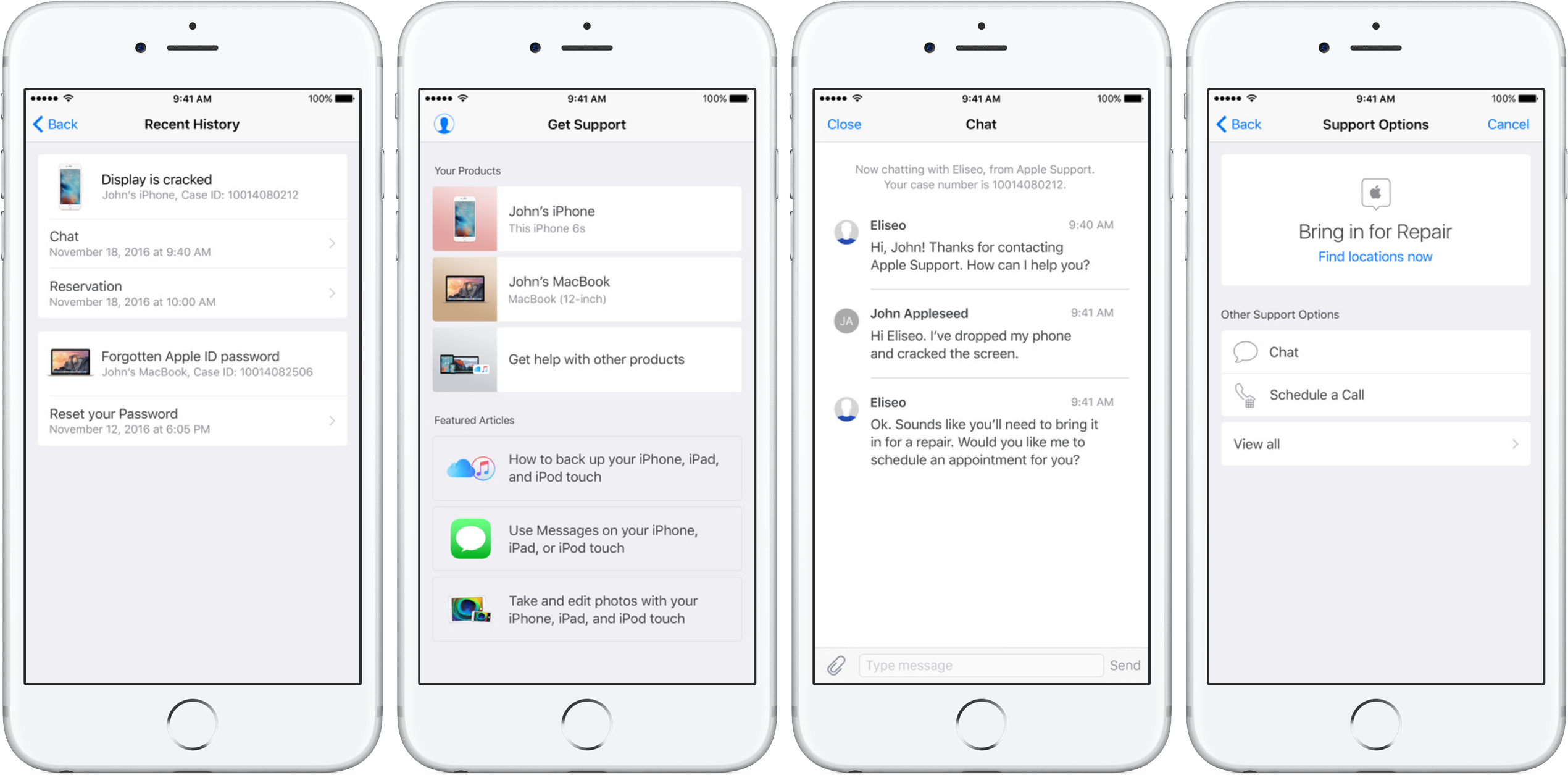
Apple's dedicated Support app was refreshed on App Store today with the ability to schedule repairs and make Genius Bar reservations. Bumped to version 1.1, the app packs in other improvements as well, including simplified authentication process, support for iOS 10's rich notifications for chat and the ability to filter locations by mobile carrier.

As mentioned, the refreshed app now permits iPhone, iPad and iPod touch owners to schedule repairs at participating Apple Authorized Service Providers. The ability to make Genius Bar reservations from within the app is currently limited to Apple Stores in China, Hong Kong, Macao, Turkey and United Arab Emirates.

Apple Support is a free download from App Store.

iPhone SE or iPhone 7s could have strengthened Ion-X glass display like Apple Watch

The next iPhone SE or the upcoming LCD-based iPhone 7s/Plus could come outfitted with a strengthened Ion-X glass display like some Apple Watch models, as indicated by a new photo posted Wednesday to leak aggregator Slashleaks.

Slashleaks states that the leaked image, which originated from Chinese social network Sina Weibo, depicts glass casings and some of the manufacturing specifications for a 2017 iPhone model, internally code-named “N79”. The post doesn't make it clear if the next iPhone SE or the iPhone 7s/Plus updates might have a strengthened Ion-X glass cover.

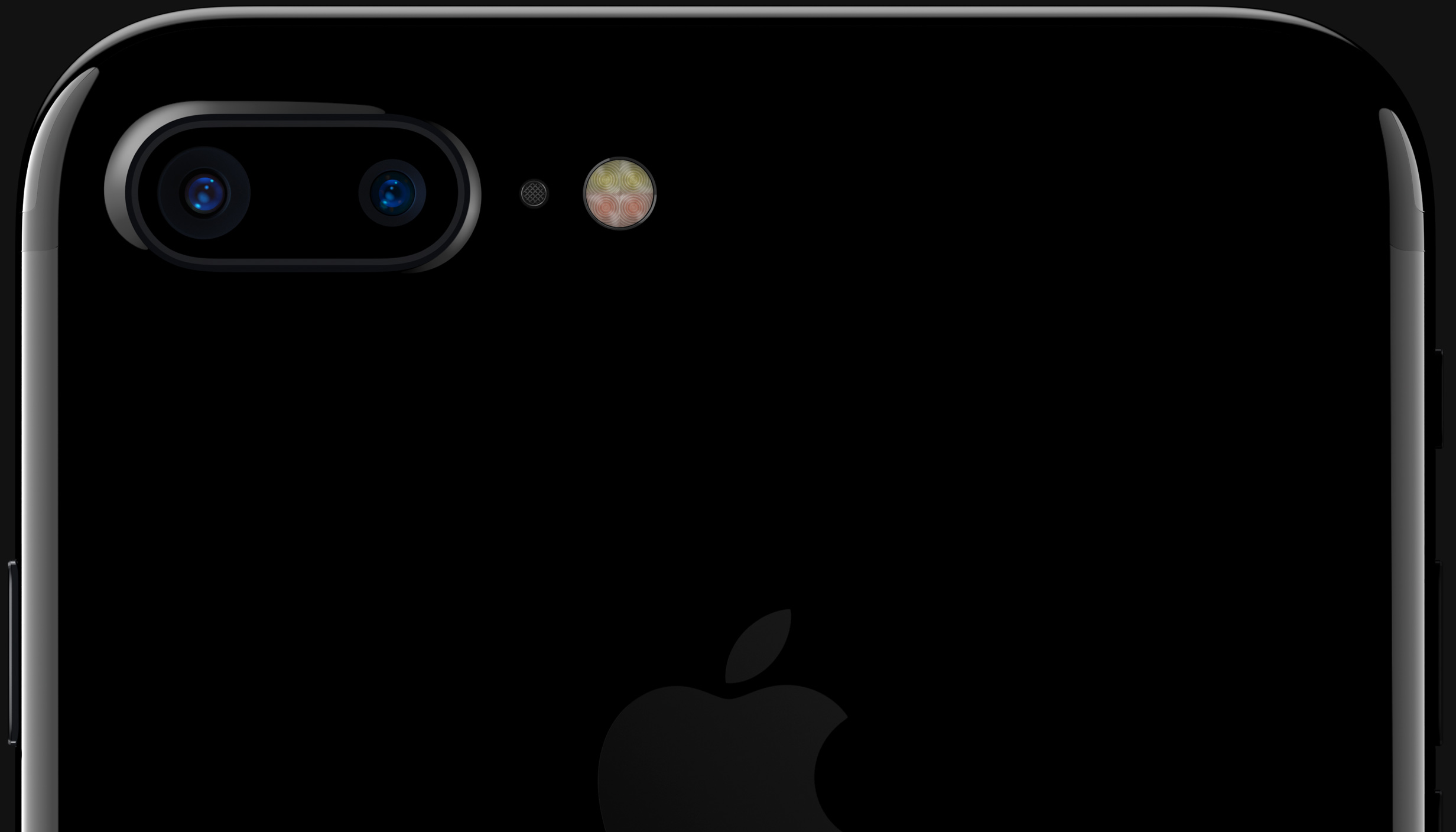
The current iPhone SE and iPhone 7 models feature an aluminum rear casing. The photo shows two cutouts on the backside, one for a single-lens camera and another one, located right below the camera cutout, that could house Apple's quad-LED True Tone flash.

Assuming genuine, the leaked image probably shows the glass casings for the iPhone 7s series. On the other hand, prior rumors have claimed that the iterative iPhone 7s/Plus updates would have the same aluminum back design like their predecessors.

That being said, please take this story with healthy does of skepticism: according to Twitter, the two circular cutouts seen on the nearside appear to have been doctored.

According to KGI Securities analyst Ming-Chi Kuo, iPhone 8 should feature an iPhone 4/4s-like “glass sandwich” design with a stainless steel frame and a vertically aligned dual-camera system out the back, among other rumored enhancements.

PDF Expert 6 for iOS is out with revamped look, enhanced search, new editing tools & more

Readdle, a prolific Ukrainian developer of fine productivity software for iOS and macOS, today pushed a major new version of its fast, robust and beautiful PDF editor, called PDF Expert.

Aside from an overhauled interface which allows you to navigate your documents in a most effective way, PDF Expert 6.0 for iPhone and iPad includes a brand new experience when adding and managing files and built-in editing tools for those times when you're required to edit that contract, update presentation slides or change the invoice logo while on the go.

PDF Expert for iPhone and iPad

“You make fewer taps in order to edit, zip, tag, move or sync files,” developers noted, adding that “bigger file preview thumbnails give you a better idea of the content of that Excel spreadsheet or PowerPoint presentation.”

Aside from the usual features, PDF Expert 6.0 now allows users to edit and modify text and images in their PDFs, as well as add links, redact information and more.

But first, watch the promotional video below.

https://www.youtube.com/watch?v=_Jrg8txgDVo

The new editing tools in the iOS app let you:

Edit and modify PDF text Add and replace images Add links to text and pictures Hide sensitive information using Redact feature

For those who work in the cloud, the app now allows you to edit, annotate or sign documents in your Dropbox or any other supported cloud storage service without needing to download the document locally—all your edits are now saved directly in the cloud version of the document.

With PDF Expert 6.0, PDF documents that contains sensitive data can be finally protected with a password. Lastly, the iOS app now lets you edit outlines to help structure data in huge documents and provides an enhanced search feature with the ability to search for a word or a document across multiple documents and file types.

PDF Expert for Mac

The Mac app was refreshed with enhanced navigation, faster search and other updates back in March 2017, here are your key highlights. To make the editing process even easier, the Mac app automatically detects the font, size and opacity of the original text.

This is very useful because no longer do you have to adjust the formatting after every single edit. “Now, you can edit PDF text and images, add links, work directly from the cloud without downloading files and much more,” Readdle noted.

The improved search is smarter and quicker than before. Perhaps more important than that, you can save all relevant discoveries into your search history to easily find them in the future.

Lastly, you'll notice the all-new toolbar layout with several page layout templates and the ability to customize your reading experience in macOS's Split View multitasking mode. Whether you’re comparing contracts or reading an article, you can now bring up the new rendering options to choose the most convenient layout to quickly accomplish your task.

The new editing tools in PDF Expert 6.0 for iOS require a one-time $9.99 In-App Purchase. All the other new features are free for existing users of the iPhone and iPad app.

New users can grab PDF Expert for iOS on App Store in exchange for $9.99.

PDF Expert for macOS is available for $60 via Mac App Store.

A free trial is available via the official PDF Expert website.