Sébastien Page

Sebastien is the Founder and Editor in Chief of iDB. Once a BlackBerry user, Sebastien instantly fell in love with the iPhone when it was first announced in 2007. Shortly after, he decided to start sharing his knowledge of the iPhone and its nascent ecosystem, which led to the creation of this blog. Sebastien currently owns 14 iPhones, 4 iPads, a MacBook Pro with Touch Bar, a MacBook Air, 2 Apple Watches, 3 Apple TVs, countless HomePods and AirTags as well as a few pairs of AirPods.

Major Security Hole Found in iPhone iOS 4

A pretty major security hole has been found in iOS 4 for iPhone. This flaw lets you access the contacts of a password protected iPhone. No hack or technical skills needed.

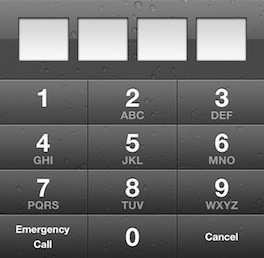
On a password protected iPhone, tap the "Emergency Call" button then enter ###. Tap the Call button and immediately hit the Lock button. It will open your iPhone Contacts app from which you'll be able to browse, edit, email, any contact.

Watch this Brazilian dude demonstrating the security flaw in action...

Watch Every Episode of Glee on Your iPhone

Are you a gleek? Do you want to be able to watch every episode of Glee directly on your iPhone for free? Well, there's a jailbreak app for that. Glee Mobile, available exclusively via Cydia lets you stream every episode of Glee to your iPhone, at absolutely no cost.

To be honest with you, I doubt this app really is legal but I'm sure the gleeks out there won't be discouraged by copyright infringements.

You can download Glee Mobile for free on Cydia.

How to Speed Up Cydia

One of the big downsides of Cydia is how slow it is. It usually takes a couple minutes from the time you launch Cydia to the time you can actually download something. Well, it doesn't have to be that way anymore... There is a simple and quick trick that will incredibly speed up Cydia by removing ads and screenshots in each package.

That means you won't see any ads anymore, but that also mean you won't be able to see app screenshots. That's something I'm willing to sacrifice if it can save me a few seconds here and there. Here is what to do to speed up Cydia...

Top 10 iPhone News You Might Have Missed This Week

This is a summary of the most popular articles published on the blog this past week.

iPhone sent into space Get your custom alert tones on with ToneFXs LimeRa1n vs GreenPois0n Download PwnageTool 4.1 jailbreak Guide: how to jailbreak your iPhone 4.1 with PwnageTool How to update your iPhone to iOS 4.1 and make sure you can unlock with UltraSn0w GreenPois0n first impressions What everyone should know about jailbreaking This is what heat will do to your iPhone Fake your iPhone iOS with Firmware Changer

From our iPad blog:

This is the best way to hold your iPad

From our Apple TV blog:

This is a jailbroken Apple TV Apple TV gets its first jailbreak app

Unpowered iPhone Speaker Amplifier

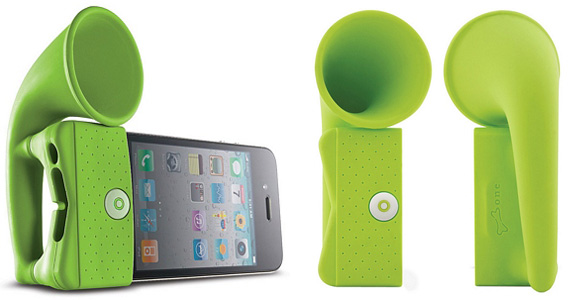
Here is one original accessory for your iPhone. It's a speaker amplifier in the shape of a horn.

Best part of it is that it doesn't need any batteries as it takes advantage of the horn to naturally amplify the sound coming out of your speaker by adding up to 12 decibels. That's what the product description says anyway.

You can get this amplifier for $25 from here. More iPhone accessories in our very own store (support the site!).

This is What Heat Will Do to Your iPhone

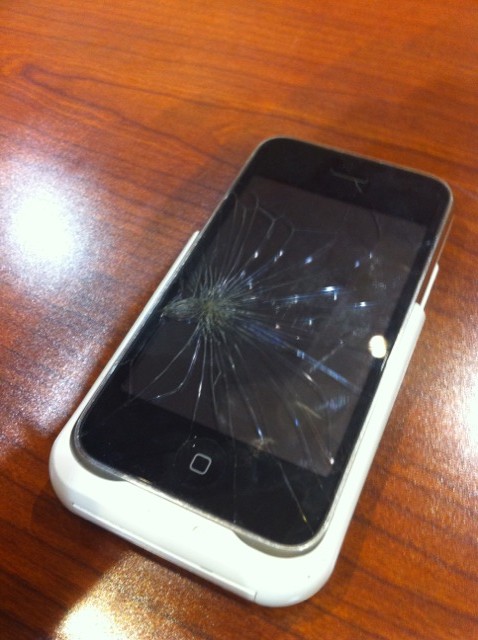
Last week while at Blog World Expo in Vegas I met comedian and film maker Mark Malkoff. We were chitchatting when he picked up his iPhone, made a quick call and put the phone on the table. I looked at it and couldn't help saying "damn, what happened to your iPhone?"

Mark said he had actually done nothing special and that his screen had cracked apparently because it was too hot. Mark lives in NY and I know it can be very hot sometimes there, but heck, that was the first time I saw an iPhone screen cracking because it was too hot outside...

What Everyone Should Know About Jailbreaking the iPhone

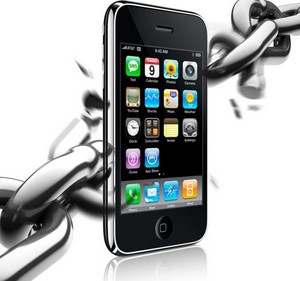
So you've heard about "jailbreaking the iPhone" before but you're not sure exactly what it is and why you should do it. Maybe you don't see the benefits of it. Maybe you don't think you have the technical skills to do it.

While this post will be useless to jailbreak veterans, it should be helpful for new iPhone users eager to learn more about jailbreaking...

Apple TV Gets Its First App

Now that we can jailbreak the Apple TV, we just need apps on it. The app is called nitoTV and it's basically a front end for the mplayer media player. It also includes additional capabilities to view RSS feeds, weather forecasts, and more.

I'm not sure how they got this app in there. All I can tell from nitoTV's Twitter account is that the app got copied over using SSH. There's probably going to be more to come in the near future.

[9 to 5 Mac]

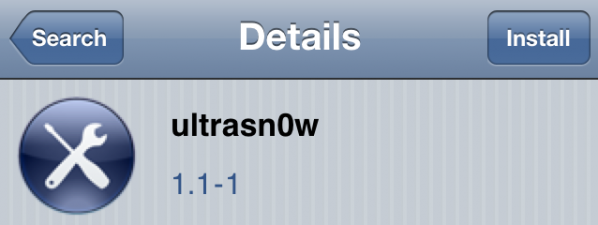
How to Update Your iPhone to iOS 4.1 and Make Sure You Can Unlock with UltraSn0w

Technically, it's not possible to unlock an iPhone that has been updated to iOS 4.1 because there is no unlock available for the iOS 4.1 baseband. Now depending on your situation, there might be a way to unlock your iPhone.

If you are still on iOS 4.0.1 (or even earlier version. ie 3.1.3), then you can use PwnageTool to jailbreak your iPhone while preserving the baseband (see our guide here). This will make sure you update to the latest iOS version but don't update the baseband, which is the key part in unlocking your iPhone...

Tutorial: Jailbreak iPhone 4.1 with PwnageTool

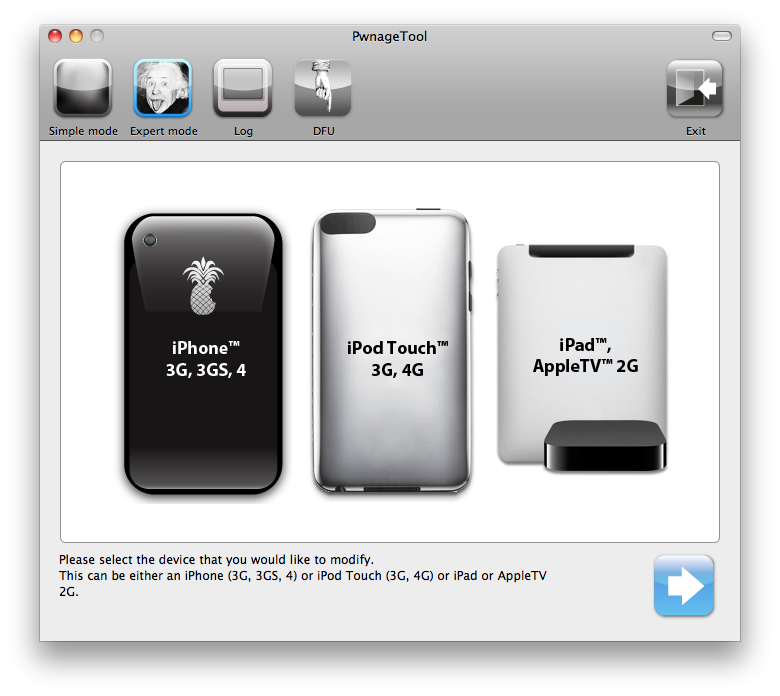
This guide and tutorial will show you how to use the freshly released PwnageTool to jailbreak your iPhone 4, iPhone 3GS, or iPhone 3G. There has been a couple jailbreak tools for iOS 4.1 released recently but only PwnageTool will preserve your baseband allowing you to update to a jailbroken 4.1, while still preserving your baseband so you can unlock.

PwnageTool is available for Mac only. If you don't have a Mac, try to find a friend who does, and simply use his computer to cook the firmware. This guide was written using an iPhone 4 but the steps are the same, no matter what iPhone model you have (only the firmware downloaded will change).

This being said, make sure to follow this guide to jailbreak your iPhone iOS 4.1 with PwnageTool. As always when hacking your iPhone, you are proceeding at your own risks...

Download PwnageTool iPhone 4.1 Jailbreak

The PwnageTool jailbreak for iPhone iOS 4.1 is out and available for download! It was supposed to be released last Sunday but it didn't for unknown reasons. This new version of PwnageTool will jailbreak the iPhone 3G, 3GS, and iPhone 4. PwnageTool will also work for the iPod Touch 3G and 4G. Additionally, it will work with the iPad and the new Apple TV.

LimeRa1n and GreenPois0n have been released over a week ago. The difference between these jailbreaks and PwnageTool is that PwnageTool will preserve your baseband. This is crucial for iPhone owners who want to unlock...

This is a Jailbroken Apple TV

We already knew the Apple TV could be jailbroken but until now we hadn't seen any actual proof of it. Well consider this image your proof then. It was tweeted a few minutes ago by hacker p0sixninja.

As you can see there is a new option added to the Apple TV that lets you "inject software", which probably will be a way to install apps or mods.

There is no ETA for this jailbreak and most importantly, there might not even be a single jailbreak apps for it yet. Stay tuned... I'll keep you posted.