As much as you may trust Apple, this tutorial shows you a simple way to stop sharing your iCloud analytics data with the company from your iPhone, iPad, and Mac.

Starting with iOS 10.3 and macOS 10.12.4, iPhone, iPad, and Mac users can help Apple improve its products and services by allowing the company to analyze their iCloud data.
Analysis of your iCloud data (i.e., text snippets from email or text messages) enables Apple to improve intelligent features and services such as Siri. This sharing of your iCloud analytics, when enabled, does come with some pretty strict standards that make it impossible for Apple to link a data point with you personally. Via privacy-preserving techniques such as differential privacy, the company makes sure that no iCloud data can be associated with you in any way.
To respect users’ choices, Apple has, of course, included a switch that easily lets people opt out of iCloud analytics sharing, and we’ll show you how to do just that. We’ve outlined the steps for both iOS and macOS.
On iPhone and iPad
- Open the iOS Settings app.
- Scroll down and tap Privacy & Security.
- Tap Analytics & Improvements from the bottom part of the screen.
- Look for the Share iCloud Analytics button and toggle it off.
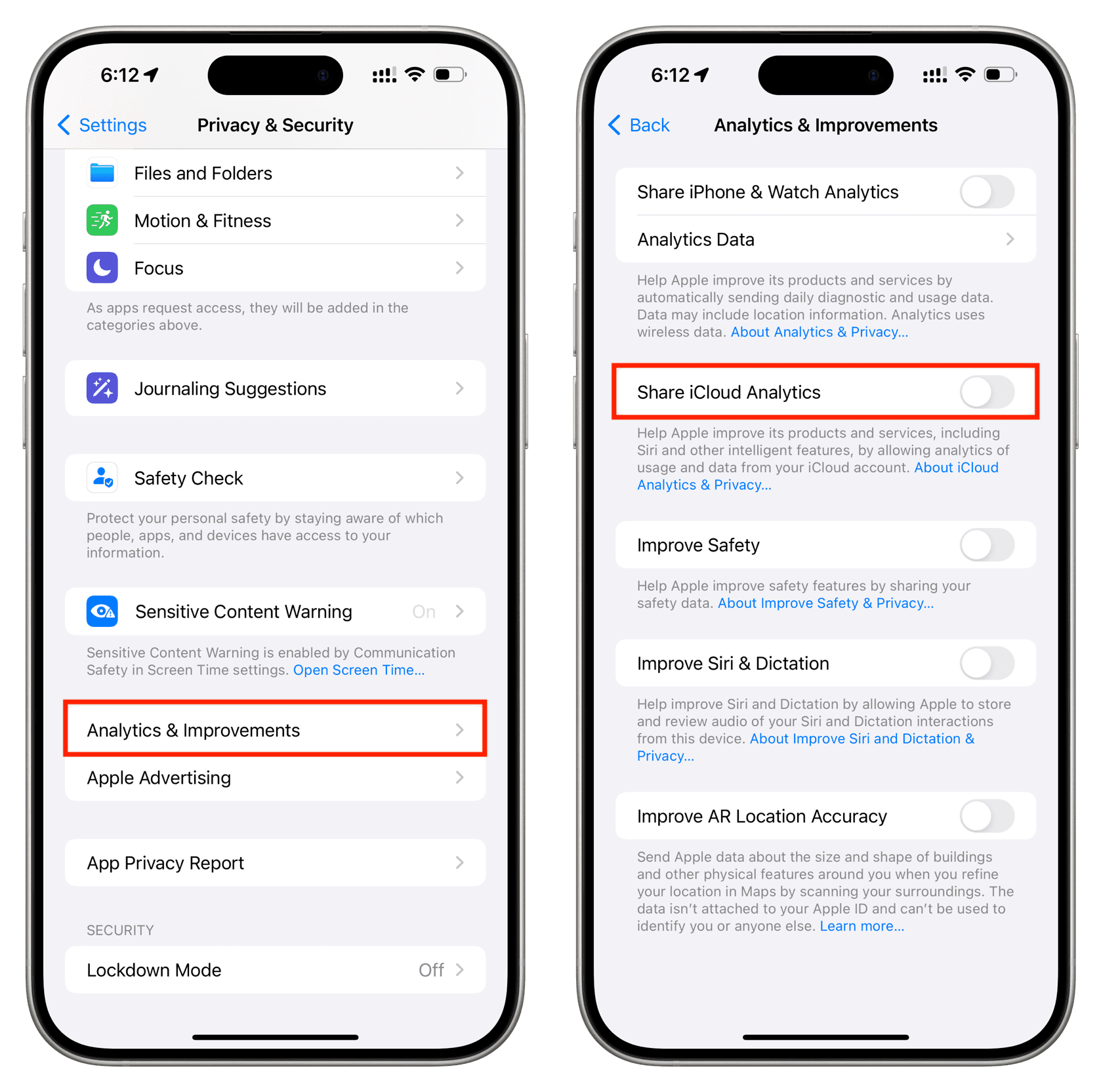
From a user perspective, disabling iCloud analytics sharing shouldn’t have any visible impact on the usage of your iPhone or iPad.
On Mac
- Launch System Settings and select Privacy & Security from the left sidebar.
- Scroll down and click Analytics & Improvements.
- Turn off Share iCloud Analytics.
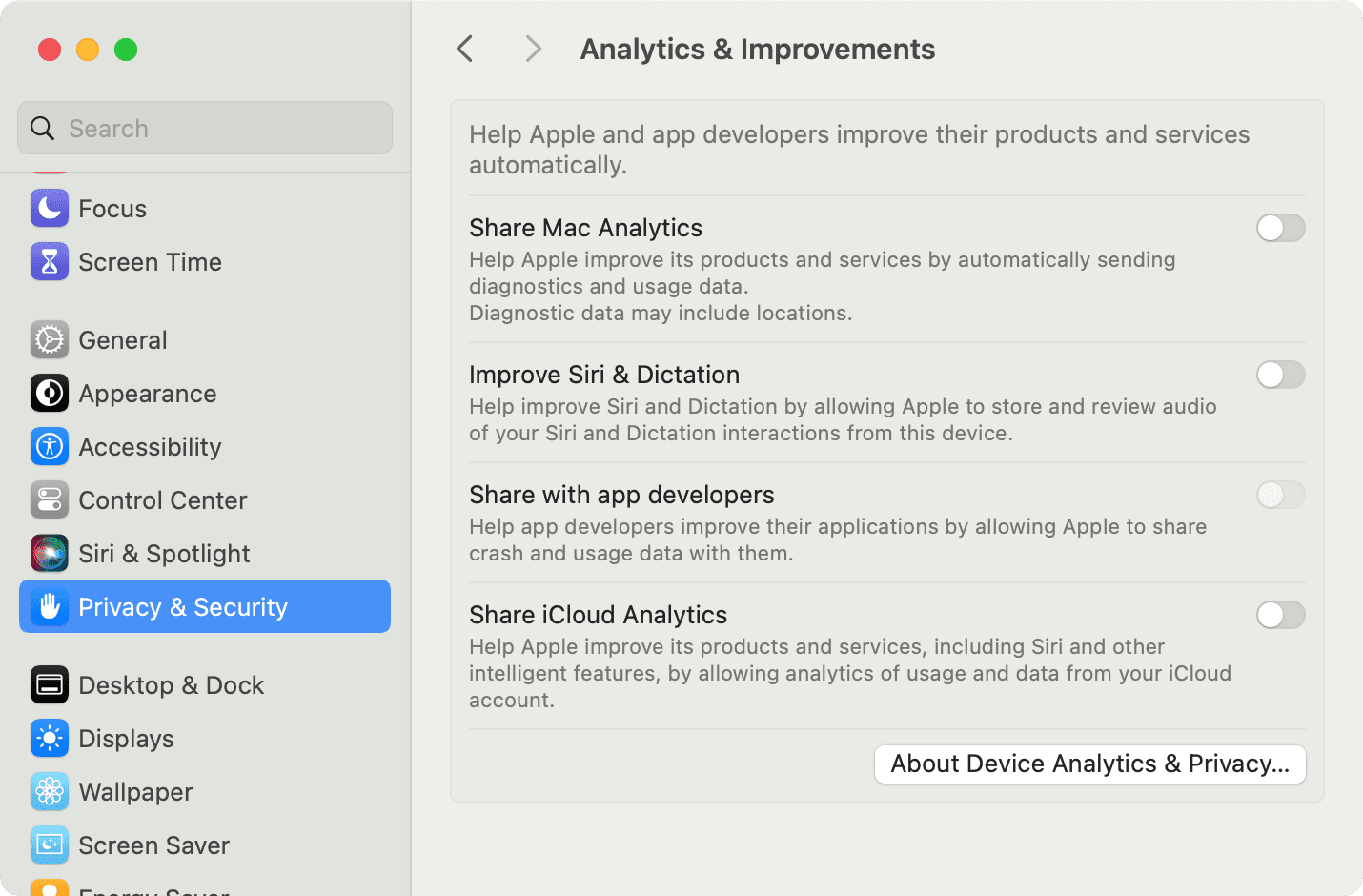
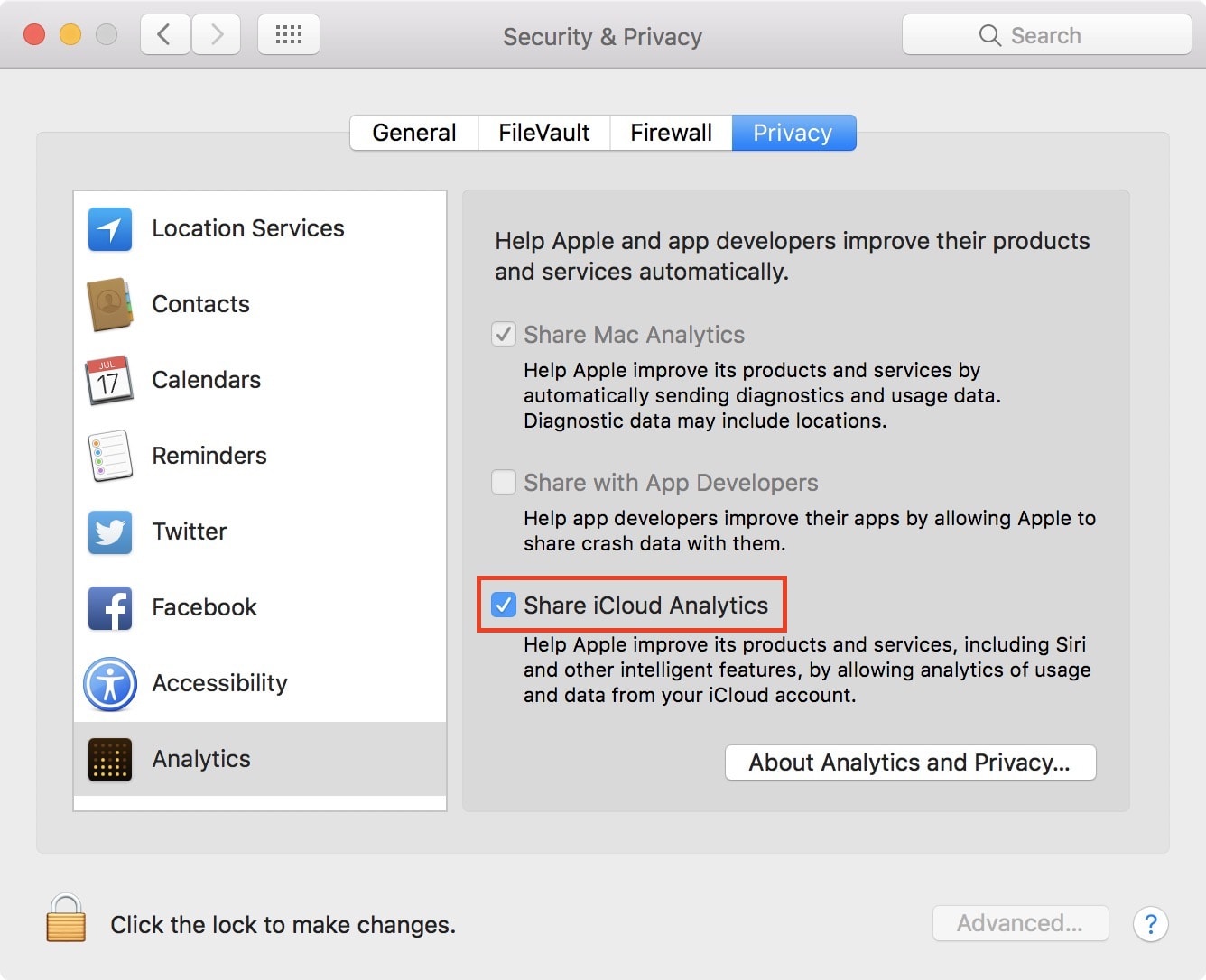
If you’re on an older version of macOS, go to System Preferences > Security & Privacy and select the Privacy tab. After that, select Analytics from the left sidebar and uncheck the Share iCloud Analytics box.
Whether or not you want to disable iCloud analytics is a personal choice. Personally, I usually don’t mind giving up a little bit of privacy if it means improving my experience with products or services. In this case, and because Apple can’t link your iCloud data with you or your iCloud account, I see no reason to disable this option, especially if it means it can make the artificial intelligence used by Apple on iOS and macOS better. But again, it’s a personal decision.
On a related note: