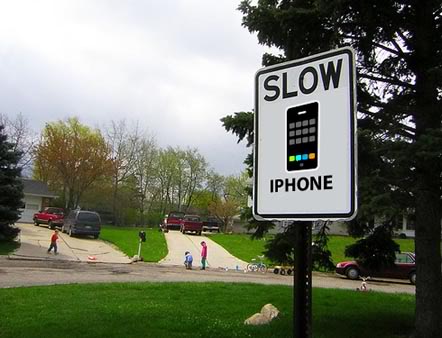
Tip: How to Make Your iPhone 3G Faster on iOS 4

Sebastien, Jul 26, 2010

If you have an iPhone 3G running iOS 4, you know how painfully slow your device can be. This is due to the fact that iOS 4 was designed for more powerful devices like the iPhone 3GS and the iPhone 4.

iPhone hacker Comex tweeted a link to a MMI article showing how you can easily make your iPhone 3G on iOS 4 faster. Apparently, turning off Spotlight Search does the trick.

To do so, go to Settings > General >Home Button > Spotlight Search, then turn off everything and reboot your iPhone.

I don’t have an iPhone 3G so I wasn’t able to verify this but looking at all the positive comments over at MMI, I assume this is working like a charm.

Please try it and let us know how it goes for you.

[JAiB - Image]

 
  • joeyjojo

    i have a 3gs still on 3.1.3 awaiting the 4.0 jailbreak. my partner has my old 3g and that has started being really slow since 4.0 update. just tried this trick and it seems to still be the same. everything still takes on average about 10 seconds to load all the pages whether its messages settings or any old app.

    i think its pathetic that apple should write such a big update to the 3g if it cannot handle it. there are no other features that it didnt have before when it was 3.1.3 jailbroken and now its slower.

    oh yeah and the reception sucks too, didnt have a problem until it was updated to 4.0 now its rubbish. thanks apple.

    and thanks for the tip, but it seems not to work here on our 3g in the uk.

  • http://leaskpetessite.shutterfly.com Pete

    Hey yeah MASSIVE prob. Thought my iPhone was stuffed. Thanks for great tip. Cheers.

  • http://twitter.com/JmansDesigns/ JmansDesigns

    Hmm…interesting tip, I’ll tell my friend when he gets his ‘hand-me-down’ 3GS.

  • Tiago

    Yep!!
    Alittle bit faster. But you can still see the difference. Why does the spotlight search influence the OS??

  • Lucas

    Im on 3G ios 4.0.1 with batery percentage and multitasking activate my phone was getting very slow when safari is open ill try this trick but my spotlight option is right in general tab there is no home button option … And i dont really see difference from 3.1.3 or 4.0… Maybe

  • Lucas

    ….. Maybe because i always Been jailbreak and got 100 cydia app install LOL so it cant be slower ..

  • Kirby

    It certainly helps a lot. Thanks !!

  • Pn2bade

    I wonder if this will make the iPhone 4 a tiny bit faster. Hmmm…

  • http://twitter.com/JmansDesigns/ JmansDesigns

    @Pn2bade Possibly, but don’t you think it’s fast enough as it is?

  • Bazmati2020

    Thanks this has helped. I did the restore a 2nd time helped a bit, did the hard reset 3 times it helped. I make sure no open pages in safari, it helps. This has taken it to old speed (for now) I do find a hard reset always helps a little.

    Great stuff

  • Grunx

    Nice tip, not just for the iPhone… got rid of some frustrating as well. :)

  • Lucas

    after an hour i can say this is working great my keyboard dosent seem to lag anymore … WTF is there Any way to deactivate the spotlight totaly.. Its really useless for me

  • Aaron

    Trying this now, I hope this helps! I also re-jailbroke my phone to disable user wallpaper and multi-tasking as they REALLY slowed it down

  • andrei649

    hello does anybody knows if iAD is blocked with
    iAdkiller saves RAM?
    i have a 3G and i’m trying to save some memory

    by the way iAd in Romania you can read it “iad” which can be translated “hell”
    …=)) nice, ah? that is prophecy right there!

  • Z

    @All the jb’d 3G/3GS old boot owners
    Google ‘speeding up iPhone 3G/3GS’ – there are a number of ways to speed up your phones by removing all unnecessary language packages and useless daemons. I read it should make your iPhone 25% faster. Hope that helps and proceed with caution!

    @Sebastien – it might be a good topic for a blog post, considering the effect iOS4 has on older models of iPhones. Just a thought.

  • DK

    My 16gig 3G jailbroken and unlocked on 4.0.1. I turned off everything on spotlight but it doesn’t help performance. Is there a way to totally disable spotlight?

  • DK

    Oh and I have battery % & wallpaper enabled. No multitasking. If I disable both of these, can I get even more performance?

    • Weebsurfer

      Walpapers kill the 3G… Take this from a former jailboken phone user. Animating the icon movement on a background is what does it.

  • http://www.antzsurferz.com Jericho

    For all you know, this is just a marketing ploy from Apple to force you to upgrade to iPhone 4. Afterall, iPhone 3G was released in June 2007. Maybe Apple has this perception that all iPhone owners have deep pocket. Just a thought.

  • http://gregg.berkholtz.net GreggB

    Spot on! That simple suggestion fully-restored my iPhone 3G’s iOS 4.0.1 performance.

    THANKS!

  • http://www.Farry.nl Farry

    Lol it works here. Got a 3G running OS4.0 jailbroken. To bad I’ll be missing Te spotlight :(

  • Tammy

    Dang, I tried it and my phone is still running slow! Glad it worked for some of you! Wish I would of never done the update!! So slow now!!

  • Prabhu

    Yep… it really makes a difference…

  • Jimmy

    iPhone 3G
    4.0.1 FW (All features enabled)

    I disabled spotlight options but I didn’t noticed any difference. I’m opening “Settings” with disabled spotlight takes 2 seconds. Enabled takes 3. Wow! :P I don’t mind even wait 4 seconds. World is still alive!

  • Francisco

    I saw in another blog a way to come back to the firmware 3.1.2 I tried and it partial worked…
    I couldn’t open the Cydia store and the phone doesn’t recognize my carrier… anyway I believe there is hope someone will find a perfect way to come back to 3.1.2 or 3.1.3 so ours iphone 3g come back to be a good phone…

    Crossed fingers

  • Lucas

    4.0 to 3.1.3 is possible from itune you only need the ” error1015 fixer program ” after downgrade youre stuck on apple logo ? Run this program and youre iphone will boot on any downgraded firmware i think even on 2.x

  • http://www.ukesnc.com andy

    Apples reliance on customer loyalty seems to bet getting further abused, early up takers of there technology are once again receiving the brunt of the issues and just like Apples over censorship (now also in the bookstore) reported in the last few days this will create another setback that I’m sure the company could have done with not coming to light at the moment in time.

    However for them to neglect the full testing of iOS4 on the 3g , means inturn there neglecting the need of current customers it seems there so focused on “this changes everything” that they forget what everything is or was and that should be providing full support to current consumers of there products.

    It is another setback once again for Apple it will be interesting to see what’s next in the news regarding iPhone/iPad issues (antenna, manufacturing and service charges) and their steps to refund cases won’t make up for the iPhone 4′s lack of function over form.

    But Apple have created such a loyal following that people may just put up with what issues there are for the sake of owning the latest Apple product.
    Personally, I’d be happier with an older iPhone – at least then the issues are all ironed out.

    However, it’s also interesting to see how much excitement new technologies can bring. New technology and innovation is important for new business, illustrated by entrepreneurship grants and new business competitions like http://www.ukesnc.com.

    Guess it’s not all bad!

  • http://www.kingmanarizonahomes.com Diane

    Wow what a dissapointment, I have a 3g iphone…Thanks for the tip I hope it helps, but overall can we just remove update 4.01?
    My reception is terrible, my calls get dropped, sometimes I can’t even make a call, the dial screen won’t respond or it says it is calling but does not even ring thru… my screen freezes for minutes, often have to go back out or reboot my phone…my apps won’t update, over all it is problem after problem. My iphone worked 100% beautifully before and I loved it..now out of frustration I am thinking of going to something else. I am realtor and my iphone was my life line, especially in this slow market..every call counts and I need to be able to access the internet and my data quickly…very upset about this. The team at apple had to know this would happen, they must have tested it on all the phones first. Apple you need to send a fix just for the older phones….

  • Abdul Rahman

    I’m using an iPhone 3G with 4.0 jailbroken but never had lagging issues. Looks like only some phones face this problem.

  • Nick Garitt

    i hav a ipod touch 2nd gen mc model, jailbroken with jailbreakme.modmyi.com, i hav enabled wall papers and bat percent and multitasking thru editing plist file in ssh, at the moment it lags alot, is there any memory program, like on os 3.1.2 u just copied a file over thru ssh and it didnt lag, i hav tried imemoryenhancerr and that just stuffs it, pls help

  • Ernie

    I disabled or unchecked the spotlight search and it woorked fine for me. !!!. Spent too much time trying to downgrade to 3.1.3…(which did not happen) Looks like the phone is much faster now,, Unchecking the spotligt search is the way to go. !!!!Thanx guys !!!! Brilliant.. !!!!

    This is the way to go !!! Thank you thank you.

    • craig

      You just have to download a copy of 3.1.3 firmware download RECboot from google

      when ur phone in plugged in and itunes is on press and hold shift and click on restore and find the 3.1.3 firmware

      then let it do its thing and when the error comes up open recboot and excit recovery mode and thats it done

      easy

  • http://www.facebook.com/nylacemanandhar Nylace

    Well I have found out that the major problem of an iPhone 3G is not being able to support multitasking and backgrounding. The system capacity in iPhone 3G is not designed to support those high end software version. So identifying that two major issues I have one good solution for that and I have tried it in cell phone as well. After that it’s like way back to my past …my iPhone is now performing like a supersonic…. First step you download zToggle from Cydia… Then after that you run that app and u disable multitasking and backgrounding… Then re-spring it… Now u see how ur iPhone 3G gonna breadth fresh air outta that suffocative killing one which came with ios 4… Addionally if u can disable spotlight search also then it will do much more pleasure…. Enjoy!

  • http://www.facebook.com/nylacemanandhar Nylace

    Additionally if u want ur iPhone to perform multitasking as well then there’s a application called backgrounder which u can download it through cydia… And for desktop background winterboard it always there…. Anyways your iPhone needs to be jailbroken to perform any of the tips I gave u to make faster iPhone 3G with ios 4.0

  • http://facebook.com/caleb.luc.klassen Shady899

    Yeh the typing on the keyboard is waaaaayy smoother.
    I love it.
    Thanks for the helpful tip. :)

  • Marco

    Just change back to 3.14 – os 4 is no good on the 3G!

    • Adrian Salazar

      how do you downgrade to 3.14?

  • Marco
  • mikey

    whoever made the comment about ztoggle it worked wonders thanks alot spotlight helped a little but ztoggle finished her up 3g 4.0.2 running smooth mms working and all thanks to all the blogs and articles for doing a great job!!!

  • Nylace

    @ mikey : thanks a lot..if u could share this to many then it will do wonder since many like us are in pain n vain coz of ios 4

  • http://www.buildyourvps.com/checkout.html GreggB

    I’ll 2nd Mikey: disabling spotlight & installing zToggle + enabling multi-tasking on iPhone 3G = restored pre-iOS4 performance.

  • jay

    well i have a 3g with os 4.0.1 running good not really bad

    1. wifi off (if u dont need it)
    2. spotlights off
    3. install zToggles and enable multi-task then disable wallpaper
    4. then install FREE MEMORY 2.0 to be always running underground.
    4. winterboard – select no icon names
    5. finally, dont install to much sh…..! jajaja!

    just littles tricks jajaja.

  • EL beaner

    Friggin awesome my iphone noticably is FASTER now thanks for the great tip

  • WillyPickett

    Installed zToggle, disabled multitasking.

    It makes a *huge* difference in the reactive feel of the phone. It isn’t reasonable to run a heavy OS on this old hardware. iOS4 also slowed my iPod Toich down, even without multitasking (it isn’t even jailbroken).

    I’d rather have a beeter feel on the iPhone 3G without multitasking.

  • Pango

    Oh my god. You have save my iPhone 3G from being smashed against the wall. I swore I would never buy Apple again!
    Thanks for the advice. It worked on my phone. It used to take 15 to 30 seconds to load some apps and get started. Now it takes 3 to 5 seconds. Probably still slow but I can tolerate this speed. Then again I won’t when I get used to the speed!
    I’m on OS 4.0.2.

  • jay

    zToggles + enable multitasking are to keep running FREE MEMORY 2.0, so help your iphone to get some free memory up.

    i saw a trick on the web last week, is to delete some file from the springboard (shadow files), its a hardway to clean your springboard and make it faster. if somebody knows how to do it plz help us with more details.

  • Herman

    Can someone tell me where to download ztoggles? I cant find a download link anywhere, not even in iphone apps.

  • http://MacDesktops.com Ryan Walker

    Thanks for the zToggle tip. Just upgraded from 3.1.3 to 4.0.2 yesterday. Performance was respectable, but getting sluggish after launching a few apps, none of which benefit from multitasking. Installed zToggle to turn off Multi-tasking and also turned off Spotlight Searching for all options. Hoping for the best.

  • edge

    Do I have to DISABLE or ENABLE the multitasking with zToggles (jay says enable and nylace says disable) ?

  • Nylace

    @ edge : You have to Disable it to make it faster… Just Disable it…. Mr. Jay must have been confused or mistyped…. Thanks

  • Nylace

    @ Herman : You need to find it in Cydia apps (usually added in ur home scree when u jailbreak your iphone)…. So launch Cydia and search for zToggle….

  • Tom

    Great tip, I downloaded the new software on my 3 g and found it to be slightly slower… But turned the spotlight search off and have noticed a difference! Apple should advise on software updates and tell of possible speed restrictions :/

  • Ads

    OMG! I was installing guitar hero and when i turned my phone off and then on again the icon for guitar hero was this girl im like NOOOOOOO! i need to change to the normal guitar hero icon. Pls help!