UI

Amour 2 lets you customize your locking and unlocking animations

If you’ve just jailbroken your iOS 12 device with unc0ver and you’re looking for new and exciting ways to customize the user experience, then you might take an interest in a newly-released jailbreak tweak called Amour 2 by iOS developers Luke Muris and Geometric Software.

With Amour 2, you can make your handset stand out from everyone else’s by customizing the handset’s locking and unlocking animations. The concept isn’t particularly new, but the apparent popularity of the original Amour tweak helped motivate the developer to release to the latest version.
Add an application drawer to your jailbroken iPhone with Vesta

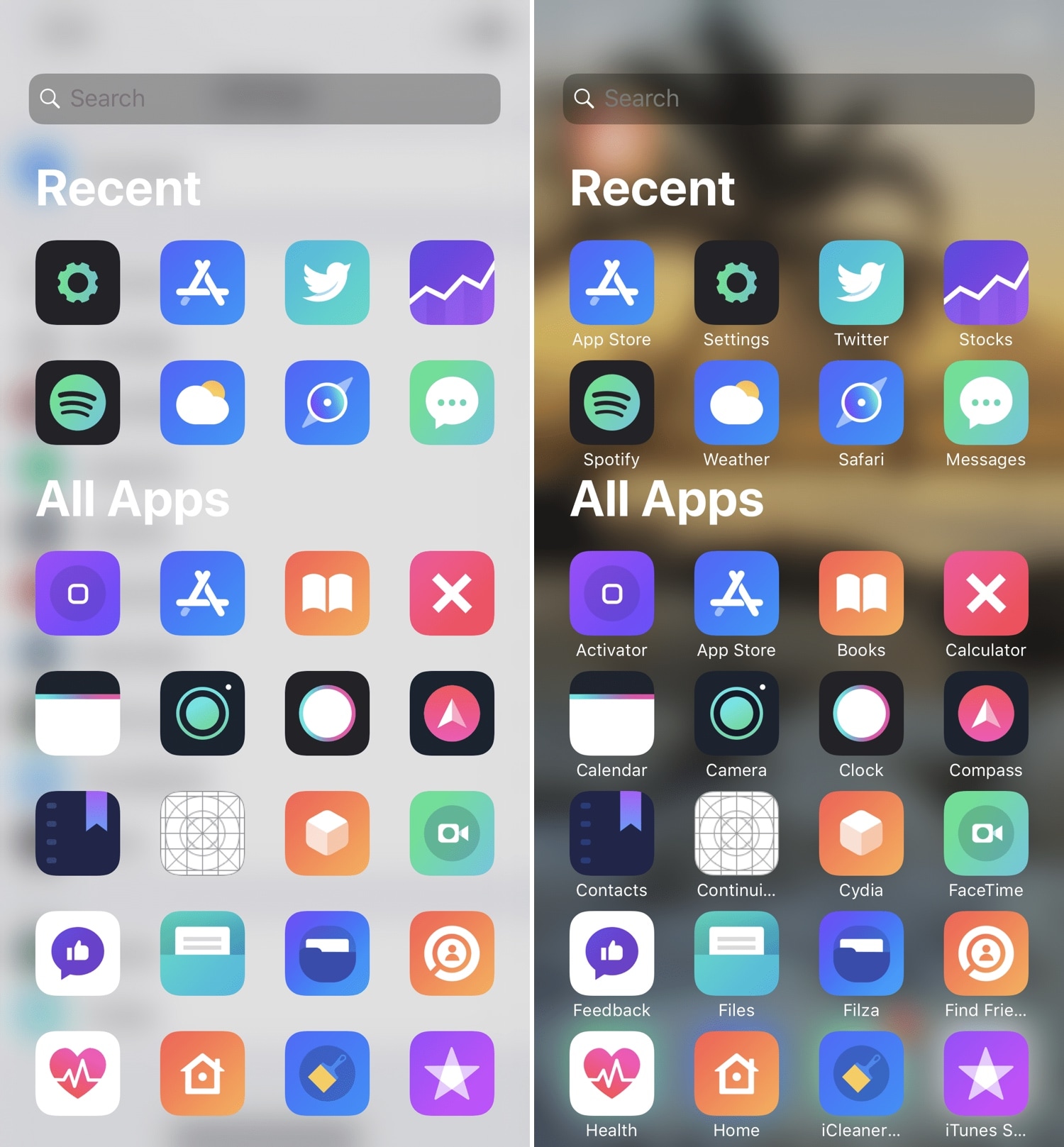
If you’ve ever used an Android handset before, then you might be familiar with the App Drawer where you can access any of your installed apps from one place. iOS has never sported an App Drawer-like feature out of the box, and this prompted iOS developer SparkDev to create a new jailbreak tweak called Vesta to bring one to the iOS platform.

Vesta is easily invoked with any of the built-in gestures or with Activator, and as depicted in the screenshot examples above, the Vesta interface is divided into two sections – one that displays some of your recently-used apps, and another that displays all your handset’s installed apps in one convenient place with no Home screen pages or folders to get in your way.

NoIdleTimer negates the Lock screen’s lockout timer if your device is charging or playing music

Apple designed your iOS device’s Lock screen to go back to sleep after a predefined timeout period, and while this can be useful for battery savings in certain circumstances, there are some instances where this might be irrelevant or where you may favor performance over battery life.

For that reason, iOS developer Nepeta came out with a new free jailbreak tweak called NoIdleTimer that lets you disable the Lock screen’s automatic lockout period so long as certain conditions are met.

Sonus12 is a minimalist, yet customizable volume HUD for iOS

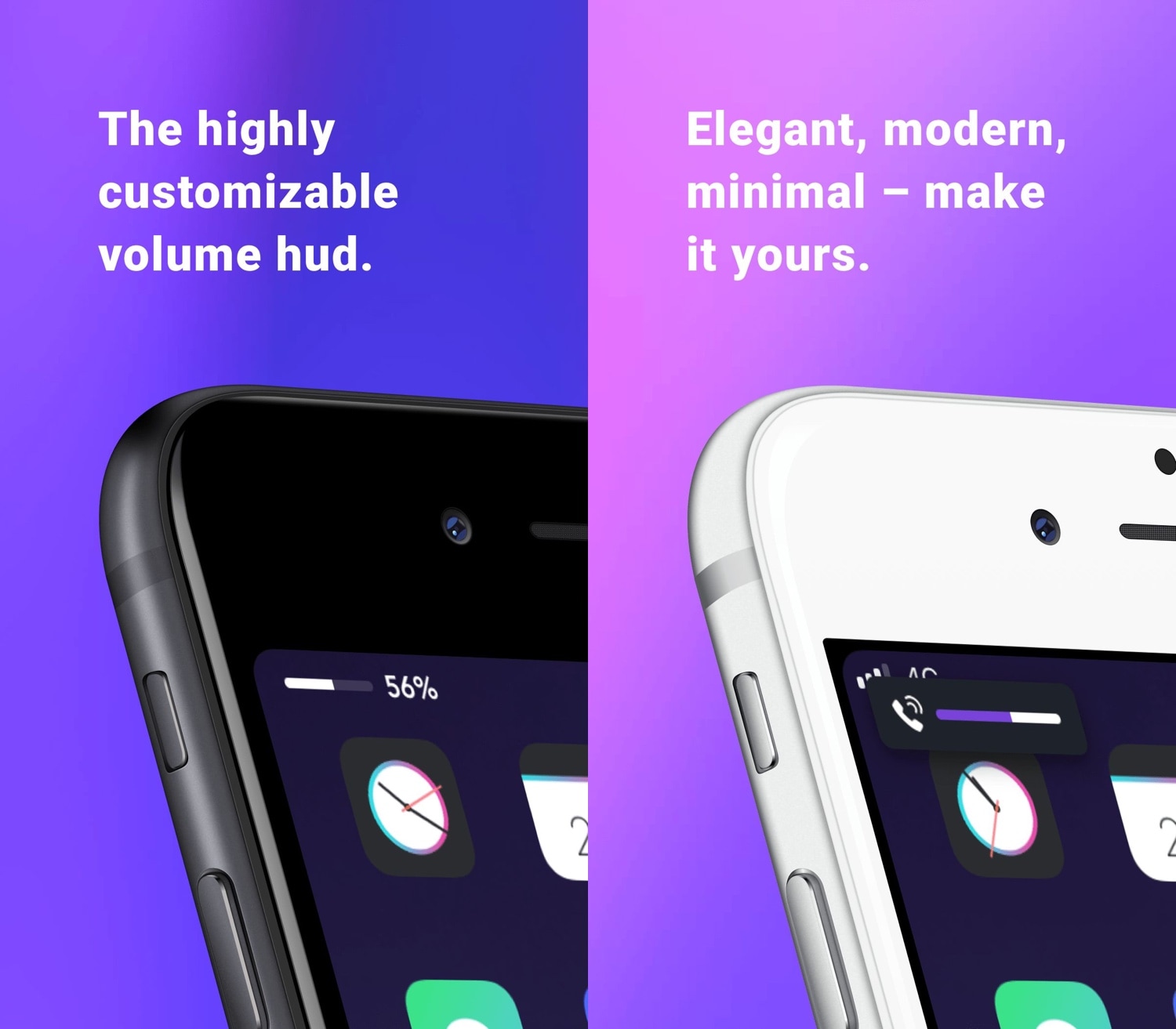
We feel like we’re beating a dead horse every time we say that the iPhone’s native volume HUD sucks, so we’ll just skim past that line and get right to the point of why you clicked on this post. Say hello to a new jailbreak tweak called Sonus12, a drop-dead gorgeous volume HUD replacement for iPhones and iPads by iOS developer ubik.

Sonus12 is minimalistic by design, which prevents it from obstructing your view when you adjust your handset’s volume level. By default, it appears at the top of the display, and it’s very compact.

MusicArtwork changes the Music app’s icon depending on the Now Playing track

A large part of Apple’s business model involves Apple Music, and so it’s no surprise that the company spend a lot of its time refining the music experience on its mobile devices. That aside, Apple could do more, and those who agree might enjoy a new jailbreak tweak release called MusicArtwork by iOS developer Cole Cabral.

Right out of the box, MusicArtwork replaces iOS’ native Music app icon with an image file that is representative of the Now Playing song’s album artwork. You can view a few different examples of the tweak in action via the multitude of images that we’ve included in this piece.

CydiaUpdates puts package updates in Cydia’s ‘Changes’ tab alongside new releases

Cydia is still the most-used package manager on the plethora of jailbroken handsets today, and since it serves the bulk of the jailbreak community, it only makes sense that folks will want to modify it much like the rest of their pwned handset.

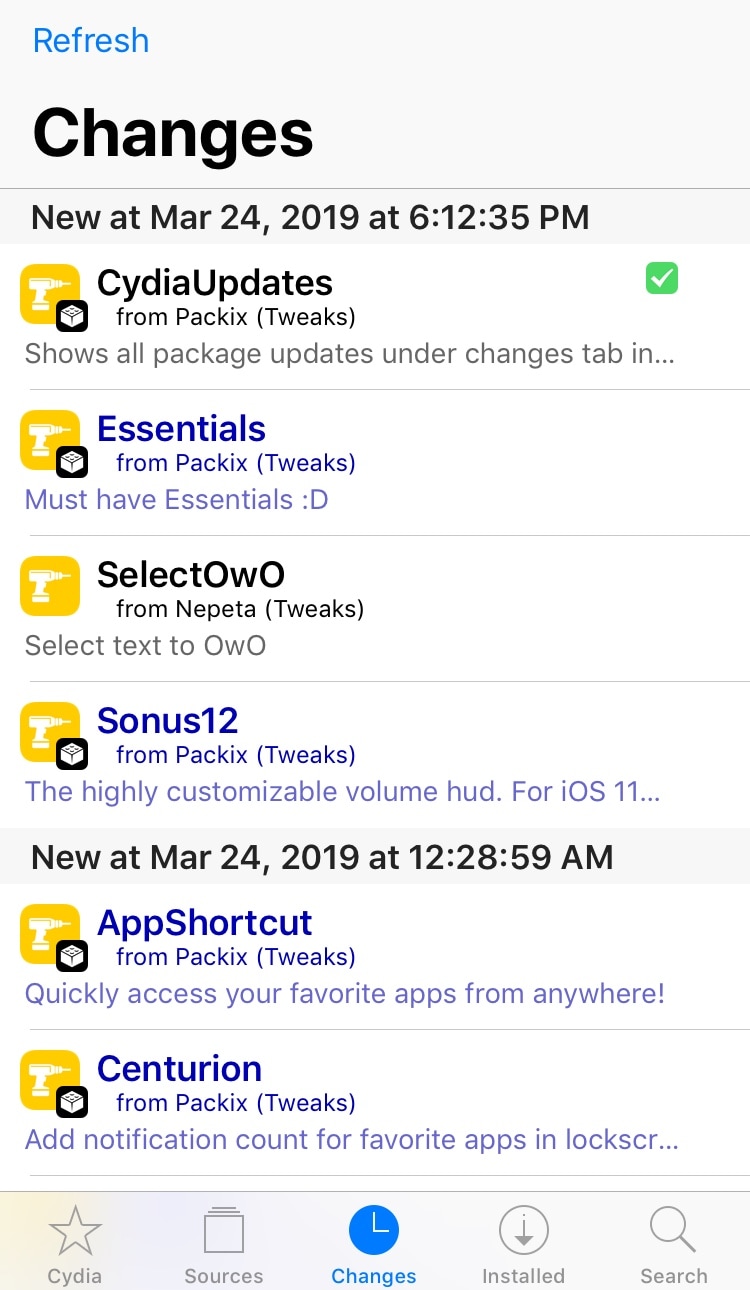
With that in mind, we’re excited to show you a new free jailbreak tweak called CydiaUpdates by iOS developer SwedishPrxck. This tweak changes the way you see new packages and their respective updates in the Cydia app’s native Changes tab.

Modulus brings a slew of useful new modules to Control Center

Making the Control Center interface modular was perhaps one of the greatest things Apple ever did to improve the iOS experience. On the other hand, Apple left a few things out of the interface from the start and hasn’t yet opened the platform to third-party developers for custom toggles and shortcuts. With that in mind, it certainly pays off to have a jailbreak.

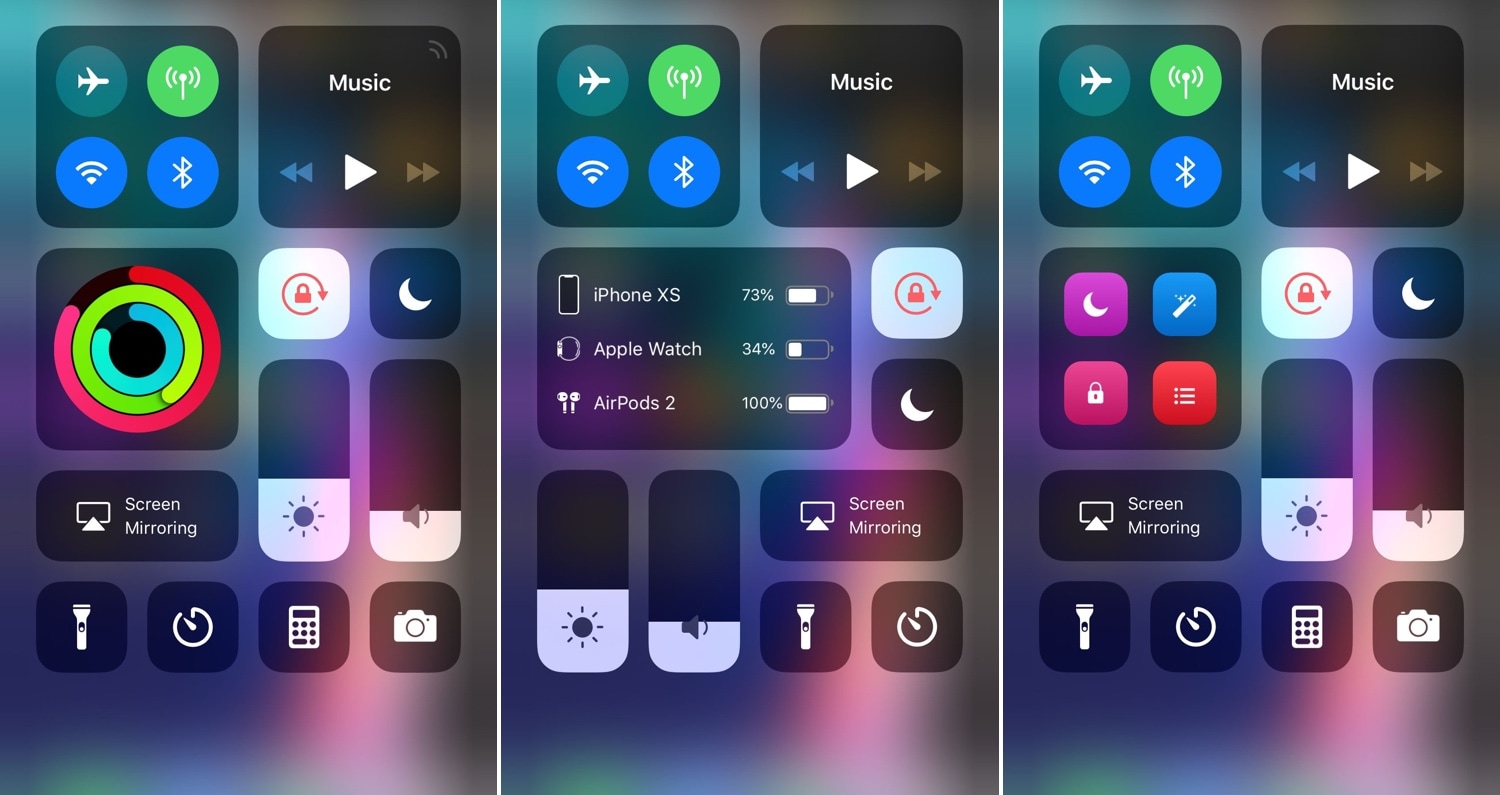
A new jailbreak tweak called Modulus by iOS developer LaughingQuoll brings a slew of new third-party modules to the Control Center interface, and at first glance, each of the new modules seem to be rather impressive.

SnoozeX provides a more intuitive firing alarm interface for iOS

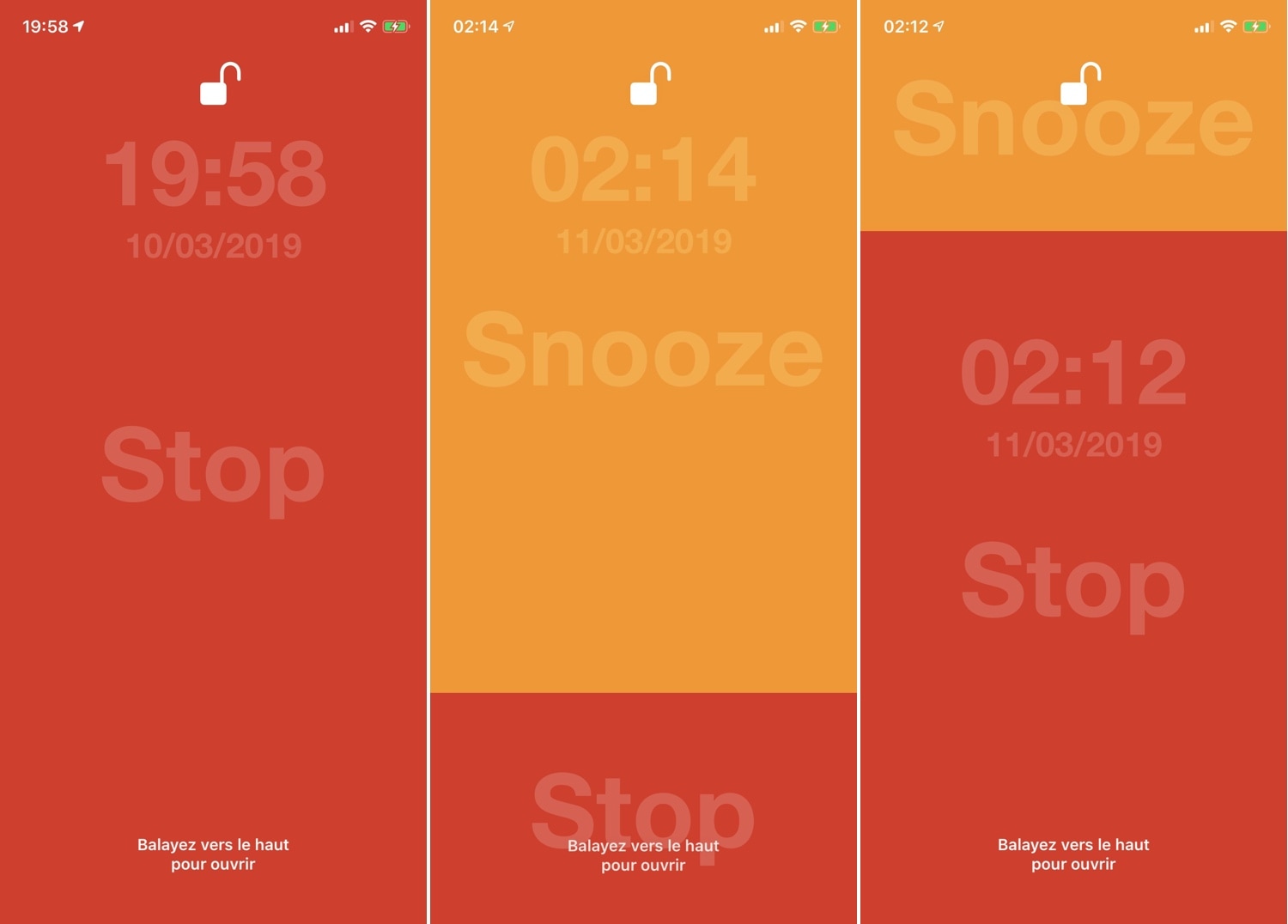
Whenever one of your iPhone’s alarm fires, you’re presented with an interface where you can either snooze or stop the alarm indefinitely. Many have expressed their dissatisfaction with iOS’ native alarm firing interface, and with that in mind, iOS developer VincentMDIM came out with a jailbreak tweak called SnoozeX to address that.

SnoozeX makes the iOS’ alarm firing interface more intuitive, especially for those who have trouble waking up early in the morning after their alarm goes off. As depicted by the screenshot examples above, SnoozeX makes the alarm firing interface easier to interact with, which will be appreciated by folks who are still half asleep when the alarm sounds.

LockDock lets you access your Dock from the Lock screen

When I first started jailbreaking many years ago, you were the cool kid on the block if you had access to application shortcuts on your iPhone’s Lock screen. For whatever reason, application shortcut add-ons have all but disappeared in recent memory, but a new jailbreak tweak called LockDock by iOS developer Blake Boxberger appears to revive this once popular concept.

LockDock takes advantage of an application launcher that already exists on the iOS platform – the Home screen’s application Dock – and makes it accessible from the Lock screen in addition to the Home screen, as shown above.

MessageColors lets you add color gradients to the Messages app

If you have an iPhone, then chances are you spend a lot of time in the Messages app text messaging other people. With that in mind, wouldn’t it be great if you could colorize the Messages app to match your individual personality?

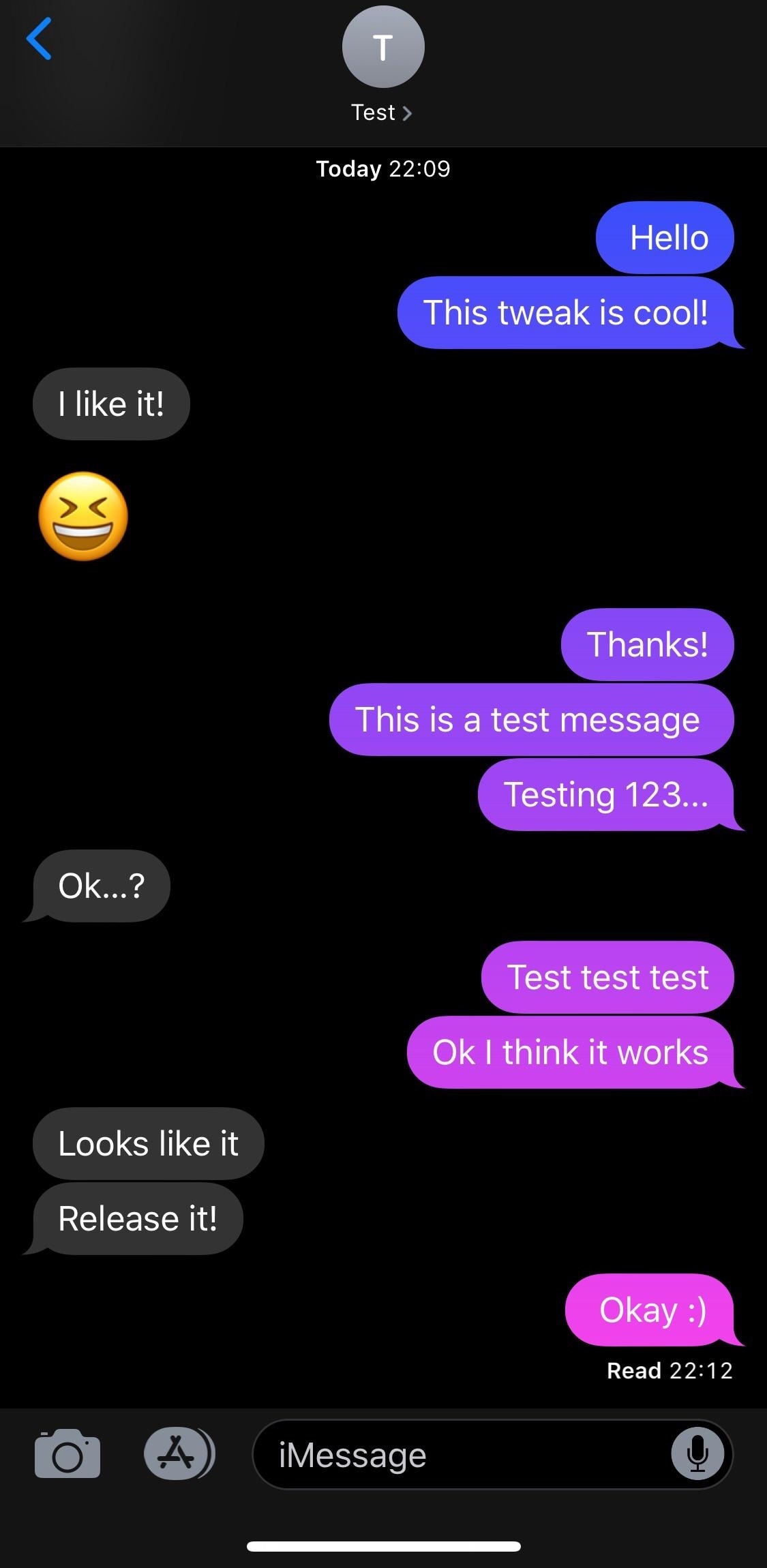
If you like what you’re hearing so far, then you’ll probably enjoy a new free jailbreak tweak called MessageColors by iOS developer RestiveConch. This tweak lets you apply custom color gradients to your Messages app, making it possible to achieve the result you see in the screenshot example above.

This tweak lets you add a splash of color to your iPhone’s passcode entry interface

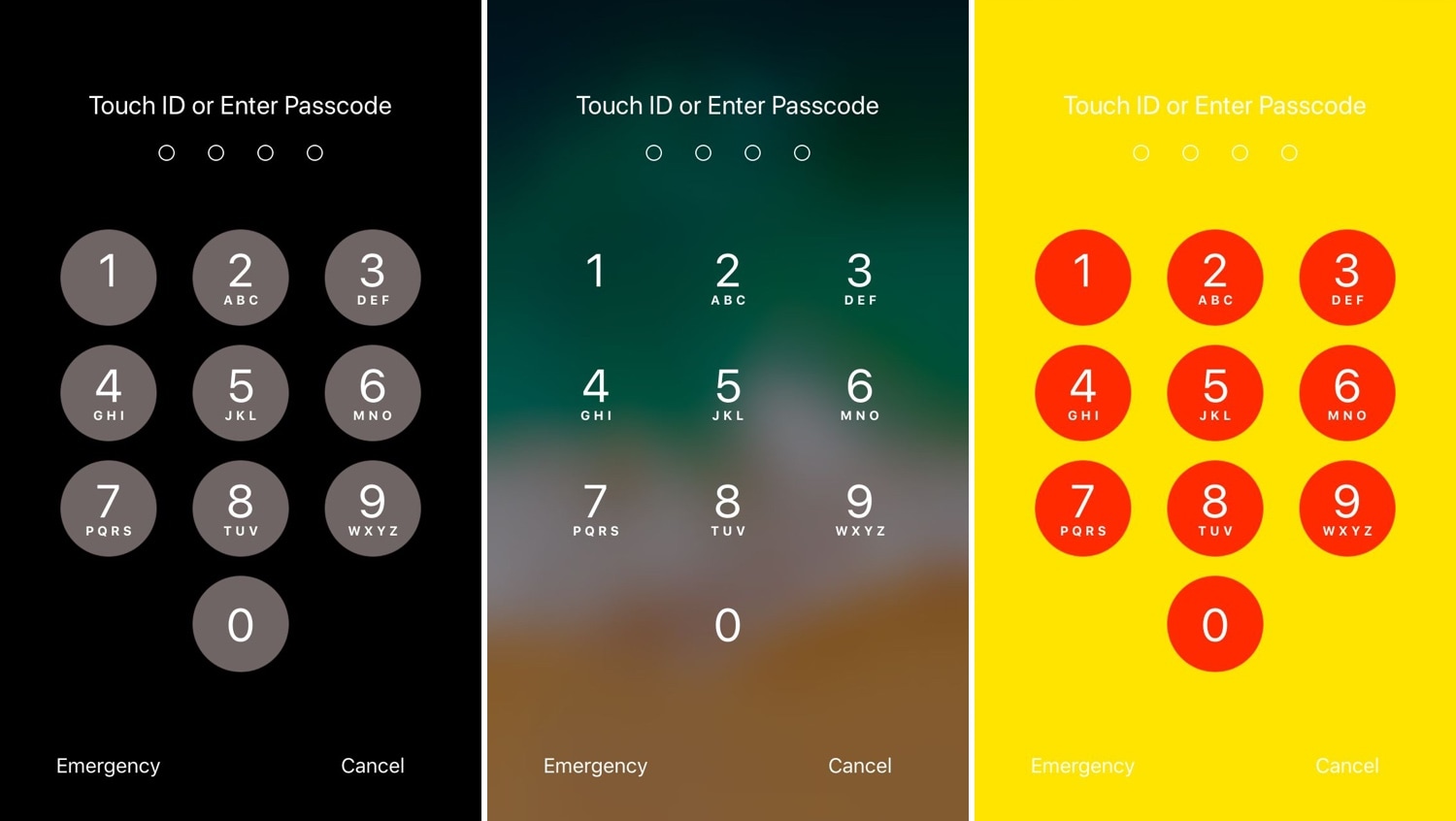
One of the most exciting parts of owning a jailbroken iPhone or iPad is having the freedom to customize the handset’s look and feel outside the realm of Apple’s stock parameters and disturb the monotony exhibited by most iOS devices. If you agree, then you might take a liking to a new free jailbreak tweak called NudePassScreen by iOS developer Kiran Patil.

As you might have discerned from the screenshot examples above, NudePassScreen empowers the user to colorize their handset’s passcode entry interface with virtually any color scheme they want, helping them to stand out from the rest of the crowd.

SpotCC launches Control Center instead of Spotlight when swiping down on the Home screen

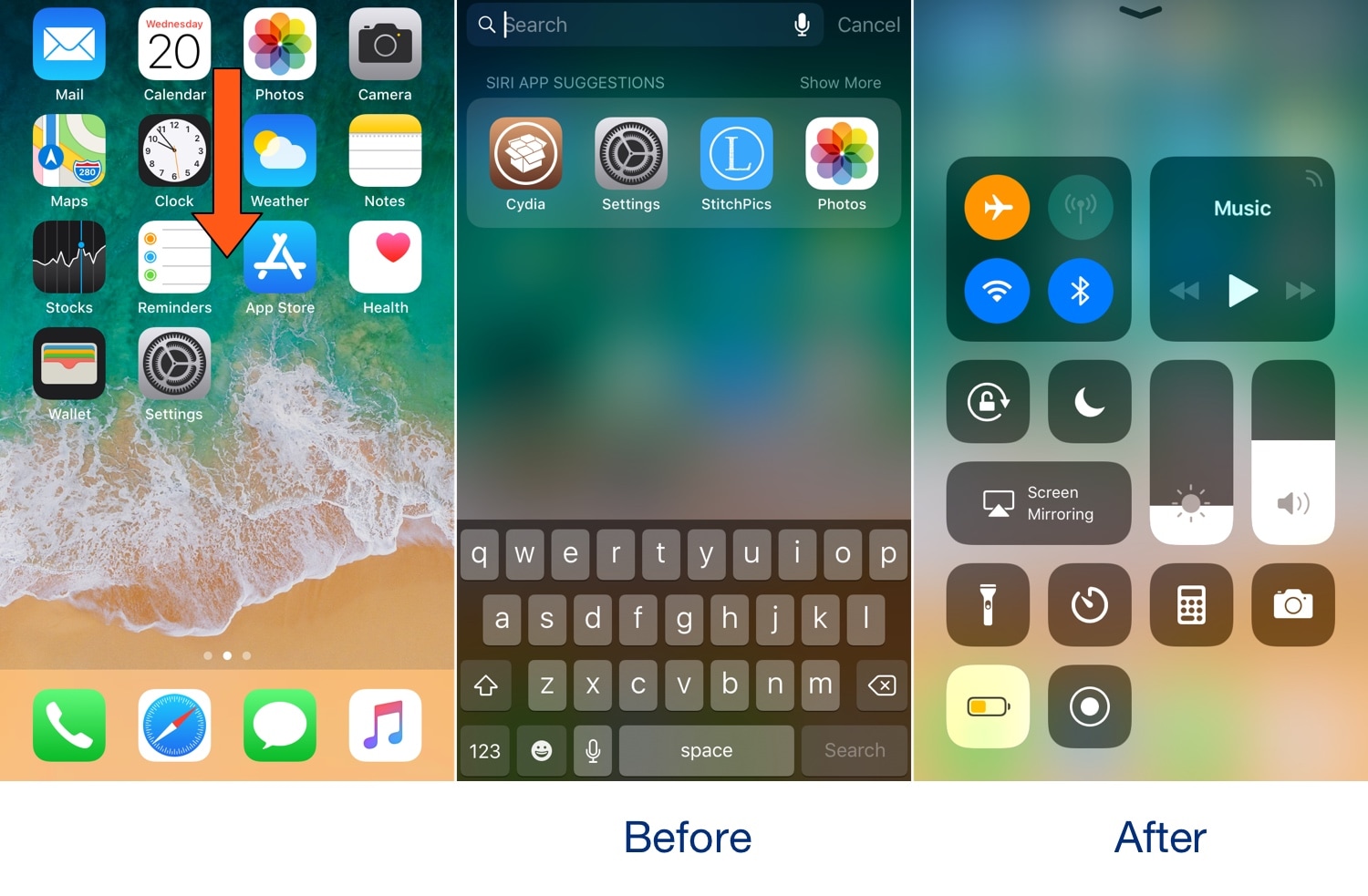
Swiping down while on the Home screen of your iPhone usually presents you with the Spotlight search interface, but if you don’t use the Spotlight search feature that often, then you might take a liking to a new free jailbreak tweak called SpotCC by iOS developer Kiran Patil.

There isn’t much to say here concerning what the tweak does, but just as the name implies, SpotCC makes it so that swiping down on the Home screen summons Control Center rather than Spotlight search.