News

Instagram testing private sharing feature

Photo-sharing service Instagram on Friday kicked off a small test for a new private-sharing feature. Called Favorites, it should roll out to all users over the next few months.

Instagram's product lead Robby Stein told The Verge that they've been working on the new private-sharing feature for more than a year.

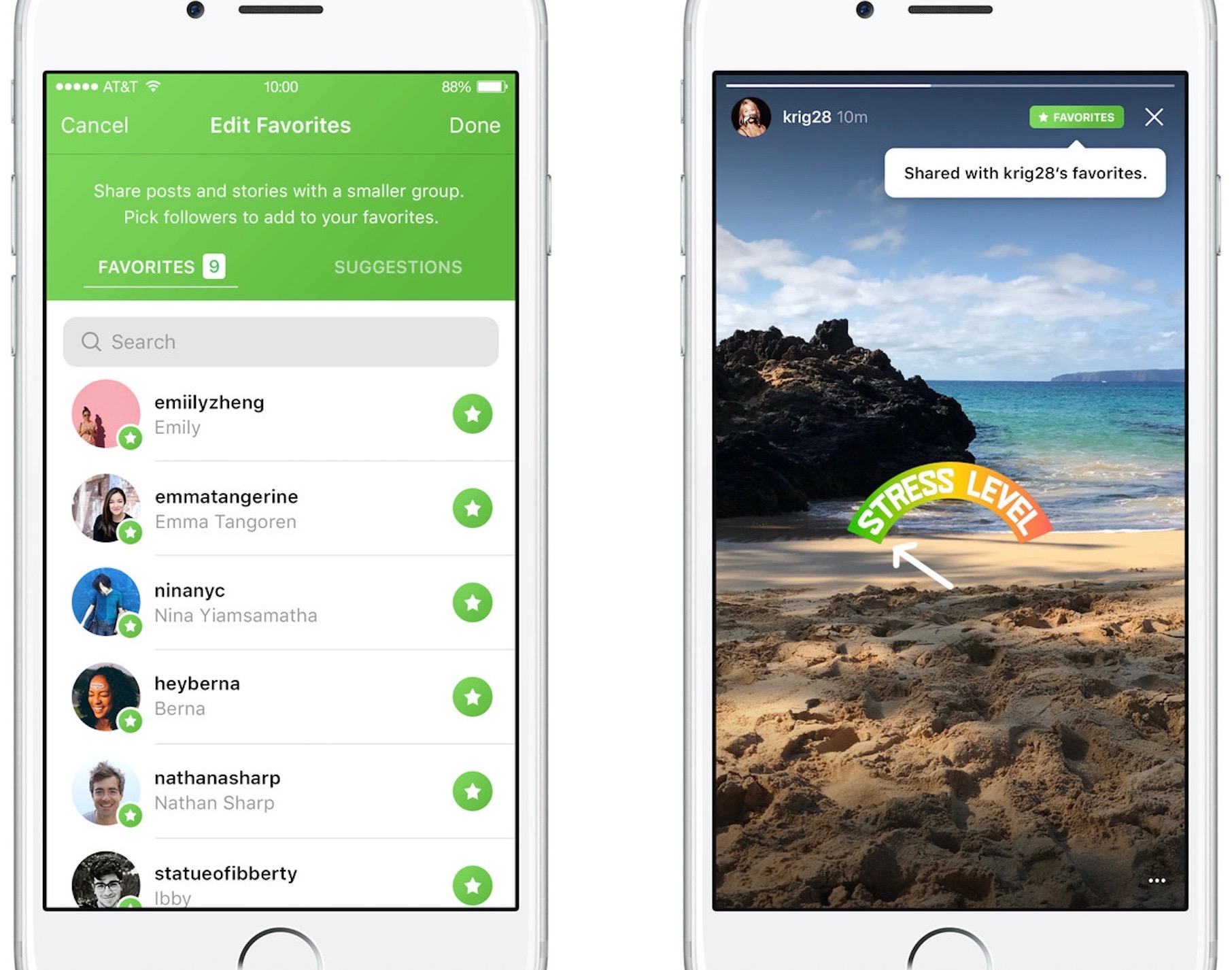
Privately shared content is denoted by a green Favorites badge on the post.

By hand-picking followers for the new Favorites section, users can easily create a more limited group of the closest friends with whom they can privately share posts and Story updates.

Anyone not in the Favorites list won't be able to see your privately shared posts.

You'll be able to browse all the non-ephemeral posts you’ve shared to your Favorites over time by tapping a new Favorites tab on your Instagram profile.

According to The Verge:

No one gets notified when you add or remove them to the list. They’ll know they’re your favorite only when they see a green Favorites badge at the top of your posts. They can’t request to be added to your list through the app.

And if you remove them from your Favorites, they lose access to all of your private posts. If they visit the Favorites tab in your profile, it will appear to be empty.

There is currently no way to share Instagram posts with select friends only.

You can set your Instagram account to private at any time to personally approve follow requests from a handful of your closest friends, but that approach has many flaws of its own.

According to Stein, people with private accounts often approve hundreds of follow requests due to social pressures and are using Instagram less as a result. “People are trying to hack Instagram to create smaller audiences, and we’re trying to recognize that,” said Stein.

It remains to be seen if Instagram Favorites will come to all users. Given they've been working on this feature for more than a year, I'll be surprised should they decide to pull it.

Will you use the Favorites feature when it rolls out, and why?

Do chime in with your thoughts in the comments section!
Gmail will stop scanning your emails for ads personalization

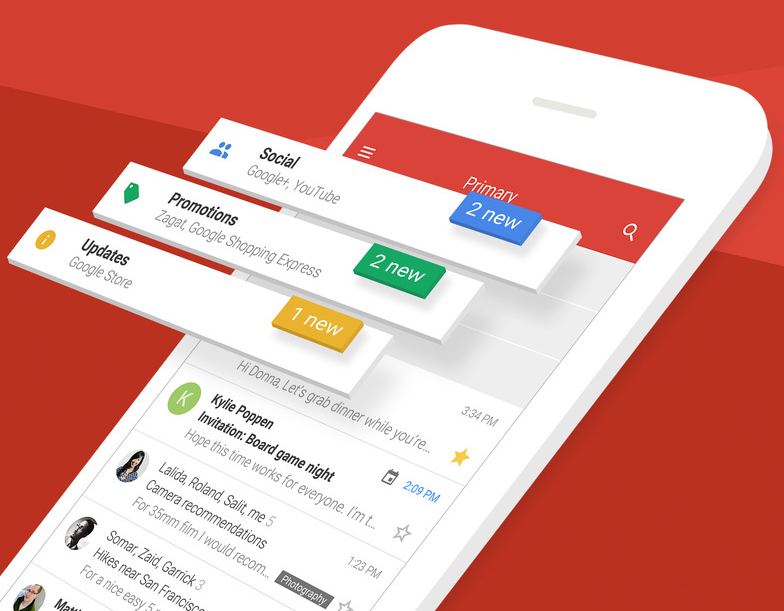
Google's pledged to stop scanning users' emails in Gmail for personalized ads. The important change, coming later this year, will bring personal Gmail accounts in line with Google's business-focused G Suite Gmail service which does not scan emails for ads personalization.

“Consumer Gmail content will not be used or scanned for any ads personalization after this change,” Diane Green, Senior Vice President of Google Cloud, announced Friday in a post on the search giant's official blog.

Ads you see across Google properties and on websites that use Google ads are still going to be personalized based on other factors, including users' settings at myaccount.google.com.

“Users can change those settings at any time and disable ads personalization,” Green said.

Gmail is the world’s preeminent email provider with more than a whopping 1.2 billion users.

“G Suite customers and free consumer Gmail users can remain confident that Google will keep privacy and security paramount as we continue to innovate,” reads Green's post.

Google's ad-driven business model is notoriously reliant upon the company's ability to personalize ads to your interests. The company uses many signals and various tracking techniques to collect anonymized data, which is then fed to its machine learning and artificial intelligence systems to derive useful intelligence for ads personalization.

On the flip side, Gmail scanning has been a common point of contention among privacy-minded users who dislike having their Gmail scanned for advertising purposes. Given that more than three million paying companies currently use the paid G Suite service, Google can certainly afford to stop scanning personal Gmail inboxes for ads personalization.

Apple's iCloud Mail service has never scanned the contents of users' inboxes because the entire iCloud suite of apps and services is 100 percent free of advertising, in line with Apple's commitment to protecting the privacy of its users.

Edge-to-edge dummy offers best look yet at rumored iPhone 8 design

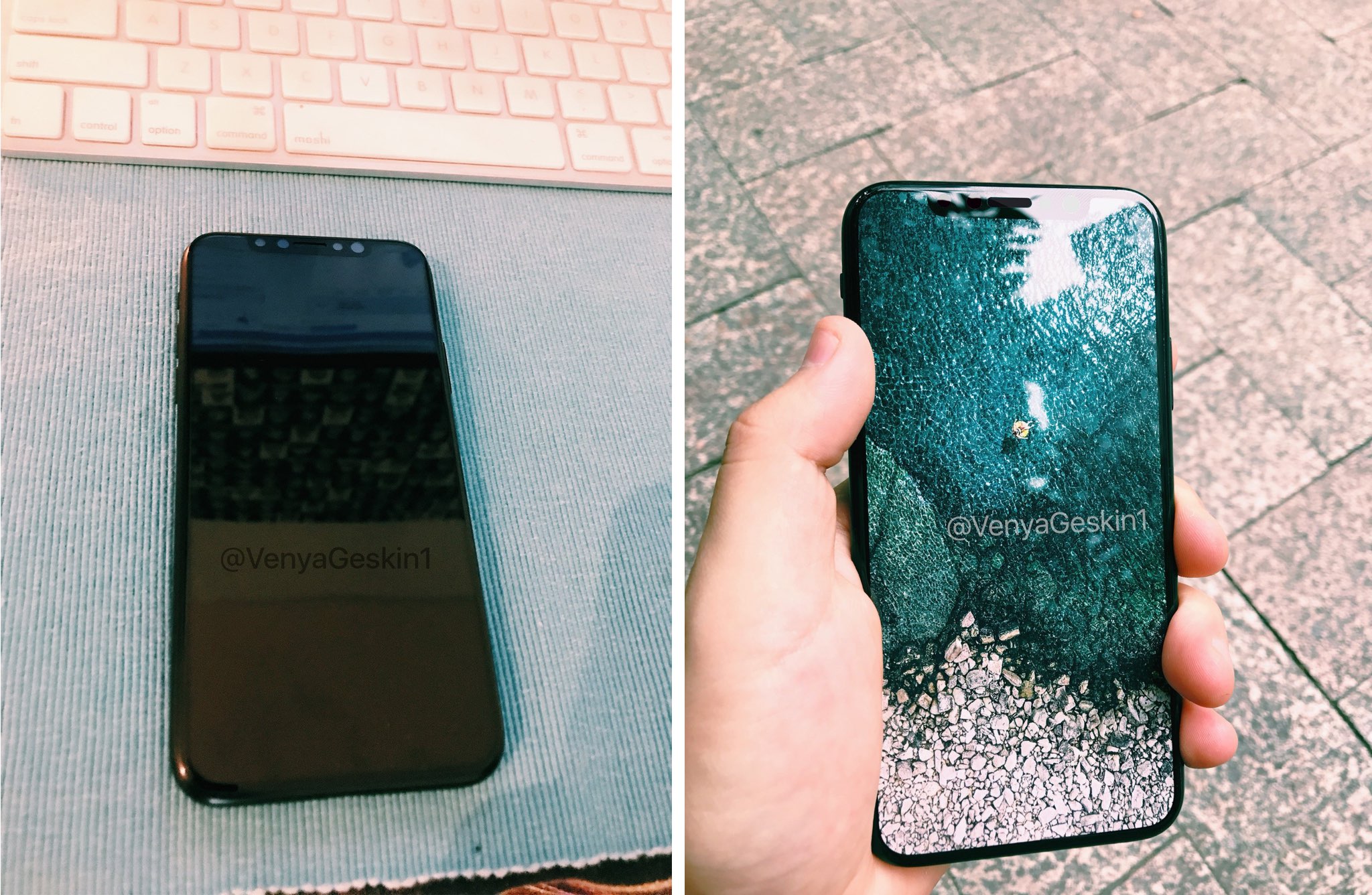
iPhone 8 is expected to have a nearly full-screen front face with a 5.8-inch edge-to-edge OLED panel and no “chin” at the handset's top and bottom. Benjamin Geskin has now combined the leaked parts in a dummy unit showing off what iPhone 8 might look like at launch.

The prolific smartphone leakster put a printed image of iOS 10.3.3's beach-themed wallpaper under a glossy screen protector to simulate edge-to-edge display design. He also posted a video on his Twitter account to show off the assembled dummy in motion.

I think this is our best glimpse yet at what iPhone 8 might look like.

#iPhone8 Hands-on Video (sort of)

(Dummy + Printed Picture + Screen Protector) pic.twitter.com/gkKjWH0tLe

— Benjamin Geskin (@VenyaGeskin1) June 23, 2017

My only gripe with this Frankenstein iPhone dummy is the top area with a cutout for the front-facing FaceTime camera, the speaker and the phone's various sensors—it just doesn't look right to me. Now, Apple is said to have tested ten different iPhone 8 prototypes.

That said, there's still a chance we might see a fully bezel-less iPhone 8 come this fall rather than this nearly bezel-less appearance. But even if it does end up having that cutout at the top of the OLED display, the sensor dip may not be visible at all.

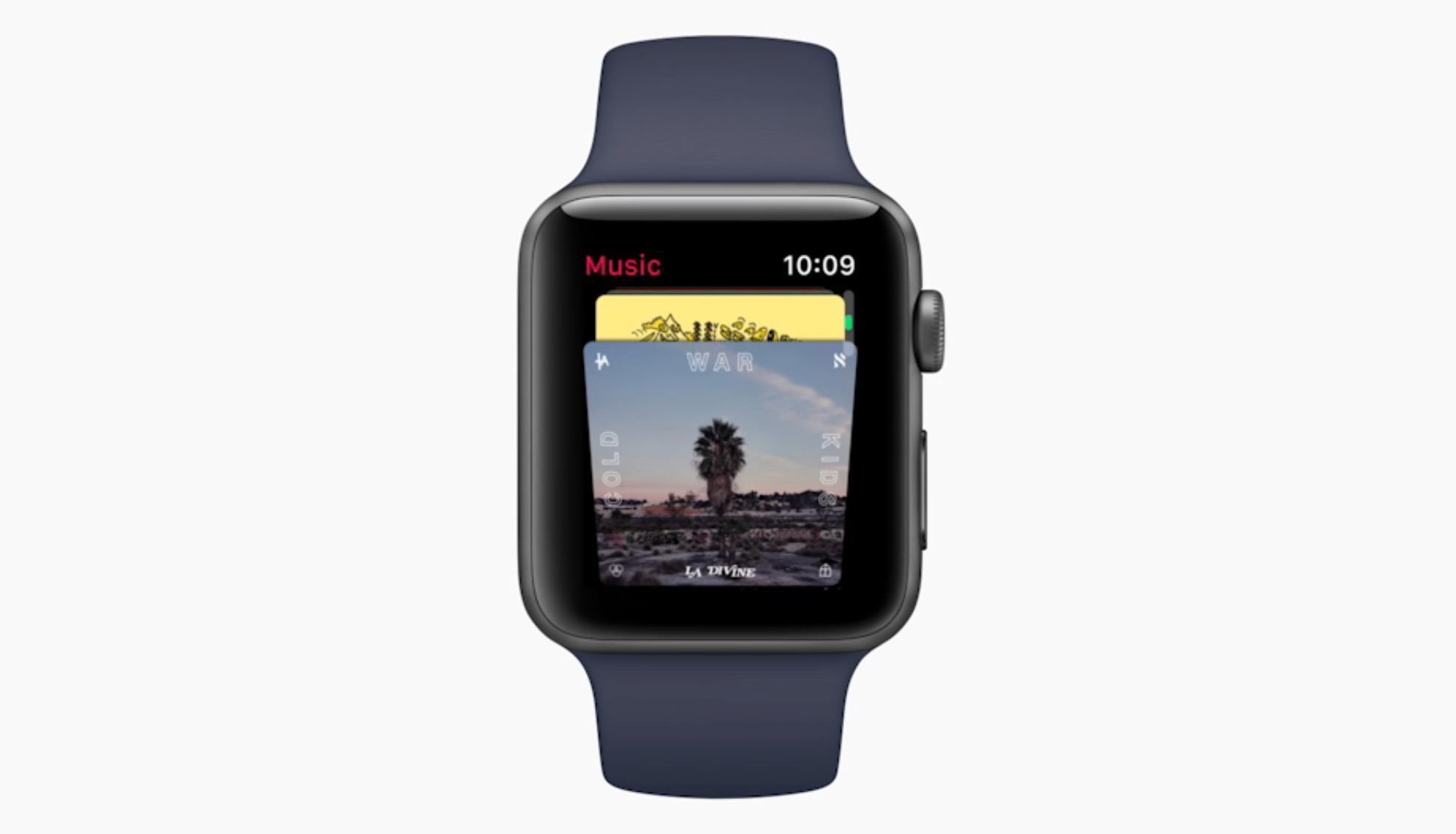
That's because OLED technology provides deep blacks, thereby making it difficult to tell where the edge of the screen really is, as readily apparent by the OLED screen on Apple Watch.

As the rendering above indicates, Apple could update iOS's status bar at the top so that the icons appear on the left and right side, without the current time being shown in the middle.

That would actually be a smart approach to concealing that sensor dip as much as possible.

Thoughts?

Downgrade any 32-bit device with futurerestore + libipatcher

If you've ever wanted to downgrade your legacy devices but didn't have the tools for the job, then this one may be for you. Tihmstar has released an addition to his well-known futurerestore tool (sometimes called Prometheus), entitled libipatcher. What does libipatcher do? In a nutshell, it will allow you to downgrade any jailbroken 32-bit device to any firmware for which you have blobs.

Satellite time-lapse chronicles nearly two years of Apple Park construction progress

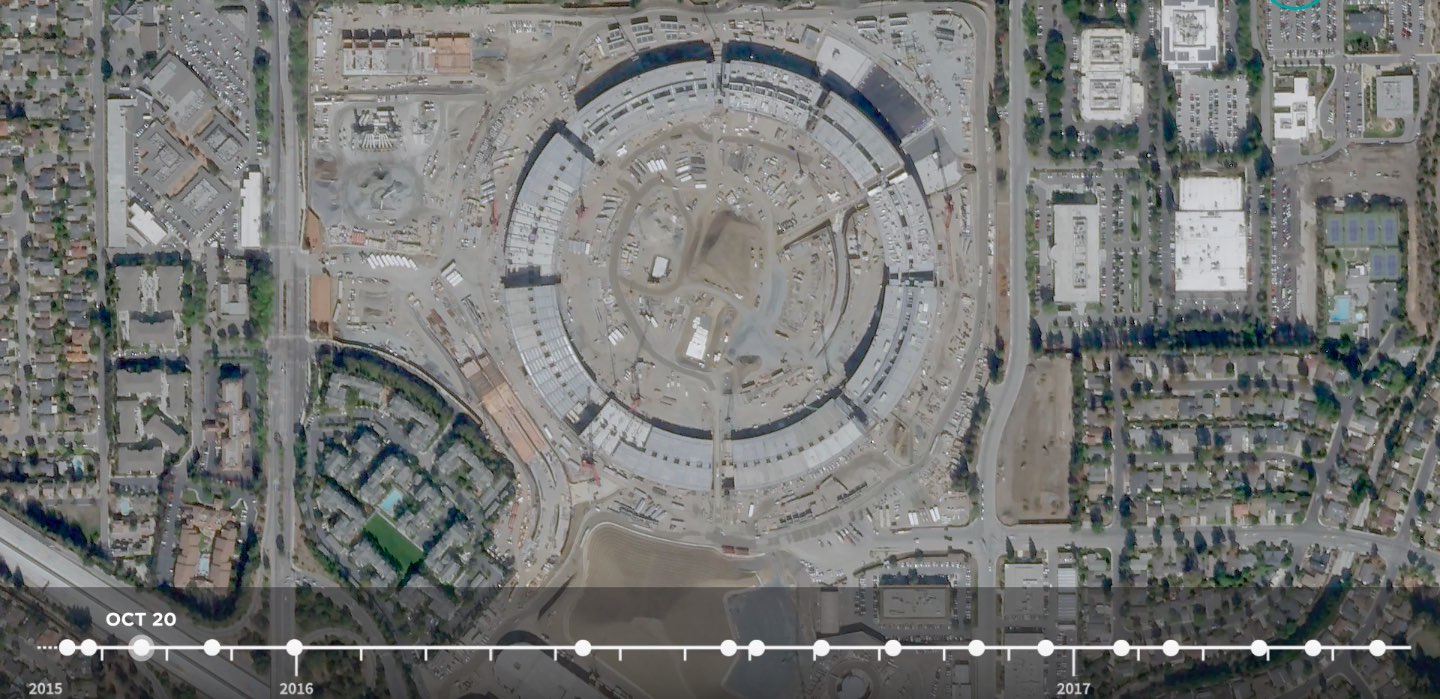
Apple Park began construction in 2014. A new time-lapse video based on high-resolution photos by satellite imaging provider Planet Labs has condensed nearly two years of work on the main ring-shaped building in an 18-second time-lapse video. Uploaded Tuesday to Planet Labs' YouTube channel, the clip was shared yesterday by Business Insider.

Aside from the main ring-shaped building, the video also depicts construction progress on Apple's twin research and development buildings, the 1,000-seat Steve Jobs Theater, a wellness facility for employees and more.

https://www.youtube.com/watch?v=mCZZXOmC-J8

For those wondering, they used the high-resolution imaging SkySats constellation to capture the construction of Apple's new Cupertino campus.

If the Planet Labs name rings familiar to you, that's because Google recently sold its previously acquired satellite-imaging startup Skybox Imaging to Planet Labs.

The search giant acquired Skybox Imaging in 2014 for a reported $500 million.

That startup was founded by Michael Trela, who was a spacecraft engineer at John Hopkins University, and John Fenwick, who served in the U.S. Air Force. Both men joined Apple this April following Planet Labs' acquisition of Skybox from Google.

As part of the acquisition, Planet Labs now has seven satellites and plans to sell high-resolution aerial imagery starting next year.

Roof of Apple’s new flagship store in Chicago looks like MacBook Air lid

Apple is putting finishing touches on a new store on Chicago's North Michigan Avenue and one particular design detail immediately jumped out at us: an Apple logo on the top center of the building, making the flagship store look as if a massive MacBook Air just landed.

“Our store on North Michigan Avenue has welcomed more than 23 million customers since it opened in 2003,” said Apple spokesman Nick Leahy in 2015. “We're now creating something even more remarkable for Chicago.”

As reported by Chicago publication DNAinfo, less than an hour later crews rolled up the logo and took it away. The logo did not appear on store renderings dated 2015.

It's unclear whether it will be reinstalled.

https://www.youtube.com/watch?v=BmzPr106E7U

The upcoming 20,000-square-foot flagship outlet was designed by London-based Foster+Partners. As evidenced by the video, it consists of a huge glass box stretching from Pioneer Court to the riverfront.

Located on Pioneer Court, 401 North Michigan Avenue, the new store will, when complete, replace Apple's existing outlet on 679 North Michigan Avenue.

The Chicago store's attractive roof design reminds me of Apple's awesome-looking 20,000 square-foot retail outlet in Istanbul, Turkey, which too features a striking all-glass exterior with an Apple logo on its rooftop, as seen above.

Hands-on with watchOS 4: pausing workouts in the background, Toy Story faces & more

Yesterday was a big day as Apple seeded a bunch of new betas to its developers. Earlier this morning, we posted a nicely done hands-on video walkthrough of the new features and changes in iOS 11 beta 2, but what about the latest watchOS 4 beta?

Your wish is our contributor Andrew O'Hara's command!

Andrew put together a quick video demonstration of everything new in the latest beta of watchOS 4. Keep in mind that watchOS 4 beta 2 is not as feature-packed as a second beta of iOS 11, but there's still plenty to get excited about.

Watch Andrew's video highlighting all the new stuff and important changes in beta 2.

https://www.youtube.com/watch?v=jD7D-F0mXXU

Subscribe to iDownloadBlog on YouTube

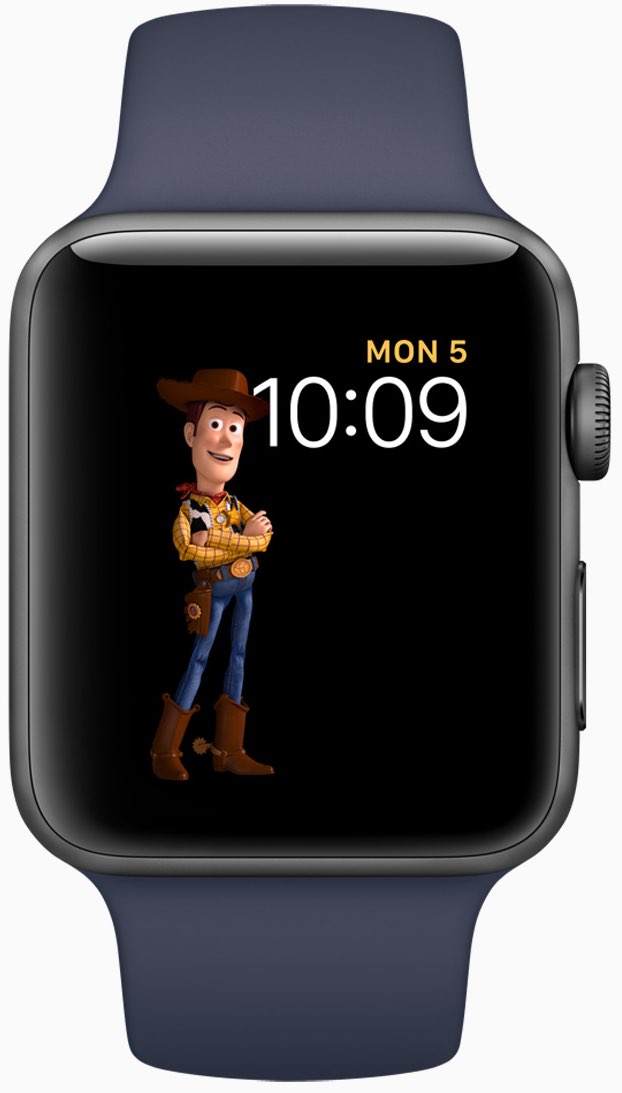
Aside from the gorgeously animated characters on the new Toy Story watch face, this beta lets you press the Side button and the Digital Crown simultaneously in order to quickly pause an active workout session, even if the Workout app is running in the background.

This is a very compelling feature for those who use their watch for swimming. Prior to watchOS 4, pausing a workout while swimming first required you to turn the Digital Crown to expel the water from the speaker. Then you had to swipe on the Workout app's screen to reveal the session controls, among them the Pause button.

The problem is, a wet Apple Watch display tends to behave erratically so getting to that screen while in water was difficult. With the new shortcut, this particular pain point goes away.

Haptics now play for frontmost apps in watchOS 4 beta 2, but some languages are unavailable for Dictation, including the newly released Shanghainese dictation.

New features and changes

Here are the new features and important changes in watchOS 4 beta 2.

Nicely animated Toy Story watch face Breathe notifications now respect your custom settings Location-based automation triggers now work if triggered from the alert on Apple Watch Pressing the Side Button and Digital Crown pauses an active workout session even if the Workout app is not in the foreground SiriKit requests no longer fail with a “Sorry I can’t do that” error. watchOS apps from TestFlight or the App Store now work with SiriKit Siri may not play music that has been synced to Apple Watch Music tracks now play from and sync to Apple Watch (Apple Watch must be on its charger for Music tracks to sync and Love/Dislike options are currently missing for locally synced music on your watch)

Aside from Woody, Jessie and Buzz Lightyear, the new Toy Story watch face in the second beta provides other animated characters, like Ham, Rex and Bullseye.

A separate video from Andrew shows off almost all the character animations available in the new Toy Story watch face, including additional customizations.

https://www.youtube.com/watch?v=NuEuxD9AJ7I

That's all, folks!

As we conclude our tour of watchOS 4 beta 2, we'd like to ask you to share any new feature discoveries of your own with fellow readers by posting them in the comment section.

You can also shoot us your findings via tips@iDownloadBlog.com.

What’s your favorite new feature in watchOS 4 beta 2, and why?

Apple seeds fourth beta of iOS 10.3.3 and tvOS 10.2.2 to developers

Apple on Thursday released a fourth beta of iOS 10.3 for iPhone, iPad and iPod touch, as well as tvOS 10.2 for Apple TV. iOS 10.3.3 beta 4 (build number 14G5053a) and tvOS 10.2.2 beta 4 (build number 14W5751b) are now available to Apple's registered developers and members of the Apple Developer Program through Dev Center.

To deploy them over the air, use the Software Update mechanism in the Settings app. Your iPhone, iPad, iPod touch or Apple TV must have an Apple beta configuration profile installed.

Both iOS 10.3.3 and tvOS 10.2.2 are bug-fix releases with no new user-facing features. They're probably the last point updates as Apple is currently beta-testing the next major versions of its platforms: iOS 11, watchOS 4, macOS High Sierra and tvOS 11.

GPU designer Imagination puts itself up for sale just two months following Apple dispute

Fabless semiconductor maker Imagination Technologies has announced it's putting itself up for sale, either in chunks or as a larger whole, just two months after Apple said it didn't want to license its mobile GPU blueprints for iOS devices anymore.

The iPhone maker accounts for about half of Imagination's sales.

The UK-based company's share price immediately fell off a cliff as a result. Imagination lost 70 percent of its value following a dispute with Apple.

Reuters reported Thursday that Imagination's board of directors has “received interest from a number of parties”.

The company said in a statement:

Imagination Technologies announces that over the last few weeks it has received interest from a number of parties for a potential acquisition of the whole group.

The board of Imagination has therefore decided to initiate a formal sale process for the group and is engaged in preliminary discussions with potential bidders.

Analysts think potential bidders could include Intel, Qualcomm, Mediatek, CEVA and various Chinese firms. It's unclear it Apple itself could be interested.

Founded in 1985 and listed in 1994, Imagination had a market capitalization of 425 million pounds, or approximately $538 million, following today's news. By comparison, the company was valued at more than 2 billion pounds in April 2012, or more than $2.5 billion.

Two months ago, Imagination started seeking buyers for its Ensigma business and the MIPS division, which it bought for $100 million in 2013. The British GPU designer said it was offloading those businesses in order to focus on its new PowerVR Furian graphics architecture.

According to UBS, Imagination's non-Apple business was worth 81 million pounds in April 2017, or about $100 million. Apple, which owns an eight percent stake in Imagination, said in April it's been working on “a separate, independent graphics design in order to control its products.”

The Cupertino firm should stop using Imagination's GPU designs within 15 to 24 months.

Apple was rumored to acquire Imagination last year, but the talks fell apart. Apple has since poached Imagination's COO John Metcalfe along with a bunch of Imagination engineers.

Without any Apple royalty contributions, Imagination could become a loss-making company.

Hands-on with iOS 11 beta 2: DND While Driving and other new features, changes & fixes

Apple (somewhat surprisingly) dropped the second beta of iOS 11 to developers on Wednesday with a myriad of changes and bug fixes. While there doesn't seem to be a huge number of user-facing enhancements, there are still quite a few notable changes and new features in this beta.

A large number of prominent bugs have been fixed that have been plaguing users, like crashing when deleting a voicemail, manual screen brightness not staying set, 3D Touch on phone numbers and addresses not working.

Unfortunately, with all of those bug fixes are several new bugs and known issues.

For instance, an SOS alert may still be sent even though the user cancelled it. This is a good reminder this is an early developer beta that should only be run on secondary devices.

As for the new features, we have the initial implementation of the much touted Do Not Disturb While Driving mode that will lock your phone as well as send a custom auto-reply (customizable in Settings → Do Not Disturb) should someone text you.

Control Center can now be disabled inside of applications, like on prior iOS editions. And far from last, the Files app now has started to show external locations like Google Drive and Box.

New features and changes

This is what you probably wanted to know about iOS 11 beta 2.

CarPlay now has lane guidance in Maps Smaller speed in Maps To edit/add filters in Photos you now tap the edit button in the top right corner instead of the sliders icon Now Playing widget has been tweaked New phone placeholder icon when no album artwork present in Now Playing widget Audio source switcher is now available on Lock screen New orange color for the new Echo effect in Messages Do Not Disturb While Driving is enabled with extra options in Settings Control Center can be turned on or off while in apps New search options within Apple Music You can now select multiple items in Photos Bluetooth widget now works the same as Wi-Fi: instead of turning off, it will just disconnect from whatever is connected to it Notification Center pull down has a gradual blur New Share sheet extension: Save to Files app Safari has new experimental features in Settings Dictation is now available in Hindi New options in Settings to make notification banners permanent or permanent Built-in screen recorder boosts video capture resolution to 1080p

Take a look at our hands-on video to see all of these new features and more in action.

https://www.youtube.com/watch?v=TZ5pwZMPRxI

Subscribe to iDownloadBlog on YouTube

And here's a quick overview of the most important fixes.

Bug fixes 3D Touch data detectors are now working for phone numbers, addresses, etc. Screen brightness stays at set level YouTube search bar has returned More stable Bluetooth connections (Dexcom) Android Migration now works as intended Crashing when deleting voicemails is fixed Lock screen no longer rotates Long exposure photos are now higher quality than in first beta Wrapping it all up

As we conclude our tour of all the changes, fixes, improvements and new features in iOS 11 beta 2, feel free to tell us about your own discoveries and observations in comments or via tips@iDownloadBlog.com.

What's your favorite change in iOS 11 beta 2 thus far, and why?

Hands-on with beautifully animated Toy Story faces in watchOS 4

Aside from bringing more intelligence and fitness features to Apple Watch, the new watchOS 4 software includes a bunch of beautifully animated Toy Story faces. Not unlike the existing Mickey and Minnie Mouse watch faces, the Toy Story ones bring to life popular Pixar characters including Woody, Jessie, Buzz Lightyear, Ham, Rex and Bullseye.

Our own Andrew O'Hara did a quick video showing off almost all the character animations available in the new Toy Story watch faces in watchOS 4, including additional customizations.

Give the video a quick watch, then meet us in comments.

https://www.youtube.com/watch?v=NuEuxD9AJ7I

watchOS 4 packs in other new watch faces.

Kaleidoscope, for instance, turns static images into mesmerizing patterns and the new Siri watch face uses artificial intelligence and machine learning to display the information users need most throughout the day.

ROUNDUP: 60+ new features in watchOS 4

Plus, you have new complications for your watch faces, including Now Playing and Apple News.

These new watch faces, complications and other features all require watchOS 4, a free upgrade for all Apple Watch users later this year.

Are you excited for the new Toy Story-themdd faces for your Apple Watch? Share in the comments section below!