iPhone

Stay up-to-date on the latest iPhone news and learn new tips and tricks with our comprehensive tutorials. From software updates to new features, we’ve got you covered.

This tweak helps break the habit of recording videos in portrait orientation

It bothers me from time to time when I watch videos on social media or YouTube and realize just how many people record their videos while their smartphone is in portrait orientation.

These services are formatted for computer screens, which naturally have displays longer than they are tall, so recording videos in this way usually degrades the viewing experience for the viewer. That’s why a free jailbreak tweak called VerticalVideoSyndrome 2 by iOS developer Andreas Henriksson is now available.

Apple asks developers to update their pages for iOS 11’s all-new App Store

Apple on Tuesday invited its registered developers and members of the Apple Developer Program to update their product pages for iOS 11's much redesigned App Store.

Specifically, developers can showcase their content with subtitles, promotional text, additional app previews that they can localize and up to 20 promoted In-App Purchases that users can buy on App Store, even if they haven't downloaded an app that offers them.

A dedicated section on Apple's portal for developers offers useful resources for making the most of the new product pages. Like before, new metadata is entered in iTunes Connect.

“Metadata you provide in iTunes Connect is shared across App Store on iOS 11 and iOS 10.3 and earlier, so you only need one version of product page elements, such as app name, icon, screenshots and keywords,” notes Apple.

iOS 11's App Store features competently revamped product pages while providing dedicated Apps and Games tabs along with a new Today tab with original stories, editorial, tips, how-tos, interviews and more, updated daily, in a blog-like format.

https://www.youtube.com/watch?v=-hoPcMPvL88

Subscribe to iDownloadBlog on YouTube.

The App Store redesign lets developers spotlight apps with more engaging content, putting the most important information front and center for the customer making a download decision.

Developers can now submit up to three video app previews and five screenshots, which can now be localized so a user in any country can have a customized version of the video.

Accolades including Editors’ Choice and chart position are now highlighted by App Store, as are In-App Purchases and customer ratings and reviews.

The new App Store is now available as a preview to users of the iOS 11 public beta. Once iOS 11 launches for public consumption this fall, the redesigned App Store will be in the hands of hundreds of millions of users around the world.

App Store customers have now downloaded more than 180 billion apps and Apple has paid out over $70 billion to developers since the store launched in 2008, making it the most vibrant software marketplace in the world, according to the Cupertino giant.

How to stop Safari from caching Reading List via cellular connections

Safari has a built-in Reading List feature for saving webpages you'd like to revisit later. It's like bookmarks, but with full offline support. That is, any webpage saved in your Reading List prompt Safari to download and cache its text, images, layout and other assets on your device so that it can be read at any time, even without an Internet connection.

And with iCloud syncing, a webpage added to Reading List on one device gets individually cached across all your other devices, too. Caching webpages isn't the smartest idea if you're on a metered cellular plan, especially if you frequently use Reading List on the go.

Thankfully, iOS lets you decide whether or not Reading List items should be downloaded when your iPhone is connected to the Internet through your carrier's cellular data network.

About Safari Reading List

Reading List made its debut with the release of OS X Lion and iOS 5 in 2011.

The feature received offline support the following year in OS X Mountain Lion and iOS 6. Reading List is unavailable on a device unless Safari syncing is turned on in Settings → iCloud on iOS or in the iCloud preference pane in System Preferences on macOS.

Don't confuse Reading List with Safari's regular bookmarking feature, which simply stores a webpage URL rather than download and cache its full contents, like Reading List does.

Due to the fact that a vast majority of websites take advantage of high-resolution image assets, your offline Reading List cache can eat up a significant amount of on-device storage.

And because Safari syncs your Reading List, bookmarks and other data via iCloud, adding a webpage to Reading List on your iPad prompts your iPhone to  download it, and vice versa.

Thankfully, you can revert this behavior with a few taps, here's how.

How to stop Reading List caching via cellular

Safari on iPhone and iPad defaults to caching all Reading List items for offline access, whether you're connected to the network via Wi-Fi or through your carrier's cellular data network.

To tell Safari to cache your Reading List items for offline access only when your iPhone or cellular-enable iPad is connected to a Wi-Fi network, do the following:

1) Open Settings on your iPhone or cellular iPad.

2) Tap Safari.

3) Scroll to the bottom of the Safari settings screen, then slide the switch Use Cellular Data underneath the Reading List headline to the OFF position.

This will stop Reading List items from being downloaded through this device's cellular connection. You must do this on every iPhone and cellular iPad using the same Apple ID.

With cellular updates turned off, any webpages you add to your Reading List in the future will still show up in Safari's Reading List menu but they'll only get cached via Wi-Fi.

Deleting offline Reading List cache

To free up storage space taken up by Safari's offline Reading List cache, go to Settings → General → iCloud & Storage Usage, then tap Manage Storage under the Storage headline.

Find and tap Safari in the list of apps, swipe left over Offline Reading List, then hit Delete.

Wiping the cache clean won’t remove any items from your Reading List in iCloud.

You will still be able to open any webpage from your Reading List like you normally would, but your device will need to be connected to the Internet to display a non-cached item.

And one last tip before we sign off—knowing your Reading List is archived automatically in iCloud, you are actually able to easily restore it from an earlier version at any time.

Need help? Ask iDB!

If you like this how-to, pass it along to your support folks and leave a comment below.

Got stuck? Not sure how to do certain things on your Apple device? Let us know via help@iDownloadBlog.com and a future tutorial might provide a solution.

Submit your how-to suggestions via tips@iDownloadBlog.com.

Limited OLED availability could hold back iPhone 8 launch sales

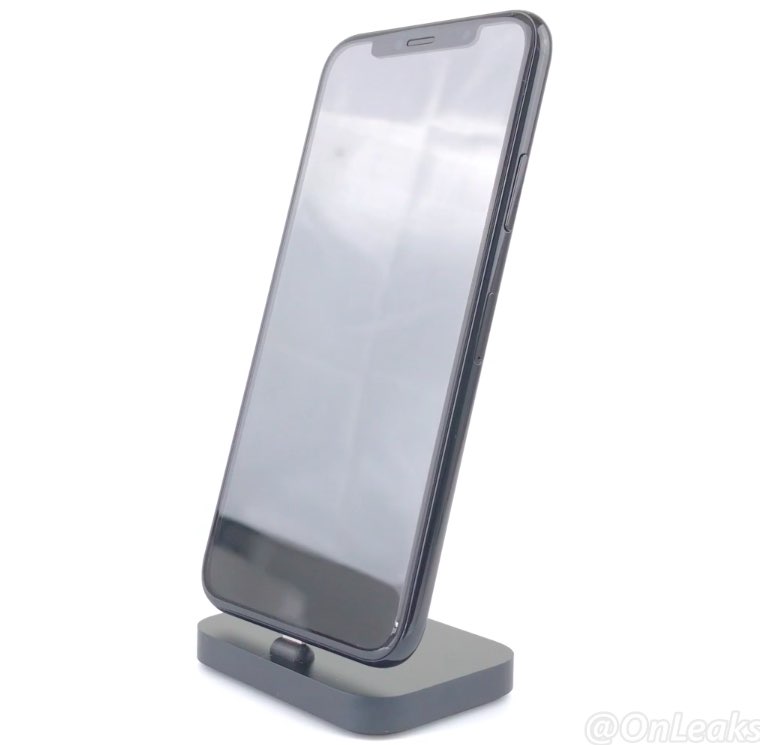
iPhone 8 production has allegedly hit another roadblock, with a sketchy report Tuesday by Taiwanese outlet DigiTimes suggesting the supposedly limited availability of 5.8-inch OLED display panels could hold back the phone's launch sales.

Citing industry sources, the trade publication says it'll be difficult for Apple to ship up to 60 million OLED-based iPhones in 2017.

“Only 3-4 million OLED-based new iPhone devices will be ready for shipping before the new smartphones are unveiled at a product event slated for September,” reads the article.

The publication did not give the reason for the allegedly limited OLED screen availability beyond stating that yield rates at assembly plants and the supply of OLED panels are “likely to become issues” for the Cupertino firm.

Take the report with a few grains of salt because Samsung Display recently negotiated a lucrative supply deal with Apple to build at least 80 million OLED panels for iPhone 8 in 2017.

In fact, the South Korean conglomerate is said to be supplying OLED screens for both iPhone 9 in 2018 and a yet-to-be-disclosed Apple device with a screen measuring 6.5 inches diagonally, as per The Korea Herald.

Besides, iPhone assemblers Foxconn, Pegatron and Wistron have been stepping up efforts to recruit more workers for their assembly lines in China, indicating that volume production of iPhone 8 is about to kick off.

On top of that, Apple's key chip supplier Taiwan Semiconductor Manufacturing Company saw its revenues surge twenty percent sequentially in May, partly driven by shipments of iPhone 8's A11 processors to Apple.

iPhone 8 mockup top of post via Benjamin Geskin

More ARKit demos: Falcon 9 rocket landing, Van Gogh bedroom tour & more

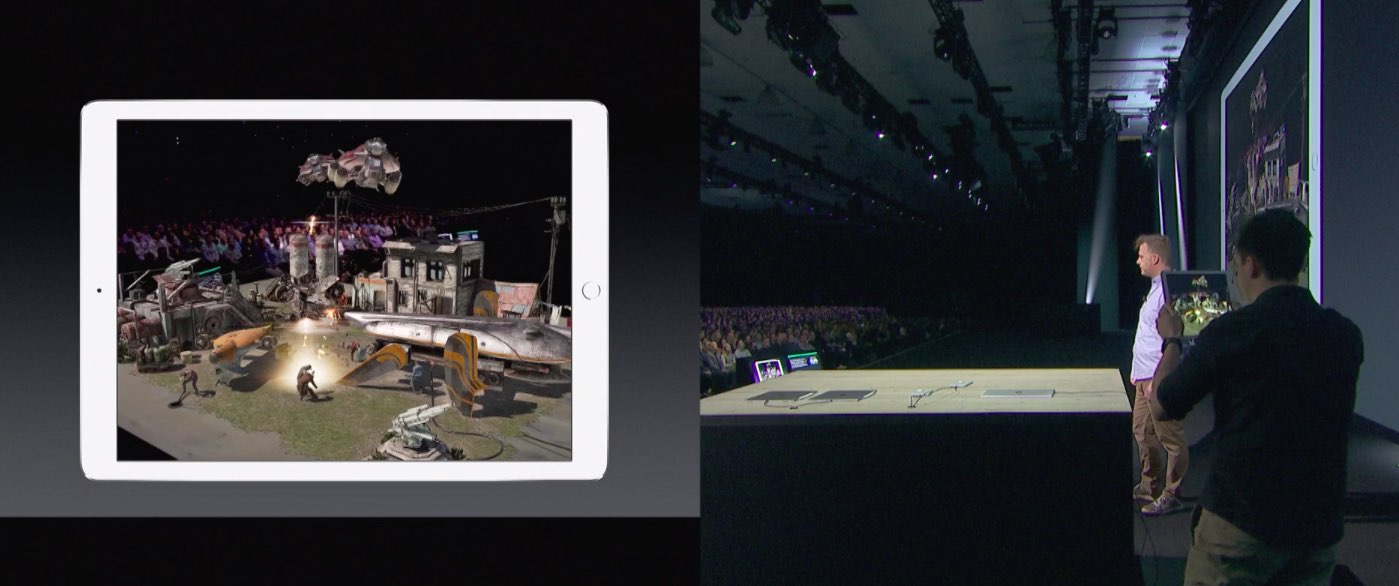
Wouldn't it be great if you could take a tour of Van Gogh's virtual bedroom in augmented reality? How about witnessing a Falcon 9 rocket descending from the skies?

ARKit, Apple's new framework for building augmented reality apps for iPhone and iPad, has captured the imagination of many iOS developers out there who have already created some truly awesome examples of what's possible with ARKit.

For starters, here's an example of ARKit's accurate tracking.

https://www.youtube.com/watch?v=dMEWp45WAUg

Developer Mark Dawson used ARKit to create a virtual copy of Van Gogh’s bedroom which you can walk around and examine detailed furniture, paintings on the wall and more.

ARKit has “amazing tracking,” Dawson said.

https://www.youtube.com/watch?v=lvjVgt_ce5Q

ARKit combines live camera feed and sensor data to find tables, floors and other horizontal planes in your real world. Speaking of which, This example shows ARKit's plane detection.

https://www.youtube.com/watch?v=9ZnG9wrVxtM

And this is adding geometry and physics with ARKit.

https://www.youtube.com/watch?v=Vsk9erdCvdk

In this demo, ARKit is tracking a virtual cube and providing a light estimate for the scene, which makes it easy to change the light intensity of the virtual object to match the real world.

https://www.youtube.com/watch?v=7Kk6iVr5ULo

Notice how when the lights are dimmed down the virtual cube also automatically dims, then when the lights are raised the virtual cube also gets brighter. Pretty neat, wouldn't you say so?

And here you can see ARKit detecting horizontal planes in the real world and rendering content using SceneKit with physically based rendering.

https://www.youtube.com/watch?v=rNFQl7I4T6Y

Developer Tomás García shared this cool demo depicting a Falcon 9 landing at the ASDS in a swimming pool, which he accomplished using ARkit and Unity.

https://www.youtube.com/watch?v=NodGjd3C0SQ

And lastly, German company Econsor Mobile GmbH has been working on an ARKit-powered app for commissioning of construction projects directly on the construction site.

https://www.youtube.com/watch?v=PJWTXefVDK8

Apple CEO Tim Cook thinks augmented reality is a big idea like the smartphone.

“The smartphone is for everyone, we don’t have to think iPhone is about a certain demographic, or country or vertical market: it’s for everyone. I think augmented reality is that big, it’s huge. I get excited because of the things that could be done that could improve a lot of lives. And be entertaining,” he said in the past.

How do you like these latest ARKit demos, which one is your favorite, and why? Does ARKit show a lot of promise, do you think? Share your thoughts by posting in the comment section.

This tweak lets you manually designate favorite Emojis

The iOS keyboard includes a key dedicated specifically to accessing the host of Emojis you can use to express your mood. Part of this interface includes a section for Emojis you use frequently, and while it can be useful, suggestions aren't always ideal.

With a new jailbreak tweak dubbed FavoriteEmojis by iOS developer Adeem Mawani, you can manually designate your favorite Emojis by choice; these are the ones that will begin populating the “Frequently Used."

QuietWhileUnlocked silences obtrusive notifications when your iPhone is unlocked

When you’re using your iPhone, sometimes the influx of notification sounds and vibrations can be enough to frustrate even the most tolerant of multitaskers who are trying to get things done.

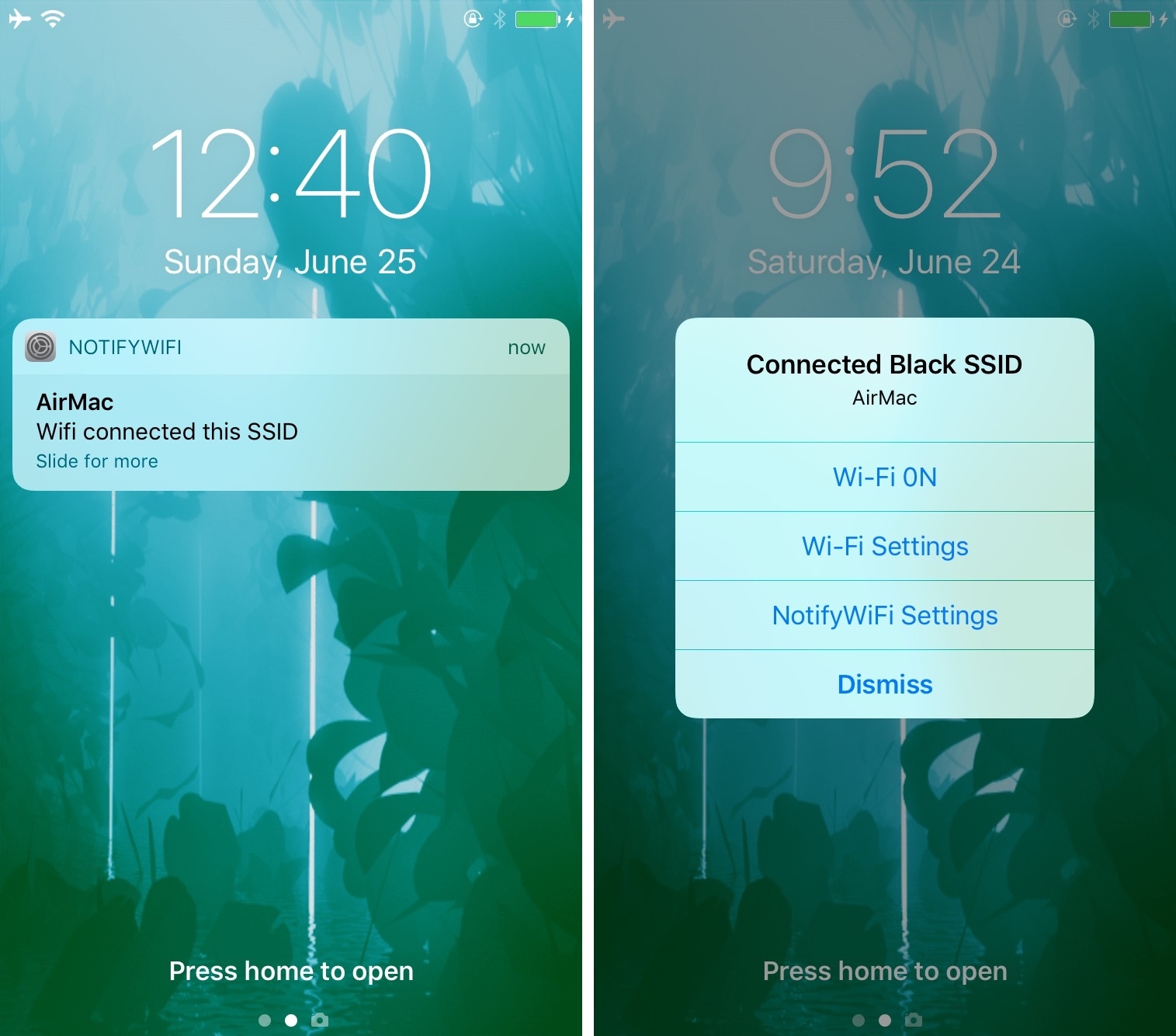
Fortunately, a free jailbreak tweak called QuietWhileUnlocked by iOS developer The Holy Confluency of the Summer Triangle helps solve this problem by supressing notification sounds and vibrations whenever your device is unlocked.

Apple launches public betas of iOS 11 and tvOS 11

Following the June 5 release of developer-only previews of Apple's four main software platforms at the Worldwide Developers Conference, the Cupertino giant today released first public betas of iOS 11 and tvOS 11.

You must enroll in the official Apple Public Beta Software Program (available at no charge) and download a special configuration profile via the website beta.apple.com to your iPhone, iPad, or the fourth-generation Apple TV.

Sign in with your Apple ID through the website to get started. iOS 11 public beta has the same features as iOS 11 beta 2. The same goes for the tvOS 11 public betas.

After installing a configuration profile (click “Enroll Your Devices”), restart your iPhone, iPad, iPod touch or the fourth-generation Apple TV, then and use the built-in Software Update mechanism in the Settings app to download and install the public beta.

watchOS betas are not available to the general public.

https://www.youtube.com/watch?v=TZ5pwZMPRxI

Subscribe to iDownloadBlog on YouTube.

“If you were testing a prior operating system, please re-enroll your device to start testing the next release,” the company notes.

TUTORIAL: How to unenroll from Apple Beta Software Program

Be sure the check out the official system requirements for iOS 11 before installing their public betas. tvOS 11 requires a fourth-generation Apple TV.

Will you be taking iOS 11 and tvOS 11 for a spin, do you think? If so, what features are you looking forward to the most, and why?

Tell us in comments!

Updated builds of iOS 11 and tvOS 11 betas now available

Apple on Monday issued a slightly revised build of iOS 11 beta 2 for iPhone, iPad and iPod touch, as well as an updated build of tvOS 11 beta 2 for the fourth-generation Apple TV.

The new builds appear on select devices only.

iOS 11 Developer Beta 2 Update 1, as it's called, has the build number of 15A5304j, up from the build number of 15A5304i in iOS 11 beta 2 which was seeded to developers five days ago.

According to the official release notes on Apple's Dev Center portal, iOS 11 Developer Beta 2 Update 2 resolves an issue preventing reverting to iOS 10 from iOS 11 beta.

To revert to an earlier version of iOS, follow the instructions shown in Apple's support doc.

As for the updated tvOS 11 beta, the new version has a higher build number of 15J5310h versus build number of 15J5310e for the original tvOS 11 beta 2.

https://www.youtube.com/watch?v=TZ5pwZMPRxI

Subscribe to iDownloadBlog on YouTube.

The revised beta builds may also patch dangerous exploits while addressing performance issues on older hardware like iPhone 6.

iOS 11 cuts off 32-bit devices like the iPhone 4s/5/5c handsets.

The new builds are available over the air via the Software Update mechanism in Settings on iPhone, iPad, iPod touch and Apple TV. As mentioned before, they appear on select devices.

Build numbers for beta 2 of macOS High Sierra 10.13 and watchOS 4 have stayed intact. Public betas of iOS 11, macOS High Sierra 10.13 and tvOS 11 are coming later this month.

watchOS betas are currently unavailable for public beta-testing.

Watch new ARKit demos: Minecraft and measuring tape

The website madewitharkit.com dedicated to highlighting cool apps made with Apple's new ARKit framework, was updated today with a pair of new video demonstrations showing off some of the augmented reality possibilities coming to iPhone and iPad with iOS 11 this fall.

The first demo has the user selecting two spots in the real world, as viewed through an iPhone's lens, to calculate the distance between them, transforming the device into a working tape measure. That's a great example of the power of the ARKit framework.

https://www.youtube.com/watch?v=z7DYC_zbZCM

The app was built by Laan Labs and, like other ARKit-enabled apps, uses an iOS device's camera along with sensor data to precisely find horizontal planes in the real world, such as tables, floors and other objects.

You can beta-test the app by signing up at armeasure.com.

Measure distances with your iPhone. Just because you can. Clever little #ARKit app by @BalestraPatrick https://t.co/b2mXe2FS84 pic.twitter.com/pyoHp99Yts

— Made With ARKit (@madewithARKit) June 25, 2017

Laan Labs has other examples of proof-of-concept apps built using ARKit on their Twitter, like the following example of impressive 3D drawing in augmented reality.

https://twitter.com/laanlabs/status/878692051889655808

As for an AR-enabled Minecraft, we don't know if Minecraft creator Mojang is working on one, but that didn't stop developer Matthew Hallberg from recreating Minecraft in AR using the ARKit framework and the Unity engine.

By superimposing Minecraft building blocks on top of the real-world, and taking advantage of ARKit's super accurate tracking, the user is able to walk around their environment and place Minecraft blocks at arbitrary spots. “I love that you are able to place life size objects because the tracking with ARkit is so good,” Matthew said.

https://www.youtube.com/watch?v=qFGx9QcE5Gk

Apple is also using ARKit tracking for an impressive virtual reality mode in Apple Maps on iOS 11. The Cupertino giant is even helping Ikea build an ARKit-powered app which will let you try out virtual furniture at home before purchasing it.

ARKit requires a device with an Apple A9 or A10 chip because those processors deliver “breakthrough performance that enables fast scene understanding and lets you build detailed and compelling virtual content on top of real-world scenes,” as per Apple.

How do you like the aforementioned ARKit demos? Are you looking forward to augmented reality-enabled apps, and why? Chime in with your thoughts in the comments section.

Video: former Apple executives recount original iPhone creation

Apple earlier this year celebrated the tenth anniversary of the original iPhone's unveiling. And as we approach the tenth anniversary of the handset's June 29, 2007 debut, Christopher Mims of the Wall Street Journal sat down with the original iPhone team members who recounted designing the handset's touchscreen interface and more.

Running nine minutes long, the interview features former iOS chief Scott Forstall, former Vice President of Human Interface Design Greg Christie and the iPod “Godfather” Tony Fadell.

Fadell's team was tasked with the development of a device that was basically an iPod with a phone. It featured a clunky hardware keyboard and ran a version of the iPod interface.

“We tried 30 or 40 ways of making the wheel not become an old rotary phone dial and nothing seemed logical or intuitive,” said Fadell. “To actually dial a real number, it was so cumbersome.”

It was 2005 and Jobs was displeases with the direction of “Project Purple”.

“We’d been doing a lot designs which weren’t quite there yet. It didn’t feel complete. And Steve came to one of our design meetings and he said, ‘This isn’t good enough. You have to come up with something so much better. This is not good enough'”, Fadell recounted.

“Start showing me something good soon or I’m going to give the project to another team,” Christie paraphrased Jobs. According to Forstall, Jobs gave the team two weeks to come up with something special.

“So we went back to the drawing board and Greg assigned specific ownership of different pieces of the design to different people and that team worked 168 hours per week for two weeks. They never stopped,” said Forstall. Eventually, Forstall and Christie's vision for the user interface of the original iPhone, based on OS X code, prevailed over Fadell's click-wheel design.

Christie reflected on how their early iPhone interface designs blew Steve Jobs away:

The first time he saw it he was completely silent, he didn't say a thing. He didn't say anything, he didn't gesture, he didn't ask a question.

Then he sat back and he said, 'Show it to me again.'

And so we go through the whole thing again and Steve was pretty much blown away by the whole demonstration. It was great work.

It took them nearly two and a half years to turn that demonstration into a shipping product.

A ping pong table sized demo had a projector that was beaming a Mac interface on it, allowing engineers to use their whole hand to touch different things on it. “It was literally a ping pong sized multi-touch display,” said Tony Fadell.

And now, watch The Wall Street Journal's full video, titled "How The iPhone Was Born: Inside Stories of Missteps and Triumphs”.

According to Fadell, back at the time sales of the iPod music player accounted for half of Apple's total sales so they wondered about iPod's success long term and kept asking themselves what will cannibalize sales of the music player.

“And one of the biggest concerns was cell phones,” said Fadell.

The three former Apple execs also talk about pinch to zoom, rubber-band scrolling and more. Be sure to watch the whole thing, it's definitely worth ten minutes of your time.