iPad

From the latest news to the most comprehensive tutorials, learn how to get the most out of your iPad with our step-by-step guides and expert tips.

Charging your Apple Pencil 2 could prevent you from unlocking your car

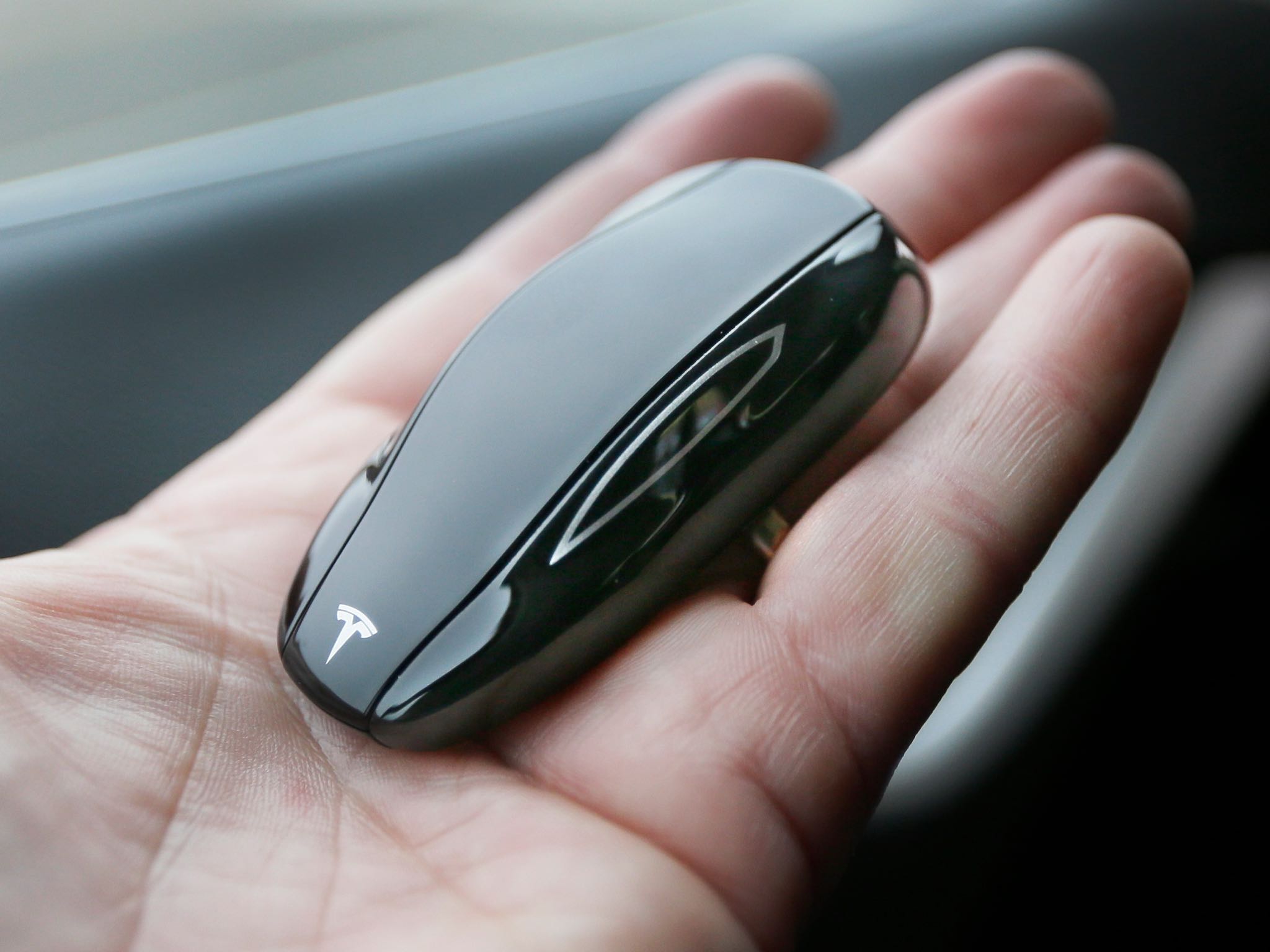
Tesla Model S key fob

Wireless charging in the second-generation Apple Pencil may interfere with your car's key fob and cause intermittent issues when attempting to unlock the vehicle, Apple has acknowledged.

As first noted by French blog iGeneration.fr (Google Translate), a recent update to Apple's support document covering using Apple Pencil with iPad or iPad Pro explains that the wireless charging feature of Apple Pencil 2, when being used, tends to clash with key fobs.

Should that happen to you, store the stylus separately so it doesn't charge wirelessly when attempting to unlock the car or simply move the tablet away from the key fob.

If you're charging your Apple Pencil (2nd generation) with your iPad Pro and your car's keyless entry device (key fob) is nearby, signal interference might prevent you from unlocking your car with your key fob.

If this happens, you can simply move your iPad Pro away from the key fob or remove your Apple Pencil from your iPad Pro and store it separately. When Apple Pencil is finished charging, any resulting signal interference will cease.

I own both the latest iPad Pro and Apple Pencil, but have yet to experience this issue (for context, I drive my car every day and my iPad goes with me everywhere I go). Aside from Apple's advice, I'd also recommend trying holding your fob closer to the antenna, usually located near the radio antenna, that communicates with the door locks.

In one example, a DJ’s light-control panel was designed to send out intermittent signals but somehow transmitted a continuous stream of data on the same frequency used by some vehicle remote controls, as explained in a recent WardsAuto article:

Since the beginning of the year motorists in a section of Yonkers, 15 miles (24 km) north of Times Square, were unable to unlock their cars with remote-control fobs. Some drivers of cars without keys simply were unable to enter their vehicles because of unexplained electronic interference.

Due to poor shielding or wiring, some key fobs can generate harmonic interference and even unintentional interference. The same goes for a whole host of other wireless devices, including your iPad Pro's Wi-Fi and the tiny wireless charging coils in the new Apple Pencil.

Key fobs generally trigger signals on two bandwidths: 315 mHz and 434 mHz.

Photo: A Tesla key fob has an option to pull the car forward and backward remotely
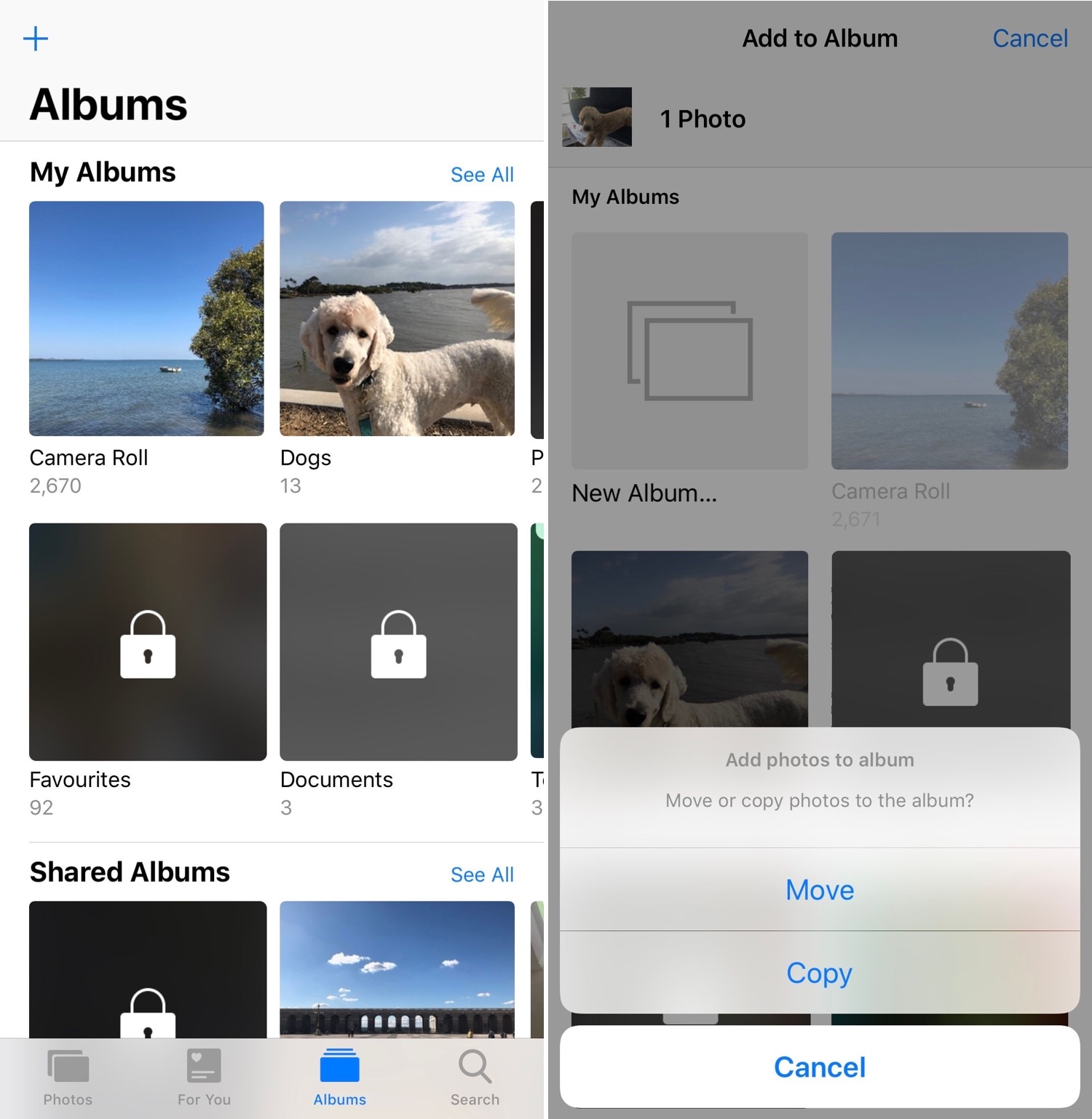
Unlock the full potential of your iPhone’s native Photos app with PhotoManager

When you capture photographs with your iPhone’s camera or save images from the internet, they get saved directly to your Camera Roll where you can interact with them later. Unfortunately, Apple’s Photos app tends to be somewhat light on features, and this presents issues for power users.

PhotoManager (iOS 12) is a new jailbreak tweak release by iOS developer Frozen Penguin that spearheads an effort to solve this dilemma. It integrates a plethora of useful new features into the native Photos app, which presents users with more control over their files and albums.

Artistry displays album artwork in every playlist in the Spotify app

Anyone who uses the Spotify app for their music streaming needs as opposed to Apple’s native Apple Music interface knows that Spotify can be somewhat skimpy in terms of displaying album artwork throughout the app, especially in song playlists. Fortunately, those with jailbreaks won’t need to put up with that any longer.

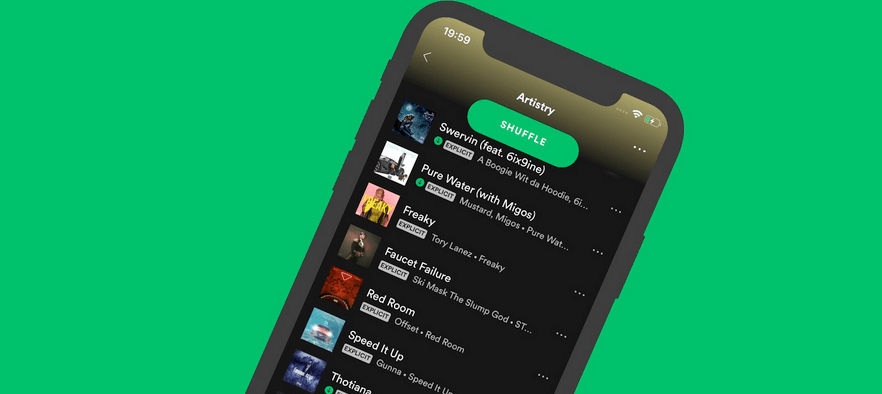
Artistry is a new free jailbreak tweak by iOS developer Yung_Specht that forces the Spotify app to display album artwork to left of the song information in each and every one of your playlist interfaces, as shown in the screenshot example above.

Augment your Cydia app’s visual appeal and more with Renovare

With the help of a newly-released free jailbreak tweak called Renovare by iOS developer KushyDaBush, you can give your Cydia app interface a colorful, modernized makeover in a jiff.

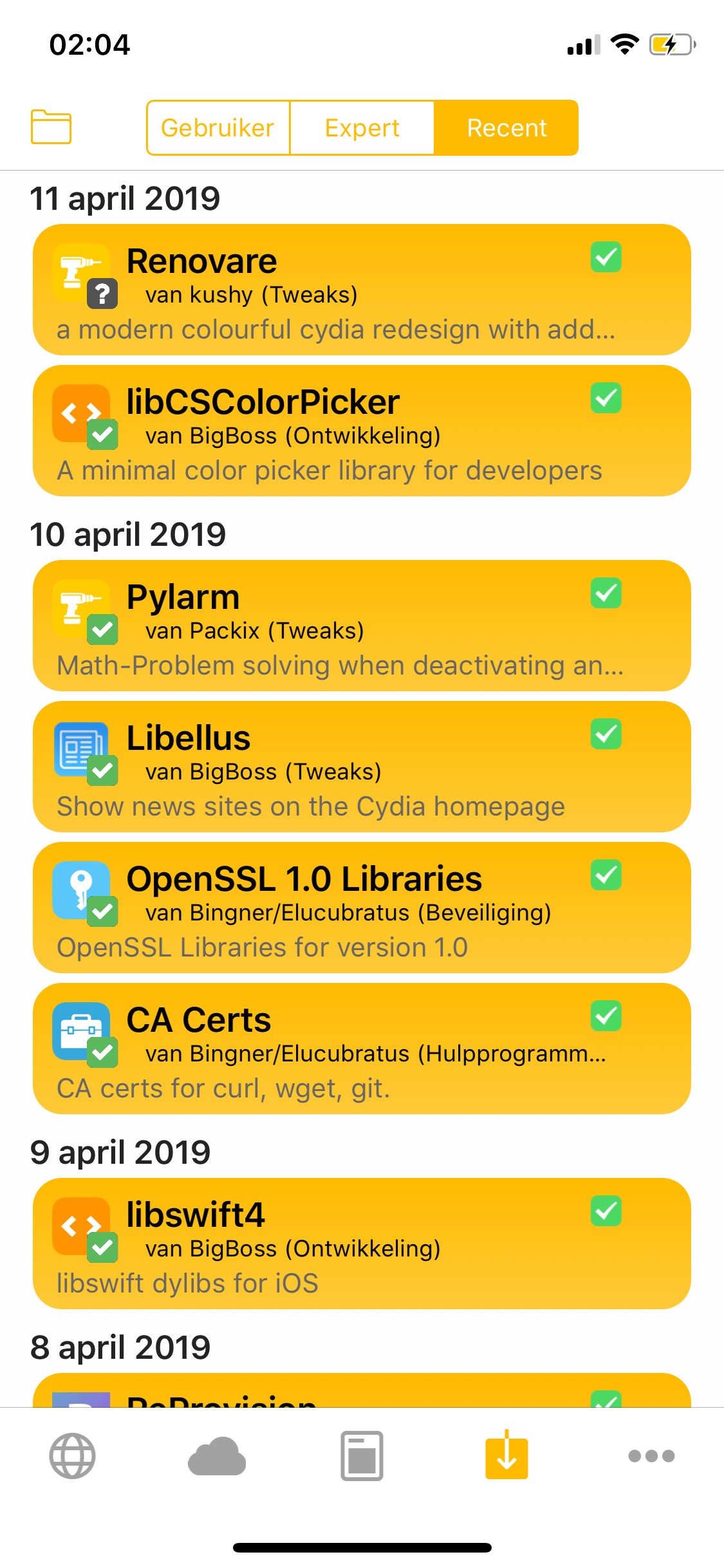
As you can see in the screenshot example above, Renovare can be used to colorize the tabs, glyphs, and backgrounds of the Cydia app. The tweak is fully-customizable, and adds a dedicated preference pane to the Settings app where you can set it up to your liking:

Jailbreak tweaks of the week: ActionBar, Goodges 2, Vocito, and more

If you’re in search of the best and latest ways to customize your jailbroken iOS 11 or iOS 12 device, then you’ve come to the right place.

In this roundup, we’ll summarize each of this week’s new jailbreak tweak releases from Monday, April 8th to Sunday, April 14th. As usual, we’ll kick things off by discussing our favorites and then outline the rest afterward.

FlashyHUD is a minimalist volume HUD replacement for iOS with oodles of configuration

It’s no secret by now that the iPhone’s native volume HUD leaves a lot to be desired, especially in the realms of aesthetics and intrusiveness. Thankfully, there are a plethora of jailbreak tweaks in Cydia that can change how your iPhone’s volume HUD looks, and we’re here today to talk about the latest in this batch of tweaks called FlashyHUD by iOS developer Nepeta.

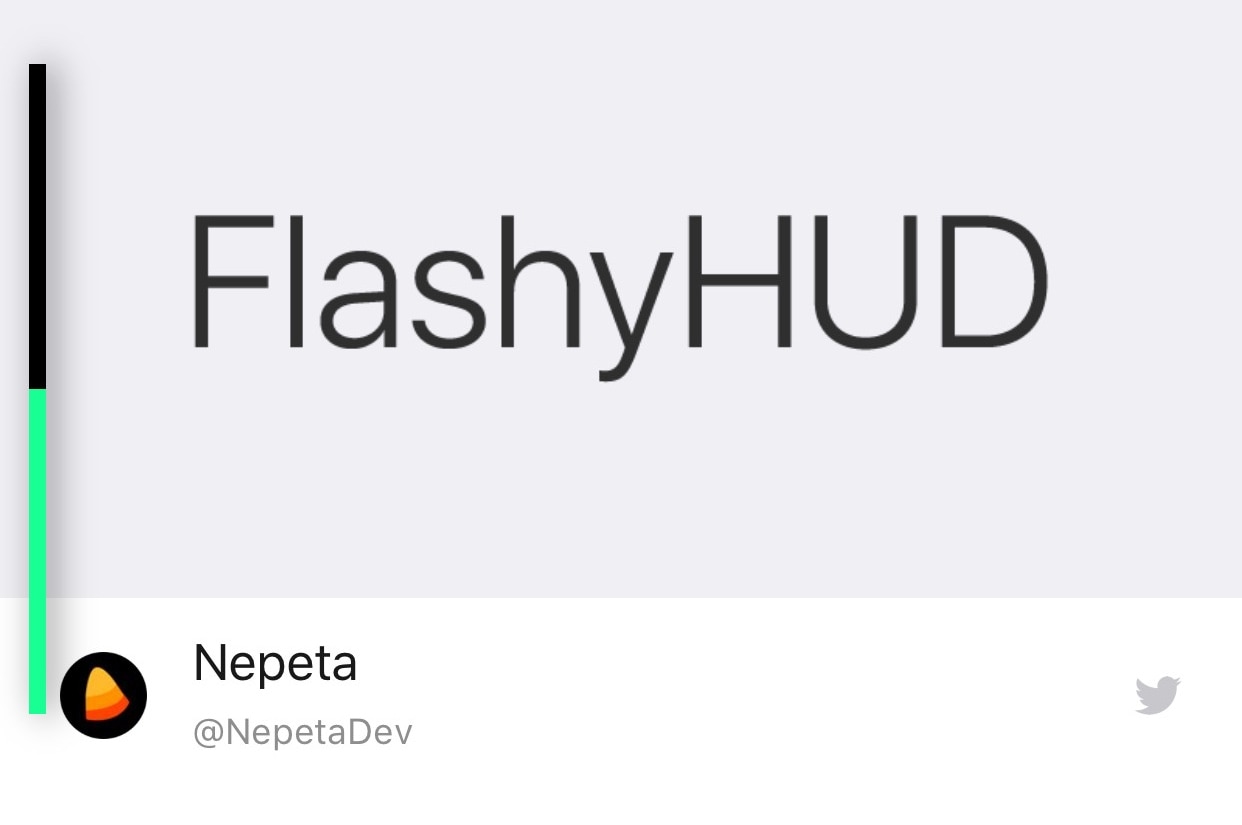
As shown in the screenshot example above, FlashyHUD provides a volume HUD interface that appears at the very edge of the display, hence preventing it from getting in your way and causing a ruckus. Perhaps more importantly, FlashyHUD is fully-configurable; not only can you colorize it however you want, but you can also choose where it appears on your display.

ChromaGram provides simple color customization for the Instagram app

Apart from Facebook and Twitter, Instagram is perhaps one of the most popular mobile-centric social platforms, and yet it still hasn’t adopted a native dark mode interface of any sort. With that in mind, wouldn’t it be great if you could just skip to the beat yourself?

Those in agreeance might take a liking to a new free jailbreak tweak called ChromaGram by iOS developer Revulate. As depicted in the screenshot examples above, this tweak lets you colorize the Instagram app however you’d like, whether you’re into dark mode-centric aesthetics or something else entirely.

BatteryPercent12 displays a numeric percentage inside the Status Bar’s battery icon

On modern notched handsets like the iPhone X, XR, XS, and XS Max, Apple did away with the numeric battery percentage option for the Status Bar. Instead, the numeric battery percentage remains hidden unless you open the Control Center interface.

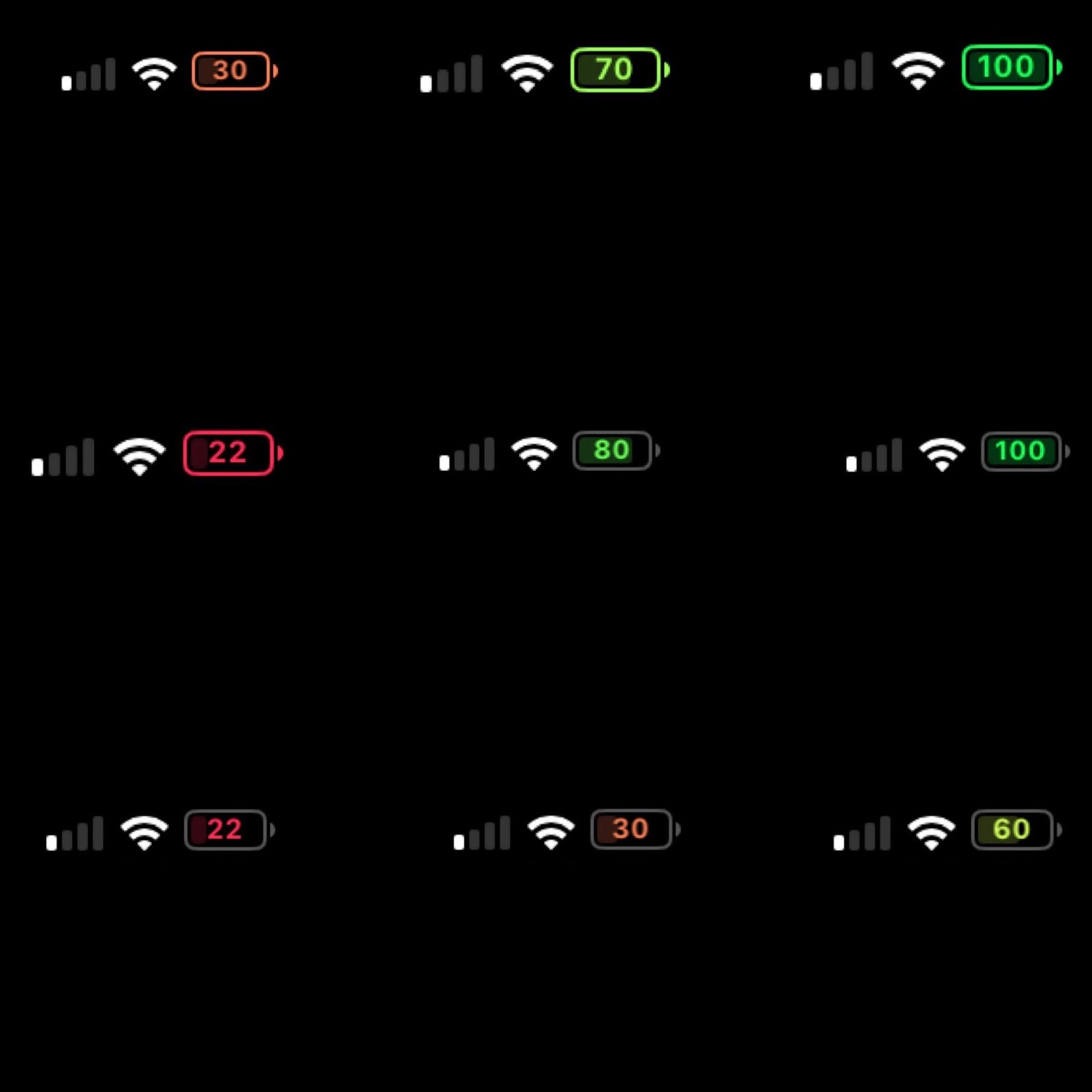
I’ve enabled this feature on all my previous iPhones for years, and so this change has felt like a serious downgrade since I picked up my first iPhone X. On the plus side, a new free jailbreak tweak called BatteryPercent12 by iOS developer dpkg_ promises to display the numeric battery percentage in the Status Bar without hindering the battery icon itself.

Pwn20wnd says Saurik plans to update Cydia Substrate for A12(X) devices

Pwn20wnd’s unc0ver jailbreak tool supports all versions of iOS from 11.0-12.1.2, and it supports most iOS devices. The lone exception to the latter part of that statement is that A12(X) devices are only partially supported, which means Cydia and Cydia Substrate won’t be installed on those handsets (yet).

Just last week, Pwn20wnd shared what he still needed to complete the full A12(X) support for unc0ver, and while one of those components has since been completed, the community continues to wait for the other.

If you thought Sileo was fast on an iPhone 6s, then watch the latest demo on an iPhone X

Less than 24 hours ago, the Sileo Team teased the blazing speed of its Sileo app, which aims to compete with Cydia as the de facto package manager on handsets pwned by way of Electra. The device used in the recent demo video was an iPhone 6s, but with many jailbreakers waiting to pwn their latest and greatest handsets, did the video do Sileo any justice?

If you were wondering how fast Sileo would be on a more modern handset, then you’re in luck. The Sileo Team has Tweeted yet another demonstration of Sileo’s speed just this evening, this time with the app running on an iPhone X instead of an iPhone 6s.

Sileo Team teases zippy Sileo app running on Electra12

Pwn20wnd’s unc0ver jailbreak tool has enjoyed a monopoly over iOS 12.0-12.1.2 for months, albeit with limited handset support due to the lack of Cydia Substrate support for A12(X) devices. On the other hand, that could all change in the very near future.

The Sileo Team on Thursday Tweeted a teaser of what appears to be the Sileo app running on the upcoming Electra12 jailbreak, citing it to be a speed demonstration of the Cydia alternative for package management on jailbroken handsets.