Learn how to change your Apple Watch's Home Screen from the honeycomb grid layout with app icons to list view that sorts your apps alphabetically.
How to see all Apple Watch apps in List View

Learn how to change your Apple Watch's Home Screen from the honeycomb grid layout with app icons to list view that sorts your apps alphabetically.
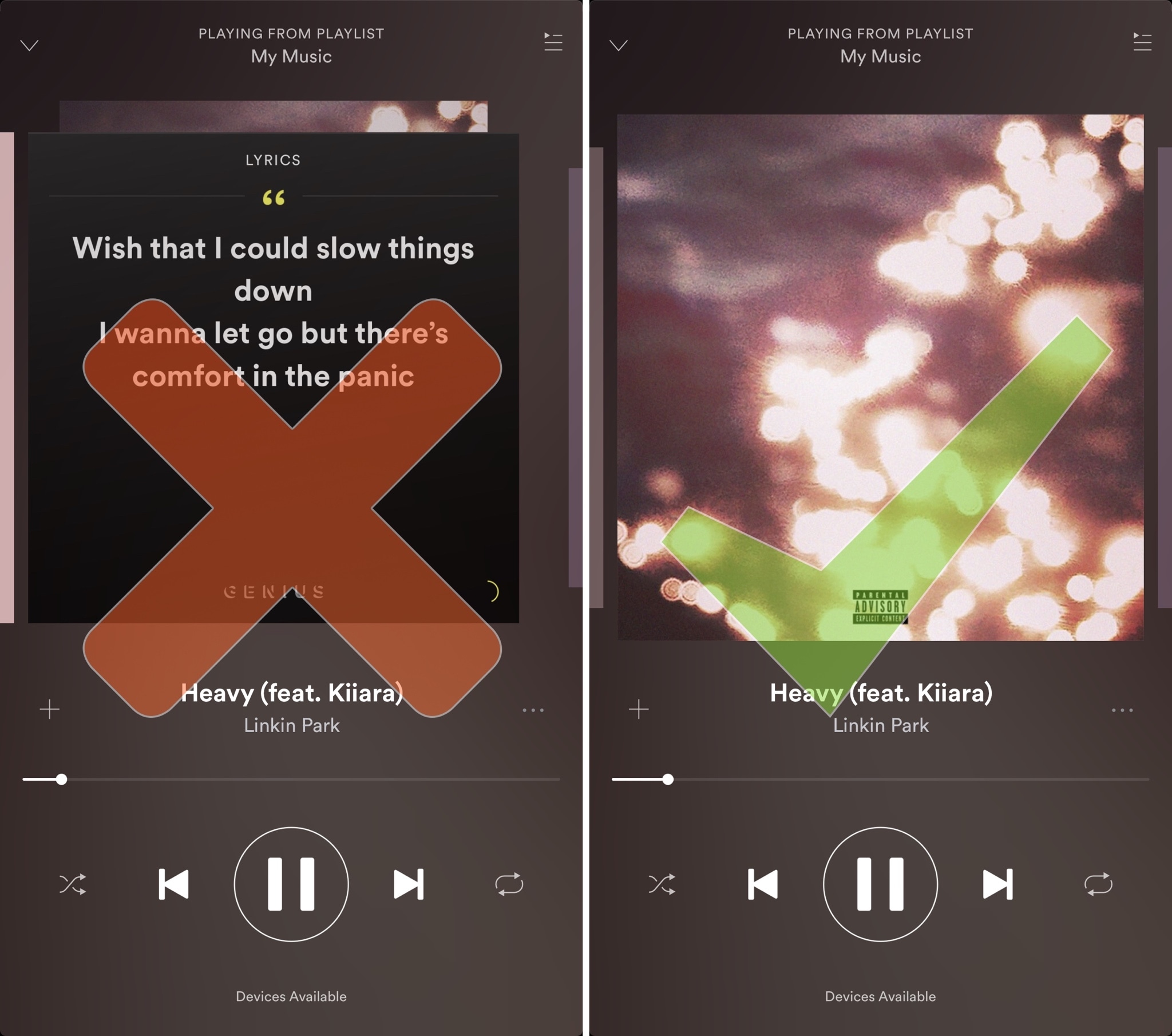
Spotify is perhaps one of the largest names in the music-streaming industry, and while Apple Music is indeed catching up, a large number of iPhone users are still using the third-party alternative.
Despite its popularity, many Spotify users aren’t fond of the persistent Behind the Lyrics feature that interrupts your view of the album artwork whenever music is playing.
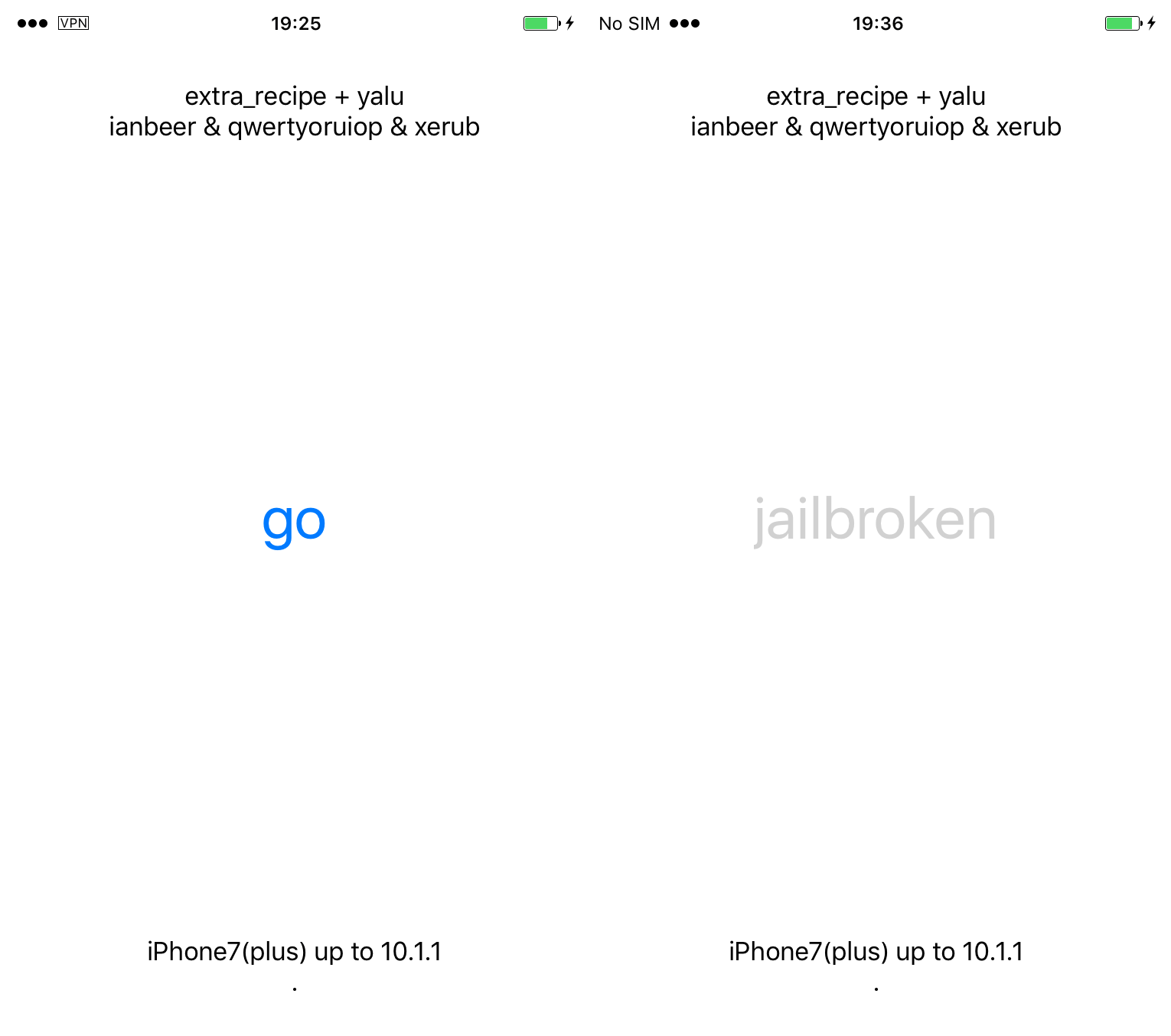
If you're an iPhone 7 or iPhone 7 Plus user on iOS 10.0.0-10.1.1, the time has come for you to switch from the mach_portal jailbreak to the newer, more stable extra_recipe. If you're a flagship user on iOS 10.1 or iOS 10.1.1 it's as easy as downloading the .ipa and sideloading it; you can follow our guide on the subject.
However, if you're on iOS 10.0.0-10.0.x, or if you have a device other than the iPhone 7(+), there isn't currently an .ipa available which supports you. For that reason, we'll show you how to build your own straight from the source code on GitHub and push it to your device, so you needn't wait to get the newest features and device support.
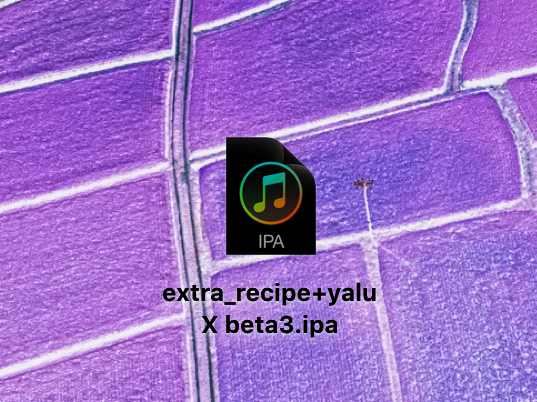
If you're currently jailbroken with mach_portal for iOS 10.1(.1), you should switch over to the new extra_recipe jailbreak. It uses a different exploit from mach_portal, and boasts better stability. iPhone 7(+) users on iOS 10.0.0-10.0.3 can also get in on the fun, and some users of Yalu for 10.0.1-10.2 can make use of extra_recipe if they wish too. Follow our guide to see how to go about it.

One of the little things in iOS 11 includes the ability to set up the AirPods double-tap action to skip forwards and backwards between tracks, cancelling the need to invoke Siri to change songs. As iDownloadBlog reader Harshit Yadav has discovered and shared with us, you can also get this next/previous track control functionality to work on your iPhone, iPad or iPod touch with iOS 10, here's how.
First of all, your AirPods must be running the firmware version 3.7.2 or later, which enables you to customize double taps independently for both the earbuds. To find out your AirPods current firmware version, go to Settings → General → About → AirPods on your iPhone.
Your AirPods must be connected to your iPhone to appear there.
TUTORIAL: How to install software updates for your AirPods
To ensure your AirPods have the latest available firmware, put both the earbuds inside their charging case, then close the case and connect it to a charger or a USB port on your computer. Your iPhone must be paired with your AirPods and connected to Wi-Fi in order for the firmware to download and install.
With the 3.7.2 firmware installed on your AirPods, do the following:
1) Connect your AirPods to an iOS device running iOS 11. This is very important that your AirPods be connected to an iOS 11 device. If not, the option to customize Left and Right ear will not appear.
2) Go to Settings → Bluetooth on your iOS 11 device.
3) Tap the “i” next to your AirPods.
4) Tap Left underneath the Double Tap on AirPod heading, then choose Previous Track from the list of double-tap actions for your left earbud.
5) Tap Right underneath the Double Tap on AirPod heading, then choose Next Track from the list of double-tap actions for your right earbud.
6) Close out the Settings app and play some music to verify that double-tapping either AirPod takes you to the next or previous track.
7) You're done.
With your AirPods updated to the firmware version 3.7.2 and the double-tap action set to next/previous track, you can now pair them back to an iOS 10 device and they will continue to work.
It's important to note that attempting to change your AirPods settings on iOS 10 will overwrite any changes made on your iOS 11 device, meaning you'll loose the next/previous track functionality.
Let us know in the comment section below how it went for you.
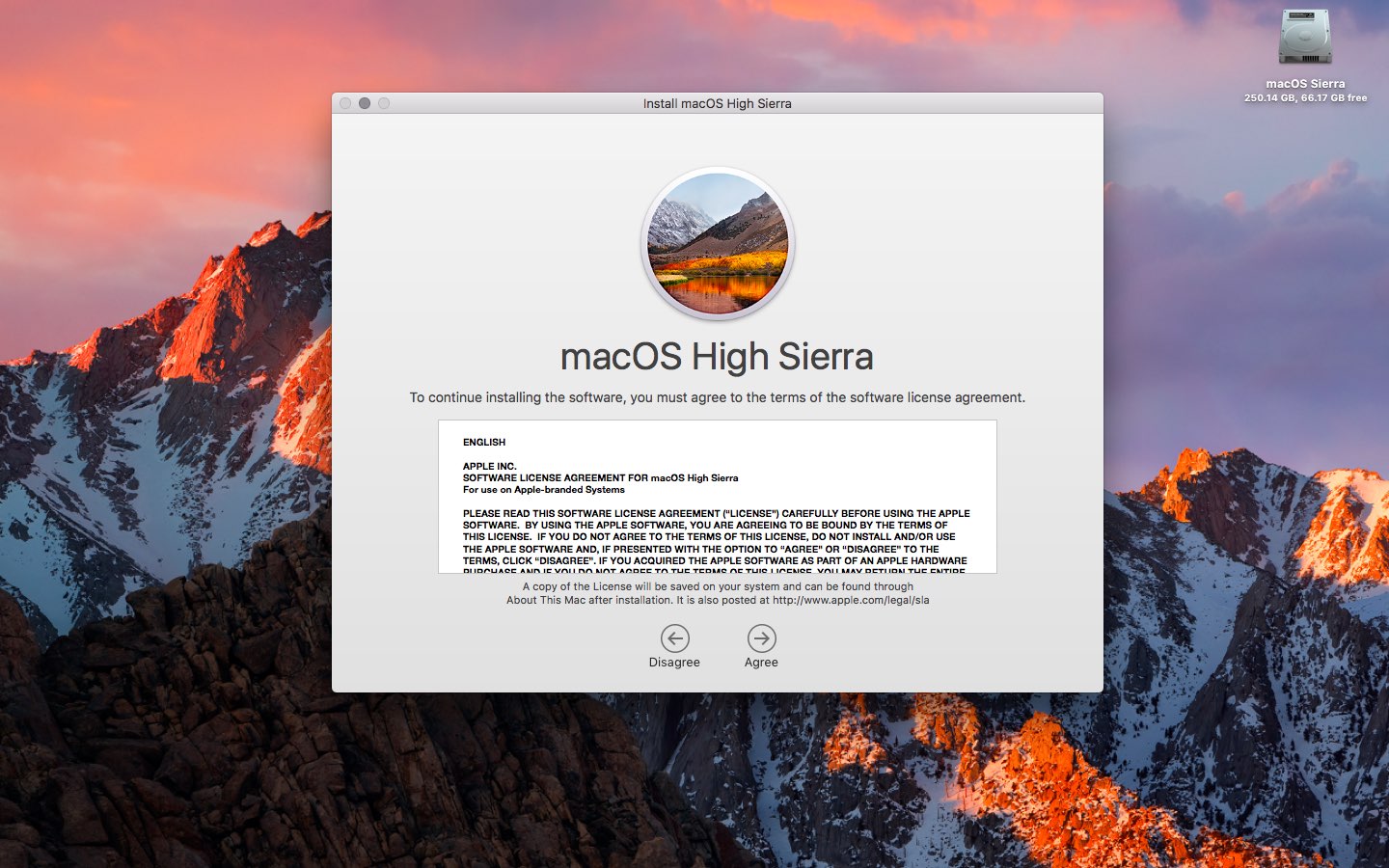
In this guide, we'll demonstrate how to create a USB install drive from your downloaded macOS High Sierra software update so that you can install it to multiple machines without redownloading, perform clean install, keep a copy safe for troubleshooting purposes and more.
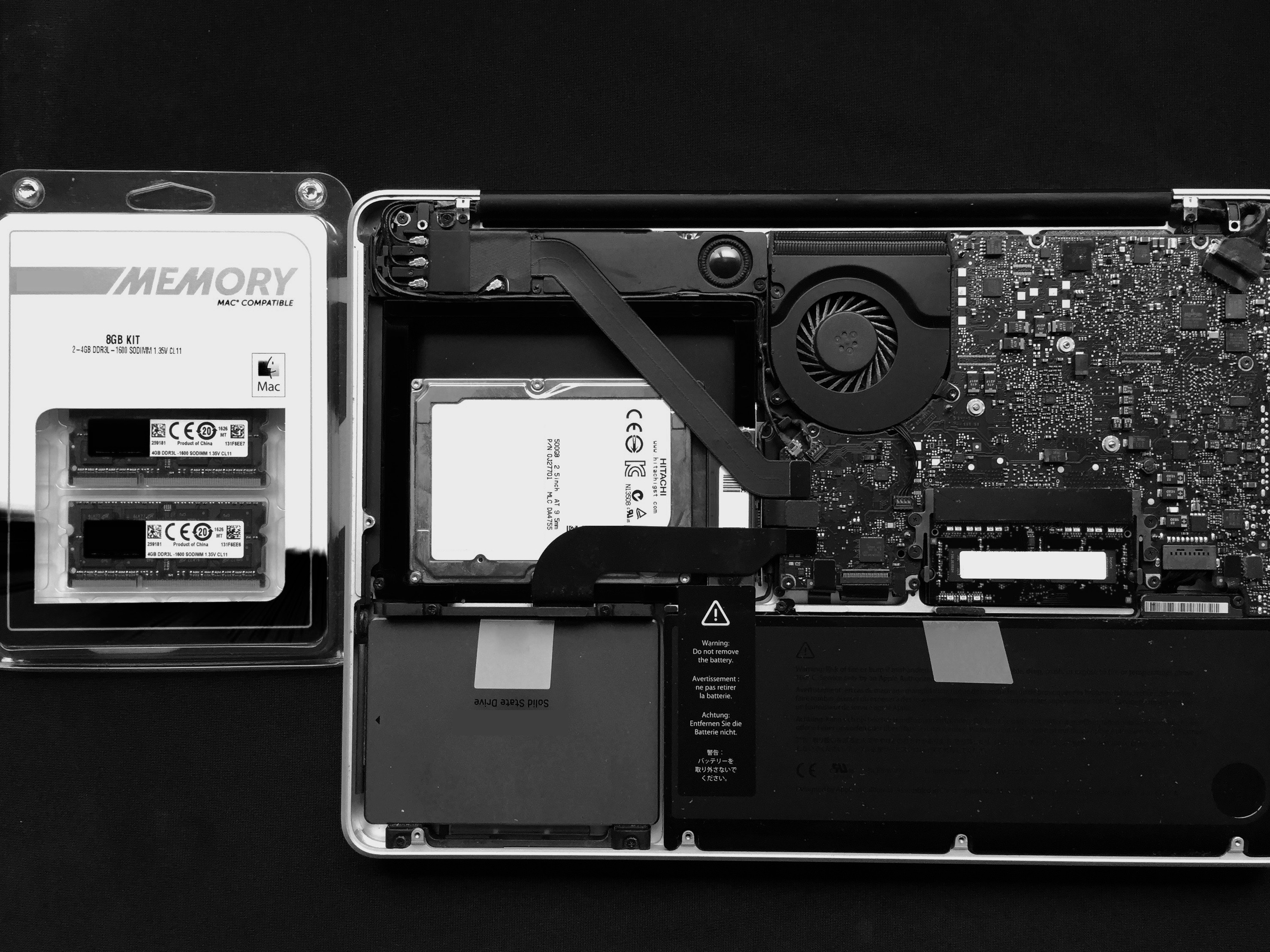
If you've been experiencing strange behaviour from your computer, or have recently upgraded or replaced your RAM, it might be a good idea to test its integrity. This ensures that it is installed correctly, that no part of it has failed, and that it has no intermittent problems.

Apple will be live-streaming its WWDC 2017 event, just as they have for the last several years, so the world can tune in and see what’s new in the world of iOS, macOS, tvOS, watchOS, and more.
No matter what type of device you’re using the day of the event, you can live-stream the keynote. In this piece, we'll go over all the methods on how for every operating system and platform.
Apps designed to use iCloud Drive for syncing data between devices “just work”. On the other hand, those that don’t natively support Apple's secure Two-Factor Authentication system may ask for your Apple ID password to access data stored in your iCloud account.
For instance, Fantastical for Mac may require your Apple ID user name and password to import your iCloud calendars. And what if you'd like to use your iCloud email account in apps like Spark or Airmail, but don't want to expose your Apple ID credentials to the app?
Given that asking for the user's iCloud password poses a dangerous attack vector, Apple now mandates that all native apps use app-specific passwords to access user data stored in iCloud.
The change goes into effect on June 15, 2017.
To ensure worry-free experience, you can use an app-specific password to sign in to an app or service not provided by Apple, without ever typing your Apple ID password.
In this step-by-step tutorial, you will learn how to create an app-specific password for any native app that wants to access your personal data stored in iCloud, revoke all of your generated passwords one by one or all at once, and more.
About app-specific passwordsSecurity is paramount.
Protecting your Apple ID account against hackers and nefarious users by turning on Apple's older Two-Step Verification system or the modern, more secure Two-Step Verification also entails using app-specific passwords for any web apps, online services and apps that don’t natively support entering verification codes.
TUTORIAL: How to protect your Apple ID with Two-Factor Authentication
App-specific passwords maintain “a high level of security and ensure that your primary Apple ID password won’t be collected or stored by any third-party apps you might use,” notes Apple.
You can have up to 25 active app-specific passwords at any given time. If you need to, you can revoke passwords individually or all at once.
How to generate app-specific passwords1) Sign in to your Apple ID account page at appleid.apple.com/account/home.
2) In the Security section, click Generate Password below App-Specific Passwords.
3) Type a password label into the text field, then click Create to generate a random password. The password label helps distinguish one app-specific password from another.
I'll create an app-specific password for Fantastical and name it “Fantastical for Mac”.
4) Click Done to finish creating the password.
5) Now paste the password into the password field of the app as you would normally.
Again, I'm a Fantastical believer so I'm going to type the generated password into Fantastical.
Using an app-specific password ensures that Fantastical is able to access my iCloud calendar and gives me a piece of mind knowing I don't have to worry about the security of my Apple ID.
As a reminder, you can have up to 25 active app-specific passwords at any given time. Keep in mind that each app-specific password is case-sensitive and only works in one app.
How to revoke app-specific passwordsYou can revoke app-specific passwords individually or all at once. Revoking an app-specific password stops the app from accessing data in your iCloud account.
1) Sign in to your Apple ID account page at appleid.apple.com/account/home.
2) In the Security section, click Edit.
3) In the App Specific Passwords section, click View History.
4) You can now revoke an individual password or all passwords at once:
Revoke individual passwords—To revoke an individual password, click the “x” next to a password you'd like to delete, then click Revoke. Revoke all passwords at once—To revoke all the app-specific passwords you've generated thus far, click Revoke All.“After you revoke a password, the app using that password will be signed out of your account until you generate a new password and sign in again,” notes Apple.
Be sure to generate new app-specific passwords for any apps that don't support entering verification codes because, for the sake of your own security, all of your app-specific passwords are auto-revoked any time you update or reset your primary Apple ID password.
Need help? Ask iDB!If you like this how-to, pass it along to your support folks and leave a comment below.
Got stuck? Not sure how to do certain things on your Apple device? Let us know at help@iDownloadBlog.com and a future tutorial might provide a solution.
Submit your how-to suggestions via tips@iDownloadBlog.com.

Instagram for iOS is pretty decent, but there are times when you just wanna quickly post an image without having the app unnecessarily eat into that precious cellular data by refreshing feeds and other content. While you can send photos from other iPhone apps via Instagram's Share sheet extension, it's now possible to upload images through Safari as well.
This tutorial provides step-by-step instructions explaining how to upload your photographs to Instagram using the mobile web interface, no apps needed whatsoever.
Before we get to it, know that you cannot take or upload photos from Instagram's web interface on a desktop computer. Only Instagram's web UI on mobile lets you do that.

If you don't set up one of the supported payment methods for your Apple ID, you won't be able to upgrade your iCloud storage or buy music, movies and TV shows from iTunes Store, apps from App Store and Mac App Store, books and audiobooks from iBooks Store and more.
That's where an iTunes or Apple Music gift card should come in handy.
Upon redeeming, the amount shown on the card is added to your Apple ID in the form of good-as-cash credit that can be used for each purchase you make in Apple's content stores.
In this tutorial, you'll learn about the types of gift cards Apple supports, how they should be used, as well as how to redeem your iTunes or Apple Music gift card and apply the credit toward an individual Apple Music membership or to top up your Apple ID balance.
About iTunes and Apple Music gift cardsiTunes gift cards and Apple Music gift cards can be purchased from Apple, PayPal, Amazon, eBay, Best Buy and a number of other retailers. iTunes gift cards typically come in $25, $50 and $100 denominations. Apple Music gift cards are currently available in $30 and $100 denominations for three or twelve months of service, respectively.
You can buy them in physical form for delivery via mail or opt for a digital gift card, in which case your redemption code will be delivered straight to your inbox.
The 16-digit redemption code is hidden underneath the label on the card's back.
The redemption code always starts with an “X”.
The redemption code may appear in different places on the back of your card.
Redeeming an iTunes gift card adds store credit to your Apple ID.
Store credit is used for each purchase you make in iTunes Store, App Store or iBooks Store until it's gone. iTunes billing system always uses your store credit first, as long as the value of the item that you're buying is less than or equal to the value of your credit balance.
If you don't have any store credit left, the payment method that you designate when you sign up for an Apple ID is charged for the entire purchase.
You can use your store credit to buy the following items:
Apps from App Store and Mac App Store In-App Purchases Songs, albums, movies, TV shows and more from iTunes Store Books and audiobooks from iBooks Store iCloud storageStore credit cannot be used to purchase more gift cards or iTunes Gifts.
NOTE: Some purchases might require that you have a credit card on file, even if you're using your credit balance to make the purchase. For instance, you must have a credit card on file in order to use store credit to pay for your iCloud storage upgrades.
You cannot use store credits for:
App gifting—When you gift an app or media item to someone else the payment method on file is always billed for the entire purchase, not the store credit. Family Sharing—You cannot share your store credit with other family members.Even if a Family Sharing member buys something and the family organizer has store credit on their account, the item cost is still billed to the organizer's payment method on file rather than being deducted from their store credit.
TUTORIAL: How to gift apps
If a Family Sharing member with a credit on their account buys something from Apple's content stores, the amount is billed to their own account unless there's a remainder, in which case it bills to the family organizer's payment method.
You can use the credit from your Apple Music gift card to:
Sign up for a new Apple Music membership Extend your Apple Music membership by the number of months shown on the card Credit the amount to your Apple ID, like an iTunes gift cardRead Apple's support document for more on how iTunes Store purchases are billed.
How to redeem iTunes or Apple Music gift cards on iPhone and iPad1) Open iTunes Store, App Store or iBooks on your iOS device.
2) In iTunes Store, App Store or iBooks, tap the Featured tab, then scroll to the very bottom of the screen and tap the Redeem option.
3) Sign in with the Apple ID that you use for iTunes Store or Apple Music purchases.
Tip: You can quickly get to the redeem feature by visiting the link below on your Apple device:
To redeem an iTunes gift card, follow this link To redeem an Apple Music gift card, follow this linkTIP: If your device has 3D Touch, you can press the iTunes Store or App Store icon and select the Redeem option from the Quick Actions menu on your Home screen.
4) Choose whether you'd like to type in your code manually or have the card scanned:
Scan the redemption code—If you have a physical gift card with a box around the code, use this option to redeem it via your built-in camera. Tap Use Camera, then hold the back of the card up to your iPhone's camera until it scans the code. Only gift cards with a focus box around the redemption code are redeemable via a camera. This feature is not available in all countries and regions. Type in the redemption code manually—Tap the field labeled ”You can also enter your code manually”, then peel off the label on the back of the card and type in the redemption code or paste the code from your purchase confirmation email.When you redeem an iTunes gift card, your updated store balance appears onscreen. An error message appears if you try to redeem a gift card that's already been used.
Upon redeeming an Apple Music gift card, you're given the choice between topping up your iTunes store credit or using the code toward an individual Apple Music membership.
This is what happens if you choose to use the code for your Apple Music membership:
Apple Music members—Applying the credit to your ongoing membership extends your date of renewal by the number of months shown on the card. Apple Music non-members—Applying the credit signs you up for a membership.If you've never been an Apple Music member, you can still get your free three-month trial in addition to the number of months your Apple Music gift card card is worth.
5) In the upper-right corner, tap Done to finish the process.
If you'd like to redeem another iTunes or Apple Music gift card, tap Redeem Another Code.
TIP: If you received your gift card via email, click the Redeem Now link in the email.
To get information about your iTunes Store or Apple Music balance:
iTunes Store balance—You can find your store balance underneath your Apple ID at the bottom of the Featured tab in iTunes Store, App Store or iBooks on your iOS device. Apple Music balance—To view your Apple Music membership, go to Settings → [your name] → iTunes & App Store and tap your Apple ID at the top of the screen. Tap View Apple ID, then Subscriptions. From the list, choose the subscription that you want to see more information about.Your account balance automatically updates in iTunes Store, App Store and iBooks Store after redeeming the card. If your store credit does not update automatically, sign out and back in on all of your devices for it to refresh properly.
How to redeem Apple Music gift card in iOS Music app1) Open the Music app on your iOS device.
2) Switch to the For You tab at the bottom of the screen.
3) Tap your profile image in the upper-right corner.
4) Tap the Redeem option.
5) Use your iPhone to scan the redemption code on the back of the card or enter it manually, then tap Redeem to continue.
7) Tap Done when finished redeeming the code.
How to redeem Apple Music gift card on Android1) Open the Apple Music app on your Android device.
You can download Apple Music for Android free from Google's Play Store.
2) Tap tap the Menu icon in the upper-left corner.
3) Tap your Apple ID.
4) Tap Redeem.
5) Enter the code from the back of the card, then tap Redeem again.
An error message will appear if you try to redeem a card that's already been used.
How to redeem iTunes or Apple Music gifts card on Mac and Windows PCs1) Open iTunes on your Mac or Windows PC.
2) Choose Music, Movies, TV Shows or Apps from the popup menu near the top-left corner, then click the Store tab near the top of the screen.
3) Click the Redeem link under the Quick Links heading on the right side.
Tip: Alternatively, choose the Redeem option from iTunes' Account menu.
To get to the Redeem feature faster, visit the link below on your computer:
To redeem an iTunes gift card, follow this link To redeem an Apple Music gift card, follow this link4) Enter the password for the Apple ID you use for iTunes Store purchases or your Apple Music membership, then press the Return or Enter key on your keyboard, or click the Sign In button.
5) Choose how you'd like to redeem the code on the card:
Scan the redemption code—Use this option to redeem a physical card via your Mac's built-in camera. Click the Use Camera button, then hold the back of the card up to the FaceTime camera until it scans and redeems the code. Only gift cards with a focus box around the code are redeemable via a camera. This feature is not available in all countries and regions. Type in the redemption code manually—Click inside the field labeled ”You can also enter your code manually,” then type in the redemption code from the back of the card or paste it from your purchase confirmation email.6) Click Redeem to continue.
You'll be asked if you'd like to apply the credit toward your individual Apple Music membership.
If not, select the option Use Credit for iTunes or App Store to add the amount shown on the card to your Apple ID store balance like a regular iTunes gift card.
Your updated store balance appears onscreen.
7) Click Done to finish redeeming the card.
To redeem an iTunes gift card in iBooks or App Store on your Mac:
iBooks—Open the iBooks app from your Dock, Launcher, Spotlight or the Applications folder. In the upper-left corner, click the iBooks Store button, then click the Redeem link underneath the Quick Links heading on the right side. App Store—Open the App Store app from your Dock, Launcher, Spotlight or the Applications folder. Click the Featured tab at the top, then click the Redeem link underneath the Quick Links heading on the right side.An error message appears if you try to redeem a card that's already been used.
Related tutorialsYou may find the following how-tos useful:
How to gift iTunes or App Store credit on iPhone and iPad How to redeem iOS app promo codes How to redeem Apple TV app promo codes Redeeming iTunes gift cards with iPhone's camera Redeeming iTunes gift cards with Mac's camera That's all, folks!If you have a question, post a comment below and we'll do our best to answer it. Please share this tutorial on social media and pass it along to the folks you support.
Submit your ideas regarding future coverage via tips@iDownloadBlog.com.
This guide shows you how to safely delete partitions from a hard drive or SSD using the built-in Apple Disk Utility app on your Mac.