CalDigit TS3 is a solid options for pros looking to expand the functionality of their MacBook Pro or Thunderbolt 3 equipped iMac.
Review: CalDigit Thunderbolt 3 Docking Station

CalDigit TS3 is a solid options for pros looking to expand the functionality of their MacBook Pro or Thunderbolt 3 equipped iMac.
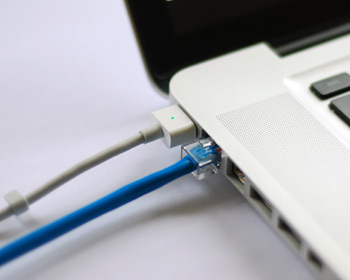
As my colleague Christian reported on Saturday, some Mac models have been plagued by non-working Ethernet ports after installing a new security update outed by Apple. Although a lot of modern Macs don't even have an Ethernet port, many models still carry it and many people still love using a wired internet connection because it's faster, more reliable, and more secure than a wireless network.
The security update, known as "031-51913 Incompatible Kernel Extension Configuration Data 3.28.1," reportedly blacklists the Broadcom BCM5701 driver used by the Ethernet port that comes standard on many Mac machines.
Fortunately, there's a light at the end of the tunnel for anyone experiencing issues with their Ethernet ports after installing this security update. Apple has issued a support document on Sunday that notes how to fix the problem. In this tutorial, we'll go over the steps to fix the problem yourself.
In squashing software bugs, you inevitably introduce new ones—that's a fact of life. According to a thread on Reddit, Apple's recent OS X security update has inadvertently disabled the Ethernet port for some owners of Apple's all-in-one desktop and the MacBook Pro notebook.
Making matter worse is the fact that Apple pushed this security update via the silent updating mechanism, according to a poster on Reddit who probably enabled the option in System Preferences → App Store that prompts OS X to automatically install system data files and security updates.