Beta

iOS 11 beta 3 seeded to developers

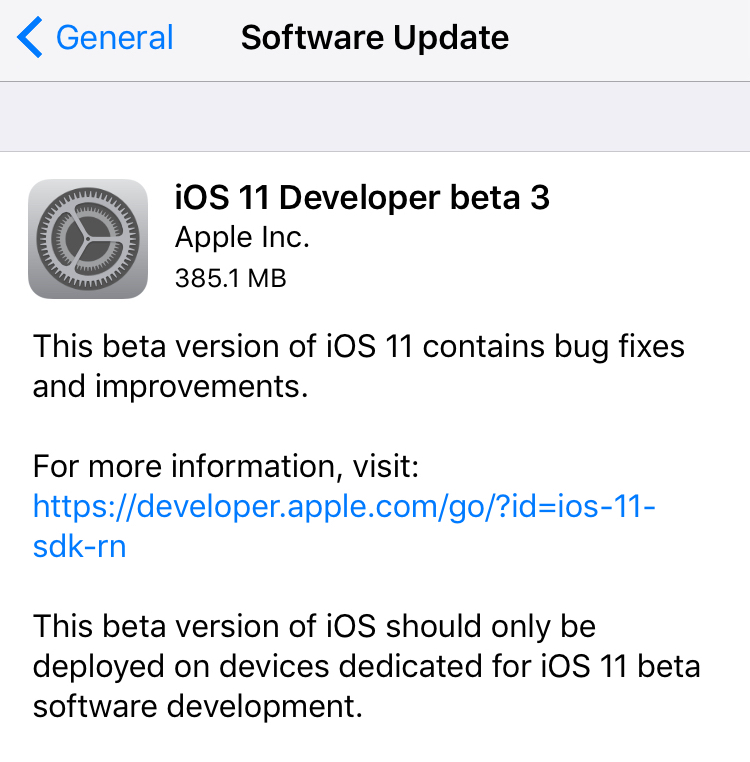
Apple today seeded a third beta of iOS 11 for iPhone, iPad and iPod touch to its registered developers and members of the Apple Developer Program. To deploy iOS 11 beta 3 (build number 15A5318g), use the Software Update mechanism in the Settings app on your device with an appropriate configuration profile installed, which can be obtained from Dev Center.

iOS 11 was originally released as a developer-only preview at WWDC in June, followed by iOS 11 beta 2 on June 21 and the iOS 11 public beta on June 26. The first public beta of iOS 11 has the same features as developer-only iOS 11 beta 2.

Here's Andrew's hands-on walkthrough of the changes in the previous beta.

https://www.youtube.com/watch?v=TZ5pwZMPRxI

Subscribe to iDownloadBlog on YouTube.

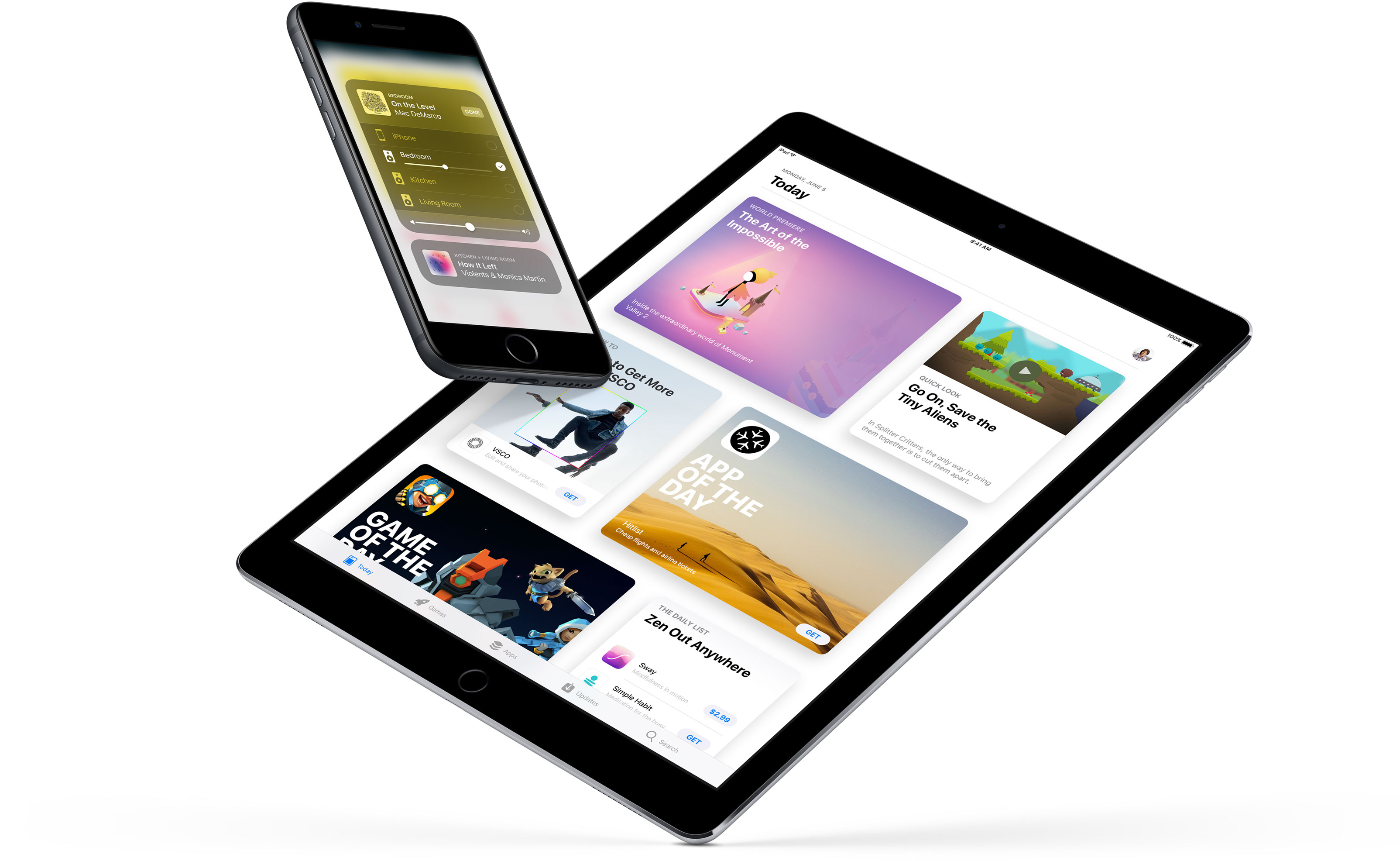
iOS 11 sports a redesigned App Store, new iPad multitasking features with the Dock and drag and drop, a Files app, AirPlay 2 with multi-room audio, new Siri capabilities, visual refinements, a customizable Control Center, a redesigned app drawer in Messages and much, much more.

TUTORIAL: How to switch from iOS 11 beta to official iOS release

iOS 11 will release for public consumption this fall across supported iOS device models.

If you have identified new outward-facing user features in iOS 11 beta 3, ping us on Twitter, shoot us an email at tips@iDownloadBlog.com or post your findings in the comments section and we’ll make sure to update the article with new information as it becomes available.

Apple seeds tvOS 10.2.2 beta 5 to developers

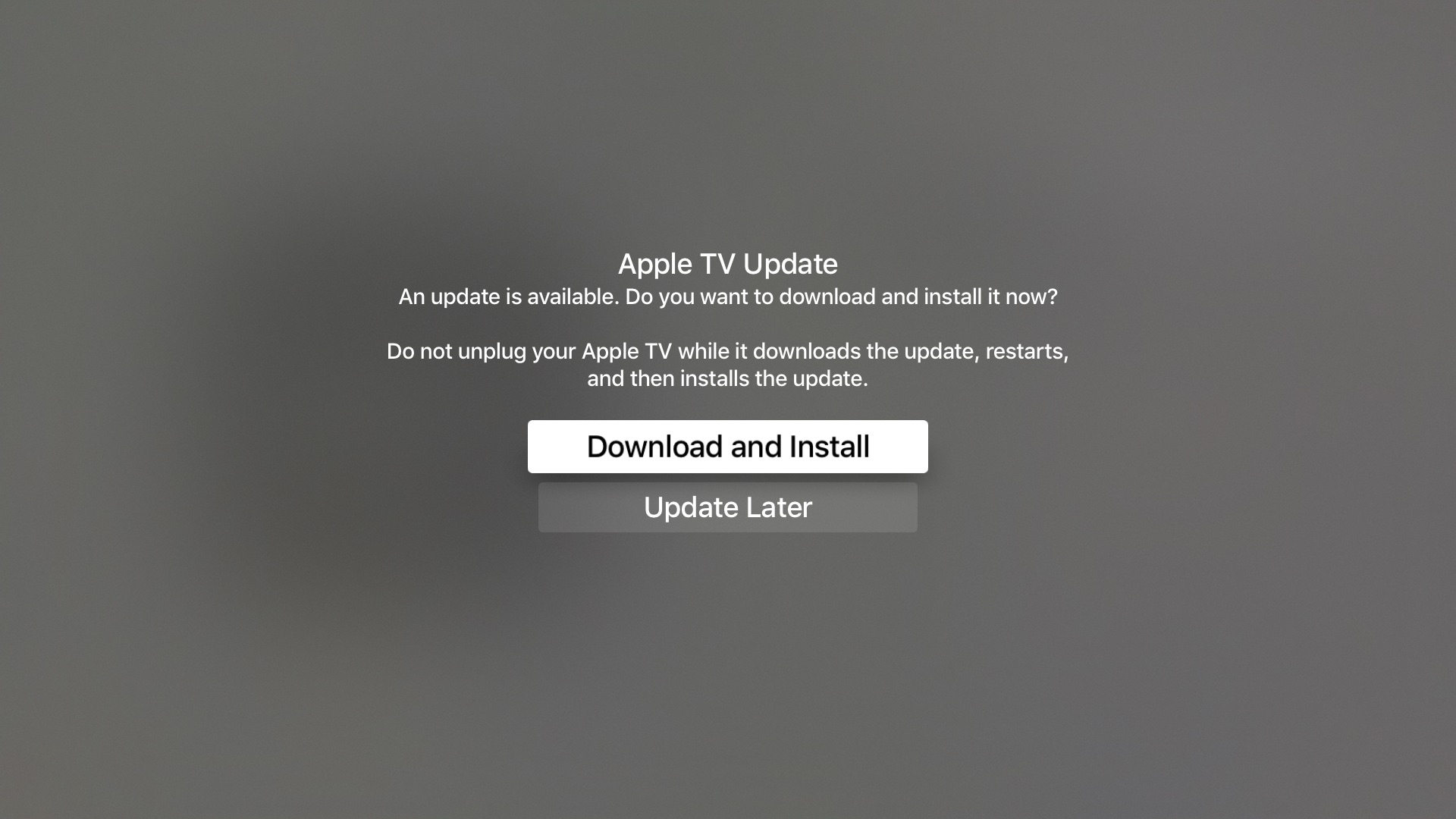
Apple on Thursday seeded the fifth beta of tvOS 10.2.2 to developers. The update comes just a little over two weeks after beta 4, and registered developers with the appropriate profile installed on their fourth-gen Apple TV can apply it via the over-the air mechanism.

From what we've seen in the betas thus far, tvOS 10.2.2 doesn't include many significant user-facing changes. Instead, as with iOS 10.3.3 and macOS Sierra 10.12.6, the update appears to be more focused on under-the-hood performance improvements and bug fixes.

tvOS 10.2.2 is expected to be released to the public within the next few weeks, and it should be one of the final tvOS 10.x.x releases as Apple has already begun seeing betas of tvOS 11, the next major revision of its set-top box operating system.

macOS Sierra 10.12.6 beta 6 now available for developer testing

Aside from releasing a sixth developer beta of iOS 10.3.3 for iPhone, iPad and iPod touch, Apple today seeded a sixth beta of the forthcoming macOS Sierra 10.12.6 software update.

macOS Sierra 10.12.6 beta 6 has a build number 16G24b.

It can be downloaded and installed on a compatible Mac using the Software Update mechanism through the Mac App Store's Updates tab. Only Apple's registered developers and members of the paid Apple Developer Program are allowed to beta-test macOS Sierra 10.12.6.

The new beta arrived nearly ten days following macOS Sierra 10.12.6 beta 5.

Like with iOS 10.3.3, users won't see any important outward-facing changes in macOS Sierra 10.12.6 when it releases for public consumption. This is a point release that will fix bugs and improve the security and performance of your Mac.

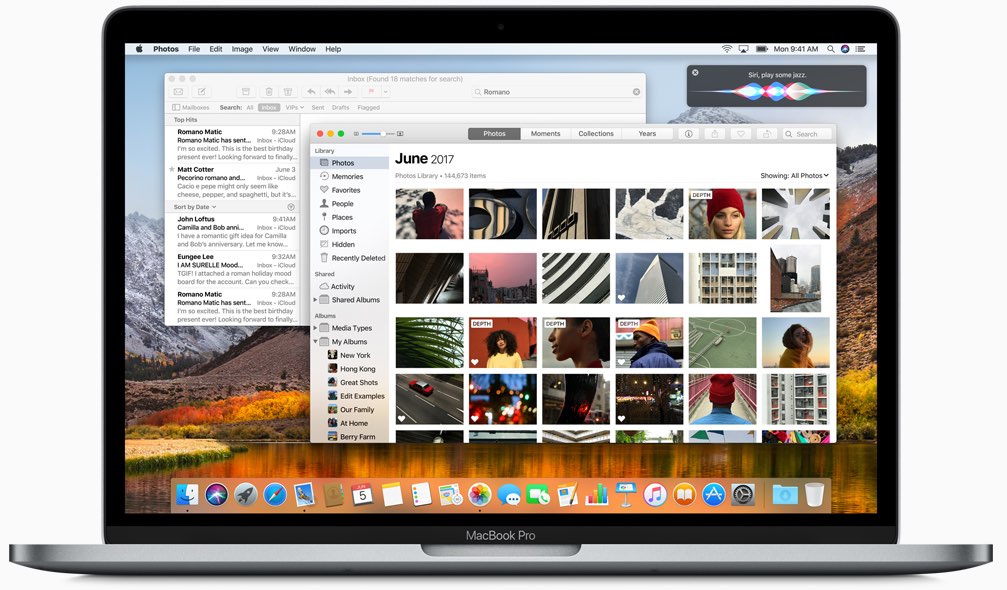
Apple is currently testing macOS High Sierra with its developers ahead of its release in the fall.

Apple issues sixth beta of iOS 10.3.3 to developers

Apple on Wednesday seeded iOS 10.3.3 beta 6 to its registered developers and members of the paid Apple Developer Program. The new update has a build number of 14G57 or 14G58, depending on the device. It can be deployed to any compatible iPhone, iPad or iPod touch via the Software Update mechanism in the Settings app.

Your device must have an appropriate configuration profile installed, which can be downloaded from Dev Center. The latest beta arrives following iOS 10.3.3 beta 5, which was seeded to developers on June 28 (the first beta dropped on May 16).

Some of the fixes in iOS 10.3.3 are mentioned in Andrew’s walkthrough video of the first beta.

https://www.youtube.com/watch?v=Xvh5kOofWW0

Subscribe to iDownloadBlog on YouTube.

As mentioned, iOS 10.3.3 is a bug-fix release which enhances the security and performance of your iPhone, iPad and iPod touch. This is most likely that last point update to iOS 10 as Apple continues to beta-test the major iOS 11 software update ahead of its public release in the fall.

Apple also released macOS Sierra 10.12.6 beta 6 for developer testing today.

ARKit demos: jumping between planes, people tracking, alien invasion, Tic-Tac-Toe & more

Apple's ARKit framework is slowly but surely emerging as one of the best new features in iOS 11. Many developers have built everything from virtual tape measures and Minecraft to ballerinas made out of wood dancing on floors. It's remarkable that most of the ARKit demos we've seen so far were built in a matter of hours or days, not weeks or months.

Today, we want to highlight a few additional ARKit demos that we've curated. These videos highlight ARKit's incredibly reliable and accurate tracking features that don't require any special hardware beyond the sensors and the camera already present in your iPhone or iPad.

First up, we have this demo showing jumping between different planes.

https://www.youtube.com/watch?v=pj3PbRTgpQk

ARKit automatically detects horizontal surfaces, called planes, such as tables and floors, and can track and place objects on smaller feature points as well. This is all handled automatically, with uncanny precision, using only data from your iOS device's camera and sensors.

The following pair of videos demonstrate a virtual character interacting with the environment by autonomously jumping a flight of stairs and between different surfaces of the real world.

https://www.youtube.com/watch?v=vozrtqe7MZY

https://www.youtube.com/watch?v=o7REJj_bN-c

Interactions between virtual objects and real people are easy as a pie with ARKit.

https://www.youtube.com/watch?v=RdAqD4uIbX0

The Tracking Monster demo, seen below, uses ARKit and the Unity engine to track a monster with the dynamically updated shadows based on changing lighting conditions in the real world.

https://www.youtube.com/watch?v=_IYT-OCWqDg

Maze games will never be the same!

Speaking of games, here's Tic-Tac-Tio in augmented reality, developed By Bjarne Lundgren.

https://www.youtube.com/watch?v=IBBq473vuMo

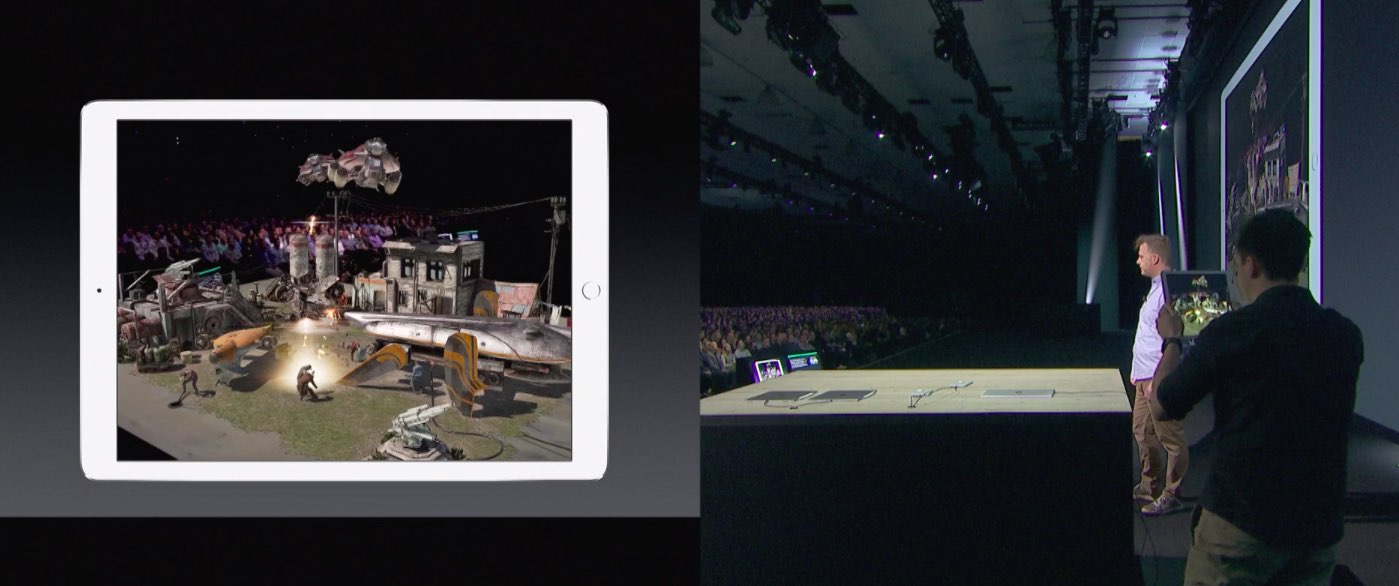
And last but not least, Mixed Reality Design posted the following example of an augmented reality app depicting an alien vessel hovering ominously above a construction site.

Hollywood will soon invade your smartglasses airspace → fact https://t.co/jLYm1YcBW2 pic.twitter.com/to2qqfFIVr

— Mixed Reality Design (@MixedrealityD) July 4, 2017

Head over to the Mixed Reality Design's Twitter account for more AR examples like this.

While it's not entirely clear that this particular demo uses ARKit, it does highlight the possibilities for AR movie trailers that could be coming soon to your phone.

Be sure to check out other interesting ARKit apps and demos, including an upcoming furniture-ordering app from Ikea, a measuring tape that blew up on the web, an ARKit-powered VR mode in Maps, an inter-dimensional portal and much more.

“I think there is a gigantic runway that we have here with the iPhone and the iPad,” Apple executive Greg Joswiak said of ARKit in a recent interview with The Australian. “The fact we have a billion of these devices out there is quite an opportunity for developers.”

How do you like these ARKit demos? Which one is your favorite, and why? Chime in with your thoughts and observations in the comments section below.

Apple confirms 3D Touch app switching was intentionally removed from iOS 11

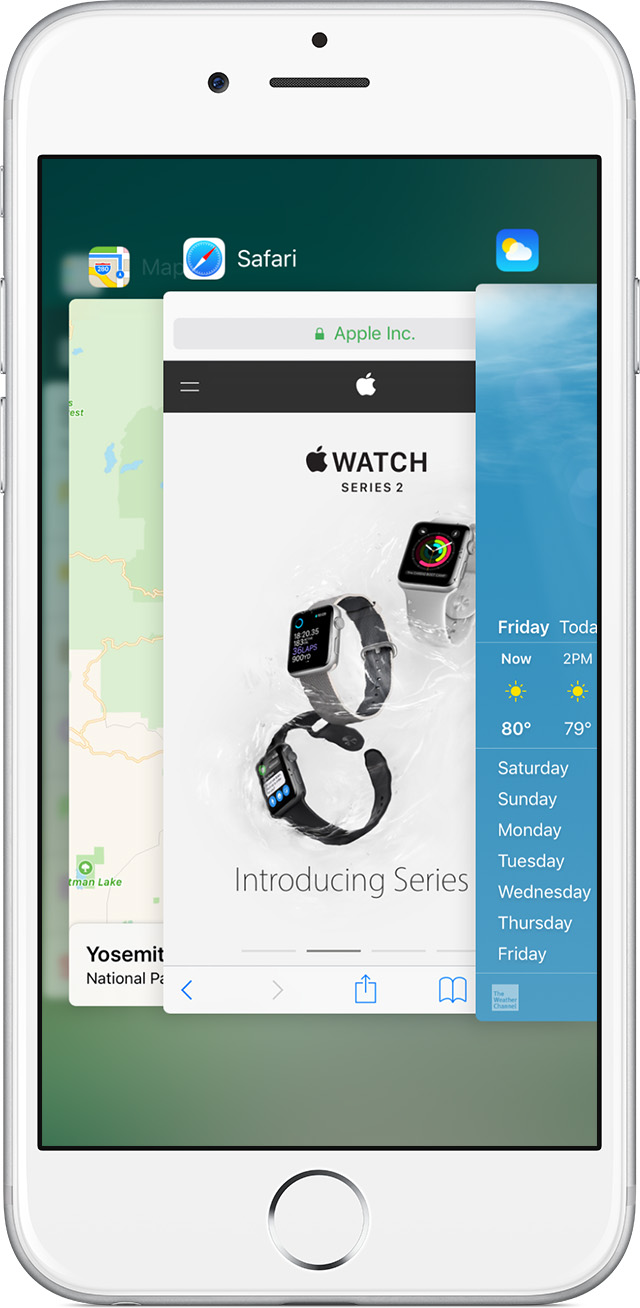
The convenient 3D Touch power-user gesture for quickly opening iOS's app switcher has disappeared from iOS 11 beta. According to Apple Engineering's response to a Radar that developer Bryan Irace recently filed regarding its removal, the gesture was pulled intentionally from iOS 11 beta and might not be coming back in subsequent betas.

On iOS 10 and older, you can view your recently used apps by pressing the left side of the screen with 3D Touch. You can also use 3D Touch to quickly switch to a previous app by pressing the left edge of the screen hard, then swipe right.

Neither gesture works in iOS 11 beta.

When asked about the removal, Irace received the following reply from Apple Engineering:

Please know that this feature was intentionally removed.

The wording confirms it's not a bug—Apple did remove this power-user gesture on purpose.

Here's the screenshot of Apple's response to Irace's Radar.

I have a problem with the wording of the statement.

For starers, it doesn't make it 100 percent clear whether or not they intentionally removed the gesture from iOS 11 beta only for it to return in subsequent betas. We were, of course, hoping it was merely a bug. But the fact that it isn't listed as a known issue in the release notes accompanying the iOS 11 installer is rather telling.

This could be related to iPhone 8.

With major design changes coming to the next iPhone in the form of a nearly full-screen face with a seamless OLED display, the feature's removal might quite possibly indicate a brand new way of accessing iOS's app switcher on iPhone 8.

I wish Apple made it an optional setting rather than remove it completely. That way, people who still wanted it could keep it. On the other hand, Apple has stats on iOS features people use and perhaps numbers for the app switching 3D Touch thing were dismal, who knows?

The fact is, it doesn't make much sense if you use your Plus iPhone model right-handed. Besides, I know many people who accidentally activate it all the time and get annoyed.

Could it have been deprecated by iPhone 8, because it was too easy to trigger accidentally without a bezel around the display? Will iPhone 8's rumored function area at the bottom doubles as an app switcher of sorts? Last but not least, has Apple decided to remove the gesture because very few people were using it or were unaware it existed in the first place?

Tell us what you think in the comments section!

Apple launches macOS High Sierra public beta

Three days after it launched public betas of iOS 11 and tvOS 11, Apple on Thursday released the macOS High Sierra public beta. This means that anyone can now take this pre-release version of Apple's latest and greatest desktop operating system for a spin, including those who are not registered developers.

Needless to say, you're wholeheartedly recommended to perform a full backup of your Mac before installing the public beta, just in case something goes wrong.

Better yet, install it on a separate partition on your Mac's startup disk or to an external drive. To get the beta, you must enroll in Apple's Beta Software Program with your Apple ID at beta.apple.com. Then, click the link “Enroll Your Devices” and follow the instructions.

You may want to check out the official macOS High Sierra system requirements before proceeding with the installation of the public beta on your system.

You'll need to download the macOS Public Beta Access Utility, which will change your Mac App Store settings in System Preferences so that your Mac can receive beta software updates.

As a last step, launch Mac App Store on your computer, find the macOS public beta, then click the Get button to install the public beta on your computer.

Because your Mac is enrolled in the beta program, you will receive a notification whenever a subsequent update is available and can install it from Mac App Store's Updates pane.

Will you be testing High Sierra and what's your strategy and approach to installing a beta OS on your computer? Also, what are your favorite features in High Sierra so far?

Let us know by posting a comment below!

Apple launches public betas of iOS 11 and tvOS 11

Following the June 5 release of developer-only previews of Apple's four main software platforms at the Worldwide Developers Conference, the Cupertino giant today released first public betas of iOS 11 and tvOS 11.

You must enroll in the official Apple Public Beta Software Program (available at no charge) and download a special configuration profile via the website beta.apple.com to your iPhone, iPad, or the fourth-generation Apple TV.

Sign in with your Apple ID through the website to get started. iOS 11 public beta has the same features as iOS 11 beta 2. The same goes for the tvOS 11 public betas.

After installing a configuration profile (click “Enroll Your Devices”), restart your iPhone, iPad, iPod touch or the fourth-generation Apple TV, then and use the built-in Software Update mechanism in the Settings app to download and install the public beta.

watchOS betas are not available to the general public.

https://www.youtube.com/watch?v=TZ5pwZMPRxI

Subscribe to iDownloadBlog on YouTube.

“If you were testing a prior operating system, please re-enroll your device to start testing the next release,” the company notes.

TUTORIAL: How to unenroll from Apple Beta Software Program

Be sure the check out the official system requirements for iOS 11 before installing their public betas. tvOS 11 requires a fourth-generation Apple TV.

Will you be taking iOS 11 and tvOS 11 for a spin, do you think? If so, what features are you looking forward to the most, and why?

Tell us in comments!

Updated builds of iOS 11 and tvOS 11 betas now available

Apple on Monday issued a slightly revised build of iOS 11 beta 2 for iPhone, iPad and iPod touch, as well as an updated build of tvOS 11 beta 2 for the fourth-generation Apple TV.

The new builds appear on select devices only.

iOS 11 Developer Beta 2 Update 1, as it's called, has the build number of 15A5304j, up from the build number of 15A5304i in iOS 11 beta 2 which was seeded to developers five days ago.

According to the official release notes on Apple's Dev Center portal, iOS 11 Developer Beta 2 Update 2 resolves an issue preventing reverting to iOS 10 from iOS 11 beta.

To revert to an earlier version of iOS, follow the instructions shown in Apple's support doc.

As for the updated tvOS 11 beta, the new version has a higher build number of 15J5310h versus build number of 15J5310e for the original tvOS 11 beta 2.

https://www.youtube.com/watch?v=TZ5pwZMPRxI

Subscribe to iDownloadBlog on YouTube.

The revised beta builds may also patch dangerous exploits while addressing performance issues on older hardware like iPhone 6.

iOS 11 cuts off 32-bit devices like the iPhone 4s/5/5c handsets.

The new builds are available over the air via the Software Update mechanism in Settings on iPhone, iPad, iPod touch and Apple TV. As mentioned before, they appear on select devices.

Build numbers for beta 2 of macOS High Sierra 10.13 and watchOS 4 have stayed intact. Public betas of iOS 11, macOS High Sierra 10.13 and tvOS 11 are coming later this month.

watchOS betas are currently unavailable for public beta-testing.

watchOS 3.2.3 beta 4 rolling out to developers

A fourth beta of watchOS 3.2.3 for Apple Watch is now rolling out to Apple's registered developers and members of the Apple Developer Program. Available as an over-the-air update via the Software Update mechanism in the companion Watch app on a paired iPhone, watchOS 3.2.3 beta 4 (build number 14V5751a) includes bug fixes and performance optimizations.

You Apple Watch must be in range of its paired iPhone, have 50 percent battery and be placed on its charger in order for the update to download and install. watchOS 4 betas are not available through the Apple Beta Software Program.

https://www.youtube.com/watch?v=lKt7h4SX_ME

Subscribe to iDownloadBlog on YouTube.

The new watchOS 3.2.3 beta follows iOS 10.3.3 beta 4 and tvOS 10.2.2 beta 4 which got seeded to developers on June 22. The prior watchOS 3.2.2 bug-fix software update released for public consumption more than a month ago.

watchOS 3.2.3, iOS 10.3.3 and tvOS 10.2.2 could be the last point updates before iOS 11, watchOS 4 and tvOS 11 arrive this fall. If you spot any noteworthy changes in watchOS 3.2.3 beta 4, leave a comment below and we'll update the article with new information.

iOS 11 Maps has crazy cool VR mode that lets you move around by walking

Apple Maps on iOS 11 beta 2 features a great new virtual reality (VR) mode that takes advantage of Apple's new ARKit framework to let you move around in 3D by walking.

This unapologetically cool feature seems to be tied to Flyover, which replaces satellite imagery with three-dimensional buildings, landmarks and other points of interest.

The new VR mode on iOS 11 Maps was highlighted yesterday by Twitter user @StijnDV, but it appears to have been originally discovered by Tweetbot developer Paul Haddad on Wednesday.

To try it out yourself, open Maps on iOS 11 beta 2, switch to 3D mode by tapping “3D”, then use the search field at the bottom to find a place that has Flyover.

On the place card, tap the Flyover button and move the device around to rotate the view. Better still, why don't you actually move forward, backward or side to side to explore the map in VR?

Mind blown.

So, how do we know this nifty feature actually uses ARKit? Because it displays a message when you cover the camera, just like any ARKit-powered app does, saying you should aim the device at a different surface because “more contrast is required”.

As a quick backgrounder, ARKit analyzes live camera feed in real-time, using computer vision to find horizontal planes in your real world, such as tables and floors. I was able to successfully test the feature on my iPhone 6s running a second beta of iOS 11. Because I don't currently own an iPad, I couldn't test VR mode in Maps on the Apple tablet.

WOW There is an VR mode in Apple maps on iOS 11! It seems to use ARKit for positioning! pic.twitter.com/IdXiGoed26

— Stijn (@StijnDV) June 24, 2017

At any rate, this appears to be the default mode for Flyover now, not a special setting. But don't you worry, there's the option to switch back to the old Flyover mode where you rotate and zoom your Flyover view using touch interactions.

This is honestly one of the coolest features in iOS 11! pic.twitter.com/Zjr6RRkKHk

— Stijn (@StijnDV) June 24, 2017

This is a wicked cool feature and I cannot help but wonder how it might look like when experienced through Apple's rumored digital glasses that, as per Robert Scoble, should use optics by German lens specialist and optical instruments maker Carl Zeiss.

You can actually move around by walking! This is crazy cool! pic.twitter.com/ttR6RaAo7D

— Stijn (@StijnDV) June 24, 2017

Some people couldn't get Maps' new VR mode to work, but I suspect it may have something to do with their hardware. Maps' VR mode uses ARKit, which tracks your actual position in the real world with the camera but requires newer hardware.

Holy Flyover Magic Window batman. pic.twitter.com/Fb8nPeLT5J

— Paul Haddad (@tapbot_paul) June 22, 2017

According to Apple, ARKit runs on the Apple A9 and A10 processors. “These processors deliver breakthrough performance that enables fast scene understanding and lets you build detailed and compelling virtual content on top of real-world scenes,” says the company.

In other words, anything older than iPhone 6s, iPhone 6s Plus, iPhone 7, iPhone 7 Plus, the 9.7-inch iPad (early-2017 model) or iPad Pro won't be able to run iOS 11 Maps' VR mode.

So, is this cool or what?

We'd obviously love to hear your thoughts and predictions regarding iOS 11 Maps' new VR mode and what it might signify in terms of possible new VR hardware from Apple.

Do us a favor and chime in with your thoughts in the comments section.