Roundup

Holo, Sweat Deck, Radio Callbox, and other apps to check out this weekend

This week’s edition of our Apps of the Week roundup features a fun augmented reality app, a deck of cards that will help you mix up your fitness routine, and a two-way radio client. And as usual, we've got two great new games for you to check out.

Holo

This app isn't new but with all of the augmented reality talk lately, I felt it was pertinent. Holo lets you add holograms of real people and animals into your world and take photos & videos to share with friends. Choose from a variety of holograms including movie characters, celebrities, athletes, musicians and comedians, as well as fun original characters and animals. New content added weekly. Now there are a few negative reviews complaining about performance, and this seems like something that could really benefit from Apple's new ARKit. But it's still worth checking out. Holo is available for free.

Sweat Deck

Sweat Deck is a deck of cards-style workout that will help you mix up your fitness routine with an endless combination of simple and effective workouts! The concept is simple: assign an exercise to each suit and perform them as cards are drawn from the deck—do you have what it takes to make it through an entire deck of cards? Features include a built-in list of common exercises to choose from, joker cards for adding an extra challenge, deck and rep multipliers for higher intensity workouts, and more. Sweat Deck is available for free (with one IAP).

Radio Callbox

Have an instant 2-way, push-to-talk audio connection with friends, family, or colleagues, without the burden of creating an account, logging in, or joining another social network. Now I know that there are other apps that do this, but the no-account needed really stood out to me. And some of you might be thinking if you have the cell service to download and use this app, why not just call the person? But I do think there are times and situations that are more conducive to 2-way radio-style conversations. Maybe a family uses this while camping, or at a theme park. Radio Callbox is available for free.

Touchdowners

Touchdowners is a simple, yet crazy physics-based sports game where you need to grab the ball and touch it down in your opponents end zone. You control a team of three highly trained Touchdowners who must pass, wrestle and jump their way to the end zone then slam the ball to the ground. Features include an arcade mode with global rankings, and a head-to-head 2 player mode. Touchdowners is available for free (with a single IAP).

Age of Rivals

Age of Rivals was inspired by strategy boardgames and designed to be ideal for 1 or 2 players to play in 10 minutes with plenty of depth and replayability. It's the "anti-deckbuilding" CCG, where having only minimal control over your deck encourages endless variety in each game and puts the focus on in-the-moment tactical decision-making. Unfortunately, there is no way to play this game offline at the moment (developers say they are working on that), but there are also no in-app purchases. All game content unlocks at a constant pace just by playing the game. Age of Rivals is available for $0.99.

More apps to check out The best iPhone apps for tracking steps Apple’s free app of the week: Telepaint Instagram testing private sharing feature

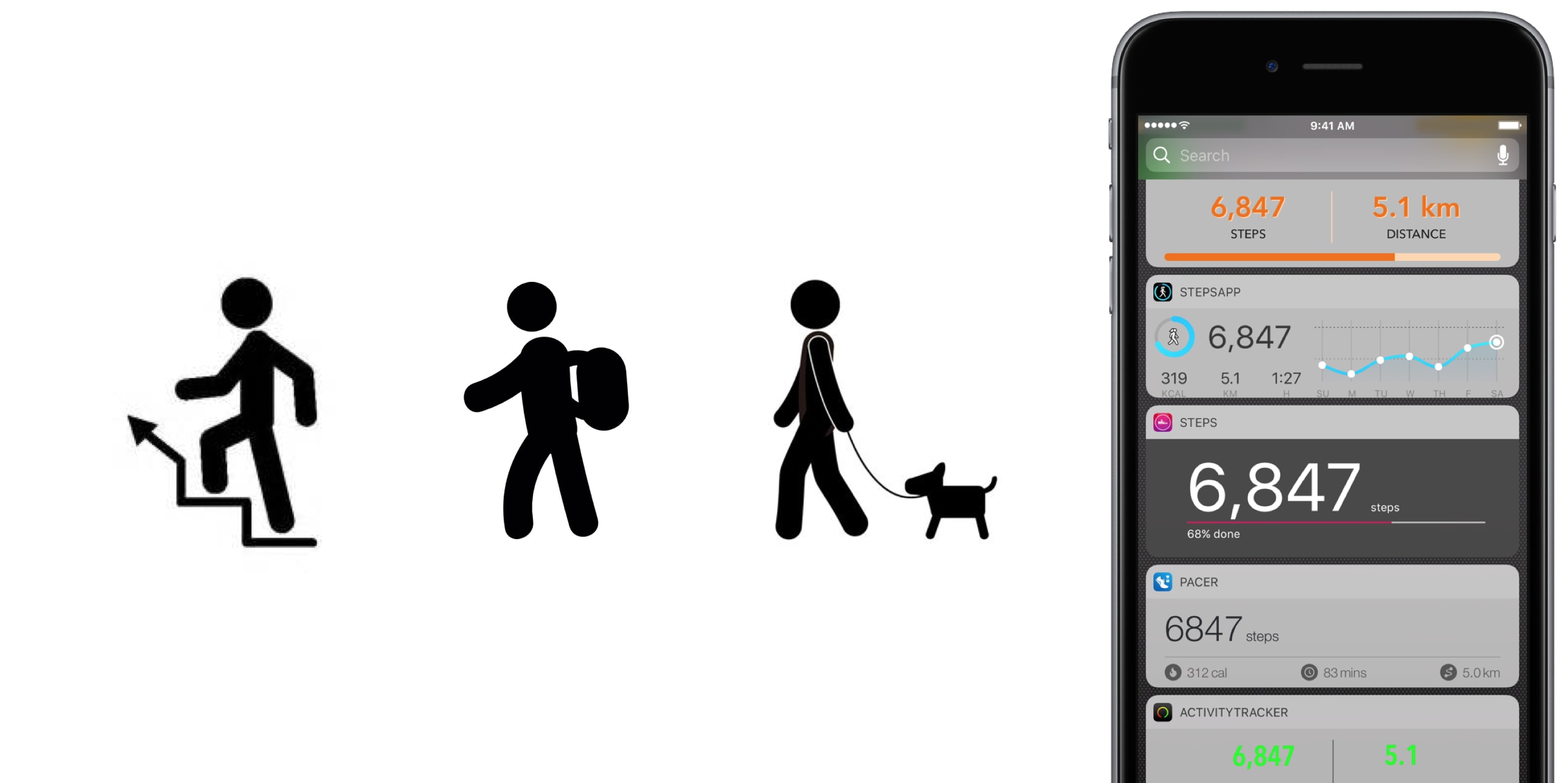
The best iPhone apps for tracking steps

No matter the extend, or amount of joy we derive from it, until anti-gravity boots have been invented and immobilized humanity once and for all, we all have to walk. To work, from work, to run errands, to take the dog to the park, to pick up the kids, to the pub on weekends. Sometimes home on all fours after that. But it is also a loved activity for those seeking a healthy lifestyle or regular exercise. In any event, with your iPhone in the pocket, it is easier than ever to record, visualize, or even gamify your endeavors.

To do justice to the wide array of step trackers available, we have parsed the App Store with the aim to only pick apps standing out for at least one unique quality. The result is - hopefully - a small but diverse sample of the best step tracker apps that is representative of the larger flock of step counters, some of which you might argue should or should not have been included based on merit, features or simply personal allegiance.

If that’s the case, as always do let us and your fellow readers know in the comments. And now, without further ado, let’s get into our list of the best pedometer apps!

The best pedometer apps Activity Tracker

We’re starting at the proverbial shallow end with Activity Tracker, meaning an app not too complex with respect to stats and analytics. Instead of drowning the user in numbers and tabs, Activity Tracker is a great candidate for those appreciating aesthetics and simplicity. A the same time, it manages to smartly condense the most important information about your activity and hide it in plain sight.

Activity Tracker records and presents your daily steps in a very familiar activity ring fashion, in addition logs flights, time, distance and also calories burnt, a giveaway other apps will already demand you go premium for. Moreover, the app icon badge can display your daily number of steps and a reasonable widget is being offered as well, certainly not the best among the pack but a nice to have all the same.

Finally, Apple Watch users are likely to appreciate the wrist implementation of Activity Tracker, as it bundles all the important information (steps, kcal, miles) in one quick glance. For more stats (hourly, monthly) and complete HealthKit integration you’ll have to upgrade to premium for $4.99. Either way, the basic app is a solid place to start your step counting journey.

• Device support: iPhone, Apple Watch • Widget: Yes (Steps, Miles) • Notable features: app icon badge, weekly goals, calories • Cost: free ($4.99 premium)

Pacer

Pacer’s full name - Pacer: Pedometer plus weight loss and BMI tracker - more aptly encompasses the allrounder that this app really is. To its credit, it somehow manages to not stretch itself too thinly taking on step counting, weight monitoring, personal coaching, but also social challenges and group forums. Yet on the flip side, it can for sure be a little overwhelming to those seeking out a straightforward pedometer.

To flesh it out briefly, the free app boasts a regular step counter comprising steps, flights, distance and plenty of graphs (for both portrait and landscape orientation). More exclusively to Pacer, it also features stats for weight, BMI & blood pressure. Refreshingly, Pacer houses a free community of user groups, which can be joined for discussions and the hunt for shared goals. Public events can be attended as well, boosting morale as you sure don’t want to sit at the bottom of the participant's list.

Pacer offers a subscription based Pro service (at $3.99 per month) that covers a plethora of goodies such as a personal coach for exercise plans and weight loss, guided challenges, plus more personal stats. And as you would expect from a jack-of-all-trades app like Pacer, it packages a potent Apple Watch companion as well.

• Device support: iPhone, Apple Watch • Widget: Yes (Steps, Cals, Time, Distance) • Notable features: calories, public events, groups  • Cost: free ($3.99 a month)

Pedometer++

Pedometer++ dates back all the way to 2013 and the release of Apple’s M7 motion coprocessor. Back then, it spearheaded the new movement and was among the first apps to embrace the freshly-fitted piece of hardware. Because of that pedigree alone, we’d be remiss to ignore the application. Besides, it’s the only app (next to StepsApp) to equip you with a nifty iMessage chat extension for friendly banter between you and your friends.

Outside of that, Pedometer++ is a straight shooter, only asking for a daily step goal and taking over from there. Perhaps its biggest strength is the UI, managing to boil down all the information (steps, floors, distance, a color chart) of the tracker in one single page, all the while retaining a clean look. As a result, there is no learning curve with this tracker, no hidden gestures or buttons, no fear of missing out. Via settings, Pedometer++ can also make use of the app icon badge to display the current step count. In addition, the app earns its stripes through accessibility features such as a wheelchair mode and a switch for rest days.

In closing, Pedometer++ can be stripped off its ads for a small tip of $0.99, plus comes in conjunction with an Apple Watch app capable of timing and recording your walks.

• Device support: iPhone, Apple Watch • Widget: Yes (Steps, Miles, Floors) • Notable features: app icon badge, daily goals, wheelchair mode, rest days • Cost: free

Stepz

Stepz most distinguishing feature is not its atrociously spelled name, but an emphasis on social and trophy hunting. The app has dedicated tabs for Achievements and Friends, each making clear where priorities lay during the development of Stepz. Fortunately, that gamble has paid dividends, as scoring and sharing achievements like ‘You have walked the length of the London Underground’ is actually a playful source of motivation.

At the same time, Stepz has been mindful with the implementation and ensured it doesn’t bleed into the core step tracking functions. The latter performs slightly above average amongst all apps featured, with rich and informative data, detailed graphs and an outstanding history tab for everything ever archived on your iPhone. To make sure they leave no stone unturned, an app badge switch and Lock screen widget (Steps & Distance) have been thrown into the bargain as well.

Suffice it to say that the dev team has done their homework on watchOS too, which for all intents and purposes wraps up the package nicely. For $0.99, you get to wipe the interface clean and remove all ads.

• Device support: iPhone, Apple Watch • Widget: Yes (Steps, Miles, Progress) • Notable features: app icon badge, daily goals, calories, achievements badges, friends • Cost: free ($0.99 premium)

Steps

Steps not only beats Stepz to its grammatically sound name, but also broaches the concept of a step counter from an entirely different angle. Essentially, Steps is the cleanest, least pompous pedometer in our line up, so much so that the entire display can be reduced to a single number (your step count).

Under its surface, one tap will reveal distance and time travelled, a swipe up invokes a brief history of the previous three days, while a swipe to the left is utilized to set a daily steps goal. Believe me that we are not trying to shortchange the app, but with the exception of a daily update notification, this is practically it. And that’s precisely the sales pitch.

If you grow fond of the slim step counter, for $1.99 Steps complements its service with a calories tracker.

• Device support: iPhone • Widget: Yes (Steps, Progress) • Notable features: daily goals • Cost: free ($1.99 premium)

StepsApp

StepsApp will tickle your fancy for various reasons, most likely though because of its breadth of customization abilities, especially with regard to your daily goals and notifications along the way. To give you an idea, you can flick on or off notifications for steps, calories, distance, time, weekly reports and an app icon badge. It additionally boasts the option to alter colors inside the app (limited until you go premium), which even redesigns the app's look on your iPhone's Home screen. Nice little touch there, StepsApp.

That is just the tip of the iceberg though, and the foundation is equally solid: the app sports a beautiful interface including a monthly calendar view akin to Apple’s own activity app calendar, interesting diagrams and submits one of the best widgets on iPhone any app in this roundup has to offer.

What’s more is that on Apple Watch, StepsApp's prowess (i.e. amount of data and breakdowns) comes close to rivalling Apple’s proprietary activity and exercise app, so much so that it can serve as a fully fledged outdoor GPS tracking device for walking and running. For $2.99, even more customization, Apple Health integration, and Apple Watch complications await.

• Device support: iPhone, Apple Watch • Widget: Yes (Steps, Miles, kcal, Time, Graph) • Notable features: app icon badge, various daily & weekly goals, app customization, calories, GPS tracking • Cost: free ($2.99 premium)

Step Counter

Step Counter arguably tries to accomplish a little less at once, albeit rocking a design quirky enough to have earned a spot in our list. Unlike the majority of step trackers, Step Counter asks you to select a character and matching attire first, presuming that a personalized avatar is going to funnel extra inspiration and ultimately motivation.

Once completed, the app emulates a fairly plain step counter sans notable bells and whistles. Such being the case, you will get steps and distance measurements, plus gratis hourly breakdowns. Furthermore, step, calories and distance goals can be adjusted and notifications hooked up to help you meet them as you go. Contrary to what some freemium apps at first skimp on, Step Counter is fully integrated into HealthKit from the get-go.

Conversely, they too are guilty of holding back some items to sway you in the direction of the $1.99 in-app upgrade, most pertinently calories analytics and personalized goals. Irrespective of redeeming the entry ticket or not, Step counter does not come with an Apple Watch application or a tailor-made widget for your iPhone.

• Device support: iPhone • Widget: No • Notable features: personal avatar, hourly breakdowns  steps and distance • Cost: free ($1.99 premium)

Honorable Mention

Wokamon 

Before we draw the curtain on this, one final app for you to consider goes by the name of Wokamon. If the success of Pokemon Go has proven anything last year, it would be that above all else, gamifying walks is going to get certain people off the couch. If you are guilty of the need for instant gratification, Wokamon could be the one app closest to a regular step tracker appealing to you. Start by walking to hatch an egg, subsequently keep logging steps to grow and foster your digital pet. Wokamon even features a weekly breakdown of your steps, so by any standards it sure is a pedometer, if slightly whacky at that.

• Cost: free (in-app purchases)

Conclusion

It is easy to get lost in the vast ocean of pedometers out there, and in the likely event that you bank on an application not featured in our roundup, as mentioned earlier, don't hesitate to fill us in!

Apart from that, the time has come to download one of the iPhone apps for tracking steps above, put on some walkable shoes and rediscover the joys of the great outdoors!

The best jailbreak tweaks for the Lock screen

The Lock screen separates the outside world from your personal data and is the first thing you interact with any time you use your device. If you're using the Yalu jailbreak for iOS 10, then you might be wondering about the best ways to personalize it.

In this piece, we’ll discuss the best Lock screen-oriented jailbreak tweaks released since the iOS 10 jailbreak launched to the general public.

Jailbreak tweaks of the week: BrowserChanger10, CCustomize, & more…

Things have been picking up in the jailbreak community lately, which is great for those who want to try new jailbreak tweaks to trick out their devices. While some tweaks exist to make iOS look better, and others make iOS function in new ways, all jailbreak tweaks serve some kind of purpose to the tune of making your device do more out of the box.

In this roundup, we'll talk about all of the jailbreak tweaks that were released this week, starting with all of our favorites and then moving on to the rest afterwards.

ClippyCam, Groovebox, Taskful, and other apps to check out this weekend

This week's edition of our Apps of the Week roundup features a new picture-in-picture sharing app, an easy-to-use beat-maker, and a task manager app with a unique twist. And as always, we've selected two new games for you to check out.

ClippyCam

ClippyCam is a new app that aims to make sharing photos and videos with your friends more fun. No, not with text or stickers or emojis—but with videos. Basically you record a video of yourself and it gets embedded in your photo or video in a picture-in-picture style. Think of it as a way to explain the photo or video you're sharing, or even as a way to brag about what you are doing. "Just hanging out in Hawaii, wish you were here!" The app itself is free, but you'll have to fork over $3 to remove the annoying watermark. ClippyCam is available for free.

Groovebox

Groovebox is a free, beautifully designed music studio app packed with inspiring synths and drum machines. In minutes you’ll be making beats, melodies, and playing with world-class instruments. Play with touchable instruments to quickly create your own beats and melodies, or draw in notes. Need inspiration? Groovebox has hundreds of patterns and sounds to get you started. I know there are a ton of these types of apps on the App Store already, but this one looks sharp and appears to have the features to make it worth checking out. Groovebox is available for free (with some IAPs).

Taskful

Taskful is a smart to-do list and task manager app that helps you stay on track and meet your deadlines. It breaks down all of your tasks and only shows you what you need to do today, so you can stay focused and motivated. Whether you are trying to track your steps, drink more water, or read that book you haven't picked up in a while, Taskful is designed to help you get stuff done. This is another app that is competing in a super crowded space, but again I think the design and feature set here make it worth a look. Taskful is available for $2.

Flipping Legend

Unleash the power of your fists, spells and weapons in this pattern-based adventure game. Hone your reflexes and be one with the environment as speed and rhythm become second-nature. Play with powerful heroes and unlock all their abilities and secrets to help better dispense your foes. Reach new and faraway lands not yet discovered by fellow travelers. Be a Flipping Legend! The game does have some annoying IAPs, but it has a 5-star rating on nearly 300 early reviews. Flipping Legend is available for free.

forma.8 GO

For those who aren't familiar with it, forma.8 is a unique take on the proven Metroidvania action-adventure formula, with a striking visual style and a huge world to explore. As the small exploration probe forma.8 you're stranded alone on the surface of an alien planet. Separated from your companions by accident you have a life or death mission to accomplish: find and recover a lost, powerful energy source before it's too late. Ancient civilisations, great perils and dystopian visions await you. And not everything is what it seems... Forma.8 GO is available for $4 (sale price).

More apps to check out This 5-star Mac productivity tool is on sale for just $4.99 Apple’s free app of the week: Beat Stomper Twitter revamped with dynamically updated Reply/Like/Retweet counts, Safari Reader support & more Box introduces macOS client for its cloud syncing service

Jailbreak tweaks of the week: Apace, SocialDownloader, TimeMover, & more…

It has been a busy week amid preparations for WWDC 2017, but that hasn't stopped the jailbreak community from hammering out jailbreak tweaks to improve the aesthetic and function of jailbroken iPhones and iPads.

In this piece, we'll talk about all of the jailbreak tweaks that were released throughout the past work week. We'll start first by going in detail with our favorite released, then we'll outline all of the rest afterwards.

Sherpa, Trybeo, Beacon, and other apps to check out this weekend

This week's edition of our Apps of the Week roundup features a new Instagram-based travel guide, an app for posting and accepting wild challenges, and a new social network for linking up with friends. And as usual, we've selected two great new games for you to check out.

Sherpa

Sherpa is a community-generated travel guide powered by photos shared on Instagram. It's actually a very clever idea: an app that scrapes Instagram for photos tagged in specific locations, organized into a travel guide. Sherpa allows you to discover over 15,000 cities, regions and countries through the authentic lens of world travelers, adventurers and locals. Save the places you want to visit, and put together the ultimate itinerary. There is one small caveat here: at the time of writing, the app requires an invite code. But it's pretty simple to download the app and request an invite, so this shouldn't be much of a problem. Sherpa is available for free.

Trybeo

Do you find your life bored or lacking direction? Would you like to step outside your comfort zone and discover exciting new people and adventures? Check out Trybeo. It's a social network based around challenges—you can either accept posted challenges or propose your own. These consist of anything from flipping water bottles to doing cartwheels down an isle at the grocery store, or trying to knock a cone off your friend's head with a football. Take on challenges to become the best player, or up-vote worthy opponents. Trybeo is available for free.

Beacon

Use Beacon to signal your availability to your friends and family. Going to be in town for work or just general visiting? Send out a Beacon. Have an extra ticket to an upcoming Concert or want to go see a movie Thursday? Beacon. Post your impromptu event in Beacon and your friends will be notified immediately. When your friends join the event, you're notified immediately. Everyone can comment in the thread, and you can tell people where to go and what to expect. Bored? You're only two taps away from hanging out with a friend. Beacon is available for free.

Cobi Darts

The Cobi games, for me, are always a good time. The gameplay is accurate, fast-paced and easy to learn. Even if you don't like throwing darts in real life, I imagine you can find some fun in the challenge of Cobi darts. Features include 9 awesome game modes, including classic 501 and 301 games, custom darts and characters and even iMessage support. Cobi Darts is available for free (with some IAPs).

Art of Conquest

Looking for something a little different this weekend? Check out Art of Conquest. This new strategy game gives you full control in a world full of dwarves, magic and monsters in a perfect marriage of MMO and strategy. Besiege enemy strongholds to expand your kingdom, slay nefarious dragons with a band of legendary heroes, and challenge players around the world in epic real-time battles. Command, summon, build and explore. Art of Conquest is available for free (with some IAPs).

More apps to check out Apple’s free app of the week: Framed Monument Valley 2 hits App Store Apple announces completely redesigned App Store

The best cases for Apple’s new 10.5-inch iPad Pro

If you're in the market for Apple's 10.5-inch iPad Pro, you should know that any previous cases made for the 9.7-inch model will not fit the new tablet. It's slightly wider than its predecessor (6.8" vs 6.67"), significantly longer (9.8" vs 9.45"), and it has a larger rear camera.

Never fear, there are already several cases available for the new iPad, and we've taken it upon ourselves to track down the best options. Below is our list of the best cases for the 10.5-inch iPad Pro, selected based on manufacturers' reputation, user reviews, and case features.

Apple Smart Cover

If you want the best fitting/functioning cover for your new iPad, and money isn't really a factor, you're probably going to want to check out Apple's Smart Cover. It only covers one side of your iPad (display by default, rear if you fold it over), but it snaps on and peels off easily using magnets, and it folds up to act as a stand with multiple viewing angles. I also like that it's ultra-thin and comes in several colors.

Buy for $49.

Apple also has a more expensive and luxurious cover for the 10.5-inch iPad Pro called the Leather Smart Cover for $69.

JETech Case Cover

JETech is a popular accessory-maker on Amazon known for offering OEM-style products at cheap prices. Their products typically get high ratings from customers, and we've had good experiences specifically with their iPad cases. This is their Apple Smart Case-esque Case Cover. The synthetic case slips on the rear of the iPad and then the front is covered by a Smart Cover-like flap—includes magnets that activate the iPad's Sleep/Wake function. If you like this style of case and don't want to pay Apple's prices, check this one out.

Buy for $15.

I-Blason Slim Halo Case

The Halo case from i-Blason is a clear protective cover for your 10.5 inch iPad Pro. It has a completely transparent back, which also features a convenient stand that makes it easy to watch shows and videos hands-free. Other features include a slim design and full shock, drop and scratch protection. This is a heavier duty case than those mentioned above, but not so much so that it makes the iPad a nuisance to travel with.

Buy for $15.

Supcase Unicorn Beetle Pro Case

The Supcase Unicorn Beetle Pro offers dual layer protection and convenience without compromising sensitivity. Thermoplastic polyurethane and polycarbonate provide cushion during accidental drops. All phone ports are covered to block dust and debris. Built-in screen protector protects the screen from scratches. This case is designed to withstand heavy use and demanding conditions. This is a little more rugged than the i-Blason Halo, but note that it is not waterproof.

 Buy for $25.

Moko Slim Stand Cover

This one is similar to the aforementioned JETech Case cover, which again is a lot like Apple's Smart Case. It has a synthetic back cover and a folding, magnetic front cover that can automatically wake the iPad up and put it to sleep. It has a premium PU leather on the outside, microfiber on the inside to protect your iPad from scratches, and no bulky bezels around the display to allow for unobstructed swiping. Comes with a lifetime warranty.

Buy for $9.

Moko Clear Grip TPU Case

For those looking for a more minimal case, check out the Clear Grip from Moko. It's a soft TPU case that snaps on the back of your iPad Pro and it has a unique ruffled design for a grippier feel. Other features include raised edges at the 4 corners for added screen protection, cutouts for all of the ports, buttons and speakers, and it even comes with a lifetime warranty from the manufacturer.

Buy for $8.

Belk Vintage Leather Folio

If you're looking for something a little more professional, check out this Vintage Leather Folio from Belk. It's not real leather, but Belk says they used premium PU leather here with a special texture to give it that vintage look and feel. Like most folios, this case has a book-like design with a snap-in cradle for your iPad—giving it full protection. Other features include built-in magnets that activate your iPad's auto-sleep/wake functions and built-in slots for an ID, credit cards and cash.

Buy for $16 (sale price).

Logitech Slim Combo Keyboard Case

And for those of you in the market for a keyboard case, there's the Logitech Slim Combo. This case was designed specifically for the new 10.5-inch iPad (there is also a 12.9-inch model). It has no charging cable or batteries—it gets all its power through the iPad via its Smart Connector. This allows it to sip power—0.3% - 2.3% of battery per hour of typing—and makes pairing instant. Other features include full-size, backlit keys, with 3 levels of brightness and an Apple Pencil holder.

Buy for $130.

Did we miss a great 10.5-inch iPad Pro case? Let us know in the comments below!

The 13 features in iOS 11 borrowed from the jailbreak community

Apple releases a major new firmware upgrade for its mobile device lineup every year, and with the announcement of iOS 11 at the WWDC 2017 keynote on Monday, it’s somewhat ironic that Apple has once again borrowed many of its new feature ideas from the brilliant minds that make up the jailbreak community.

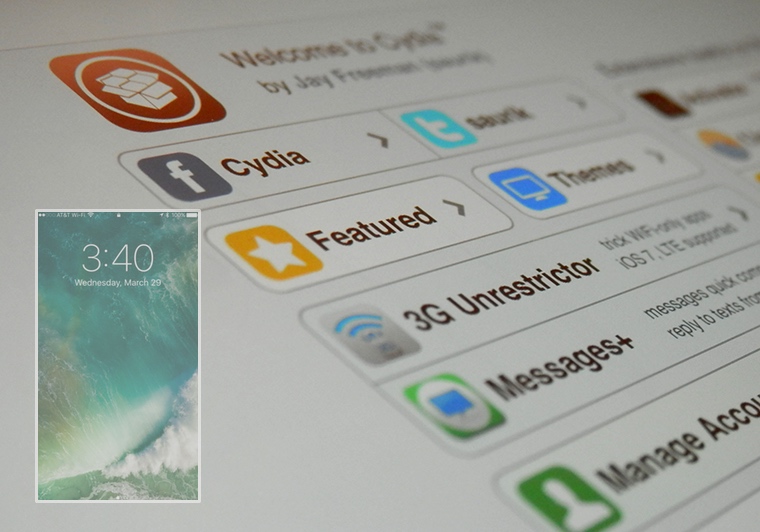
In this roundup, we’ll discuss 13 new features in iOS 11 that have previously existed in Cydia as jailbreak tweaks before the new firmware, which is set to release this Fall, was ever even announced.

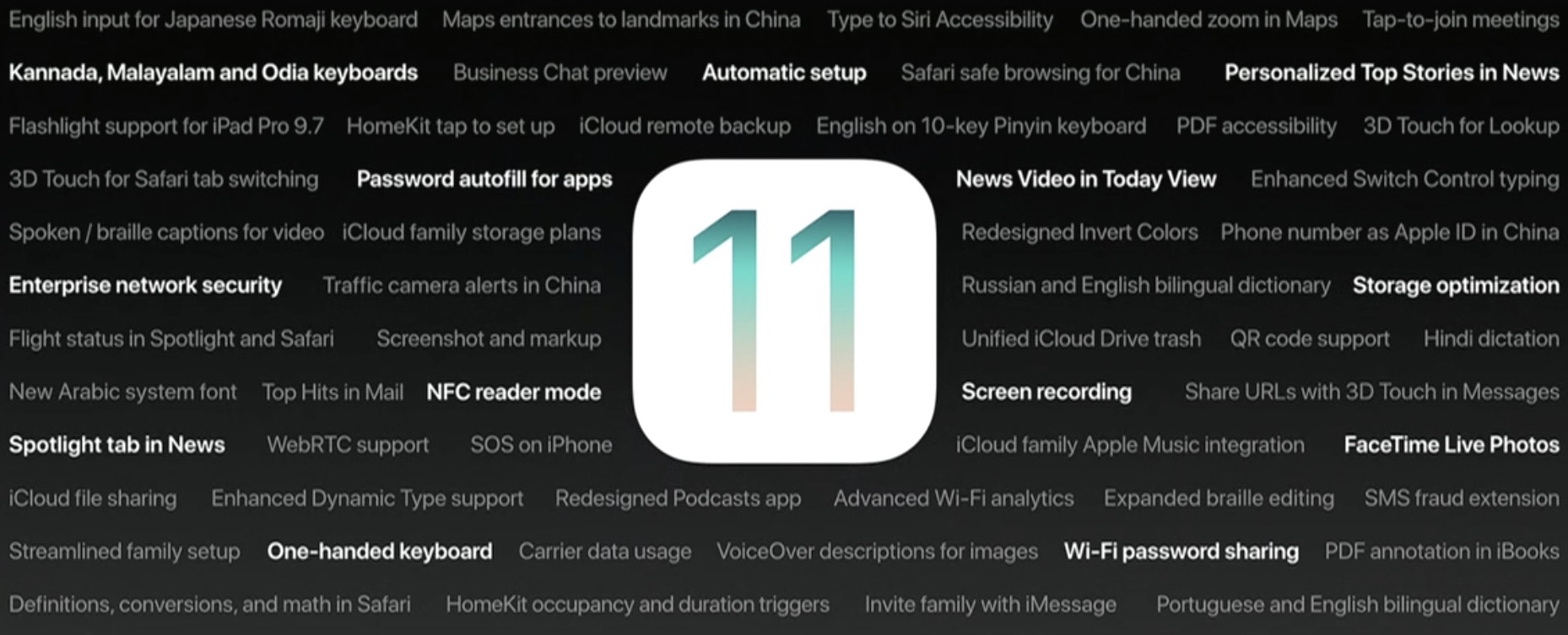
90+ new features shipping with iOS 11 this Fall

Apple spent a lot of time demoing iOS 11 at the WWDC 2017 keynote, but in the interest of time, they were only able to show off some of the top features rather than everything that's new.

In this piece, we'll outline a number of new features that Apple didn't get a chance to show you at the keynote.

More macOS High Sierra features that slipped under the radar

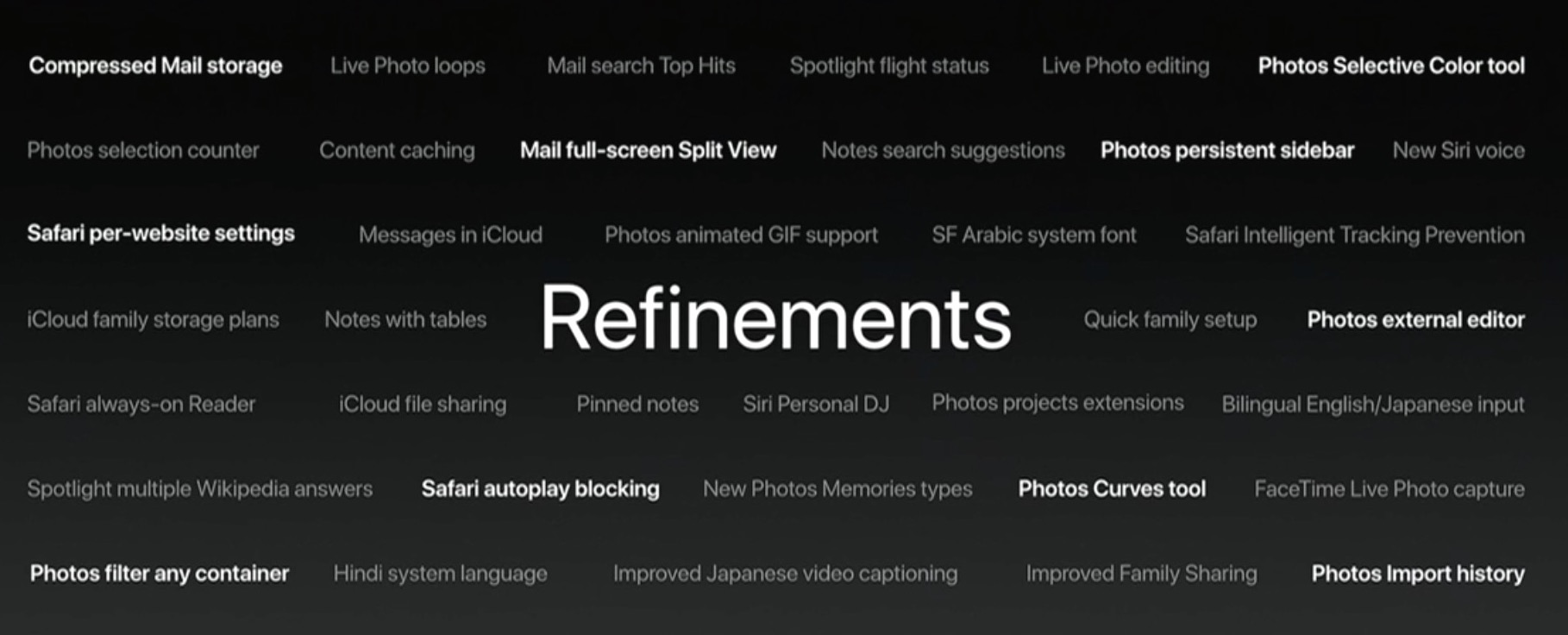
Although Apple announced a host of new features for its upcoming macOS High Sierra operating system for Mac computers at WWDC 2017 on Monday, they didn’t quite have time to cover everything.

In this piece, we’ll outline a number of new features that are coming in macOS High Sierra that Apple didn’t demonstrate at the keynote.

Roundup: first impression of Apple’s new 10.5-inch iPad Pro

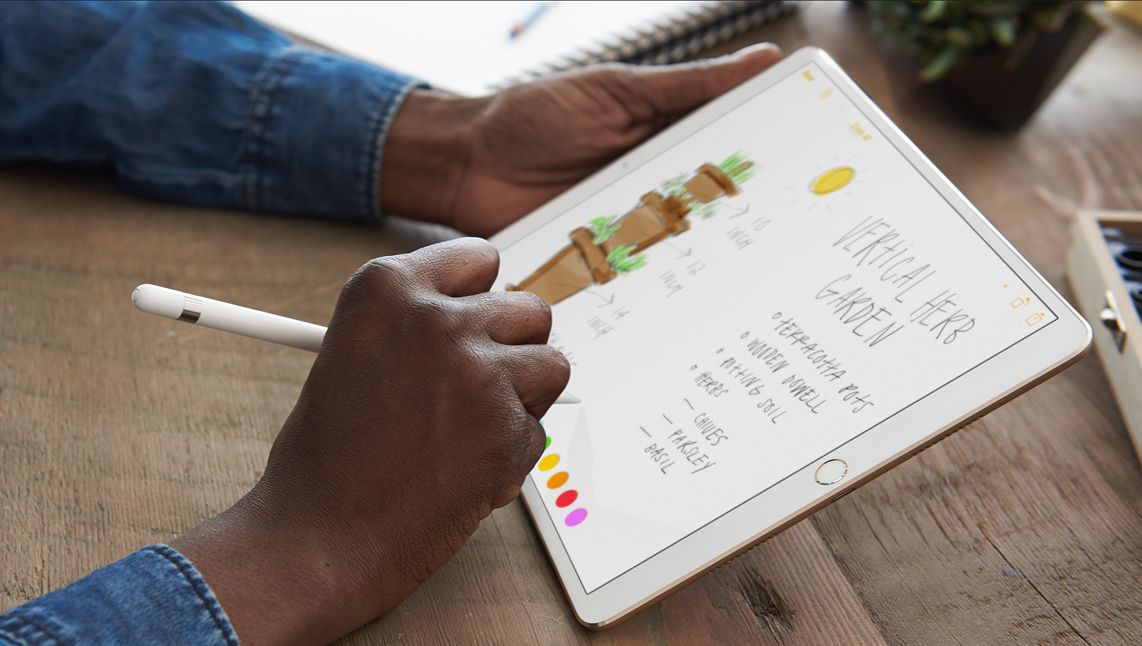
One of the few new hardware announcements Apple made on stage during its WWDC keynote is the new 10.5-inch iPad Pro model. It's essentially a refreshed version of the 9.7-inch iPad Pro, with a slightly larger display panel sitting between thinner bezels.

As usual, Apple allowed members of the press to go hands-on with the new tablet after its keynote event. And as usual, we've put together a roundup of some of their videos to give you a good idea of what to expect before deciding whether or not to purchase it.

The Verge

https://www.youtube.com/watch?v=c-L7Eu89r34

CNET

https://www.youtube.com/watch?v=qDmONcSS83k

SlashGear

https://www.youtube.com/watch?v=8qgECMZ2ZPE

TechCrunch

https://www.youtube.com/watch?v=jJyjFmV4bSU

The 10.5-inch iPad Pro (and updated 12.9-inch model) goes on sale next week, starting at $650. Unfortunately, a lot of the new iOS 11 features you see demoed in the above videos will not be available until iOS 11 launches to the public sometime later this year.