Month: April 2011

How to Jailbreak iPad 4.3.2 with PwnageTool

Just like RedSn0w earlier this week, PwnageTool has been updated to support the new firmware 4.3.2 for iOS. As previously stated, there wasn't much reason for folks on the original iPad to update to this latest software.

But for the people that did, PwnageTool is recommended to jailbreak your iPad. It is simple and about as solid as it gets when it comes to jailbreak applications. If you've never done this before, or need a quick refresher, check out the tutorial below.

If you are looking for reasons to hack your iPad, check out our article, The Top 5 Reasons to Jailbreak here.

Important note: PwnageTool is for Mac OS only, for those that use Windows and want to jailbreak, check out our RedSn0w tutorial. Again this jailbreak is only for original iPads, the iPad 2 has not yet been jailbroken.

Step 1. Obviously make sure your iTunes is up to date and your iPad is on the latest firmware (4.3.2). You're also going to need to download the latest version of PwnageTool from here.

Step 2. It's a torrent, meaning you'll need a client like uTorrent to open the file once it's downloaded. After it's installed, open it up and select iPad and Expert Mode and click next. Browse to HD/Users/$urname$/Library/iTunes/iPadSoftwareUpdates and select the 4.3.2 firmware.

Step 3. If PwnageTool likes the firmware you picked, it'll take you to a menu where you can tweak the jailbreak. If you choose Cydia packages, you can preinstall tweaks and apps so when the jailbreak gets loaded onto your iPhone, its already set up.

Step 4. Once you are done tinkering, select the build option and click next. This is where PwnageTool does its magic. It'll take a bit, so be patient.

Step 5. After the custom firmware is done building, PwnageTool will have you put your iPad in DFU Mode, but don't worry, the software walks you through this.

Step 6. If you do it successfully, iTunes should recognize that you have a device plugged in and ask you to restore. Hold down the Option key while clicking restore to get the option to choose your custom firmware. Once it installs, your iPad reboots and you are finished!

Any questions?
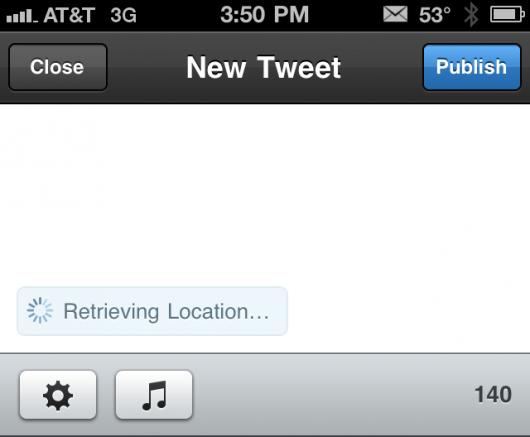
Jailbreak Tweak Adds #NowPlaying Feature to Tweetbot

Some of the things that pop into the Cydia store amaze me. Innovation can really flourish in an environment like Cydia where there are little restrictions to hold developers back. Untrackerd is a perfect example of that innovation.

But jailbreaking is not just good for disrupting Apple's hidden tracking service, it's also good for customizing your iOS and downloaded tweaks to make your life easier. The jailbreak tweak I'm about to mention falls in the latter category, by making a great app even better...

Dev Team Releases PwnageTool to Jailbreak iPads on 4.3.2

Apparently the Easter Bunny left something else in our baskets last night besides eggs and candy. The notorious iDevice hackers released an update late yesterday to their PwnageTool software to successfully jailbreak 4.3.2 firmware.

For those who haven't been paying attention to the recent software updates, Apple pushed out 4.3.2 a few weeks ago to correct the iPad 2 Verizon 3G issues. While most original iPad users haven't had a reason to upgrade, some have by either accident or design.

The PwnageTool software has been a staple in the jailbreak community for years, and is usually the most reliable out of all the software options. The Dev Team are well known for not releasing exploits until they've worked out all the bugs.

iPad 2 owners, there's still no word on the jailbreak for Apple's latest tablet. Hackers like p0sixninja have tweeted that this is the slowest progressing jailbreak they've ever seen.

For those who are looking to hack their original iPads with 4.3.2 software, sit tight. We will post an easy step by step tutorial on how to jailbreak your original Apple tablet with the latest firmware shortly.

How to Unlock iPhone 4.3.2 with UltraSn0w [Tutorial]

The iPhone Dev Team has updated the UltraSn0w unlock tool with support for iOS 4.3.2. You can use PwnageTool to jailbreak your iPhone and preserve your baseband for the latest UltraSn0w unlock.

The latest release of UltraSn0w does not support new basebands, it only fixes compatibility issues with already-unlocked iPhones. In this tutorial, we'll show you how to install the latest version of UltraSn0w to unlock your iPhone running iOS 4.3.2.

How to Jailbreak iPhone 4.3.2 with PwnageTool [Tutorial]

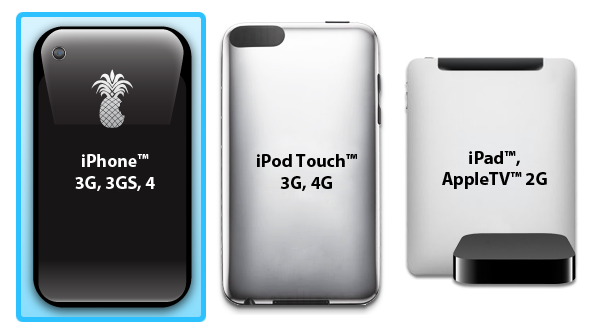
The Dev Team has updated the popular jailbreak tool, PwnageTool, with an untethered jailbreak for iOS 4.3.2. PwnageTool now joins RedSn0w and Sn0wbreeze as the third tool that can jailbreak iOS 4.3.2.

In this tutorial, we will show you how to use PwnageTool to jailbreak your iPhone 4.3.2 while also preserving your baseband. PwnageTool is for Mac OS X only and is the only way to preserve your baseband to make sure you can unlock later…

UltraSn0w Unlock for iPhone 4.3.2 Released

Following the release of the updated PwnageTool 4.3.2 jailbreak tool, the iPhone Dev Team has also pushed out an update to the UltraSn0w unlock in Cydia.

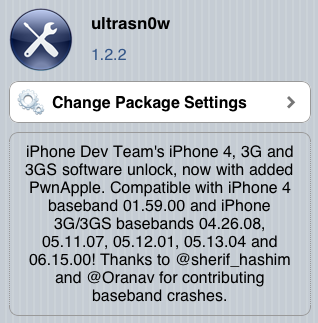
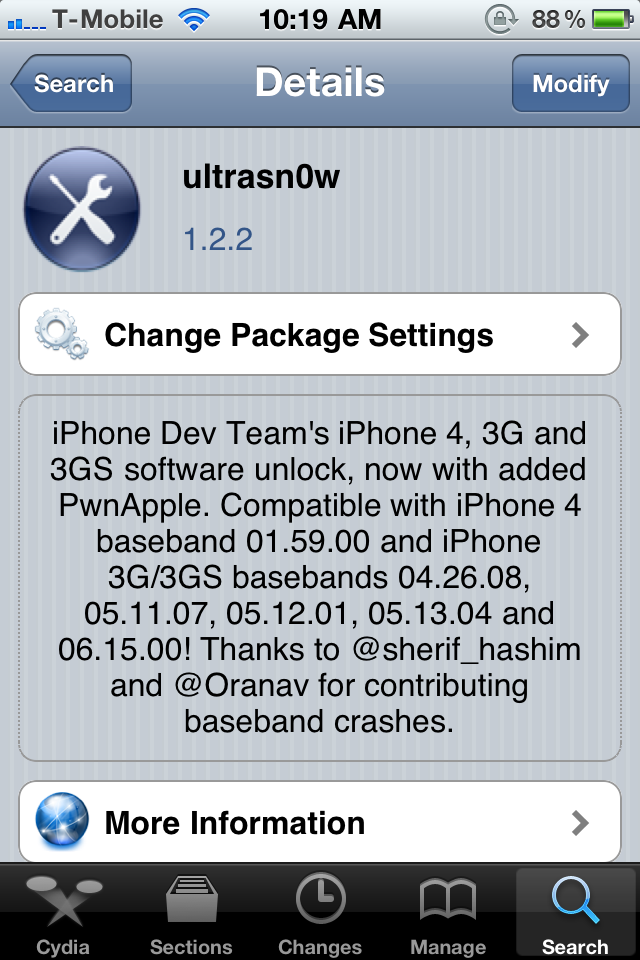
UltraSn0w 1.2.2 has been released to support the new iOS 4.3.2 firmware, as the previous version of UltraSn0w (1.2.1) was broken in iOS 4.3.2. Please note, this will only work for the older iPhone 4 baseband 1.59.00, and iPhone 3G/3GS  basebands 4.26.08, 5.11.07, 5.12.01, 5.13.04, and 6.15.00. It can not unlock newer basebands since there is currently no unlock available.

Dev Team Releases PwnageTool Jailbreak for iPhone 4.3.2

Sunday is "funday," so the iPhone Dev Team has just released an update to their PwnageTool jailbreak tool for Mac OSX users. PwnageTool 4.3.2 incorporates i0n1c's updated iOS 4.3.2 untethered exploit. The previous version of PwnageTool was only capable of a tethered jailbreak.

PwnageTool 4.3.2 will allow you to safely restore to an already jailbroken iOS 4.3.2 firmware and preserve your current 1.59.00 baseband so that you can use UltraSn0w to unlock your iPhone... 

The Wi.U, Because Every Smartphone Deserves a Smart Charger

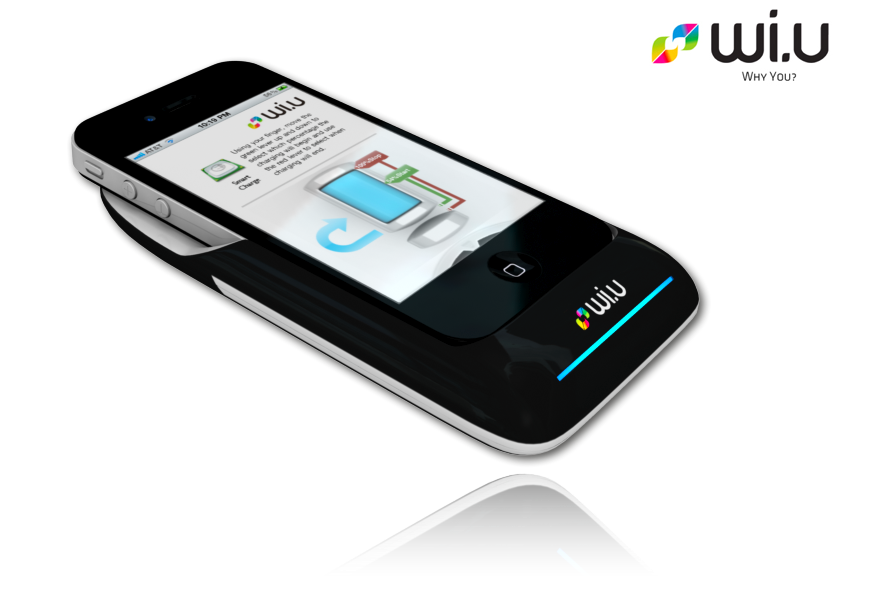
Chalk this one up to another interesting innovation involving Apple's iPhone. We've shown you the 360-degree lens and the dual sim case, now let me introduce you to the Wi.U. It's the smartest portable battery charger you've ever seen.

The Wi.U case pairs the iPhone with the battery charger through the device's 30-pin connector. The charger has the ability to detect when your iPhone battery is getting low, and will automatically start charging it up...

ipswDownloader Makes Downloading iOS Firmware Easy

If you've jailbroken or unlocked your iPhone, iPod, or iPad before you're probably used to the usual procedure. You usually have to download the iOS IPSW firmware file in order to continue with the jailbreaking of your iDevice.

ipswDownloader by developer Vitaly Parovishnik makes this process a whole lot easier. The program not only downloads the IPSW firmware file for you, but also displays whether the firmware you've selected can be jailbroken and unlocked, along with the size of the IPSW and the tools needed to jailbreak the firmware. 

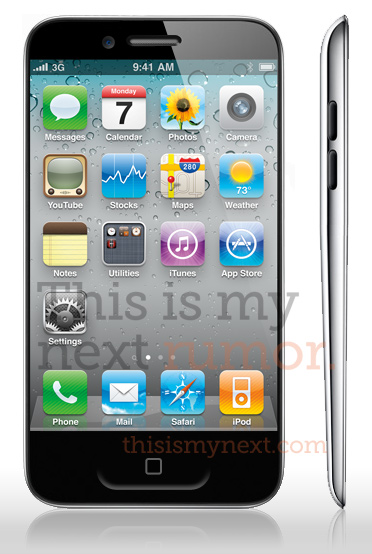
Is This What the iPhone 5 Will Look Like?

A new report from This is my next reveals some interesting rumors about the iPhone 5. According to Joshua Topolsky (the former editor-in-chief of Engadget), the iPhone 5 will in fact be a significant redesign of the current iPhone 4.

Topolsky doesn't cite specific sources, but he claims that the iPhone 5 will have a design very similar to that of the fourth-generation iPod touch. Engadget originally said that the iPhone 5 would be a major evolution of the iPhone 4, and this report from This is my next corroborates that claim.

5 Lessons the iPad 2 Could Learn From the PlayBook

The BlackBerry PlayBook launched last week to some mixed reviews. The latest formidable iPad competitor to enter the market has certainly heard its fair share of criticism. There's very few usable applications and the operating system isn't consistent.

Although the tablet doesn't offer any kind of threat to the iPad 2 in terms of market share at this point, I hope the folks over at Apple are taking notes. There are a few things that the juggernaut could learn from the rookie tablet.

1. Flash Video

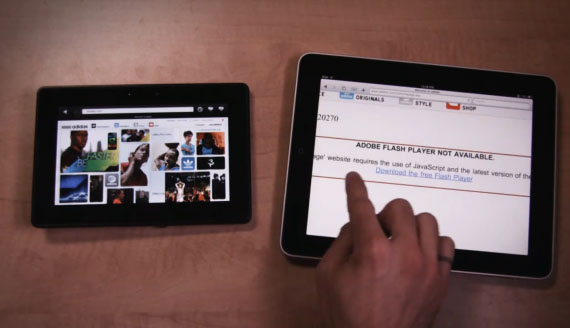
You knew it was coming, so we'll get it out of the way first. Flash. Although I've never seen Flash work properly on a mobile device, the BlackBerry PlayBook plays back Flash videos effortlessly. While I admit I probably don't encounter many problems by not having Flash these days, it'd be nice to have access to Flash-based Videos.

2. Screen Resolution

Believe it or not, those folks over at Research In Motion, known for not being on the cutting edge of technology, produced a brighter and sharper screen than the iPad 2. I'd like to see Apple increase the next iPad's screen resolution substantially. Retina anyone?

3. Worthy Native Web Browser

While a wealth of 3rd party apps make up for the features Safari lacks, they don't have the ability to be the default browser. If you open a link from an email or application, you're tossed right back into Safari. The PlayBook's web browser, on the other hand, has tabbed windows and an easy way to manage them. The Safari multi-page browsing system works nice on the iPhone, but the iPad could use a different design.

4. Stereo Speakers

So the iPad is touted as a great portable media device that allows you to play games and watch movies, but the mono speaker is so last year. The PlayBook comes with stereo speakers and sounds amazing. I've always felt Apple's iDevice products could use better quality speakers, but I'm sure they just assume accessory makers fill that void.

5. Phone Pairing Capabilities

With the PlayBook, you're able to tether your BlackBerry smartphone and access all of your information in real time. I know it's also flawed in this area by not providing native PlayBook Calendar and Contact apps, but it would be nice if the iPhone shared this feature. Imagine not having to use a 3rd party application to transfer pictures from your iPhone to your iPad.

So there you have it, a few things that the BlackBerry PlayBook did right. Obviously RIM's tablet is in its early stages and the iPad 2 is clearly winning the tablet war.  Hopefully though, we'll see some of the missing features listed above, in the next iteration of Apple's tablet.