Month: April 2011

AT&T’s Q1 iPhone Sales Up 33%, Unaffected by Verizon iPhone

AT&T posted its first-quarter earnings this morning, and the U.S. carrier saw a 33% increase in iPhone activations during the first quarter of 2011. A grand total of 3.6 million iPhones were activated on AT&T, helping to give the carrier a 10.2% overall increase in wireless revenue.

Since the iPhone was made available on Verizon, a drop in iPhone sales on AT&T has been expected. Instead, AT&T announced that this past quarter was its best first-quarter earnings ever. Looks like the Verizon iPhone isn't really enticing customers away from AT&T...

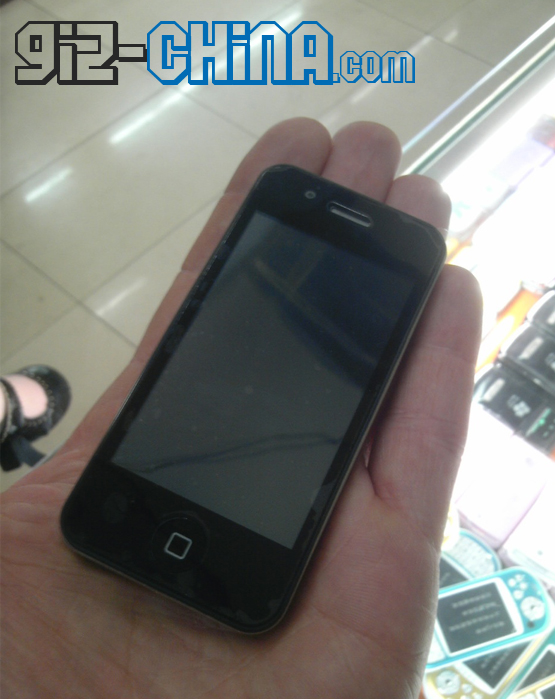
Fake iPhone 4 Nano Being Sold in China for $60

With rumors flying about the iPhone 5, little attention has been paid to the iPhone Nano rumors that surfaced months ago. While the U.S. has remained quiet about a future iPhone Nano device, Chinese dealers are beginning to sell knock-off iPhone 4 Nano's to the tune of about $60 U.S.

These fake, mini iPhone devices run a Java-based iOS ripoff and behave a lot like the original iPhone. Most notably, these Chinese knock-offs are about 2/3 the size of the real iPhone 4...

iPhone 5 Coming in September, Similar to iPhone 4

According to a report from Reuters, Apple is scheduled to begin production of the iPhone 5 in July/August with a September release. This news coincides with other reports that Apple will push back the next generation iPhone's launch to a later fall date.

It is unclear as to why Apple is not following the usual summer release schedule for the iPhone, but all signs point to a different roadmap for 2011. The iPhone 5 is reported to have a faster processor and look very similar to the current iPhone 4.

Gmail Web App Updated, Can Undo Actions

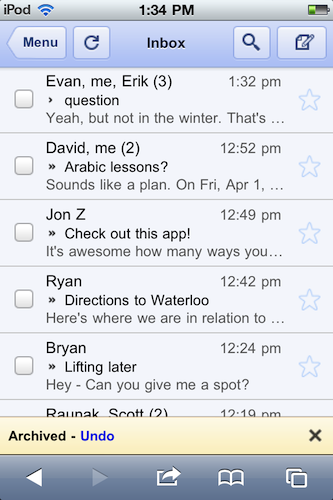
The Gmail web app just keeps getting better and better! If you use the Gmail web app with Safari on your iPhone, you'll be happy to know that Google has now updated Gmail's web interface with an "undo" feature.

The web app will now allow users to undo an action such as archive, delete, add/remove a label, or move a message/conversation. When you select one of these actions, Gmail shows a yellow bar that displays what you just and allowing you to undo it, instead of having to dig the message out of the Trash. 

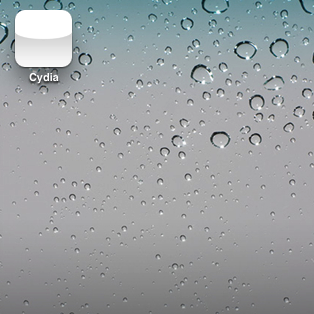
How to Fix That Pesky White Cydia Icon After Jailbreaking With RedSn0w

Now that a viable jailbreak solution has been released for the latest version of Apple's firmware, all is well again in the world of jailbreaking.

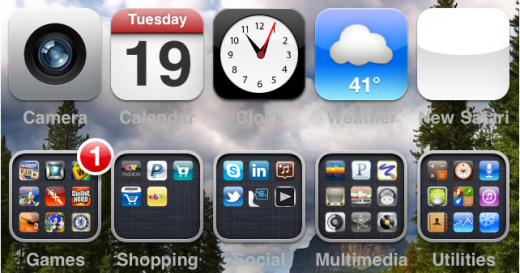
That is of course, unless you're facing the dreaded white Cydia icon of doom after jailbreaking with RedSn0w.

If you've rebooted, re-jailbroken, and the white icon continues to haunt you in your sleep, what should you do?

Fret not; all of your options have not been exhausted; there's one more thing you can try, and it's easy as pie...

Just How “Green” is the iPhone? [Infographic]

Apple has been criticized by some environmental organizations for its recycling practices. These activists claimed that Apple was slow to remove toxic chemicals from their products and lacked a proper recycling plan for old products.

Steve Jobs addressed these complaints in a letter entitled "A Greener Apple." The consensus of the note was that Apple was currently (or would soon be) leading the pack in all measurable areas of environmental impact. Apple products like MacBooks and Mac Pros certainly seem environmentally friendly thanks to their aluminum builds, but what about the iPhone?

How to Jailbreak iPad 4.3.2 with RedSn0w

Original iPad owners didn't have much reason to update to the new 4.3.2 firmware released by Apple last week. The upgrade fixed FaceTime issues and the Verizon iPad 2 connectivity problem, but didn't contain any improvements for 1st generation tablets.

However if you did update, or would like to, there is a jailbreak available. RedSn0w was recently updated to support the new software. So for folks that have an original iPad on iOS 4.3.2, let me show you how easy it is to jailbreak it.

This is a simplified tutorial. For a full step by step guide, see the full RedSn0w Tutorial. Just make sure to get the latest version of RedSn0w. This is only for original iPad owners, as there is still no iPad 2 jailbreak available.

Step 1: Make sure your iPad is on the latest firmware, and that you have the newest version of iTunes.

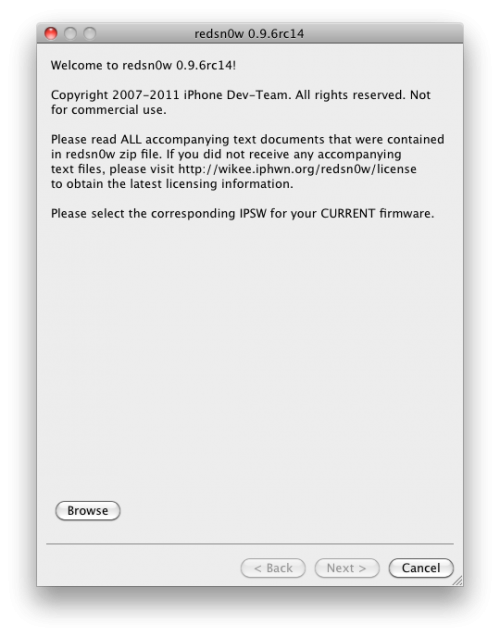
Step 2: Download the latest version of RedSn0w (rc14) here. Download it to your desktop to make it easier to find.

Step 3: Launch the application and follow the on screen instructions, they're super simple.

Step 4: After selecting your 4.3.2 firmware and letting the software do its thing, you'll need to put your iPad into DFU mode. Power + Home button for 10 seconds and then Home button alone for 10 seconds.

Step 5: If you do this correctly, RedSn0w will work its magic. After it's done, your iPad will restart and you should see the Cydia icon!

Any questions?
How to Make Safari Load Faster on the iPhone

Although Safari may not be perfect, as far as truly native iPhone browsers go, it's all we've got. If one of your major problems with Apple's mobile browser is how long it takes to load, you're in good company.

It's Safari's built-in session saving feature that makes the browser so sluggish. In most cases, it will completely reload you're previous page you were on at launch. iOS doesn't have an option to disable this feature, but there might be a way around it...

TinyUmbrella Updated to Support iOS 4.3.2 and iOS 4.2.7

It's that time again! With the release of iOS 4.3.2/4.2.7,  TinyUmbrella developer @notcom has updated the popular utility once again.

The latest version (4.32.01) brings iOS 4.3.2 (GSM) and iOS 4.2.7 (CDMA) support. Additionally, the new version also comes with a new feature which will automatically take you to the TinyUmbrella website when you're running an outdated version (although, we'll always let you know when there's a new update). 

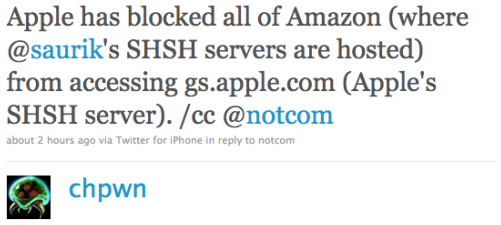
Apple has Blocked Saurik’s SHSH Servers [Updated]

We've all been watching as the fight between Apple and jailbreakers heats up. What started as a cat and mouse game has become more of a battle. Apple has certainly become more aggressive in the fight during the last few months.

For starters, they recently implemented ASLR as a security measure to thwart hackers. They have also blocked Cydia access from inside their retail stores, and pressured Toyota into removing their advertisements from the jailbreak community. What's their latest move?

Ex-Apple Employee Says the Company is Intensely Focused on Gaming

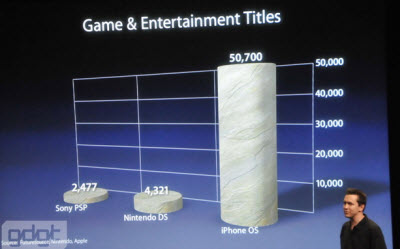
We've told you before that Apple seems to be pretty serious about gaming. First it was the addition of the Game Center, then they hired 2 top PR execs from the likes of Nintendo and Activision.

Business Insider mentions an interview with Graeme Devine who reiterates Apple's aggressive stance on gaming. The man who was named one of the Top 100 Game Developers of 2008, told IndustryGamers that Apple is intensely focused on gaming, and is intensely aware of it...

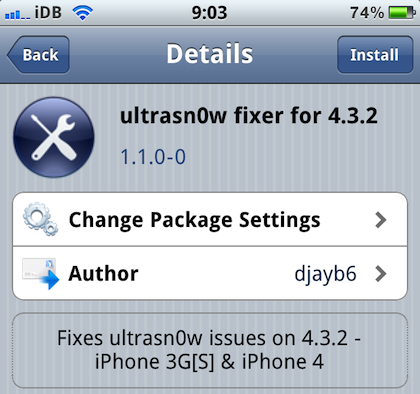
UltraSn0w Fixer Brings UltraSn0w Unlock Compatibility for iOS 4.3.2

Yay, we got a jailbreak for iOS 4.3.2! Ok, but what's up with the unlock? My guess is that the Dev Team is working on updating PwnageTool for 4.3.2 compatibility. When they release PwnageTool, most likely in the coming days, they will also update their UltraSn0w unlock.

Those of you who have updated to 4.3.2 while preserving their basebands using Sn0wBreeze or PwnageTool bundles are out of luck because the official version of UltraSn0w is not compatible with 4.3.2 yet...