Month: March 2011

Steve Jobs Sends Out Letter of Encouragement to Japanese Apple Staff

In an email that was reportedly sent out to all Apple employees, Steve Jobs and the rest of the Apple executive team took some time out from their day-to-day activities to acknowledge the pain and suffering in Japan due to the earthquake and tsunami disasters.

According to the email, Apple will supply the needed resources and supplies at employee request, and will arrange delivery; though obviously in the area's current state, logistics could prove to be an issue.

Apple has also delayed the iPad 2's Japanese launch in light of the recent events. To read the entire email from Steve and the rest of the executive team, take a look inside...

iPad 2 Review

It's been 6 days now since I got the iPad 2 and I have to say that I am more than satisfied with it. I wrote a pretty extensive review of the iPad 2 on our sister site, z iPad Blog, which hopefully will be helpful to some of you.

I usually don't cross post anything from one of our sites to another but I thought this review was worth mentioning here on iDB. Besides, most of you probably don't know we also run an iPad blog so this is the perfect occasion to promote this side project of ours. Make sure to check it out and subscribe to the RSS feed or the Twitter account.

Read my iPad 2 review.

IconNotifier: Another Unique Alternative to iOS Notifications

Late last month, developer Peter Hajas introduced MobileNotifier, a complete replacement of Apple's aging iOS notifications system. The jailbreak tweak became incredibly popular, showing how much iPhone owners are longing for a better notifications system.

Following MobileNotifier comes another alternative to the iOS notifications system courtesy of the jailbreak community, called iconNotifier.

Gevey SIM Interposer Provides Unlock For All iPhone 4s

Remember the days of the TurboSIM, and how that was a popular method for unlocking the iPhone 2G in 2008?

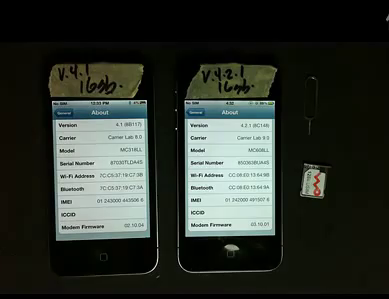
Gevey, one of the companies that was a leading provider of those TurboSIMs has released a SIM Interposer which can unlock the iPhone 4 up to iOS 4.3 by force activating the baseband using the emergency dialer.

Cydia Now Showing iOS 4.3 SHSH Blobs

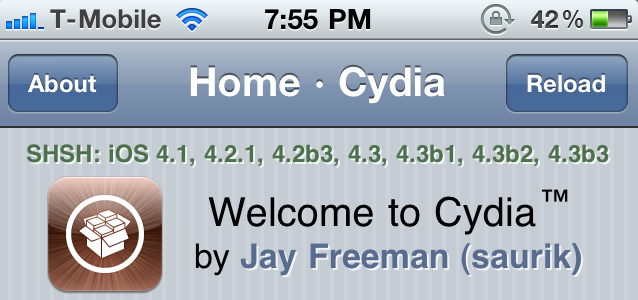
If you've launched Cydia today, you'll notice that it is now showing your SHSH blob for iOS 4.3 official and beta builds (if you saved them).

Although it is already too late to save your iOS 4.2.1 SHSH blobs, if Cydia isn't showing you've saved your iOS 4.3 SHSH blobs, you may want to fire up TinyUmbrella and save them while you still can. As we've stated before, saving your SHSH blobs can come in handy for future jailbreaks, such as Jailbreak Monte. They are also necessary when you try to downgrade your iPhone to a previous iOS version that Apple is no longer signing.

Sn0wBreeze 2.3 Beta 2 Tethered iOS 4.3 Jailbreak Released

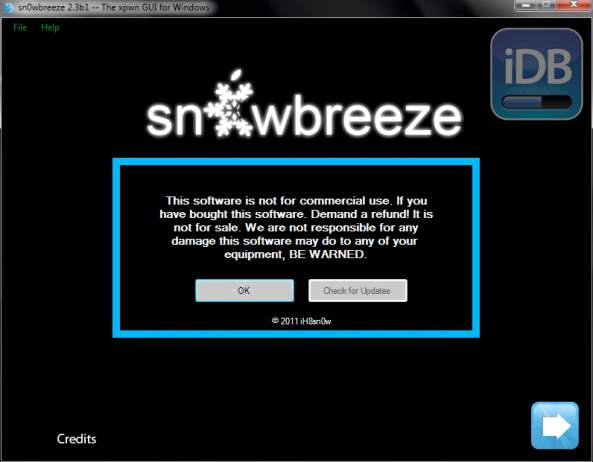
iH8sn0w has pushed another update to his Sn0wBreeze jailbreak solution for Windows. As the only current jailbreak tool for iOS 4.3, Sn0wBreeze 2.3 offers a tethered jailbreak for those unlucky enough to update their firmware to 4.3.

Sn0wBreeze 2.3b2 adds several improvements from the first beta, but nothing too significant. Sn0wBreeze 2.3 is still in beta, and iH8sn0w and team are working hard to create an untethered solution for the popular Windows jailbreak tool...

How to Backup iPhone Game Progress [Without Jailbreaking]

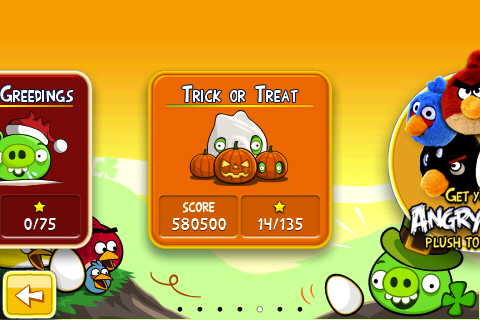
They say game saves are the most prized possessions for gamers. If you play the likes of Angry Birds and Cut the Rope on your iPhone, you surely will worry a bit about losing the game progress when restoring your iOS devices. Unless you restore from a previous backup, which is not always possible, you will lose all the gameplay progress and the levels you had earlier unlocked and gained access to.

Previously, Alex shared a tutorial on how to backup games using a Cydia application called AppLinks. However, that's only available to those with jailbroken devices. Let me show you how to do the same without jailbreaking your iPhone...

Celeste Bluetooth File Transfer App Now Available in Cydia

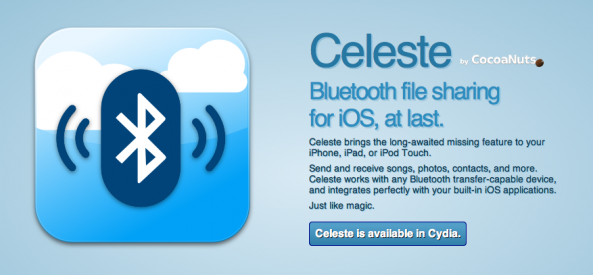
It's finally here! The team behind Celeste, CocoaNuts, has officially released Celeste, the long awaited Bluetooth file transfer app for iOS4.

As a refresher, Celeste is a jailbreak app that allows your iPhone, iPad or iPod Touch running iOS 4.2 or later and receive files from any mobile phone and any computer (Mac or PC) that supports OBEX Bluetooth file transfers.

Use the iPhone to Enable GPS on the iPad While Tethering

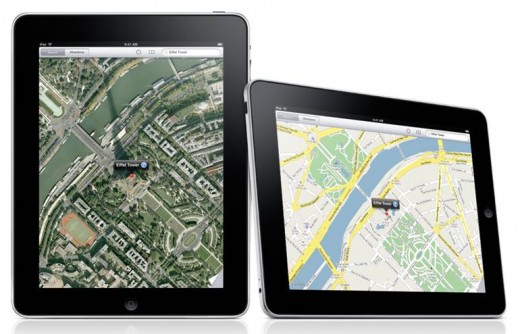
If you don't pony up the cash for a 3G-enabled iPad 2, you won't get the GPS capabilities of a carrier network connection. That means that, unless you are connected to a Wifi access point, the maps functionality of the iPad will not be able to track your location or give you live directions, etc.

The internal GPS is definitely one of the biggest pros for the 3G models of the iPad. With an internal GPS, the iPad can be a great navigation tool for your car's dashboard. So, what can you do to get GPS on the iPad 2 without a 3G connection?

A new report claims that you can use the iPhone's data connection through tethering to enable GPS functionality on the iPad...

iPad 2 Online Orders Delivered

In case you ordered an iPad 2 online on Friday early morning, then you should get it delivered soon. I ordered 2 iPads at exactly 12.53 am on Friday and I got them delivered today, even though the FedEx tracking system said I wouldn't get them until tomorrow.

I don't know why Apple shipped them in 2 separate boxes but they did come separately. In the end, it doesn't really matter. I'm just glad they're here.

In case you're wondering why I ordered 2 iPads when and also stood in line on Friday to get another one, it's simply because I want to surprise my Mom and my future mother in law with them. My Mom has always wanted an iPad since she first saw mine last year. Unfortunately she can't afford it so I'm glad I can, and I'm sure she's going to be very excited. The one iPad for my future in law is to thank her for putting up such a wonderful wedding for Tina and I (April 2nd).

Here you go, you have the story of my life.

Have you received your iPad 2 yet? If not, what does the FedEx tracking system is saying about the scheduled delivery date?

invisibleSHIELD for iPad 2 Now Available [20% Off]

You just spent $500+ on a new iPad, don't you think it'd be smart to spend a few more bucks on a nice screen and casing protection? That's what the ZAGG Invisible Shield has to offer. I'm a big believer in ZAGG products especially the Invisible Shield, which offers great protection for the front and the back of your iPad.

The price isn't bad either. $40 for both the front and the back, or $30 for either the front or the back. I'm currently using Apple's Smart Cover which does a great job at protecting the screen but leaves the back of the iPad vulnerable to virtually anything (especially that coffee table I usually put my iPad on), so I know I'm going to go with the InvisibleShield for the back only.

If you think you might benefit from this, make sure to buy your InvisibleShield from here and enter coupon code zagg20 to get 20% off your order.