VoiceActivator Is Going to Change the Way You Talk to Your iPhone

by Jeff Benjamin on Feb 4, 2011

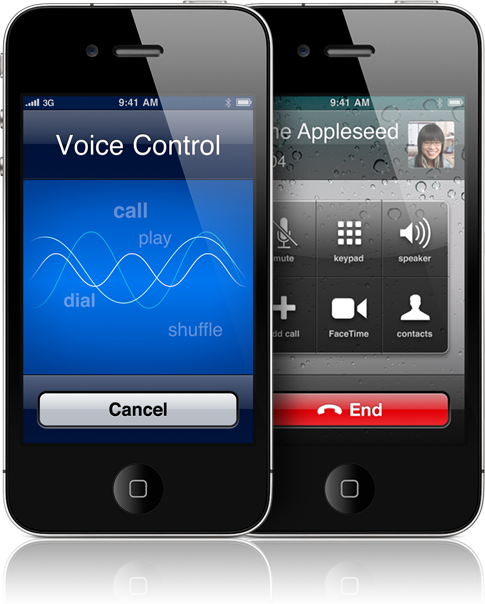
Voice Control has always been something of anomaly to me. In fact, I’m always a bit startled when I see it pop up on my iPhone after accidentally holding the home button one second too long.

It’s almost as if I’ve forgotten that the functionality even exists, although I know its tucked away in my iPhone somewhere. The point is, Voice Control just isn’t useful in its current state. I can’t recall one instance where I’ve actually used it outside of showing off the capabilities.

Fortunately for us, that’s what jailbreaking is for — turning mundane functions into something useful. VoiceActivator is the epitome of usefulness, transforming Voice Control into a hot commodity…

Read More


Preview: A New Jailbreak Tweak Called VoiceActivator

by Alex Heath on Jan 30, 2011

The iPhone has had “Voice Control” for quite awhile. And although many verbal commands are supported, the iPhone’s Voice Control still lacks the potential it could have.

You can already use Voice Control to make a call and play a song, but it’s a shame you can’t have more varied types of commands. Wouldn’t it be nice if you could use the iPhone’s native verbal recognition to look up a webpage or launch an app?

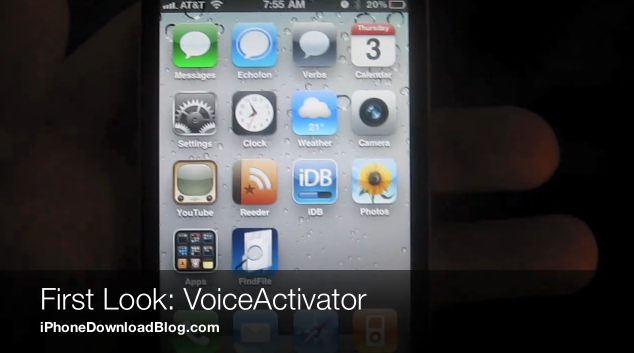
A new jailbreak tweak, by popular developer chpwn, will soon be released in Cydia. Its aim is to provide more customizability and functionality to the iPhone’s Voice Control…

Read More


Google Voice App finally out! Rohit’s Take On It…

by Guest Author on Nov 18, 2008

Friday – an anxious wait for google voice app,  Saturday – frustration over it not being out,  Sunday – the big question whether apple is deliberately holding back the release,  Late Monday – the revolutionary product from Google is finally out! This pretty much explains the Google Voice App wait saga. The long wait process was indeed killing and with every passing minute, the rumor that Apple would nip Google’s cool voice app in the bud was annoying me. I couldn’t help but remember the fate of netshare, podcaster, castcather and a galore of other apps which had to face the axe from Apple. But a voice in me kept whispering that Apple couldn’t be naive to just turn down the Google Giants voice app especially when they have Google CEO, Eric Schmidt as a board member. So despite the rumours that Apple had killed the Google Voice application, I carried on my wait with bated breath. Was it worth it? Oh Hell yeah!

Before I mention about its fascinating features, an important thing you need to know is that you won’t find the voice feature the moment you open the updated Google mobile app. It’s turned off by default so go into the settings option and there you will find a Voice search on/off button. Besides this you also get to decide whether you want contacts, previous searches and websites to be included in your Google search. Then ofcourse there is a gallery of various Google Apps which we all love. (Wish these Google apps launched in an inbuilt browser instead of safari!).

Leaving aside all the features which come packed with the app, the real icing on the cake without a shadow of doubt is the Voice feature. I was a little skeptical as to how effectively it would work but I was fascinated with its easy usage and almost spot on voice recognition capability. However, it may get annoying some times and also there is an issue of lag in the recognition process. But one cant deny the fact that this is a giant leap in voice search and Google will only make it better from here.

All said and done, this truly is a brilliant app which deserves to be on your iPhone!


Say Who? It’s a little More Like Say What?

by Cody on Oct 22, 2008

So here we go, from the same people who brought you the application Say Where?, comes another decent attempt at voice recognition software. Or is it?

The idea is quite simple. It allow users to dial their contacts by speaking their name. Always interested in shortening lengthy tasks, I downloaded this application to see if I could eliminate the 4 step manual dialing process (press phone, go to contacts or recent calls, scroll to find number, and press call).

At first glance it seemed as though this application might find its way into an exclusive spot on my springboard. Clicking the icon opens up a single screen that has a large square button to press when you are ready to speak a contact’s name. Well that’s only 2 steps, so Say Who wins, right?

Wrong. It’s 2 steps to get to your first attempt at dialing a contact. While the previous app I reviewed from Excuse Me Services shined in the voice recognition department, this one fell flat on it’s face. Both voice dialing and speaking the contact’s name returned horrible results. Sure, in exact silence, using perfect diction, I was able to get a few right answers.

But I don’t live in solitary confinement, I live in the real world, and the real world has background noise in it. Especially when traveling in my car, which is where I would find this app most useful anyways.

Maybe if they were to combine this with their Say Where application with more accurate voice recognition, it’d be worthwhile to download. It would also be advantageous to continue to run in the background, or at least when the screen is locked (once again in my car dock). We continue to see innovative software from these guys, but unless you’re accustomed to yelling obscenities at your iPhone driving down the turnpike, I suggest you stay away.

This one definitely falls in the “look-what-my-phone-can-do” category, but may throw you under the bus when trying to demonstrate to your friends. “Call Randy” , “Calling Mom.” “No I swear it usually gets it on the first try, watch!”


vMail xPress Voice eMail Free Lite Edition

by Guest Author on Oct 19, 2008

In my ongoing quest to find iPhone applications that will revolutionize the way we live, I found a cool app that I think will come in handy for anyone who uses e-mail on their iPhone.

vMail xPress Voice eMail has been out since September 3, according to the App Store.  But, I heard no buzz about it and it sold for $9.99 in the Business category.  A few days ago, the developer of the app released a Free Lite Edition [iTunes Link].  So, I decided to give it a try.

The app allows you to bring up a contact by simply saying his or her name and then you can send that person an audio e-mail and a picture.  It’s e-mail creation without typing at all!  I found the process to be very simple.

First, you enter your name and an e-mail address (presumably the one you’re going to use to send the e-mail).  This app gets brownie points for not having to register and figure out another password.  Then, you SAY your contact’s name.  I found that slower is better.  On the down side, the contact name and e-mail address you send to need to be in your iPhone contact list.  I used my Gmail account and, for some reason, I thought the app was going to search my contacts in Gmail.  Maybe that would be asking too much for a free app.  As soon as the app has the contact you want to send to, you can choose to record an audio message as well as post a picture that will go in the e-mail.  The picture can be taken on the spot or from your photo library.  After you review your audio e-mail, you hit the send button and you’re done!

Your recipient will get an internet link to your audio e-mail and picture.  I had hoped that the audio and picture would simply be attachments in the e-mail but I suppose it’s too tempting for a developer to get instant traffic on its website.

Looking at the paid and free versions, it doesn’t look like there are any differences (and one reviewer on the App Store pointed that out).  The developer, AdelaVoice, has not hinted in its app synopsis or website that the free version will be out for a limited time.   My advice is to get it while its free even if you don’t think you’ll use it.

UPDATE:  The Free Lite Edition of vMail xPress Voice eMail allows you to send up to five vMail messages.  After that, you’ll have to buy the $9.99 app.  The app also lets you send your voice message and picture as an attachment in addition to the link.