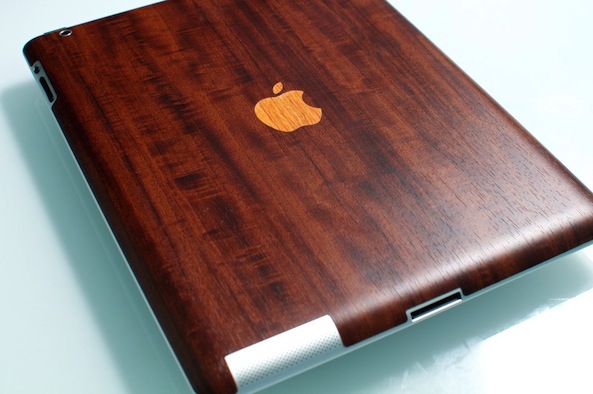
Toast redesigns its wooden iPad skins and add the iPad mini

By Jim Gresham on Apr 27, 2013

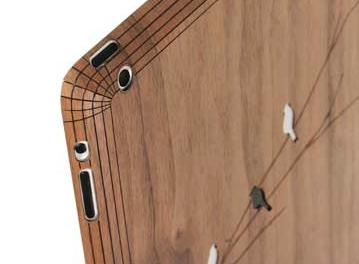
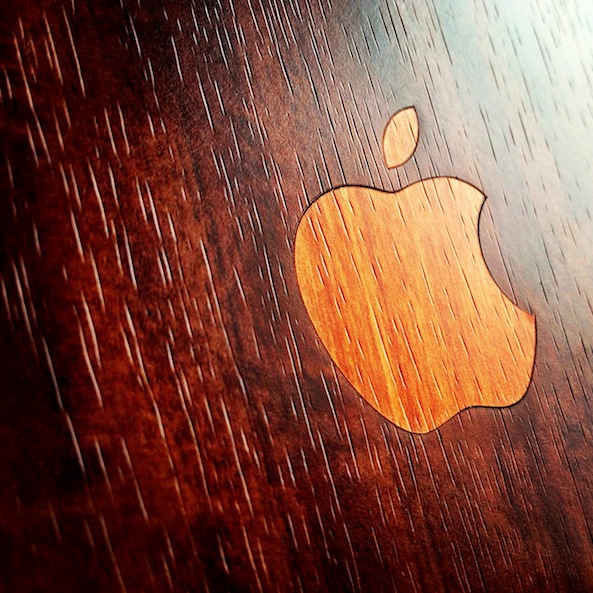
I previously reviewed a Toast iPhone skin, which remained on my iPhone 4 until last week when I shipped it to my father. It had a long life and properly adhered to my iPhone the whole time. Now, Toast has added the iPad mini to their collection and mastered their technology by creating a skin that will cover a multi-curved corner. The new Toast skins will completely cover the back of your iPad 2, 3, 4, or mini in completely natural real wood veneers.

The combination of technology and natural wood grain is quite special. I do not fancy myself a lover of woods, but the elegance of nature immediately next to one of the most beautifully designed Apple products is truly a sight. Having used the iPad mini skin for a while, I was impressed with its grip, finish, and design… Read More


id America brings creativity and style to your iPhone skins

By Jim Gresham on Feb 16, 2013

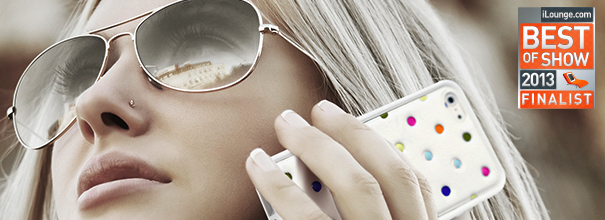
iPhone skins have been around, well, since the iPhone and iPod touch were released years ago. Most of the skins are simple, clear, non reflective strips of plastic or sometimes glass. However, none of them offer a particularly stylized design, until now. id America released the Cushi Plus at CES and I spent some time with one over the past week. It is a padded and highly designed iPhone back skin that is a perfect case substitute, with a few hitches… Read More


Toast’s wooden skins add life to your iPhone [review and giveaway]

By Jim Gresham on Sep 18, 2012

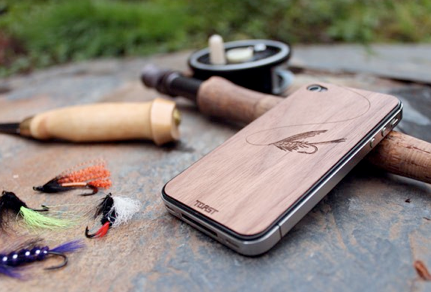
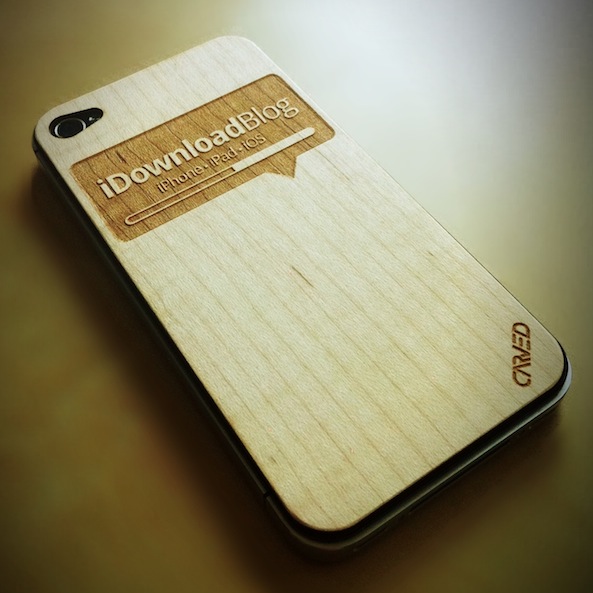
Over my time blogging, I have only spotted a few wood or faux wood skins for iDevices, but have never had the opportunity to review one. Thanks to my new friends at Toast, I have been using their real bamboo iPhone skin for a little over a week and my completely custom skin is getting even better everyday I use it. With the iDownloadBlog logo darkly emblazoned on the pale wooden backdrop, my iPhone skin is the talk of the town… Read More


MagSkin review and giveaway: keep your iPhone hanging in all the right places

By Jim Gresham on Sep 5, 2012

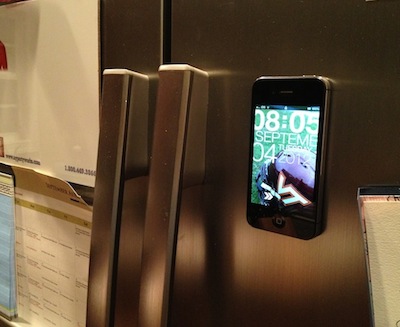
Inspired by a cord covered kitchen counter, MagSkin’s humble beginnings centered around a hobby project for friends. MagSkin’s founder took a small sheet of adhesive magnet and applied it to the back of an iPhone. Following encouraging words from admirers, MagSkin headed to Kickstarter to find interested investors.

MagSkin successfully raised $2,000 more than necessary with 353 backers. Now, we can all enjoy slapping our iPhone on any magnetic surface and five lucky winners will be able to take one home for free… Read More


Here is your chance to win an awesome skin for your iDevice

By Sebastien Page on Jul 23, 2012

Up to a few months ago, you would have had to pay me to put a skin on my iPhone. I used to think that it looked tacky and cheap. There was no way I would ever want to put one of those stickers on my beloved iPhone or iPad. That’s until I met the fine folks of iCarbons.

I quickly changed my mind when Rosa from iCarbons started connecting with me on Twitter. Because we are both JailbreakCon sponsors, we started talking more and more and she offered to send me a few free skins just so I can have a feel of what they look like and what they are.

The rest is history – read my review for full details. I got hooked immediately by the quality and look of their skins. I got hooked so badly that I currently have 2 iPhones, 2 iPads and my MacBook Air sporting iCarbons skins.

Because I want to make sure everyone of you gets a chance to enjoy an iCarbons skin, we’ve set up this awesome giveaway for you… Read More


The best skins for your iPhone, iPad, and other devices

By Sebastien Page on May 5, 2012

I rarely get excited about accessories because I like to keep my devices simple. I’ve always thought that Apple has done a great job at designing beautiful products, so why would I want to stick my iPhone in a case or apply a skin to it, right?

There is a company out there that has slowly been changing what I think of skins though: iCarbons. I had never heard of them, but because they are also JailbreakCon sponsors, we started talking, and they offered to send me a few of their skins to check out. I’ve been in love ever since… Read More


Carved offers beautiful laser engraved wooden skins for iDevices [giveaway]

By Sebastien Page on Mar 8, 2012

You know I’m not really fond of cases or skins, but I never miss an occasion to check a new one out, especially when it’s made to order. The folks over at Carved sent me a couple custom iDB skins a while ago and today I’d like to show you what it looks like.

Carved is a relatively new company that sells laser engraved wooden skins for iPhone, iPad and other devices. You can choose from a selection of skins for iPhone or for iPad, or even better, you can design your own custom skin to be laser engraved… Read More


Giveaway: GelaSkins Skins for Your iPad [Winners Announced]

By Sebastien Page on Jan 27, 2012

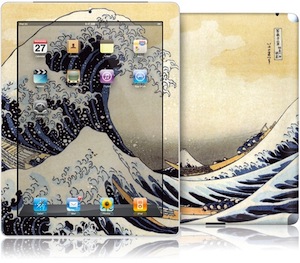
The folks at GelaSkins emailed us yesterday to let us know that their eReader skins are now shipping in a velvety matte finish. The new skins blend with the page-like screens of eReaders and eliminate glare associated with the signature gloss finish.

This is all great news if you have an eReader such as a Kindle, Nook, or Sony eReaders. But we’re iPad people over here, and we like the shiny glossy finish.

To celebrate their new finish though, GelaSkins was kind enough to provide us with two $40 gift codes to give away to our loyal readers… Read More


Review: SGP Skin Guard for iPhone 4

By Guest Author on Oct 3, 2010

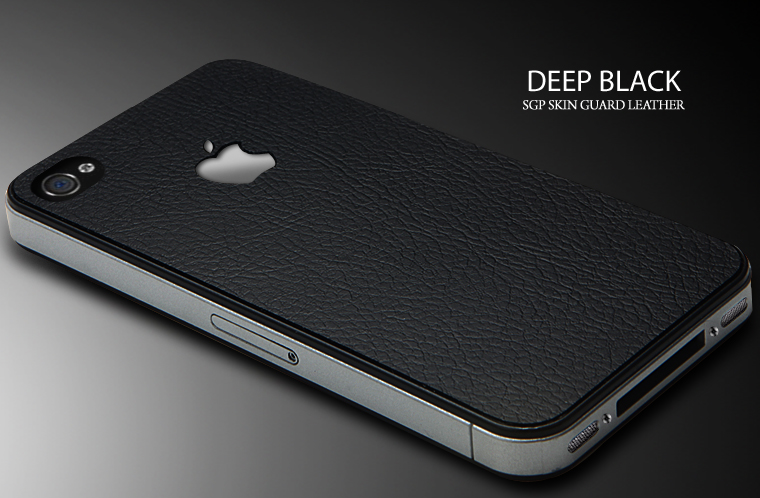
If you’re one of those people that likes a clean feel on your iPhone but still want a sense of protection, there are some attractive options on the screen protector market. I recently installed the SGP Skin Guard for iPhone 4 and was very impressed with the finished result.

Here is my full review of the product… Read More


Turn Your iPhone 4 Into A Game Boy

By Sebastien Page on Aug 7, 2010

We’d seen this before for the iPhone 3G and 3Gs so it’s all natural this awesome skin has been made available for the iPhone 4.

This original skin will turn the back of your iPhone 4 into a Game Boy. I would never put this on my iPhone but I think it’s a really cool geeky product.

They run for $9.95 at Zapstatic, but they’re unfortunately out of stock for the time being.

[French iPhone]


Create Your Own Custom Invisible Shield for iPhone

By Sebastien Page on Jun 29, 2010

Zagg, the maker of the Invisible Shield for iPhone has come up with a new product called ZaggSkins.

ZaggSkings allows you to personalize your device to be as unique as you want it to be. ZAGGskins will personalize and protect your mobile devices by combining the scratch protection of the Invisible Shield with customizable images.

You can choose to use one of Zagg’s professional design or you can choose to upload your own image to create your very own custom iPhone skin.

You can get ZaggSkins for every iPhone model, including the iPhone 4. Best of all, it comes with a 45-day money-back guarantee, so if you’re not satisfied, you can send it back and get a full refund.

Learn more about ZaggSkins here.


Isn’t This The Most Original iPhone Skin Ever?

By Sebastien Page on Jun 24, 2010

If this isn’t the most original custom iPhone skin ever, then I don’t know what it is. I found this by accident on Twitter and I assume it was made using Unique Skins.

What do you think?


Free iPhone Skins GiveAway

By Sebastien Page on Dec 11, 2008

The guys over at Infectious emailed me to let me know that they would like to give away iPhone skins to the first 3 people to comment on this post. If you don’t know about Infectious, you may want to check their products. They make adhesive skins for cars, laptops, and in our case, for iPhones.

What’s really cool about it is that you can choose from top notch designs that are all made by renown artists. I haven’t tried their iPhone skins but they are said to be easy to apply and easy to take off.

Unlike UniqueSkins, which I reviewed a few weeks ago, you can’t create your own skin on the fly, however, you can submit your artwork and it might be approved to be sold on the site. Pretty cool, huh?

So we have 3 skins to give away for free to the the first 3 people that will leave a comment on this post. When you leave your comment, don’t lie about your email address or else there is no way we’ll be able to get in touch with you.

For more info about these artsy skins, hop over to Infectious.com.


Create your own Custom iPhone Skin

By Sebastien Page on Sep 29, 2008

A few days ago, I was contacted by a guy at UniqueSkins.com who asked me if I’d like to become an affiliate of his site. I receive some of these inquiries several times a week and most of the time, I don’t follow through because the product they sell has nothing to do with the iPhone or iPod Touch. But this time, 2 things got my attention: 1. the product seemed original to me; and 2. he offered to give me free samples. Alright, I’ll admit that the “free samples” really caught my attention ;-)

So I decided to look into the product by going to Unique Skins’ website and found the concept really cool. Basically, Unique Skins offers a simple and cheap way for you to create your own skin for your iPhone. You can get your custom iPhone skin for about $7. You can also create skins for your iPhone dock. They don’t only make custom skins for iPhone; they make skins for pretty much any type of phone you can think of, as well as laptops, gaming consoles, MP3 players. They even make skins for bluetooth headsets!

Here is how it works:

  1. Choose your device
  2. Click on “Design Now”. It then brings up their online skin creator.
  3. At this point, you can either choose from a library of images or, that’s where it gets interesting, you can choose to upload your own image.
  4. Once your image is uploaded, you can move it around, rotate it, and you can even add text.
  5. When you’re done creating, you can preview your custom skin and then add it to the cart.

Today I received my 2 skins and I was positively surprised by the great quality of the printing. Given that I had used low quality images to create my custom skin, I expected a print out all pixelized. Not at all.

I couldn’t wait any longer, I decided to stick one of them on my lovely iPhone.

At first, I was a little scared that I wouldn’t be able to install the skin without making a few air bubbles. I was also worried that I would lose my nerves on this mini project. I have very little patience and I am usually not good at doing things with my hands (although my girlfriend would argue this, hehe ;-) .

I decided to start by the back of the phone as I thought it would be the easier part. I removed the sticky skin from the sheet and started applying it to the top left of the phone, right by the camera lense. Once this part was done, I moved toward the top right, making sure to remove the little air bubbles that I feared so much. In no time, the top of the phone was done. I then started to stick the rest of the skin, going all the way to the bottom of the phone, while still making sure no air bubble would sneak in.

Almost done! Oh NOOOOOO! There is this tiny bubble that I forgot to remove. You can barely see it but I’m a neat freak; I like things to be perfect. I removed what I had done and started over again until the back was perfectly done. It took me about 3-4 minutes from the time I removed the sticky skin from the sheet to the time I sat back and proudly looked at the hip skin on the back of my iPhone.

Now, the hardest part of the job; the front of the phone. I had a bad feeling about this from start, especially because of the light and proximity sensors (you can barely see them right next to the phone speaker (not speakerphone) but if you cover them, you’re screwed as your iPhone won’t be able to tell how lit it is around you or whether your ear is against the phone or not.

So again, I decided to start with the top of the phone, as it would be the hardest part. I did my best to apply the skin and it almost looks ok but I was not satisfied with it at all. It actually makes my iPhone look a little ghetto. What drove me nuts was the sideline of the screen that was not straight. I guess most people would have been satisfied with the result but again, I’m a neat freak so I simply decided to completely remove the skin from the front of my iPhone. I kept the back though, as I think it looks sick!

To sum up, I’d say Unique Skins is a great, inexpensive way to customize your iPhone with your own design. $7 + $3 for shipping is very affordable for this product. When creating my iPhone skins, I uploaded low resolution images but they turned out really good once printed. The set up was pretty easy although I would have expected them to send me a quick “how to” guide, as well as a tool to make sure you are correctly removing the air bubbles. But for this price, you can’t expect much and you can’t really go wrong. If I had had to pay for it, would have I done it? Yes, I most likely would have bought a cute custom iPhone skin for my girlfriend’s phone and one for me.