Sn0wBreeze 2 iOS 4.1 Jailbreak is Out

By Sebastien Page on Sep 22, 2010

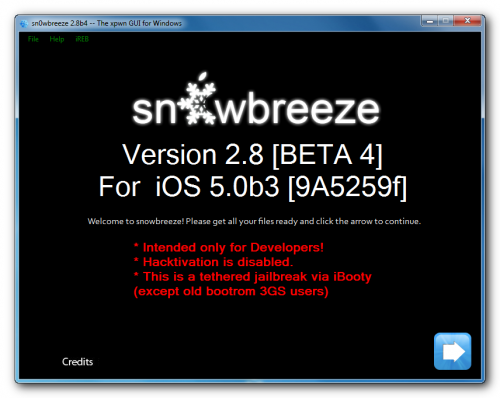
This is not the complete title I wanted to use for this post. I wanted to say something like “Sn0wBreeze is Out – Who Cares?” but I thought it would have been insulting to iH8Sn0w who probably spent hours working on this new jailbreak.

I’ve never been a big fan of non-official jailbreaks (and by this I mean not endorsed by the Dev Team) because they come with tons of restrictions, and in the end very few people can actually use the jailbreak. So what’s up with Sn0wBreeze? Read More


iPhone 3GS Running iOS 4.2 Jailbroken with Sn0wBreeze

By Sebastien Page on Sep 16, 2010

iH8Sn0w, the developer of Sn0wBreeze sent a tweet a few hours ago telling he had successfully jailbroken his iPhone 3GS (old bootrom) running iOS 4.2 beta. Apparently, Cydia, Icy or Rock won’t work though, which is kind of inconvenient and makes the jailbreak useless.

The point is he did manage to jailbreak the new beta release of iOS 4.2Read More


BlackBreeze: How to Fix iTunes 9.1 and BlackRa1n Issues on Windows

By Sebastien Page on Apr 1, 2010

With the release of iTunes 9.1, those of you on a Windows machine and an iPhone jailbroken with BlackRa1n RC3 might experience syncing issues. Fortunately, iH8Sn0w, the developer of Sn0wBreeze and F0recast has released a tool called BlackBreeze to fix this.

How to fix syncing issues between iTunes 9.1 and iPhone jailbroken with BlackRa1n RC3:

Step 1: Create a new folder on your desktop and download BlackRa1n.exe and BlackBreeze to it.

Step 2: Launch BlackBreeze and click on Fix my Ra1n! and select the BlackRa1n.exe file you downloaded in step 1.

Step 3: BlackBreeze will patch BlackRa1n and place a file called blackra1n-fixed.exe on your desktop.

Step 4: Execute blackra1n-fixed.exe to boot your tethered iPhone. Once done, you should be able to sync your jailbroken iPhone with iTunes 9.1 on Windows without any problem.

Thanks PhilT for the tip and the tutorial!