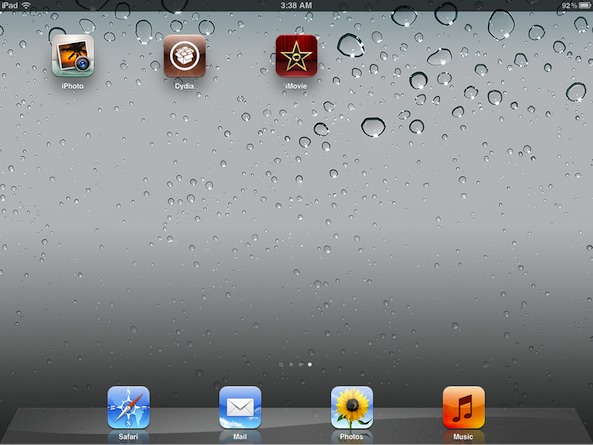
How to install iPhoto and iMovie on iOS 5.0.1

By , Mar 13, 2012

iPhoto was the big new app release that Apple touted at its new iPad media event, but the bad news is that it requires iOS 5.1.

For those of us with jailbroken iPhone 4S’ and iPad 2′s, this places us in an interesting predicament.

Since there is no way to jailbreak iOS 5.1 on these devices, updating now would not only prevent us from jailbreaking, but it would also prevent us from downgrading back to iOS 5.0.1 now that Apple has closed the signing window for that firmware.

So, what to do? Fortunately, there’s an easy workaround to this problem, and we’re going to walk you through the process on video…

Watch the video above to learn how to use iFile to trick the App Store into letting you download iPhoto, iMovie, or any other app that has a 5.1 requirement, without actually updating your device. To do this we use iFile.

Step 1: Open iFile and navigate to /System/Library/CoreServices

Step 2: Tap on SystemVersion.plist and select Property List Viewer

Step 3: Tap ProductVersion and change 5.0.1 to 5.1

Step 4: Exit iFile and respring your device

Step 5: Open the App Store, and download and install iPhoto, iMovie, etc.

Step 6: Go back into iFile and change back to iOS 5.0.1 and respring prior to opening Cydia.

If you’re using iPhoto, you will need to watch the video below that shows you how to fix the crashes present in iPhoto on iOS 5.0.1. Otherwise the app is completely unusable because it continuously crashes. All you’re doing here is opening Cydia and installing the iPhoto501Fix package. This should eliminate most of the crashes present on startup.

Let us know if you were able to successfully get iPhoto and iMovie working with your jailbroken iOS 5.0.1 installation.

Hopefully the new iPhoto wasn’t so much of a temptation that you upgraded to 5.1 and lost your jailbreak.

What’s your experience been like?

Update: And if you’re experiencing problems, you CAN switch back to 5.0.1 using the steps above after installing iMovie, iPhoto, etc.

  • Share:
  • Follow:
  • http://twitter.com/iPadFreaK901 iPadFreaK90

    iPhoto: it now crashes but……….. at a later stage when applying effects/filters.

    iphoto501Fix………. HAS TO FIX!!

    • http://www.youtube.com/myjailbreakmovies/ Jeff Benjamin

      Weird, I’ve applied many effects and filters, and no crash. Which device you using?

      • http://twitter.com/iPadFreaK901 iPadFreaK90

        iPad 2 wifi only

      • Dan

        yeah my iPad 2 is wifi only

      • Dan

        crashes for me too on ipad 2 5.0.1, when I apply certain filters. The one that looks like magic dust on the lower left side of the screen.

        Although I don’t mind it that much, I prefer photoshop touch anyways

      • http://www.facebook.com/profile.php?id=1841583759 Âmmâř Taip

        Me to>>i have iphone 4s

    • http://www.facebook.com/profile.php?id=539008191 Luc Thibault-vallée

      Some effect take 5.1 api … So crash are sure to happend…. Read that somewhere

  • http://www.facebook.com/profile.php?id=1086096284 Inthikhab Raban

    How to install iPhoto and iMovie on iOS 5.0.1 is FIX!!!!!

  • http://profile.yahoo.com/DXQQP3XQ5DPW5D2D6F3CT3VB54 mark

    feels laggy on ip4….weird

  • http://www.facebook.com/jamesandyori James Grace

    What will happen if after we do the above, we sync with iTunes?

    James

    • http://twitter.com/retace retace

      iTunes deletes them

  • http://www.facebook.com/people/Bashar-Al-Sayfi/100002639357836 Bashar Al Sayfi

    it makes infinitebored crash !!!

  • http://twitter.com/klouud Timothy Polumbo

    Does this work around work for all apps that require a higher FW than what is currently being run? For instance: Lets say we still don’t have a jailbreak for the most current firm ware out when Infinity Blade’s Prequel comes out – theoretically I should be able to manipulate the said .plist and install the program. This is if the app in question requires a higher firmware than is loaded on the device.

    Am I correct?

  • http://www.youtube.com/myjailbreakmovies/ Jeff Benjamin

    BTW guys, as noted above, you can switch back to 5.0.1 immediately after installing iMovie or iPhoto. It doesn’t need to remain that way, especially if it causes you issues.

    • Metroview

      I HIGHLY recommend switching the version back to 5.0.1 since keeping it spoofed will cause Cydia to queue the Corona Untether for uninstall, and if you have it, DisplayRecorder too.

      It queued those on my 4S when leaving it at 5.1.

    • Anonymous

      There already an update for this package and I installed it after you posted this article. It fixes the crashing issue when going into effects but certain one will still crash it

  • http://www.facebook.com/people/Bashar-Al-Sayfi/100002639357836 Bashar Al Sayfi

    it runs great !

  • http://www.facebook.com/profile.php?id=1448524744 Franco Zuniga

    Thanks man! I was looking forward for a solution like this!

  • Travis Durick

    This also allows you to install the latest Keynote and Pages. Not sure if they are useable, just updating them now.

    • Travis Durick

      Confirmed both seem to be working fine after editing a few documents in each.

      • http://twitter.com/retace retace

        can you sync after installing those?

      • http://www.way2hype.com 1976Hoosiers

        I couldn’t and now everything on my 4S is functioning except for the App Store. It keeps giving me the “Cannot Connect to the Store” error, before I synced my iPhone everything worked perfectly…

      • http://twitter.com/RandyGWheeler Randy Wheeler

        NO, I CAN NOT SYNC MY WINDOWS COMPUTER AFTER I CHANGED MY IPHONE 4S BACK TO 5.0.1 IT WILL NOT LET MY COMPUTER AUTHORIZE TO USE ITUNES.. HELP!!!!!!!!!!!!!!!!!!!!!!!!!!!!!!!!!!111

      • http://twitter.com/retace retace

        same here

      • Anonymous

        To sync you have to locate the .ipa extension file on your computer, change to .zip, open it and go to “Payload/iPhoto.app/” and find the “Info.plist” file. Then edit it and change the line
        MinimumOSVersion
        From 5.1 to 5.0
        It worked for me, I hope it help you.

  • http://profile.yahoo.com/IXOMBPYYKU7JKSIPQ4TWO4LZXY Tuguldur

    when the IOS5.1 untethered jailbreak on A5 will appear?

    • http://twitter.com/christodouluke Luke Christodoulou

      Nobody knows so don’t ask. If anybody did know it would be pretty obvious.

  • James Brown

    Can’t seem to get the “Auto Enhance” to work right but otherwise works smoothly!

  • http://twitter.com/klouud Timothy Polumbo

    This is a God-send! I have been searching for a way to spoof the AppStore.app since 4.1! Really excited about this mod! Now I can have my jailbreak (cake) and current apps (eat it too)!

  • James Brown

    That was on iPhone 4S that is.

  • http://www.facebook.com/YigitcanAkkas Yiğitcan Ş. Akkaş

    iPhone 4S 5.0.1(9A405) Absinthe. Installed iphotofix + iphoto. Works nicely except;

    I click on the toolbox icon when viewing an image, click on the top right icon which has stars, it crashes.

    Another thing… How do i rotate a damn image? I couldn’t find it, cant be that hard :D

    Edit: Dammit, it was as easy as rotating with finger pinches…

    • Anonymous

      Hahahah lol

  • Leo Acero

    I tried this to get the updated iMovie, no luck. Now it just says ” cannot connect to iTunes store” when I try and update or download anything! I reverted it back to say 5.0.1 and I still get the same error when trying to update or download anything. Any thoughts or help?

    • http://www.youtube.com/myjailbreakmovies/ Jeff Benjamin

      Did you respring?

      • Leo Acero

        Yes I did a respring and a reboot and still no luck.

      • http://twitter.com/Chattownwes Wes Bennett

        Hey really sorry that happened to you. It happened to me as well a few days ago. No matter what I tried I could not connect to iTunes. Then all of a sudden it worked. Apparently I had the spacing wrong on the 5.0.1 when I edited it. So maybe check that. Best of luck. I know how frustrating that is.

      • http://www.way2hype.com 1976Hoosiers

        ok guess I am thinking this is some sort of authentication issue because once I go off of wifi and use only 3G ATT authenticates I have a legitimate iPhone 4S and everything starts to work correctly again, but I can’t fully confirm until I get home because I have 0 cell reception at the office. Can anyone else confirm or disprove this theory?

    • http://www.way2hype.com 1976Hoosiers

      I am having the same issues. Everything worked great and now I can’t to the app store anymore…anyone know how to fix. I downloaded iPhoto fine and now I can’t access the app store anymore…

  • http://www.facebook.com/acemel Claudio Acemel

    Hi, I can’t find this tweak on Cydia, which repository is it from, Big Boss? I couldn’t find it in there, can anyone post the link to the repo file, please.

    • http://twitter.com/leviboxer leviboxer

      I had to change the Productversion in iFile back to 5.0.1 from 5.1 so that Cydia would refresh and update, that way the iPhotofix appeared for me to install!

    • http://twitter.com/leviboxer leviboxer

      Install iPhoto from Installous and works fine with the fix on 5.0.1

  • http://www.facebook.com/profile.php?id=100002027758090 Alexander Külp

    Spire isn’t working anymore

    • Dan

      mine still works perfect

    • Anonymous

      I am not sure if you have switched back to 5.0.1 but it works flawless for me with my Proxy Server

  • James Brown

    Has anyone been successful at changing a photo on iPhone 4S successfully without it just turning black?

    • Abdul Ahad Jamshaid

      Im having this problem tooo…. plus how do v delete journals???????????:(

    • Anonymous

      I am on an a regular 4 and having the same problem… Also do you have a blank icon for iPhone?

      • Abdul Ahad Jamshaid

        nope….not that..Thank God!

      • Anonymous

        Another respring and the icon started showing :)

        also i had some success with exporting out of iPhoto you just cant use the auto enhance feature

  • http://twitter.com/zbegon zbegon

    Jeff, If Cydia deletes the Corona untether and you can’t boot tethered or get any of the Jailbreak stuff to work what do you do? iPad 2 iOS 5.0.1

    • http://www.twitter.com/ANGOmarcello Angelo

      rejailbreak using absinthe.
      This reinstalls corona.

      • http://twitter.com/zbegon zbegon

        tried it, Absinthe says “Device already Jailbroken”

      • http://www.twitter.com/ANGOmarcello Angelo

        Thats a problem. :/

        Especially since the 5.0.1 window is closed.
        So it does not boot at all you say?

      • http://twitter.com/zbegon zbegon

        yeah it boots up, Safari and all the App store stuff works, its just in a un-jailbroken state as if it was booted up with a untethered JB. Redsn0w won’t boot it, I can’t even kick it into safe mode. it happened after it booted from installing the iPhoto tweak.

      • http://www.twitter.com/ANGOmarcello Angelo

        the problem is the missing ability to run unsigned code so you need corona but absinthe would’t reinstall it… You should google for an alternative way of forcing absinthe to re run. If thats not possible you should try to trick absinthe into thinking you’re jb failed, that would result in an re run of absinthe also. Last option is to restore and live with stock os until 5.1 gets the jailbreak treatment.

      • http://twitter.com/zbegon zbegon

        Ive been looking for a couple of hours, trying to wade through crap on google. Haven’t seen anything yet, Im installing the latest iTunes on an old laptop to see if will restore the 5.0.1 before erroring out. Right now my Mac will only let it get to verifying before hitting me with the “build not eligible” error. May have to update :’(

      • http://www.youtube.com/myjailbreakmovies/ Jeff Benjamin

        Do you have iFile, can you still use your other jailbreak apps? Or do none of those work at all? Cydia doesn’t load whatsoever? Man, that’s terrible dude. Sorry about that. I wouldn’t update yet. I definitely would keep looking, perhaps we can help you out. There has to be a way around that.

      • http://twitter.com/klouud Timothy Polumbo

        Here’s how I fix the issue you are having – even when the device hangs on boot:
        Use iExplorer or Phone disk to view your /root
        And go from there.
        I can’t really give you advice because I’m not gonna touch this tweak after the issues that some people are having. Chances are, you need to manually delete whatever tweak you installed – the iPhono fix.

      • http://twitter.com/zbegon zbegon

        I do have iexplorer, just tried to find the tweak….still looking. Cydia won’t load at all, nor any thing jailbreak related like SBSettings etc

      • http://twitter.com/zbegon zbegon

        well one more reboot killed it off, its stuck in boot loop now.

      • http://twitter.com/zbegon zbegon

        @ Jeff I would definitely update the article to tell the readers to change the PLIST back before installing the tweak.

      • http://www.youtube.com/myjailbreakmovies/ Jeff Benjamin

        Done. I hate that that happened to you. Who knows how long it will be before 5.1 is jailbroken. Thankfully pod2g is working on it actively, but it still bites that you’re in this predicament. Honestly I though that I had lost mine yesterday as well. I got stuck in a respring loop. Fortunately I was able to dig myself out of that hole. But the fact of the matter is, all of us are vulnerable to lose our jailbreaks. All it takes is one bad tweak install and we’re toast. We desperately need a way to use our SHSH blobs, but as of now they’re pretty much worthless.

  • Richard Campbell

    I had no problem reinstalling iMovie to get the update. I just deleted the app and redownloaded it. I’m using 5.01 jailbreak. I haven’t tried the iPhoto fix yet. I’m waiting to hear more success stories.

  • Anonymous

    God Bless the JB community for finding this as well as creating a tweak to fix the crashing!

  • Anonymous

    Download iPhoto from installous, and go to cydia and install iphoto501fix and job is done

  • http://www.facebook.com/profile.php?id=100000189805250 Zaw Win Htun

    The second update fixes the vintage and b&w effects and cause other things like auto enhance and brushes not usable.

    • James Brown

      What do you mean second update? I’ve refreshed Cydia and see no updates for my installed iphoto501fix. I still can’t get auto enhance or brushes to work. How did you manage?

  • http://twitter.com/mizter_popo Rizky Ardi Nugroho

    Does it work with iphone 3GS?

  • Anonymous

    Work on iPhone 4. And NasLd loads much faster than iPhoto501fix

  • http://twitter.com/retace retace

    Can’t sync with iTunes anymore.
    Have to activate my iTunes Account, but it is already activated.
    Also tried to delete the “SC Info” Folder, didn’t help.
    What can I do ?

    • http://www.way2hype.com 1976Hoosiers

      same issue. I have tried everything to no avail…

  • http://twitter.com/asafmoraz Asaf Moraz

    It’s a bit not recommanded to change system version because cydia will try to remove some of the tweaks that hasn’t been upgraded to support iOS 5.1 yet, it happend to me yesterday with Display Recorder.

  • http://www.facebook.com/bjhooper Brandon Hooper

    Please add to Step 5: Pages, Keynote… ALL apple apps require 5.1 (perhaps a way to get customers to upgrade)

  • http://www.facebook.com/profile.php?id=1638087767 Riadhdec Ben

    nice…………………….

  • http://www.way2hype.com 1976Hoosiers

    Anyone find a fix for the Cannot connect to App Store error? I still cannot connect…I don’t want to restore from icloud and have to re-jailbreak and setup/re-download all my jailbreak apps from cydia. Any help would be much appreciated :)

    • Thomas Ricciardi

      Yes had the same problem could not connect to iTunes store and Siri would not connect. To solve the problem follow all the steps but when u go to view the plist file open with text viewer not propertylist viewer. When the file opens look for the line that has 5.0.1, delete and retype it in again. Tap done then tap save. Close ifile and respring. Worked like a charm. Since it worked I tried again to change to 5.1 and that worked I was able to dowload iMovies then reverted back to 5.0.1 again. The secret seems to be editing in viewer not Propertylist Viewer. Hope it works for u too

      • http://www.facebook.com/Griffin.Video.Productions Brett Griffin

        Thank you thank you thank you. Your fix worked. I had 1 additional space after 5.0.1

      • Thomas Ricciardi

        Glad I could help Brett, I know how you felt. 1976Hoosiers did it help you too?

      • http://www.way2hype.com 1976Hoosiers

        Nothing worked, but just a few days ago the app store starting appearing normal again. Nothing has changed since then so I am perplexed as to what caused it…i am just happy it is working again :) I had to download all my apps with my mbp and use automatic download for a week or so :(

  • Anonymous

    This is another example on how the free “alternative” version is better than the PAID original version.

    If you want to buy it, you’ll have to BUY iFile, mess with plists, etc etc.
    If you want the alternative, just get it from Installous and install iPhoto501Fix.

  • Thomas Ricciardi

    ok a new problem when I go to sync my computer, it tells me two apps not authorized for this computer and will delete them if i don’t authorize, well I hot authorized tab and it now says this computer already authorized so I close the tab, then the first message comes back up about this computer not authorized, the two apps are of course imovies, and iphoto and yes they are both paid for and I have my iphone 4s back on 5.0.1 so not to conflict with cydia, anyone else having this problem?

    • http://hennis.nl/ Thieme Hennis

      same problem. You found a solution?

  • http://www.facebook.com/max.reynoso Max Reynoso

    What happens when the 5.1 jailbreak comes out, will it affect the fact that my iPhone thinks I’m on 5.1?

  • http://twitter.com/Lockett85 Darren Lockett

    I would certainly advise against this, I for one and I have noticed 1 other are now paying the price of having to restore their iDevices to iOS 5.1, myself I am having to restore my iPhone 4s.. I followed everything shown down to the letter and it worked great, I loaded up Cydia and updated a few tweaks (Including iPhoto501fix), which later I realised removed Corona 1.0-8. After rebooting my phone I was stuck in a respring loop with no way out.. I have been Jailbreaking since day 1 and I am no n00b, I tried everything I could think of to fix my phone but to no avail, so anyone reading this take this post as a word of caution. Even after changing back your SystemVersion.plist and installing iPhoto501fix from Cydia, for some reason it removes corona and tells it your device firmware is 5.1 and is incompatible, you can not fix this once its happened.

    • Dennis Almond

      I have decided to post confirmation of the fact that you will lose your jailbreak if you make the decision to spoof your firmware version. You may not loose it right away,however you will probably lose it after a reboot. The correction that seemed to be missing early on when the tweak first came out was that you should revert back to your actual version number inside the system plist after you download whatever it was that you wanted. Suffice it to say, I don’t really think that any app update that is available is worth losing your jailbreak. If you lose your jailbreak after modifying your firmware version number to 5.1 you may very well be screwed. GreenPoison wont let you re-jailbreak due to a conflicting version number and you will be forced to actually reset your phone which will force a real 5.1 update. Then you will be forced to wait for a new version of the 4S jailbreak. All that for the privilage of getting iPhoto or an update to iMovie or Garageband. Not Worth It!!!

  • http://www.facebook.com/people/Peter-E-Molenaar/1166388839 Peter E. Molenaar

    I am so happy I found this page, I already did the 5.1. trick but I did not know anout the cydia iPhoto501!! thnx again

  • http://twitter.com/klouud Timothy Polumbo

    I messed around with this and reverted back to 5.0.1. I simulated installing a tweak and corona is not in the queue. Does Cydia show stuff that it wants to uninstall before installing another package?

  • Anonymous

    I installed and then I read all the comments while installing and I decided to remove it and put it back to 5.0.1. iPhoto is not worth the pain of not connecting to cydia and the App Store. I will wait till it’s more stable or until there is a jailbreak for 5.1. Liking the jailbreak to much to take chances.

  • Anonymous

    this is more trouble than t is worth..

  • http://profile.yahoo.com/5BY6OZVNZV6QHTW4FL5Y46LYM4 Scott

    I ran into the same problem of not being able to connect to the app store at all on my iphone 4 even after changing the version back. I think I finally solved it by uninstalling many of my cydia apps including appsync and installous. Connecting the phone to my pc running itunes. I logged into itunes store on my computer using the same account as my phone. With the phone plugged in I went into the iphone settings>reset>reset all, then follow the prompts to set up your iphone as a new iphone. It will not update to 5.1 just reset the phones original settings. You may have to reset the network settings first then reset all. It also took a couple tries before it worked for some reason. Some of these steps I’m sure could be omitted but I’m just saying what I did to get the app store back. Hope it helps!

  • http://twitter.com/HEART4TIGER Yimmy Alexander

    many thanks mate. has been very useful and my pleasure to use this app .. thanks again!

  • http://twitter.com/HEART4TIGER Yimmy Alexander

    many thanks mate. has been very useful and my pleasure to use this app .. thanks again!

  • http://twitter.com/Tiburoncariduro Michael Ramos

    Thanks for this suberb tutorial i just follow your simple instruction and got it running like a charm,you’re the BEST.

  • http://www.facebook.com/Konzendouji18 Jason Villanueva

    after i installed iphoto and imovies by doing the instructions above now i cannot connect to itunes store via my ipohone 3gs… help me it seems i need to restore my iphone or there is another way around so i can connect to itunes store

  • http://www.facebook.com/Konzendouji18 Jason Villanueva

    need help!!! after i installed both imovie and iphoto and doing the above instructions… i cannot connect to itunes store using my iphone….

    • http://www.facebook.com/tyler.treat1 Tyler Treat

      Yea, it hosed my phone as well. Someone might want to think about adding that to the article, most people aren’t going to read the comments before jumping in.

      Oh well, nothing I do that’s been mentioned in this thread fixes it. iOS 5.1, here I come :( , hopefully it gets jailbroken soon.

      • http://www.facebook.com/tyler.treat1 Tyler Treat

        I was able to save my jailbreak and its on that hard. To anyone who is borked their app store, you’re going to need to find a clean, unedited SystemVersion.plist from another iPhone running 5.0.1 and override the one you edited.

        I did this on my phone and was able to restore the App Store and everything work as it should.

  • http://profile.yahoo.com/KTE3GIIQHZJLDJI7BHRNXS7F54 Tuan

    all my app or tweaks crash after I reboot my iPhone 4S. The only App that work is apps install on Apple appstore. My IPhone 4S OS version show 5.1(9A406). I try using Cyberduck to get in to change back to 5.0.1, but I can get login…help please

  • http://twitter.com/Zamien81 Zamien Ho

    It works like wonder after applying the 2 steps. In fact I only applied the ios501 fix from cydia and got it to work.