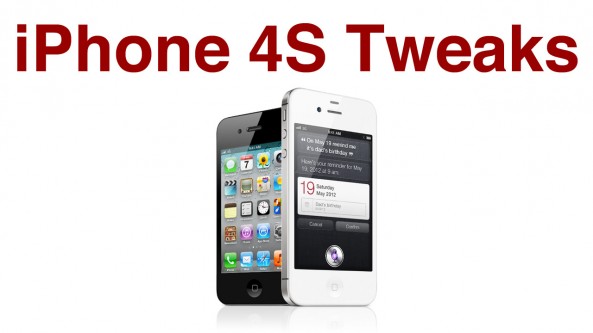
10 Awesome Jailbreak Tweaks for the iPhone 4S

By , Jan 20, 2012

Now that the iPhone 4S has been officially jailbroken, it’s time to talk about jailbreak tweaks. In particular, what are some of the best tweaks that are available now for the iPhone 4S?

If you’re a long time jailbreaker, you no doubt have your staple tweaks and apps that you will install within minutes of successfully jailbreaking your 4S. But if you’re a new iPhone owner, you may be wondering which tweaks you should download first.

Whether you’re an iPhone veteran or a newbie, stop inside and share your thoughts on our top 10 list…

Safari UniBar

Description: This tweak allows you to use the Safari address bar as a combined search and URL bar similar to Google Chrome.
Price: Free
Additional Coverage.

StayOpened + PasswordPilot

Description: These are actually two separate tweaks, but they work so well together that I count them as one. StayOpened keeps the App Store opened after a purchase, and PasswordPilot saves your password so you don’t have to continuously enter your password for purchases.
Price: Both free
Additional Coverage.

IntelliScreenX

Description: The ultimate tweak for Twitter, Facebook, Email, RSS, and SMS all in iOS 5′s Notification Center. If you care about information that’s easily accessible, it’s simply a must have. It also comes with Messages+ which is an enhancement to the stock SMS system.
Price: Free Trial / $9.99
Additional Coverage.

Springtomize 2

Description: It only does everything. No, seriously, it does everything but cook your dinner. And with a few updates from Filippo Bigarella, it might even do that.
Price: $2.99
Additional Coverage.

Activator

Description: A staple tweak that a lot of other developers use as a means to invoke their own tweaks. Activator was updated with iOS 5′s built in Twitter support, so it’s extremely handy for sending tweets from anywhere.
Price: Free
Additional Coverage.

3G Unrestrictor

Description: FaceTime, iCloud, HQ YouTube, and PhotoStream, all over 3G. Need we say more?
Price: $3.99
Additional Coverage.

Action Menu

Description: A copy and paste menu enhance that allows you to save favorite items for easy copy and paste.
Price: Free
Additional Coverage.

FolderEnhancer

Description: Add folders within folders and increase the app limit within folders to infinite. Includes paging, and visual customization as well. A much-needed tweak if you are a heavy App Store downloader.
Price: $1.99
Additional Coverage.

Siri Mic Colors

Description: Allows you to change the Microphone color of Siri.
Price: Free
Additional Coverage.

What do you think? Did we leave out your favorite tweak? Let us know if you agree with out top 10 list in the comment section below.

Update: It also looks like I forgot to mention one of my personal faves, CallBar. What’s funny is that I was using it while composing this article. CallBar gives you a better way of managing phone calls, and it keeps the Phone app from stealing focus from your current task.
Price: $1.99 on sale until 12AM on January 26th, afterwards back to its normal $3.99 price.
Additional Coverage.

  • Share:
  • Follow:
  • Anonymous

    where is windows ?

  • http://twitter.com/oneBurge Burge

    And RSSWidget…and most of the Notafacation tweaks

    • http://twitter.com/oneBurge Burge

      Free

      • http://www.youtube.com/myjailbreakmovies/ Jeff Benjamin

        This is mainly aimed at first time jailbreakers.

      • http://twitter.com/oneBurge Burge

        Haha…Ok I let this one go..

      • http://www.facebook.com/profile.php?id=539008191 Luc Thibault-vallée

        Or people that have a4s since launch and dinnt follow all the new tweak !!! Lol

  • http://www.facebook.com/randle1 Phil Randle

    This is the reason I just love iDB, I was actually just thinking this myself, and was about to ‘google’ it when I looked at Facebook on my ‘Intelliscreen X (Awesome app) and see a post from iDB.

    Always got us covered.

  • http://twitter.com/saeedzaxo Sa3z0x-freetalk

    Where’s Zephy by @Chpwn?

    • http://twitter.com/EricArmstrongg Eric Armstrong

      Have you been using it? I only like multitasking swipe, the side swipe gets annoying in almost every app. and sometimes takes a few tries when I actually want it to work

      • http://twitter.com/saeedzaxo Sa3z0x-freetalk

        Yea well actually i’ve disabled the Swiping between apps i hate it;P i only like the Multitasking.

      • http://twitter.com/saeedzaxo Sa3z0x-freetalk

        Yea well actually i’ve disabled the Swiping between apps i hate it;P i only like the Multitasking.

  • http://twitter.com/r0cket1000 Tony M

    How’s BiteSMS working on the 4S? I cant jailbreak until I get home from work :(

    • http://www.facebook.com/trevorsalmon Trevor Salmon

      Works like a charm :)

    • http://twitter.com/kevinsimmonds Kevin Simmonds

      Good call. Works perfect.

  • http://www.facebook.com/profile.php?id=1445485948 Caleb Mott

    SBSettings. ;)

  • http://twitter.com/ProZack27 Zachary Sloane

    FolderEnhancer is the shit…! I love it!

    • http://www.facebook.com/people/Sean-Rischar/1473600722 Sean Rischar

      folder enhancer + infinidock = awesomeness

      • http://www.facebook.com/yuvraj.wadhwani Yuvraj Wadhwani

        try Scrollingboard.. performs both functions and better :)

  • http://www.facebook.com/tomfooleriestattoo Tom Fooleries

    Jeff, you’re awesome man. I love your articles and videos. I really enjoy your ariticles. I have a quick question… Can you put up the list of compatible cydia tweaks, apps, etc with iPhone 4S iOS 5.0 and iOS 5.0.1? Thank you!!!

  • http://jtarrio.tumblr.com jtarrio

    SBSettings is the #1 thing that I install after a jailbreak. Can’t live without it.

  • http://www.facebook.com/people/Sean-Rischar/1473600722 Sean Rischar

    iFile
    MyWi
    Lockinfo (dunno i just like it better than intelliscreenx)
    infinidock
    ManualCorrect
    User Agent Faker

  • http://twitter.com/ProZack27 Zachary Sloane

    Trying to use Springtomize 2 to set 5 or 6 icons in the dock…but it doesn’t seem to be letting me. Any ideas?

    • http://www.facebook.com/people/Sean-Rischar/1473600722 Sean Rischar

      make sure you actually enable the “Use Custom Number” button above the “Icons in Dock” number.

      if that doesnt work… just use infinidock

      • http://twitter.com/ProZack27 Zachary Sloane

        bingo! thanks!

  • http://www.facebook.com/profile.php?id=1332728607 Omar D. Plumey

    I wish for a windows Jailbreak. Most of us have PC’s. :(

  • http://twitter.com/jgrenard1 James Grenard

    So unbelievably happy right now! IT’S FINALLY HERE!!!

  • http://twitter.com/TechAndiPhone Plyusnin Ilya

    iPad 2 edition please ?

  • http://www.facebook.com/optilab Flavio Almeida

    iBlackList and iProtect

  • http://www.facebook.com/profile.php?id=100001564279191 David Morones

    someone from iDB please respond i am becoming very frustrated.
    I keep opening the app plug in my 4S, but it doesn’t recognize it at all.
    I can’t even get the jailbreak started :(
    Someone please help

    • http://twitter.com/oneBurge Burge

      Open seetings app…turn on the APN ..it’s a new line about 3/4 down turn on..and just hit the home button after it will reboot and that app will change to Cydia app

      • http://www.facebook.com/profile.php?id=100001564279191 David Morones

        i would love to do that but I don’t think thats my problem
        i can’t press the jailbreak button because Absinthe hasn’t recognized my iphone yet, i haven’t started it yet.
        Any suggestions??

      • Anonymous

        turn off device well plugged in then turn device back on

      • http://twitter.com/oneBurge Burge

        Ok …turn off the phone and turn off your mac …reboot both ..don’t have your sync cable pluged in you mac ether.. Now after reboot connect you phone ..open Absinthe ..with any look that should do it ..
        If that’s no good you could try a restore with iTunes and try all over again..something could of gone really wrong..

      • http://twitter.com/MasterBott01 MasterBott

        reboot your mac. then try again. make your sure your mac is fully updated.

      • http://www.facebook.com/profile.php?id=100001564279191 David Morones

        i would love to do that but I don’t think thats my problem
        i can’t press the jailbreak button because Absinthe hasn’t recognized my iphone yet, i haven’t started it yet.
        Any suggestions??

    • http://twitter.com/oneBurge Burge

      Open seetings app…turn on the APN ..it’s a new line about 3/4 down turn on..and just hit the home button after it will reboot and that app will change to Cydia app

    • http://twitter.com/sureshtrb Suresh

      Even if you have done your backup encrypted in itunes(in summary), the jailbreak will not start. Untick it

  • Anonymous

    best app from cydia for iPhone 4s is the hands free app…. i just simply say siri and siri is activated great app… works like a charm

    • http://twitter.com/oneBurge Burge

      And you battery is going to drain..it’s alway listening for voice controlls..it’s a great idea but is the battery drain worth it ?

    • http://twitter.com/AlamarMarine Spencer B

      It works but so does your battery. Tell me if you still like it in a couple of days

      • Anonymous

        first thing i installed…. been using it like crazy…battery life still at in high 80′…so far 5 hours jailbroke phone at 94% battery life

  • http://www.facebook.com/profile.php?id=100001564279191 David Morones

    @K1ngLe0
    Does this actually work or is it just a suggestion?

  • http://www.facebook.com/profile.php?id=100001564279191 David Morones

    @Burge
    OMG Thank you Thank you Thank you Thank you,
    haha yes i finally got it to start.
    dude thank you so much! :D

    • http://twitter.com/oneBurge Burge

      Just seen this…haha you sounded so happy…and your welcome..

  • Bryce Haymond

    How about Hands-Free Control? Activate Siri by just saying “Siri.” Don’t press and hold the home button anymore. Can also use with Activator to voice-enable anything, hands-free! Choose any spoken keyword as the trigger.

  • Anonymous

    sbsettings… ‘nuf said.

  • http://profile.yahoo.com/DXQQP3XQ5DPW5D2D6F3CT3VB54 mark

    you should include all time favs of many ppl…. like iblacklist, bitesms, tonesfx, notifier+, barrel, allmail, androidlock xt, asktosend, color keyboard, delete world, dietbar, ezdecline, gridlock, icon renamer, ipsum,mark that message, multiicon mover, nowlistening, password pilot, pulltodismiss, screen dimmer, snooze or stop, tapdewiggle, zephyr…….

  • http://www.facebook.com/people/Cameron-Carlyon/100000384425704 Cameron Carlyon

    What about My-Fi? (Is that what is was called? Not been on Cydia for ages)

  • http://twitter.com/BouchardAnthony Anthony Bouchard

    I would also highly recommend TetherMe for anyone who wants to unlock the iOS-native tethering feature. With the iPhone 4S on AT&T’s network, speeds should be a little faster than the iPhone 4.

    • http://twitter.com/zzyzzxxx Pablo Vera

      Do you prefer it over MyWi?

  • http://twitter.com/kevinsimmonds Kevin Simmonds

    We are on the same page! Just not sure out Siri Mic Colors since I’m avoiding winter board for now. Maybe I shouldn’t worry about it. I also like custom NC background and I pair lockinfo with intelliscreen.

  • Anonymous

    Winterboard or dreamboard guys?

    • http://www.sk1wbw.wordpress.com Wayne Williams

      Dreamboard is much better. It’s so much more stable than Winterboard, plus the themes are much much nicer. But just beware, most of the great ones are paid and they require lots of work to get right. I tried it out but I just simply don’t have the time to dedicate to playing with the themes’ files.

  • http://twitter.com/ProZack27 Zachary Sloane

    Does Springtomize 2 work on iPad 2?