iOS 5 to Make Its Debut on June 6th, iPhone 5 as Well?

by Jeff Benjamin on Mar 28, 2011

A couple of day ago, Alex told you about the rumors surrounding iOS 5, the iPhone 5, and more. Now it looks like some of those rumors are beginning to materialize.

Apple announced today that their annual Worldwide Developers Conference will kick off just a couple weeks shy of summer: June 6th.

The five day conference is a gathering of some of the biggest and brightest minds in the Apple development world, and in the past it has been ground zero for some of Apple’s biggest hardware unveilings as well.

This year, the big focus will of course be on Mac OS X Lion and another little release that goes by the name of iOS 5.

Check inside for the full press release… Read More


Sn0wbreeze Beta Updated to Jailbreak iOS 4.3.1 [Tethered]

by Alex Heath on Mar 28, 2011

iH8Sn0w has released Sn0wbreeze 2.4b1, and the Windows jailbreak tool will now jailbreak iOS 4.3.1. There’s already been a tethered jailbreak for 4.3.1 uncovered in PwnageTool, and both available jailbreaks are still tethered.

Sn0wbreeze is now the more stable option for jailbreak iOS 4.3.1, but there is still no untethered solution available. Jailbreak devs are working hard to release an official untethered jailbreak for the latest version of iOS, but there is no exact ETA set. Read More


‘BusyBar’ Brings the In-Call Status Bar to Your iPhone Apps

by Jeff Benjamin on Mar 28, 2011

“I’ll come right back to that.”

How many times have you thought that when leaving an app, only to forget to ever come back?

Fortunately, now you have a helper to remind you entitled BusyBar — a free jailbreak tweak for the iPhone downloadable on Cydia.

The purpose of BusyBar is very simple — to enable you to put your apps “on hold” and to come back to them at a more convenient time…

Read More


Voice Brief: Turn Your iPhone Into Your Very Own Personal Assistant

by Cody on Mar 28, 2011

If you have been looking for an application that will read content to you handsfree, check this out. Voice Brief will read you your local weather, your Facebook and Twitter updates, and will even tell you how your stocks are doing.

I find the app most useful in the morning as my iPhone sits in a speaker dock next to my bed. As I wake up, I reach over and start up Voice Brief and it instantly begins to rattle off my customized content. “That’s pretty cool Cody, but how difficult is it to set up?” Read More


MuscleNerd Confirms the Gevey SIM iPhone 4 Unlock is Illegal

by Sebastien on Mar 27, 2011

We recently told you about the Gevey SIM interposer, a TurboSIM-like piggy back sim card that allows you to unlock any iPhone 4. When we first wrote about it, we raised concerns about the legality of this method, and warned you that your carrier might not like you using this.

Today, MuscleNerd confirmed that the Gevey SIM is indeed illegal in the US and most likely in other countries because it dials the 112 emergency number and hangs up right away… Read More


App Picks of the Week: Everyday, Color, Portaball

by Alex Heath on Mar 27, 2011

We’ve picked three apps from the App Store that caught our eye over the previous week. This week, we’ve got two creative photography/social apps and one game.

Enjoy this week’s picks! Read More


PhotoProtect Makes Sure You Don’t Delete Your iPhone Photos by Accident

by Cody on Mar 27, 2011

Chances are, if you own an iPhone, you are using it as a camera. That means that at any given time you might have some priceless memories stored in your iPhone that can be deleted if you aren’t careful. Unless you have them backed up somewhere, once photos are deleted, you generally can’t get them back.

Apple protects photos that are synced from your computer to your iPhone from being deleted, but what about the camera roll? Luckily for those of us that have jailbroken iDevices, we are given access to 1,000s of free tweaks in CydiaRead More


iPad 2 Can Output 1080p Video With Dual Displays

by Cody on Mar 27, 2011

There has been a lot of talk about the horsepower Apple has packed into the new iPad 2. It’s running the new dual-core A5 chip and is showing graphic rendering speeds of up to 9 times faster than the original iPad.

Benchmark testers have already proven that the iPad 2 is nearly twice as fast as its competitors, even the ones that have dual processors themselves. But just how powerful is Apple’s latest tablet?

iOS game developer Firemint is determined to find out. TouchArcade is showing a video of a beta version of Firemint’s Real Racing 2 HD for the iPad 2. While I’ve seen video out from an iPad many times before, I’ve never seen it look this good.

The new HDMI cable Apple released with the iPad 2 translates game play from your iPad to the big screen effortlessly. It will play in full 1080p on any compatible HDTV, with no black borders or scaling.

Since you will be watching the gameplay on your big TV, Firemint didn’t want the screen on your iPad to go to waste. While you twist and turn your iPad to steer your race car, glance down at it every so often to see a map and race statistics.

I’m excited to see what app makers continue to come up with for the iPad 2. Its power obviously leaves more room for innovation by developers. I’d like to see game play move over to AirPlay and ditch the HDMI cable al together, but that’s just me.

Does anyone play any games using the video out feature? Tell us below!


Pulse News for iPhone Receives Major Update

by Cody on Mar 27, 2011

I’m a technology news junky. From Apple rumors to new gadgets, I just can’t get enough. But there are so many websites that pump out information, how do you keep track of it all?

Well it’s no secret around iDB that I am a Pulse Mini fan. As far as RSS readers go, it’s amazing. Everything is graphic oriented, so no more sifting through lines and lines of RSS text feeds. Now after a significant update, my favorite RSS app just got better… Read More


Tutorial: How to Use Skype for Your iPhone as a Home Security Camera Monitor

by Cody on Mar 27, 2011

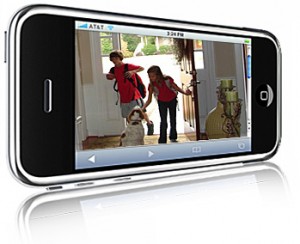
If you have a small child that is watched by a baby sitter in your house, or just want to know what your really weird roommate does when you aren’t home, listen up! If you have a desktop computer or laptop with a webcam, then you already have a security camera.

Now all you need is an iPad 3G or iPhone that is compatible with Skype’s iOS app to act as the monitor. This way you will be able to see what is going on in your home using your iDevice, from anywhere that you can get 3G service… Read More