Month: November 2010

Experiencing Battery Drain After Unlocking your iPhone with UltraSn0w? Here is a Fix

A few people have been experiencing an unusual drain of their iPhone battery after unlocking with UltraSn0w. The problem doesn't actually come from UltraSn0w itself, but from the hacktivation process, for those of you who have hacktivated instead of activating the phone with an official carrier.

According to BigBoss, the issue comes from iOS 4.1 and 4.2.1 which constantly look for valid push certificates, either via wifi or your data plan (Edge or 3G). If you're not on an unlimited data plan, this can get pretty expensive, especially if you don't keep an eye on it.

There are 3 potential solutions for this...
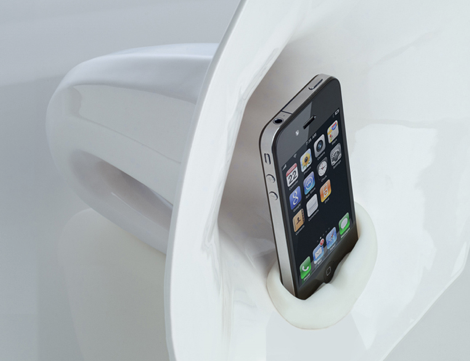
Phonofone III Promises to Amp Up Your iPhone Oldschool Style

By now, as many of you know, it's no secret that I have an utter disdain for wires. Some people say I take my disliking of wires too far, but as you can see, I'm not alone.

The good folks over at Science & Sons have just released the third iteration of their acoustically amplified iPhone speaker, and it reportedly works much better than its predecessors...

ChatPic Makes it Easy to See Who’s Texting

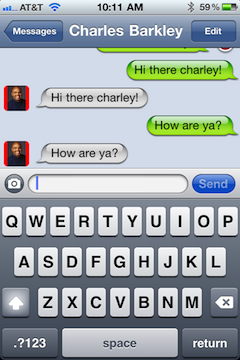
Want a way to make SMS messaging a little more personal? Then look no further than ChatPic, a jailbreak tweak that puts a little photo of your contact beside each incoming chat bubble.

Sure, there are many other apps that provide some variation of this premise, but if adding a smidgen of personalization to your SMS messages is all that you desire, then it's hard to go wrong with this tweak...

How to Use AirPrint with Any Printer

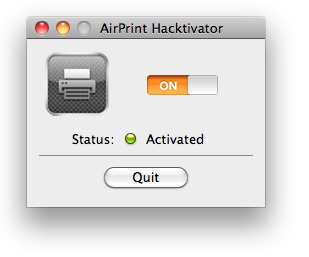
With iOS 4.2.1, Apple introduced the brilliant AirPrint. Unfortunately, you need to spend money on a few specific printer models if you want to enjoy AirPrint. Not anymore, thanks to a very simple hack that lets you use AirPrint on any printer, including printers that are not even wifi capabale.

If you're on a Mac, you can use the hack called AirPrint Hacktivator, which like its name suggests, will enable printing via AirPrint in a matter of seconds...

iPhone Users Are the Most Loyal

Here is a study by GFK that confirms something that most iPhone owners already know. According the the study, 60% of iPhone users are loyal to Apple and plan to get another iPhone. Not surprising indeed.

I'm speaking for myself here but I can't imagine owning another smartphone anytime soon. I've played around with several other Android devices and I was never impressed to the point I'd consider switching...

iPhone Quick Tip: How to Quote Text in an Email Reply

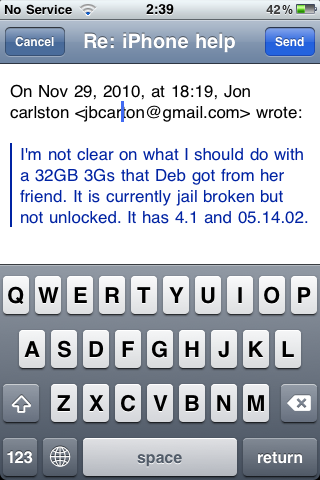
This is a ninja tip that was sent to me by an anonymous reader about how to quote text in an email reply. Let's say you receive an email from someone. In your reply, you want to quote some of the text to comment on it for example.

To do that, simply select the text you want to quote and hit the "reply" icon. This way, only your selected text will be copied in your email reply...

Pull To Refresh for Mail brings Twitter Styled Refreshing to Your Email

Pfft, refresh buttons, who needs 'em, right? Head into the new decade with style by adding Twitter app-esque refresh functionality to your email, courtesy of this latest jailbreak tweak.

That's essentially all that the cumbersomely named Pull To Refresh for Mail does, although it performs quite well. The only suggestion I have for the developer is to perhaps fire their entire "app naming department." Check inside for the full scoop.

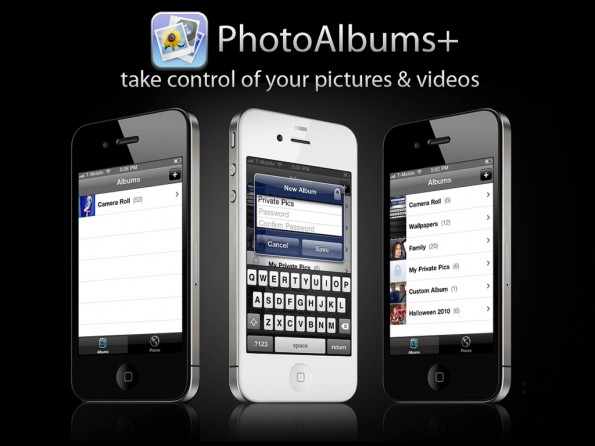
PhotoAlbums+ Makes Managing Your iPhone Photos a Walk in the Park

Call me crazy, but I'm convinced that there's a special roundtable meeting each week at Apple where all they do is sit around projector and examine what jailbreak apps released the previous week.

I can hear it now; "Uh, yeah, and uh, PhotoAlbums+! Yeah, uh, that looks like something we should have had from the, uh, very beginning, let's use that!"

Okay, so that probably doesn't happen, but PhotoAlbums+ is the latest example in a long line of Cydia store releases that will inevitably appear in an upcoming release of iOS. Why do I say this? Take a look inside and see what makes this tweak a no brainer for Photo Album users.

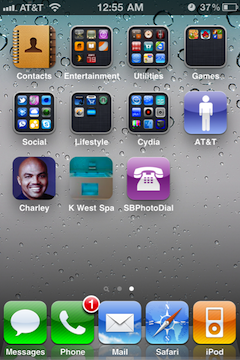
SBPhotoDial Places Shortcuts to Your Contacts Directly on Your Home Screen

Have you ever wished you could add contacts directly to your Home screen? Well, if you have, you're not alone, I think it's safe to say that everyone's pondered this possibility at least once.

But Apple surely isn't throwing consumers any bones when it comes to this feature, so leave it to the jailbreak community to come up with a solution, even if it doesn't work entirely as you may have hoped...

How to Unlock Your iPhone 4.2.1 with UltraSn0w

The Dev Team has updated their UltraSn0w iPhone unlock for iOS 4.2.1. UltraSn0w 1.2 will unlock iPhone 4 baseband 01.59.00 and iPhone 3G/3GS basebands 04.26.08, 05.11.07, 05.12.01, 05.13.04 and now 06.15.00.

If your iPhone 4 is not on baseband 01.59.00, you will not be able to unlock it. If your iPhone 3G or 3GS is on one of the baseband version mentioned above, then you can follow the instructions below...

It’s Cyber Monday Madness at iDB

Yes, today is Cyber Monday and we thought we'd give our readers a little something for the occasion. Starting now, we are offering 10% off every accessories in our store. Did you even know we had a store? If not, make sure to go visit it.

To take advantage of this promotion, use the coupon code idb1129 at check out. It will get you 10% off all accessories.

Hurry up, because these deals won't last long. The coupon is only good until tonight midnight PST.

That's not enough for you? Then check out Zagg's website as they are giving up to 50% on all their products. That means you can get this InvisibleShield for close to nothing.

How to Prepare your iPhone 4.2.1 for Unlock using RedSn0w

We've seen yesterday that we the release of the updated UtraSn0w unlock, there are a few to be met to unlock iPhone 4.2.1. This unlock will work for the iPhone 3G or iPhone 3GS with baseband 04.26.08, 05.11.07, 05.12.01, or 05.13.04. It will also work with iPhone 4 with baseband 01.59.00.

But what happens if you're not on one of those basebands? Depending on your phone model and configuration, you might have to update the baseband to 06.15.00, which is fully unlockable, then unlock using UltraSn0w.

In this tutorial, I will show you how to use RedSn0w to update your baseband to 06.15.00 so you can unlock your iPhone 3G/3GS 4.1.2...