Month: October 2010

Major Security Hole Found in iPhone iOS 4

A pretty major security hole has been found in iOS 4 for iPhone. This flaw lets you access the contacts of a password protected iPhone. No hack or technical skills needed.

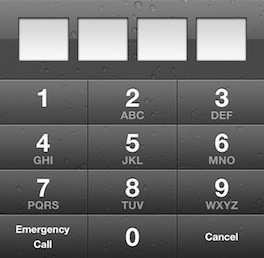
On a password protected iPhone, tap the "Emergency Call" button then enter ###. Tap the Call button and immediately hit the Lock button. It will open your iPhone Contacts app from which you'll be able to browse, edit, email, any contact.

Watch this Brazilian dude demonstrating the security flaw in action...
Watch Every Episode of Glee on Your iPhone

Are you a gleek? Do you want to be able to watch every episode of Glee directly on your iPhone for free? Well, there's a jailbreak app for that. Glee Mobile, available exclusively via Cydia lets you stream every episode of Glee to your iPhone, at absolutely no cost.

To be honest with you, I doubt this app really is legal but I'm sure the gleeks out there won't be discouraged by copyright infringements.

You can download Glee Mobile for free on Cydia.

How to Speed Up Cydia

One of the big downsides of Cydia is how slow it is. It usually takes a couple minutes from the time you launch Cydia to the time you can actually download something. Well, it doesn't have to be that way anymore... There is a simple and quick trick that will incredibly speed up Cydia by removing ads and screenshots in each package.

That means you won't see any ads anymore, but that also mean you won't be able to see app screenshots. That's something I'm willing to sacrifice if it can save me a few seconds here and there. Here is what to do to speed up Cydia...

VLC for iPhone Released

VLC media player was just updated as a universal app for iPhone and iPad in the App Store. The popular, open source, cross platform media player has been a favorite on Windows, OS X and Linux for years.

Awhile back, VLC released an iPad app in the App Store, and surprisingly the app was approved. VLC for iPhone allows you to play nearly every kind of video format known to man. The app clearly duplicates (and in my opinion, makes better) the video playback functionality of the the native iPod app. So, it's interesting that Apple has finally approved it.

The developers of the VideoLAN player just got the VLC 1.1.0 update approved, which lets VLC run on the iPhone 4, iPhone 3GS, and recent iPod touch models. I downloaded the app, and I was impressed.

Fast Copy Speeds Up Your iPhone’s Copy and Paste Functionality

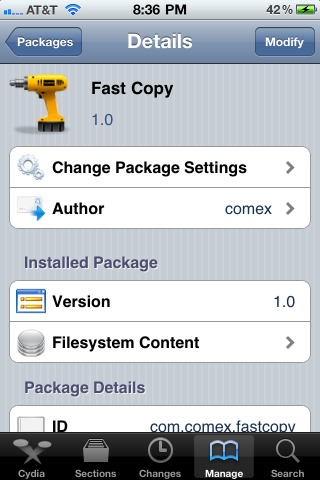
Every so often, a tweak comes around that simply makes the iPhone better to use. Fast Copy is the type of tweak that falls perfectly into that category, taking basic iPhone functionality and improving it.

I must admit, I was a bit skeptical at first, because I thought that the iPhone's copy and paste abilities were fairly competent already. After using Fast Copy, though, I can safely say that the room for improvement has always existed, whether I perceived it, or not.

SkyF1re iPhone Browser Takes Minimalism to the Extreme

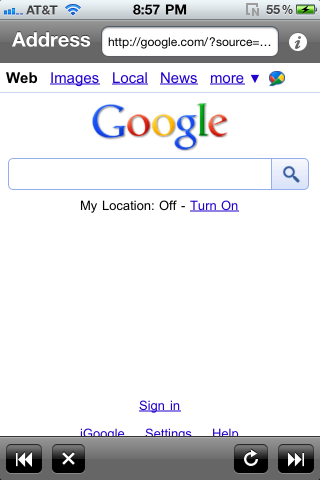
"A nice lightweight, quick little WebKit browser..." -- that's how the developer of the recently released SkyF1re Browser describes their iPhone browser for jailbroken iPhones. And while that's certainly an apt description, the browser is so incredibly lightweight, that it might just float away into utter obscurity.

Although one must keep in mind that this is version 1.0 of the app, I couldn't even get the address bar working on my iPhone.  No working address functionality on a browser? That's not a good thing.

How to Change Your iPhone App Icons Without Jailbreaking

We Apple users are picky about our aesthetics. Some of us try to pretend that we aren't, but we are. Things like app icons matter to us. Apple doesn't make it easy to customize your iPhone's look on a system mod level, but luckily there are still jailbreak-free hacks out there to taunt Apple's need for aesthetic control.

I'm going to walk you through how to manually change app icons on your iPhone without jailbreaking. There are multiple reasons you may want to change an app icon; you think the developer's icon is ugly, you want a retina display-compatible icon, or you just want to mess with your friend while he's away from his phone. Here's how you do it:

Top 10 iPhone News You Might Have Missed This Week

This is a summary of the most popular articles published on the blog this past week.

iPhone sent into space Get your custom alert tones on with ToneFXs LimeRa1n vs GreenPois0n Download PwnageTool 4.1 jailbreak Guide: how to jailbreak your iPhone 4.1 with PwnageTool How to update your iPhone to iOS 4.1 and make sure you can unlock with UltraSn0w GreenPois0n first impressions What everyone should know about jailbreaking This is what heat will do to your iPhone Fake your iPhone iOS with Firmware Changer

From our iPad blog:

This is the best way to hold your iPad

From our Apple TV blog:

This is a jailbroken Apple TV Apple TV gets its first jailbreak app

Is AT&T Preparing to Lose iPhone Exclusivity?

With the rumors flying again that Verizon might be getting a CDMA iPhone sometime next year, it looks like AT&T might be getting ready for life after iPhone exclusivity. Bloomberg notes that AT&T has been ramping up new smartphones on their network.

Lately they have added several new Windows 7 and Android phones to their mix of units. AT&T has said numerous times that they are not worried about losing the iPhone exclusivity due to the increase in popularity with Android and interest in Windows 7 Mobile.

Unpowered iPhone Speaker Amplifier

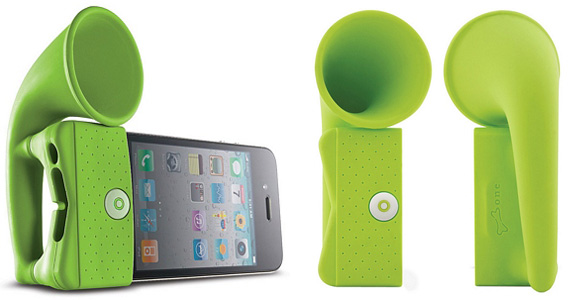
Here is one original accessory for your iPhone. It's a speaker amplifier in the shape of a horn.

Best part of it is that it doesn't need any batteries as it takes advantage of the horn to naturally amplify the sound coming out of your speaker by adding up to 12 decibels. That's what the product description says anyway.

You can get this amplifier for $25 from here. More iPhone accessories in our very own store (support the site!).

This is What Heat Will Do to Your iPhone

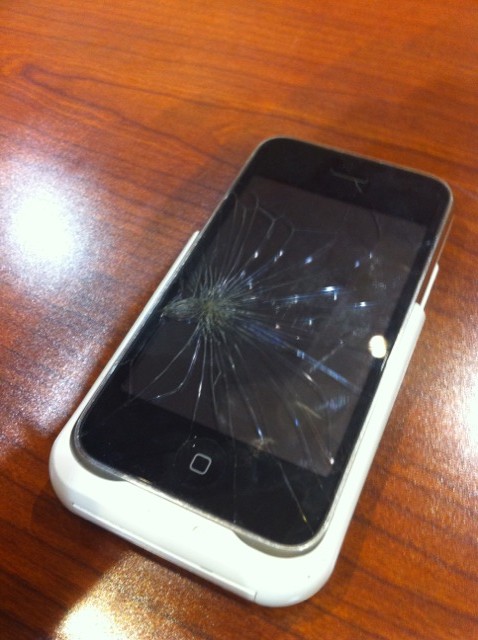
Last week while at Blog World Expo in Vegas I met comedian and film maker Mark Malkoff. We were chitchatting when he picked up his iPhone, made a quick call and put the phone on the table. I looked at it and couldn't help saying "damn, what happened to your iPhone?"

Mark said he had actually done nothing special and that his screen had cracked apparently because it was too hot. Mark lives in NY and I know it can be very hot sometimes there, but heck, that was the first time I saw an iPhone screen cracking because it was too hot outside...