Month: September 2010

Apple Keeps Google as Default Search Engine for the iPhone, Other iOS Devices

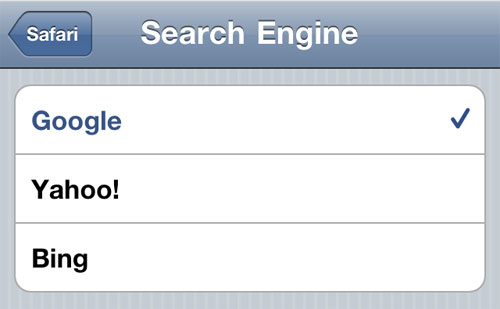
The most annoying commercials I see in the very little TV I watch in a week have to be the Bing commercials. They give me a headache. That being said. I won't have to worry about Microsoft's search engine replacing Google as the default topic finder.

Mac Rumors reports that Google CEO Eric Schmidt told Charlie Rose that the company recently extended their initial deal with Apple as the default search engine for all iOS devices. There were rumors that the iPhone and others might jump, leaving Bing to be the front runner. Apple recently allowed iOS users the ability to use Bing as a search engine, though users have to opt-in to participate...


Has Apple Quietly Approved the Official Google Voice App?

When we reported on GV Mobile+ being submitted and approved by the App Store last week I was so happy I could kiss you. Now it seems like Google's official application may have already been approved by Apple.

This of course is all brought on by Apple's revision of the App Store guidelines which previously banned apps like Google Voice, Flash and others. TechCrunch has a quote from a source in their breaking report that reads:

Why Does Apple Lead All Tech Coverage?

I can say from first hand experience that there are thousands of tech related stories that come across the wire each day. Sifting through them all to bring you relevant stories for the iPhone allows me to see just how much of a daily media buzz surrounds the Apple world.

The news surrounding Apple is mostly positive and is the most plentiful according to Mashable. Their report shows a study done by the Pew Research Center’s Project for Excellence in Journalism that has Apple leading the news race with just over 15% of all tech stories including Cupertino as the main topic...

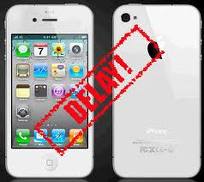
Leaks Indicate White iPhone 4 Might be Coming

It doesn't seem all that long ago when the iPhone community was up in arms about the delayed release of the white iPhone 4. Time has passed and overall I don't hear much complaining across the front lines.

iPhone FAQ has a story that highlights an inventory leak from Canadian iPhone carrier, Rogers. The report shows a screenshot that lists the white iPhone 4 underneath the black version. It's noted that once a product is listed in Rogers Sales Central it emerges shortly thereafter...

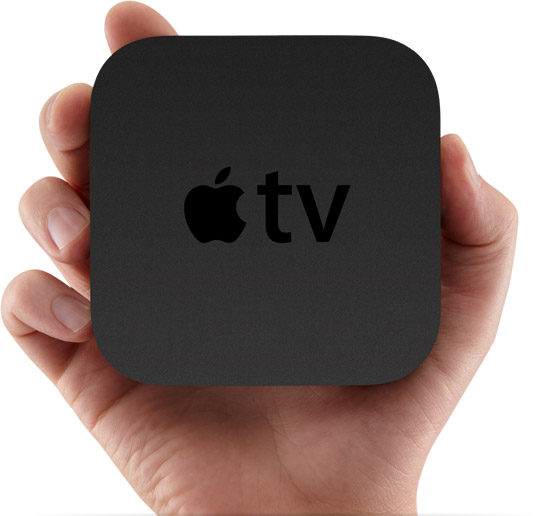
New Apple TV Can Be Jailbroken

After showing off the SHAtter exploit jailbreaking an iPod 4G yesterday, the Dev Team updated their blog with some information related to the new Apple TV, which will reportedly ship with iOS 4.1. According to the Dev Team, SHAtter has been used to decrypt the new Apple TV keys, a a step necessary to a developing successful jailbreak method.

This is what the Dev Team has to say about it...

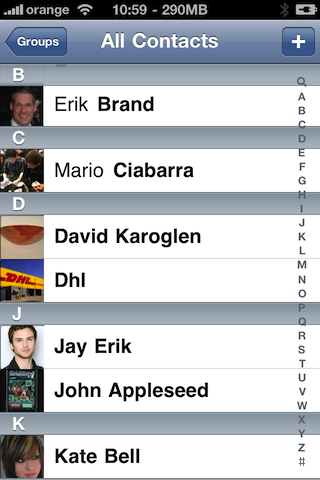
New Jailbreak App Shows Your iPhone Contacts Picture Next to Their Names

Those of you who've been in the jailbreak arena for a while might remember an application by Saurik called Cyntact, which displayed your contacts picture right next to their name in your contacts list. I think Cyntact hasn't been updated for iOS 4 but it doesn't matter because iPicMyContacts is taking over. Commenters confirm Cyntact was updated for iOS 4.

iPicMyContacts will display your contact picture next to his name inside the contacts and favorites screens...

iPhone Jailbreak Application Tells You Who’s Calling or Texting You

Last month we introduced you to CallTell, a jailbreak application that tells you who's calling before the phone starts ringing. Well, there's a new app available in Cydia that does just this, and a little more.

iCallAnnounce will announce in a human voice the name of the caller you're receiving a call from. Even better, it can also announce the full SMS details (Sender & Text) of an incoming SMS message in real time. How cool is that?

Use the Volume Button of Your iPhone to Take a Picture

Some of you may already know FastSnap, an application that was previously available on Rock, which was recently migrated to Cydia. FastSnap allows you to easily capture a photo or video inside the camera.app using the volume button of your iPhone.

FastSnap also comes with a few other handy settings. With FastSnap you can also silent the shutter sound when taking a picture. This feature can be enabled from the Settings menu. To quickly launch the default camera app you can also drag your finger over the top Status bar...

EU Drops Investigation into Apple

When we reported that Apple had relaxed their App Store guidelines we anticipated the arrival of apps that had been put on hold. What was left out of the conversation was the affect it would have on its pending investigation by the European Commissions office.

It was over a month ago when we originally brought you the news that the EU would be joining the Federal Trade Commissions in investigating Apple for their conduct in the dispute regarding Adobe and Flash. It turns out that when Apple opted to relax their rules it relaxed the temperament of the authorities...

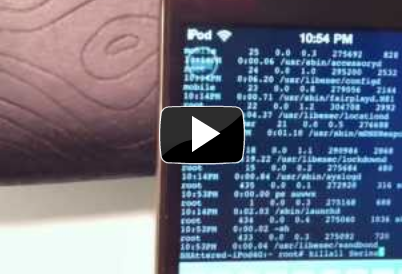
Dev Team Shows Off SHAtter Exploit [GreenPois0n iPhone Jailbreak on Its Way]

Folks, we just got one step closer to an official release of the iOS 4.1 jailbreak promised by the Chronic Dev Team thanks to the SHAtter exploit discovered by pod2g.

In a video posted on their blog today, the Dev Team showed off an iPod Touch 4G jailbroken with PwnageTool. The Dev Team was able to use the SHAtter exploit to install a custom firmware on the iPod Touch 4G, and was successful in getting the basics covered, such as Cydia, customized preferences, root access, etc...

App Switcher Rotator Tweak for Jailbroken iPhone

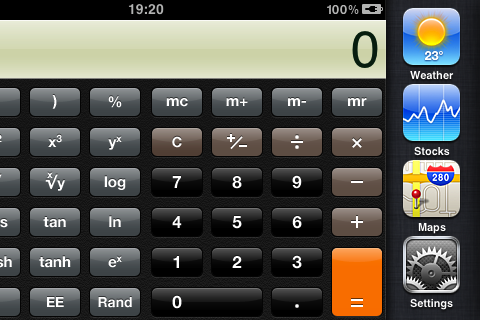
If you rotate your iPhone in landscape mode and hit the home button to launch the app switcher, you will notice that apps in the switcher keep their portrait mode orientation. A new jailbreak app called App Switcher Rotator will fix that for you.

App Switcher Rotator rotates the app switcher icons to the current orientation. That's all it does...

Use Your iPod Music as an Alarm Clock Sound on Your iPhone

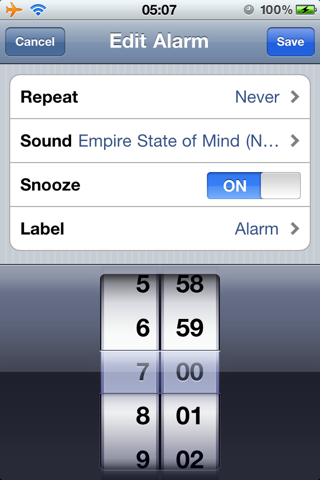
PlayAwake is a new jailbreak app available in Cydia that will let you use your iPod music as an alarm clock sound on your iPhone. By default, you are only limited to a few alarm clock sounds on your iPhone. PlayAwake wiill lift this limitation and let you choose any song from your iPod library to wake up to.

Just pick a track from your iPhone's music library from inside the default alarm clock app and you will wake up listening to your favorite song...